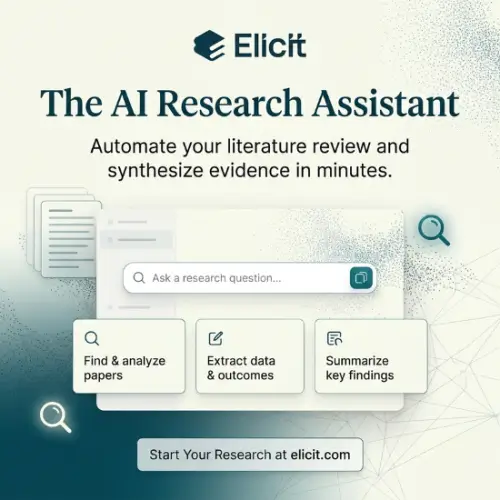
Have you ever sat in front of your laptop late at night, staring at a screen full of long, complicated research papers? If you are a student or a researcher, you already know how painful it is to read dozens of PDFs just to find one specific piece of information. You read the abstract, skim the middle, and check the conclusion, only to realize the paper does not even have the data you need.
It is a huge waste of time. But what if you had a super-smart helper to do the heavy lifting for you? That is exactly what Elicit is built to do.
In this article, we will break down what Elicit is, how it works, its pricing, and why it is becoming a favorite tool for students and researchers everywhere. We will keep things simple and easy to understand, so you can decide if it is the right tool for your next big project.
What is Elicit?
Elicit is an AI research assistant designed specifically for academic work. Think of it as a highly organized digital librarian who has read millions of papers and remembers every single detail.
Unlike regular search engines that just look for exact keyword matches, Elicit uses advanced AI to understand the actual meaning behind your questions. If you search for “how sleep affects memory,” it will not just look for those exact words. It will understand the concept and find papers about sleep deprivation, cognitive function, and brain health, even if they do not use your exact keywords.
It is built to help you find relevant papers, pull out the exact data you need, and organize everything in one clean place.
Key Features That Make Elicit Stand Out
To really understand why people love this tool, we need to look at what it can actually do. Here are the main features that make Elicit so useful.
1. Smart Semantic Search
As mentioned earlier, Elicit does not just match words; it matches ideas. This means you can ask it complex questions, and it will find the most relevant scientific papers. It searches through a massive database of academic literature, saving you from digging through irrelevant results.
2. Custom Data Extraction (The “Column” Feature)
This is arguably the best feature of Elicit. When you are doing a literature review, you usually need to compare different studies. Elicit lets you create custom columns for your search results.
For example, if you want to know the sample size of every study, the year it was published, and the main finding, you just create three columns. Elicit’s AI will read through the papers and automatically fill in those columns for you. You do not have to open every single PDF to find this information.
3. Paper Summarization
Reading full research papers takes hours. Elicit can read the paper for you and give you a short, simple summary. It highlights the main problem the researchers were trying to solve, the methods they used, and what they found. This helps you quickly decide if a paper is worth reading in full.
4. Chat with Your Papers
Sometimes you have a very specific question about a paper. Elicit allows you to open a paper and ask it questions directly. You can ask, “What were the limitations of this study?” or “How did they measure anxiety?” and the AI will find the exact answer inside the document and show it to you.
How to Use Elicit for Your Projects
Using Elicit is very straightforward. Here is a simple step-by-step guide to get you started.
Step 1: Ask a Question
Go to the Elicit website and type in your research question. Keep it clear and focused. Instead of typing “climate change,” type “how does ocean acidification affect coral reef growth.”
Step 2: Review the Results
Elicit will bring up a list of relevant papers. You can see the title, authors, and a quick summary. You can add or remove papers from your list based on what looks useful.
Step 3: Add Your Columns
This is where the magic happens. Click on the option to add a new column. Tell the AI what information you want to extract. You can choose from pre-set options like “Methodology” or “Sample Size,” or you can type in your own custom question.
Step 4: Let the AI Work
Elicit will now scan the papers in your list and fill in the columns. You can watch it work in real-time.
Step 5: Export Your Work
Once you have all the data you need, you can export your findings to a spreadsheet, a Word document, or directly into citation managers like Zotero or Mendeley.
Elicit Pricing Plans
Elicit offers a few different plans so that both casual students and heavy-duty research teams can use it. Here is a simple breakdown of their pricing structure. (Note: Prices are subject to change, so it is always a good idea to check their official website for the latest updates).
| Plan Name | Price | What You Get |
|---|---|---|
| Free Plan | $0 / month | Basic search features, limited number of papers you can save, and access to standard AI summarization. Great for trying out the tool. |
| Plus Plan | ~$10 / month | Unlimited papers, advanced AI models for better extraction, custom columns, and priority support. Best for university students and regular researchers. |
| Pro / Team Plan | Custom Pricing | Designed for universities, labs, and large teams. Includes shared workspaces, advanced security, and dedicated account management. |
Pros and Cons of Using Elicit
No tool is perfect. Here is a quick look at the good and the bad.
The Good:
- Saves countless hours of reading and skimming.
- The custom column feature is a game-changer for literature reviews.
- Very easy to use, even if you are not a tech expert.
- Helps you find papers you might have missed with regular keyword searches.
The Bad:
- The free plan is a bit too limited for heavy research.
- Sometimes the AI might miss a highly specific data point, so you still need to double-check important numbers.
- It only works with academic papers, so it is not useful for general web browsing or news articles.
Final Thought
Research is supposed to be about discovering new things, not getting stuck reading boring PDFs for hours on end. Elicit takes the most tedious parts of academic research and automates them. By helping you find the right papers, extract the exact data you need, and summarize complex studies, it lets you focus on the actual thinking and writing parts of your project.
Whether you are a high school student working on a science fair project, a college student writing a thesis, or a professional researcher doing a systematic review, Elicit is a tool that can make your life much easier. It turns a mountain of reading into a simple, organized spreadsheet.
Alternatives to Elicit
If you want to explore other options, here are some of the best alternatives to Elicit that offer similar features for academic research.
Consensus
Consensus is an AI search engine built specifically for scientific research. It reads thousands of papers to give you a direct, evidence-based answer to your question and shows the percentage of studies that agree with the finding.
Scite
Scite is a smart citation tool that shows you how a paper has been cited by other researchers. Instead of just giving you a citation count, it tells you if the paper was supported, contrasted, or mentioned by other studies, helping you judge its reliability.
ResearchRabbit
Often called the “Spotify for research papers,” this free tool helps you visually map out literature. You feed it a few papers you like, and it learns your preferences to suggest new, highly relevant papers and shows you how they are connected.
SciSpace
SciSpace is an excellent platform for reading and understanding complex academic papers. It allows you to highlight confusing text, math, or tables, and the AI will explain them in simple language, making it perfect for students tackling difficult subjects.
Scholarcy
Scholarcy is an AI-powered article summarizer that breaks down long research papers into bite-sized flashcards. It quickly extracts the key findings, methods, and limitations, allowing you to grasp the core of a paper in just a few seconds.
Elicit FAQs
Here are some frequently asked questions (FAQs) about Elicit to help you get started:
1. Is Elicit free to use?
Yes, Elicit offers a free plan with basic search and summarization features. However, if you need to analyze a large number of papers or use advanced AI extraction tools, you will need to upgrade to their paid Plus or Pro plans.
2. Can Elicit completely replace reading the actual research paper?
Not entirely. While Elicit is amazing at summarizing and pulling out key data, you should always open the original PDF to verify important numbers, check the methodology, and understand the full context of the study.
3. What kind of documents can Elicit search?
Elicit searches through a massive database of peer-reviewed academic papers, scientific studies, and scholarly articles. It does not search general websites, news articles, or opinion blogs.
4. Is the information extracted by Elicit accurate?
Elicit is highly accurate for most tasks, but like any AI tool, it can occasionally misinterpret complex text. It is always a smart habit to double-check critical data points directly in the original source.
5. Can I use Elicit for subjects outside of science?
Absolutely! While it is very popular in medicine and hard sciences, Elicit works great for psychology, education, business, social sciences, and any other field that has published academic literature.
6. Do I need to know how to code or be a tech expert to use it?
Not at all. Elicit is designed to be very user-friendly. You just type your research question in plain, everyday English, and the tool handles the complex searching and organizing for you.
7. Can I export my Elicit research to other tools?
Yes. Once you have organized your papers and extracted your data, you can easily export your findings to CSV (spreadsheet) files or directly into citation managers like Zotero and Mendeley.