
Discover the best AI image and photo analysis tools on ABC AI Tools. From object recognition and image captioning to OCR, background removal, photo enhancement, and visual search, these tools help you extract insights and improve images in seconds.
Compare features, accuracy, supported formats, and pricing side by side to find the right fit for photographers, developers, marketers, and businesses. Every top AI image analysis tool is curated in one place.
Start exploring and find the AI tool that helps you see more in every image.
Discover the best AI image and photo analysis tools on ABC AI Tools. From object recognition and image captioning to OCR, background removal, photo enhancement, and visual search, these tools help you extract insights and improve images in seconds.
Compare features, accuracy, supported formats, and pricing side by side to find the right fit for photographers, developers, marketers, and businesses. Every top AI image analysis tool is curated in one place.
Start exploring and find the AI tool that helps you see more in every image.

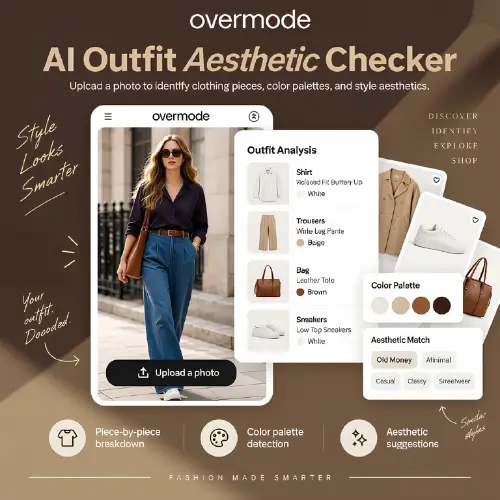
AI image and photo analysis tools use computer vision and machine learning to understand what is inside a picture. They can identify objects, read text, describe scenes, detect faces, assess quality, and enhance or edit photos automatically. What once required manual review or specialist software can now be done in seconds, at scale, and with impressive accuracy.
The category covers a wide range of visual tasks. Recognition tools identify objects, landmarks, plants, animals, and products. OCR tools extract text from photos, scans, receipts, and handwritten notes. Captioning and alt-text generators describe images in plain language for accessibility and SEO. Enhancement tools upscale resolution, sharpen details, fix lighting, restore old photos, and remove backgrounds or unwanted objects. Others support reverse image search, image moderation, face detection, medical or satellite image review, and automatic photo tagging and organization.
Start by defining your main task, whether that is recognition, text extraction, enhancement, or analysis. Compare accuracy, processing speed, and how well the tool handles low-quality or complex images. Check supported file formats, batch processing, resolution limits, and API access if you plan to automate your workflow. Privacy matters too, particularly when uploading personal photos, documents, or sensitive business images, so review how files are stored and whether they are used for training. Finally, compare pricing, from free tools with usage limits to scalable plans for businesses.
Use high-resolution, well-lit images whenever possible, and crop out distracting elements before uploading. Test a few tools on the same sample image to compare accuracy, and review automated results before using them in important work.
AI image analysis can make mistakes, especially with unusual angles, poor lighting, or ambiguous content. Verify critical results manually, and be mindful of privacy and consent when analyzing photos of people, including facial recognition features, which may be regulated in some regions.
We bring together the most useful and current image and photo analysis tools in one organized place. Each listing includes key features, pricing, pros and cons, and practical use cases, so you can compare quickly and choose with confidence. Whether you need a quick photo fixer or a developer-ready vision API, you will find options for every skill level and budget.
Start exploring and find the AI tool that helps you see more in every image.
