Reading long PDF documents can take hours, especially when they contain research papers, business reports, educational materials, financial statements, or technical information. Sometimes, you only need the important points instead of reading every page.
This is where AI PDF summarizer tools become useful.
AI-powered PDF tools can analyze lengthy documents, extract important information, generate short summaries, answer questions, and explain complicated topics in simple language. Some tools can even compare multiple PDFs and identify connections between different documents.
In this guide, we will explore the best AI tools for summarizing PDF documents. We will compare their features, pricing, advantages, disadvantages, and unique capabilities to help you choose the right software.
Whether you are a student, researcher, business professional, teacher, or someone who regularly works with PDF files, you will find a suitable option here.
Quick Comparison: Best AI PDF Summarizer Tools
If you don’t have time to read the complete article, here is a quick comparison of our selected tools.
| AI Tool | Best For | Free Option | Starting Paid Price |
|---|---|---|---|
| Gemini Notebook | Research and multiple documents | Yes | Free basic access |
| ChatGPT | General PDF analysis | Yes, limited | Paid plans available |
| Adobe Acrobat AI Assistant | Professional PDF workflows | Limited trial | AI Assistant add-on available |
| UPDF AI | PDF summarization and editing | Limited trial | Around $69–$79/year |
| Claude | Long-document analysis | Yes, limited | $20/month |
| Smallpdf AI | Quick PDF summaries | Limited | Check current plans |
| Humata AI | Academic and professional documents | Yes | $9.99/month |
| ChatPDF | Quick PDF conversations | Yes | Check current plans |
Pricing is indicative and based on publicly available plan information checked in November 2026. Actual prices, taxes, billing periods, free limits, and regional availability may vary. Always check the official website before purchasing.
1. Gemini Notebook – Best Free AI Tool for PDF Research and Summarization

Visit Gemini Notebook Official Website >>
Gemini Notebook (Formally NotebookLM) is an AI-powered research and learning assistant developed by Google. It allows users to upload PDF documents and other supported sources, then interact with their content using AI.
Instead of reading an entire document, you can ask Gemini Notebook to generate summaries, explain important concepts, find relevant information, and answer questions based on your uploaded sources.
One of its biggest advantages is its ability to work with multiple sources in the same notebook. This makes it particularly useful for students, researchers, and professionals who need to understand information from several documents.
Key Features
- Generate summaries from PDF documents.
- Ask questions about uploaded documents.
- Analyze multiple sources together.
- Generate study guides and FAQs.
- Extract important information from research materials.
- Create audio overviews from supported sources.
- Provide source references for answers.
- Organize research materials into notebooks.
Pricing
Google Gemini Notebook offers free basic access with usage limits. Higher limits and additional capabilities may be available through eligible Google AI subscriptions.
You can start using its basic features without purchasing a separate PDF summarizer subscription.
Pros
- Excellent for research and studying.
- Useful for analyzing multiple documents.
- Provides source-based answers.
- Free basic version available.
- Simple interface for organizing information.
- Supports different types of source materials.
Cons
- Not a complete PDF editing solution.
- Some advanced features have usage limits.
- AI-generated answers still require verification.
- Not designed for advanced PDF formatting or document editing.
Why Is Gemini Notebook Different?
Most PDF summarizers focus on generating a summary of one document. NotebookLM is particularly useful when you want to understand information across multiple sources.
For example, a student can upload five research papers and ask AI to identify their common findings, differences, and important conclusions.
Best For: Students, researchers, teachers, and people working with multiple PDF documents.
Visit Gemini Notebook Official Website >>
2. ChatGPT – Best for Flexible PDF Summarization and Analysis

Visit ChatGPT Official Website >>
ChatGPT is a popular AI assistant that can do much more than answer general questions. It can also analyze uploaded PDF files and help users understand complicated documents.
You can upload a PDF and ask ChatGPT to summarize the entire document, extract key points, explain technical information, or create a simplified version.
One major advantage is flexibility. You are not limited to a predefined summary format. You can tell the AI exactly what information you want.
For example, you can upload a 100-page business report and ask it to provide a one-page executive summary containing important findings, financial information, and recommendations.
Key Features
- Summarize uploaded PDF documents.
- Extract important facts and key points.
- Explain complex topics in simple language.
- Answer questions about document content.
- Compare different documents.
- Create notes, outlines, and study guides.
- Extract structured information from documents.
- Help rewrite technical information into readable content.
Pricing
ChatGPT offers a free plan with limited file uploads and usage.
Paid plans, including Go, Plus, and Pro, provide different levels of access and usage limits. Pricing depends on the selected plan and region.
You do not necessarily need a paid subscription if you only summarize PDFs occasionally.
Pros
- Very flexible summarization options.
- Can explain complicated information.
- Useful for different types of documents.
- Can compare and analyze multiple files.
- Easy to use through natural language instructions.
- Free option available.
Cons
- File uploads and AI usage are limited depending on the plan.
- Not a dedicated PDF editing application.
- Long or complex documents may require additional prompts.
- Important information should be checked against the original document.
Why Is ChatGPT Different?
The biggest advantage of ChatGPT is that you can control how the document is summarized.
You can request a short summary, detailed chapter-wise notes, important statistics, frequently asked questions, or even a presentation outline.
This flexibility makes it useful beyond basic PDF summarization.
Best For: Students, content creators, professionals, business owners, and everyday users.
Visit ChatGPT Official Website >>
3. Adobe Acrobat AI Assistant – Best for Professional PDF Workflows

Visit Adobe Acrobat AI Assistant Official Website >>
Adobe Acrobat is one of the most established PDF software solutions. Its AI Assistant adds intelligent document analysis and conversational capabilities to the traditional PDF workflow.
Users can interact with their documents, generate summaries, find important information, and ask questions without manually searching through every page.
It is especially useful for people who already use Adobe Acrobat for editing, organizing, signing, and managing PDF documents.
Key Features
- Generate AI-powered PDF summaries.
- Ask questions about document content.
- Extract important information.
- Get insights from lengthy documents.
- Work with multiple documents using PDF Spaces in supported plans.
- Edit, convert, and organize PDF files.
- Manage digital signatures and document workflows.
- Create AI-powered document overviews.
Pricing
Adobe offers different Acrobat subscriptions.
As listed on Adobe’s India website:
- Acrobat Standard: ₹477.90/month (annual billing).
- Acrobat Pro: ₹638.38/month (annual billing).
- Acrobat Studio: ₹797.68/month (annual billing), including AI Assistant.
An AI Assistant add-on is also available for eligible Acrobat plans. Adobe lists an annual add-on price of approximately ₹1,600.08, including GST.
Prices and subscription conditions can change, so check the official pricing page before purchasing.
Pros
- Trusted PDF management ecosystem.
- Useful AI summarization capabilities.
- Combines PDF editing and AI features.
- Suitable for professional document workflows.
- Helpful for working with multiple documents.
- Available across supported devices.
Cons
- More expensive than many dedicated summarizers.
- Some AI capabilities require an additional subscription.
- Can be excessive if you only need basic summaries.
- Requires time to understand its broader feature set.
Why Is Adobe Acrobat AI Different?
Unlike standalone PDF summarizers, Adobe combines AI analysis with a complete PDF management platform.
You can summarize a document, edit its content, organize pages, convert files, and manage signatures within the same ecosystem.
Best For: Businesses, office professionals, legal teams, and users who regularly edit and manage PDF documents.
Visit Adobe Acrobat AI Assistant Official Website >>
4. UPDF AI – Best for AI Summarization and PDF Editing

Visit UPDF AI Official Website >>
UPDF is an AI-powered PDF editor that combines document management with AI features.
Its AI Assistant can summarize documents, translate content, explain complicated information, and answer questions about uploaded PDFs.
The platform is particularly interesting because it offers both traditional PDF editing features and AI-powered document analysis.
This means you can use one application for reading, editing, converting, and understanding PDF documents.
Key Features
- AI-powered PDF summarization.
- Chat with uploaded PDF documents.
- Translate PDF content.
- Explain complicated paragraphs.
- Generate mind maps from documents.
- Analyze multiple PDF documents.
- Edit text and images inside PDFs.
- Convert PDFs into Word, Excel, and other formats.
- OCR for supported scanned documents.
Pricing
UPDF offers a free version with limited functionality and paid subscriptions.
Its AI pricing varies by plan and promotional offer. The official pricing information lists AI Assistant options around $69–$79 per year, depending on the selected package.
The AI Assistant may be offered separately or bundled with UPDF Pro. Some plans include a limited free AI trial.
Check the current checkout price and renewal terms before subscribing.
Pros
- Combines AI and traditional PDF editing.
- Useful summarization and translation features.
- Supports multiple platforms.
- Can work with multiple PDFs.
- Includes OCR capabilities in eligible plans.
- Useful for both personal and professional work.
Cons
- Some advanced AI features require payment.
- Separate AI and PDF subscriptions can make pricing confusing.
- Beginners may need time to explore all features.
- AI capabilities depend on plan limits.
Why Is UPDF AI Different?
UPDF focuses on combining an AI document assistant with a complete PDF editor.
Instead of using one website to summarize a document and another application to edit it, you can handle both tasks within the same software.
Best For: Students, professionals, researchers, and users who need both AI summarization and PDF editing.
Visit UPDF AI Official Website >>
5. Claude – Best for Detailed Analysis of Long Documents
Visit Claude AI Official Website >>
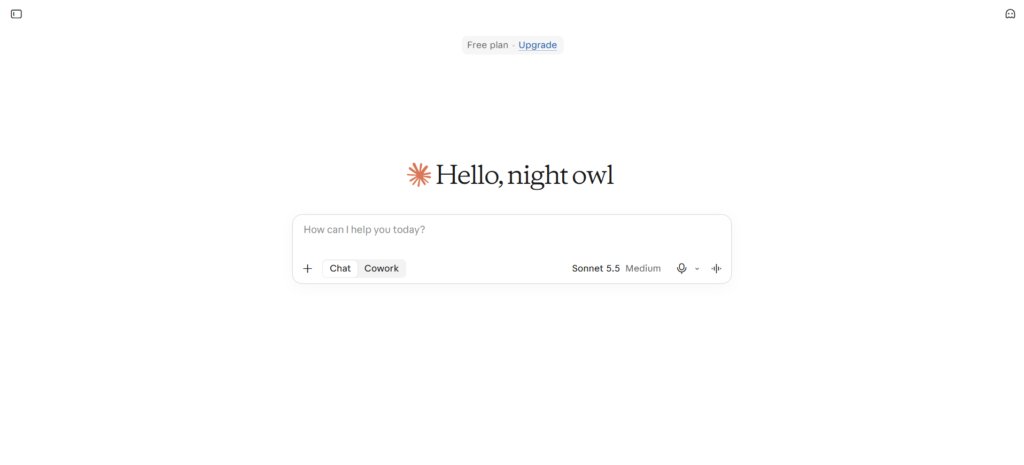
Claude is an AI assistant developed by Anthropic. It is known for its ability to understand lengthy information and generate detailed, well-structured responses.
It can analyze supported PDF uploads and help users understand complicated reports, research papers, business documents, and technical materials.
Instead of simply generating a short summary, you can ask Claude to explain the document section by section, identify important arguments, or compare different viewpoints.
Key Features
- Summarize uploaded PDF files.
- Explain complex information.
- Extract important findings.
- Generate detailed document summaries.
- Compare information across documents.
- Create structured notes and reports.
- Answer follow-up questions.
- Help simplify technical and academic content.
Pricing
Claude offers a free plan with usage limits.
Its Pro subscription costs:
- $17/month when billed annually ($200 upfront).
- $20/month when billed monthly.
Higher usage plans are also available.
Pros
- Excellent for detailed explanations.
- Useful for lengthy and complex documents.
- Produces well-structured responses.
- Supports follow-up questions.
- Helpful for academic and professional work.
- Free option available.
Cons
- Free usage is limited.
- Not a dedicated PDF editor.
- Large files and long conversations can consume usage limits.
- Important information should be verified against the source.
Why Is Claude Different?
Claude is particularly useful when you need more than a short overview.
For example, researchers can ask it to explain a paper’s methodology, identify limitations, summarize its conclusions, and simplify difficult terminology.
It is a strong option for understanding complex information rather than simply shortening a document.
Best For: Researchers, students, writers, and professionals who work with detailed documents.
Visit Claude AI Official Website >>
6. Smallpdf AI – Best for Quick PDF Summaries

Visit Smallpdf AI Official Website >>
Smallpdf is an online PDF management platform that provides tools for editing, compressing, converting, merging, and organizing PDF documents.
Its AI-powered features include an AI PDF Summarizer and Chat with PDF functionality.
Users can upload a document and generate a summary without manually reading every page.
The platform is especially useful for people who want a simple online PDF solution without installing complicated desktop software.
Key Features
- AI PDF summarization.
- Chat with PDF documents.
- Extract important information.
- Translate PDF content.
- Convert PDF files into different formats.
- Compress large PDF files.
- Merge and split documents.
- Edit and organize PDFs.
Pricing
Smallpdf offers a free plan with limited access to its tools.
Its Pro subscription provides expanded access to PDF and AI features, including higher or unlimited usage for eligible tools.
Team and Business plans are also available.
Pricing varies by billing period and region. Visit the official pricing page for the latest subscription cost.
Pros
- Simple and beginner-friendly interface.
- Works through a web browser.
- Offers multiple PDF management tools.
- No complicated installation required.
- Useful AI summarization features.
- Suitable for everyday document tasks.
Cons
- Free usage is limited.
- Advanced features require a subscription.
- Not every feature is focused on AI.
- Large documents may require checking the applicable file and word limits.
Why Is Smallpdf AI Different?
Smallpdf is more than a summarization tool.
It combines AI-powered document analysis with traditional PDF utilities. You can summarize a document, compress it, convert it, or organize its pages using the same platform.
Best For: Students, freelancers, office workers, and users who regularly perform basic PDF operations.
Visit Smallpdf AI Official Website >>
7. Humata AI – Best for Academic and Professional Documents

Visit Humata AI Official Website >>
Humata AI is a document-focused AI assistant that allows users to interact with their files and extract information using natural language questions.
It is designed for people who regularly work with research papers, technical reports, business documents, and other information-heavy materials.
Rather than manually searching for information, you can ask questions and receive answers based on your uploaded documents.
It can also help summarize complex information and identify relevant details from lengthy PDFs.
Key Features
- Summarize PDF documents.
- Ask questions about uploaded files.
- Extract important information.
- Analyze research papers and reports.
- Search through document content.
- Work with multiple documents.
- Support team-based document workflows.
- Organize knowledge using uploaded files.
Pricing
Humata currently offers the following plans:
| Plan | Price | Included Usage |
|---|---|---|
| Free | $0 | Up to 60 pages/month |
| Expert | $9.99/month | Up to 500 pages/month |
| Team | $49/user/month | Up to 5,000 pages/month |
| Enterprise | Custom | Customized usage |
Additional page charges may apply to certain paid plans.
Pros
- Designed specifically for document analysis.
- Useful for research and business reports.
- Allows natural language questions.
- Offers a free starting option.
- Supports team-based workflows.
- Useful for extracting information from multiple files.
Cons
- Free plan has page restrictions.
- Additional usage can increase costs.
- Not a full-featured PDF editor.
- Advanced security and collaboration features are limited to higher plans.
Why Is Humata AI Different?
Humata focuses heavily on document-based knowledge extraction.
It is especially useful when you need to repeatedly ask questions about a collection of documents instead of generating just one summary.
For example, a business team can upload reports and ask questions about specific figures, findings, or recommendations.
Best For: Researchers, business teams, consultants, and professionals who analyze multiple documents.
Visit Humata AI Official Website >>
8. ChatPDF – Best for Simple PDF Conversations

Visit ChatPDF Official Website >>
ChatPDF is a dedicated AI tool that allows users to interact with PDF documents through a conversational interface.
The idea is simple: upload a PDF, ask questions, and receive answers based on the document’s content.
It can generate summaries, explain specific sections, and help users find important information without manually searching through every page.
Its straightforward interface makes it suitable for people who want a dedicated PDF question-answering tool.
Key Features
- Upload and analyze PDF documents.
- Generate document summaries.
- Ask questions about PDF content.
- Extract important information.
- Find answers from specific sections.
- Support multiple languages.
- Help students understand research papers.
- Generate answers based on document content.
Pricing
ChatPDF offers a free version with usage restrictions.
Its free offering has included limited daily document uploads, while paid features and usage limits are available through its premium subscription.
Check the official website for current ChatPDF Plus pricing and limits before purchasing.
Pros
- Very simple interface.
- Designed specifically for PDF conversations.
- Easy to use for beginners.
- Useful for studying and research.
- Helps locate information quickly.
- Free option available.
Cons
- Free usage is restricted.
- Not a complete PDF editing application.
- Advanced features may require payment.
- Accuracy depends on document quality and AI interpretation.
Why Is ChatPDF Different?
ChatPDF focuses on making PDF documents interactive.
Instead of searching through pages manually, you can simply ask questions such as:
- What is this document about?
- What are the five most important points?
- Explain the conclusion in simple language.
- What does the author say about the main topic?
- Summarize chapter three.
This makes it particularly useful for people who prefer conversational AI tools.
Best For: Students, beginners, and users who want quick answers from PDF documents.
Visit ChatPDF Official Website >>
How to Choose the Best AI PDF Summarizer?
Not every AI PDF summarizer is suitable for every user. Some are designed for quick summaries, while others focus on research, professional document management, or multi-document analysis.
Here are the most important things to consider before purchasing a subscription.
1. Document Size and Page Limits
Check how many pages the tool can analyze in a single document. Some free tools allow only a limited number of pages, while paid plans may support larger documents.
If you regularly work with 200-page reports or research papers, choose a tool that supports your typical document size.
2. Summary Quality
A good AI summarizer should identify the main ideas without removing important details. Look for tools that can:
- Identify key findings.
- Extract important facts.
- Explain complicated sections.
- Generate accurate conclusions.
- Maintain the original meaning.
Always compare the generated summary with the original PDF before relying on it.
3. AI Question and Answer Features
Summarization is useful, but sometimes you need specific information from a document.
For example, instead of reading a 150-page report, you may want to ask:
“What were the main financial findings in this report?”
A tool with conversational PDF analysis can save significant time.
4. Multiple PDF Support
If you regularly compare reports or research papers, choose software that supports multiple document uploads.
This allows you to identify similarities, differences, and connections between different sources.
5. OCR Support for Scanned PDFs
Not every PDF contains selectable text.
Some documents are created by scanning physical pages. These files may require Optical Character Recognition (OCR) before AI can understand their content.
If you regularly work with scanned documents, make sure your selected software offers OCR support.
6. Privacy and Data Security
PDF documents sometimes contain confidential business information, personal details, financial records, or sensitive research. Before uploading files, check:
- How the company stores uploaded documents.
- Whether documents are encrypted.
- Whether uploaded data is used for AI model training.
- How long documents are retained.
- Whether you can delete uploaded files.
- Whether the platform offers suitable business or enterprise security controls.
Do not upload confidential documents to a service unless its privacy and security practices meet your requirements.
7. Export and Sharing Options
Some users only need a quick summary, while others want to save or share the results.
Check whether the software allows you to export summaries, create notes, copy extracted information, or share documents with other users.
8. Subscription and Usage Limits
A low-cost subscription is not necessarily the best deal. Before paying, compare the number of documents, pages, questions, and monthly usage included in the plan.
Also check whether the subscription renews monthly or annually and whether additional usage charges apply.
Best AI PDF Summarizer Based on Your Needs
Here is our recommendation based on different use cases.
| Your Requirement | Recommended Tool |
|---|---|
| Free PDF research assistant | NotebookLM |
| Flexible PDF summarization | ChatGPT |
| Professional PDF management | Adobe Acrobat AI |
| AI summarization plus editing | UPDF AI |
| Detailed document analysis | Claude |
| Quick online PDF summaries | Smallpdf AI |
| Academic and business document analysis | Humata AI |
| Simple PDF conversations | ChatPDF |
Our Recommendation: If you want to start without purchasing a subscription, try NotebookLM first. For users who want flexible summaries and explanations, ChatGPT is a strong choice. If you need a dedicated PDF application with editing capabilities, consider UPDF or Adobe Acrobat.
How to Summarize a PDF Document Using AI
Most AI PDF summarizers follow a similar process. You do not need advanced technical knowledge to use them. Here is a simple step-by-step guide.
Step 1: Choose an AI PDF Summarizer
Select a tool based on your requirements. For example, you can use NotebookLM, ChatGPT, UPDF AI, or ChatPDF.
Step 2: Upload Your PDF
Open the selected platform and upload the document you want to summarize.
Make sure your PDF is supported and does not exceed the platform’s file size or page limits.
Step 3: Generate the Summary
Select the summarization option if available, or enter a simple instruction such as:
“Summarize this PDF document and identify the most important points.”
The AI will analyze the document and generate a summary.
Step 4: Ask Follow-Up Questions
You can ask additional questions to understand specific sections. For example:
- Explain this document in simple English.
- Identify the most important findings.
- Create a chapter-wise summary.
- Extract important statistics and figures.
- List the main conclusions.
- Create 10 questions based on this document.
Step 5: Review and Save the Results
Read the generated summary and compare important information with the original document.
Save or export the summary if your selected platform supports it.
Best Prompts for Summarizing PDF Documents
The quality of an AI-generated summary depends partly on how you instruct the AI.
Here are some useful prompts you can copy and use.
1. Short PDF Summary
“Read the uploaded PDF and create a short summary covering its main topic, important points, and final conclusion. Use simple language and avoid unnecessary details.”
2. Detailed Chapter-Wise Summary
“Analyze this PDF and create a detailed summary of each chapter or section. Include important arguments, findings, examples, and conclusions.”
3. Student-Friendly Summary
“Explain this PDF as if you are teaching a student. Use simple English, explain difficult terms, and highlight the most important information for exams.”
4. Research Paper Summary
“Summarize this research paper. Include its research objective, methodology, major findings, limitations, and conclusion.”
5. Business Report Summary
“Analyze this business report and provide an executive summary. Highlight important financial figures, business performance, risks, opportunities, and recommendations.”
6. Extract Important Information
“Read this PDF and extract all important facts, statistics, dates, names, and figures. Organize the information using headings and bullet points. Include page references wherever possible.”
Benefits of Using AI to Summarize PDF Documents
AI PDF summarizers can make document reading faster and more convenient.
Here are some important advantages.
Saves Time: You can understand the main information in lengthy documents without reading every page manually.
Improves Productivity: Students and professionals can spend more time understanding and using information instead of searching through documents.
Simplifies Complex Information: AI can explain technical terminology, complicated concepts, and difficult paragraphs in simpler language.
Makes Research Easier: You can compare different documents and extract important information more efficiently.
Helps with Studying: Students can create revision notes, study guides, and practice questions from their learning materials.
Improves Document Accessibility: Users who struggle with lengthy or complex text can use AI-generated explanations to understand information more easily.
Limitations of AI PDF Summarizer Tools
Although these tools are useful, they are not perfect. Before relying on an AI-generated summary, understand the following limitations.
- Incorrect Information: AI may sometimes generate inaccurate statements or misunderstand the original content.
- Missing Details: A short summary may leave out important arguments, exceptions, or supporting evidence.
- Scanned Documents: Some tools may struggle with scanned PDFs unless OCR is supported.
- Complex Tables: Financial tables, charts, and complicated layouts may not always be interpreted correctly.
- Usage Restrictions: Free subscriptions may limit the number of documents, pages, or questions.
- Privacy Concerns: Uploading confidential information requires careful consideration of the platform’s data policies.
For important academic, legal, medical, or financial documents, always verify the information using the original PDF.
Final Verdict: Which AI PDF Summarizer Should You Choose?
AI-powered PDF summarizers are becoming useful tools for students, researchers, business owners, and professionals who work with large amounts of information.
The right tool depends on how you plan to use it.
If you want a free research assistant, NotebookLM is an excellent starting point.
If you need flexible document analysis and explanations, ChatGPT is a strong option.
If you regularly work with professional PDF documents, Adobe Acrobat AI Assistant offers a more complete document management experience.
If you want PDF editing combined with AI summarization, UPDF AI is worth considering.
For detailed document analysis, Claude and Humata AI are also useful alternatives.
Our suggestion is to try the free versions first. Upload a few sample documents, test the summary quality, check the page limits, and then decide whether a paid subscription is worth the investment.
The best AI PDF summarizer is not necessarily the most expensive one. It is the one that saves you time, understands your documents accurately, and fits your budget.
Frequently Asked Questions (FAQs)
1. What is the best AI tool for summarizing PDF documents?
NotebookLM, ChatGPT, UPDF AI, Claude, and Adobe Acrobat AI Assistant are among the useful options. The best choice depends on your requirements. NotebookLM is particularly useful for research, while Adobe Acrobat is suitable for professional PDF workflows.
2. Is there a free AI tool to summarize PDF documents?
Yes. NotebookLM, ChatGPT, Claude, Humata AI, and ChatPDF offer free access with different usage limits. Their free features and restrictions may change over time.
3. Can ChatGPT summarize a PDF?
Yes. You can upload a supported PDF to ChatGPT and ask it to generate a short summary, detailed notes, key points, or answers to specific questions. File upload availability and limits depend on your subscription.
4. Can AI summarize a 100-page PDF?
Yes. Several AI tools can analyze documents containing 100 pages or more. However, the actual limit depends on the platform, file size, document format, and subscription plan.
5. Can AI summarize scanned PDF documents?
Yes, provided the selected tool supports OCR (Optical Character Recognition). OCR converts text in scanned images into machine-readable text that AI can analyze.
6. Are AI PDF summarizers accurate?
They can produce useful summaries, but accuracy is not guaranteed. AI may misunderstand information, omit important details, or generate incorrect statements. Always verify critical facts against the original document.
7. Can AI summarize multiple PDF documents together?
Yes. Tools such as NotebookLM, UPDF AI, Humata, and other document-analysis assistants offer multi-document capabilities, subject to their individual plan limits.
8. Can I use AI to summarize PDF books?
Yes. You can use supported AI tools to summarize PDF books, extract chapter-wise notes, explain difficult concepts, and identify important ideas. Make sure you have the necessary rights to upload and process the material.
9. Which AI PDF summarizer is best for students?
NotebookLM, ChatGPT, and Claude are useful options for students. They can help explain difficult topics, create study notes, summarize research papers, and generate practice questions.
10. Do I need to install software to summarize PDFs?
Not necessarily. Several tools, including NotebookLM, ChatGPT, ChatPDF, and Smallpdf, offer browser-based experiences. Desktop applications such as UPDF and Adobe Acrobat are also available.
11. Can AI extract important points from PDF documents?
Yes. You can ask an AI tool to extract key points, statistics, dates, definitions, findings, and conclusions. Some tools can also provide references to the relevant document sections.
12. Are online AI PDF summarizers safe?
Safety depends on the provider and its data-handling practices. Check its privacy policy, data retention rules, encryption, and AI training policies before uploading confidential documents.
This article is published for informational purposes. Product features, pricing, free-plan limits, and subscription conditions can change. We recommend visiting the official websites to confirm the latest details before purchasing.