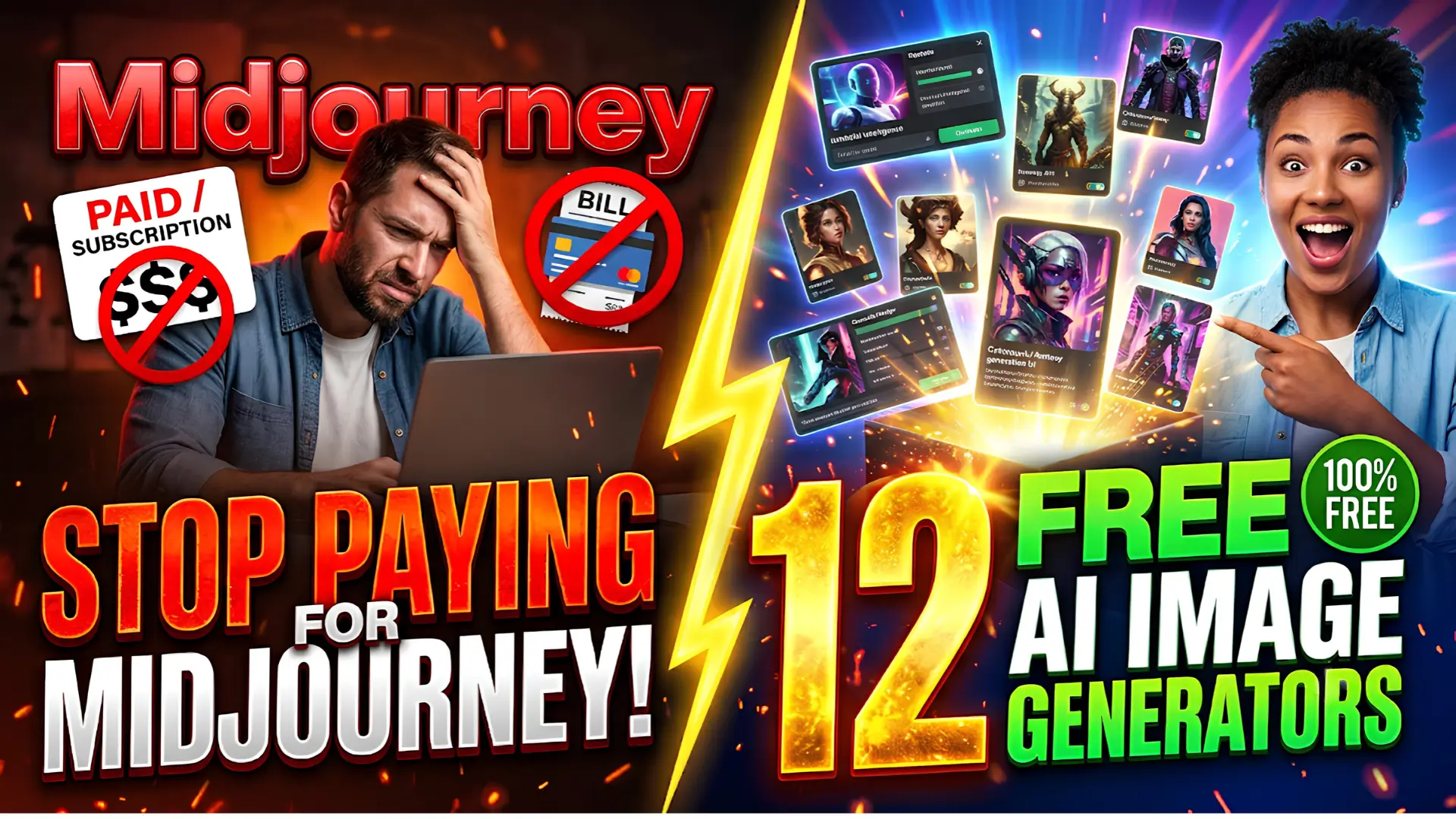
Midjourney is one of the most popular AI image generators, known for creating beautiful illustrations, realistic images, artistic concepts, and detailed visuals from simple text prompts. However, it is not the perfect choice for everyone. Its subscription-based pricing, learning curve, and limited free access can make it difficult for beginners and casual creators to use regularly.
The good news is that you don’t need Midjourney to create impressive AI images.
There are several other AI image generators that offer free daily credits, free image generation, open-source software, and specialized creative features. Some are even better choices for particular tasks, such as designing game characters, creating anime illustrations, editing existing artwork, or generating images directly on your computer.
In this guide, we will explore 12 of the best free alternatives to Midjourney, including some lesser-known AI tools that deserve more attention.
Whether you are a blogger, graphic designer, digital artist, game developer, content creator, or someone who simply enjoys creating AI art, you will find an option that matches your needs and budget.
Quick Comparison: Best Free Midjourney Alternatives
Here is a quick comparison of all 12 tools covered in this article.
| AI Tool | Best For | Free Access | Starting Paid Price |
|---|---|---|---|
| Scenario | Game assets and character design | 50 daily credits | $15/month |
| Dezgo | Quick AI image generation | Yes, limited | Pay-as-you-go |
| Deep Dream Generator | Artistic and surreal images | Limited free energy | $9/month |
| StarryAI | Creative AI artwork | Limited free access | Check current plans |
| Artbreeder | Portraits and character mixing | Free access with limits | Check current plans |
| PixAI | Anime and manga illustrations | 10,000 daily credits | $9.99/month |
| Dream by WOMBO | Artistic images and wallpapers | Limited free access | Subscription options |
| Neural.love | Image generation and enhancement | Limited free access | Credit-based |
| getimg.ai | Multiple AI models and editing | Check current free allowance | $15/month (annual billing) |
| Fooocus | Free local AI image generation | Completely free software | $0 software cost |
| InvokeAI | Advanced AI image editing | Free open-source software | $0 software cost |
| Krita AI Diffusion | AI-assisted digital painting | Free plugin | Free locally; optional cloud costs |
Pricing and free allowances are based on publicly available information checked in November 2026. Prices can change, and some plans depend on billing periods, usage, or platform. Always check the official pricing page before purchasing.
1. Scenario – Best for AI Game Assets and Character Design

Visit Scenario Official Website >>
Scenario is an AI creative platform designed especially for game developers, digital artists, and creative teams. Unlike general-purpose AI image generators, it focuses on producing consistent visual assets that can be used throughout a creative project.
For example, imagine you are developing a mobile game and need 20 characters with the same artistic style. Creating every character separately with a traditional AI image generator can be difficult because the appearance and style may change between generations.
Scenario helps solve this problem with custom-trained models, reference images, and tools for maintaining a consistent visual direction.
Key Features
- AI Image Generation: Generate characters, environments, objects, and other visual assets from text prompts.
- Custom AI Models: Train models using your own images to create artwork that follows a particular style.
- Character Consistency: Maintain a more consistent appearance across multiple generations.
- Reference Images: Use visual references to guide the generation process.
- Game Asset Creation: Create assets suitable for different types of games and creative projects.
- Team Collaboration: Organize creative projects and share assets with team members.
- Multiple AI Models: Access different models for different creative requirements.
Pricing
Scenario provides a free plan with 50 daily credits and no credit card requirement.
| Plan | Price | Credits |
|---|---|---|
| Free | $0 | 50 daily credits |
| Starter | $15/month | 1,500 monthly credits |
| Pro | $45/month | 5,000 monthly credits |
| Max | $75/month | 10,000 monthly credits |
| Enterprise | Custom | Custom |
The free plan has limitations, including restricted model access and personal/evaluation-only usage. Paid plans include commercial licensing.
Pros and Cons
Pros
- Excellent for game development projects.
- Helps maintain consistent artistic styles.
- Custom model training is available.
- Free daily credits for testing.
- Supports different creative asset formats.
Cons
- More specialized than a simple AI art generator.
- Advanced features require paid plans.
- The credit system can be confusing initially.
- Not the cheapest option for casual image generation.
Why Choose Scenario Instead of Midjourney?
Choose Scenario if your main goal is creating game assets, maintaining consistent characters, or building a collection of images with a similar artistic style.
Midjourney is excellent for general creative image generation, but Scenario provides a more specialized environment for professional game art workflows.
Best For: Game developers, indie studios, character designers, and digital artists.
Visit Scenario Official Website >>
2. Dezgo – Best Free AI Image Generator Without Registration

Visit Dezgo Official Website >>
Dezgo is an interesting alternative for people who want to generate AI images without going through a complicated registration process. It is a browser-based AI image generator that allows users to create images directly from text descriptions. You simply visit the website, enter a prompt, select the generation settings, and click the generate button.
One of its biggest advantages is its free mode. You can start generating images without creating an account, although the free service comes with certain limitations.
Dezgo is particularly useful for beginners who want to experiment with AI-generated artwork without paying for a monthly subscription.
Key Features
- Text-to-Image Generation: Convert written descriptions into AI-generated images.
- Multiple AI Modes: Choose from different generation modes and models.
- Image-to-Image: Use existing images as references for new creations.
- Image Enhancement: Access additional image processing options.
- Flexible Settings: Adjust image dimensions and other generation parameters.
- Video Generation: Certain available models also support AI video creation.
- Power Mode: Unlock additional generation capabilities through prepaid credits.
Pricing
Dezgo uses a combination of free access and optional pay-as-you-go pricing.
| Option | Price | Details |
|---|---|---|
| Free Mode | $0 | Limited generation, resolution, and processing |
| Power Mode | Pay-as-you-go | Prepaid balance based on usage |
The cost of Power Mode depends on the model, image resolution, and generation settings.
For example, Dezgo’s official FAQ gives an example of $0.0019 for a standard text-to-image request using default settings. More advanced generation options can cost more.
There is no compulsory monthly subscription for Power Mode.
Pros and Cons
Pros
- Free image generation without registration.
- Simple browser-based interface.
- No compulsory monthly subscription.
- Pay only for the processing you use.
- Supports different image generation options.
Cons
- Free mode has generation restrictions.
- Some advanced features require payment.
- Output quality depends on the selected model.
- The interface may feel less polished than some popular alternatives.
Why Choose Dezgo Instead of Midjourney?
Dezgo is a great choice if you want a simple and inexpensive way to generate images.
You don’t have to commit to a monthly subscription just to create a few images. Its free mode also makes it convenient for people who want to test AI image generation before spending money.
Best For: Beginners, bloggers, casual creators, and people who need occasional AI-generated images.
Visit Dezgo Official Website >>
3. Deep Dream Generator – Best for Artistic and Surreal AI Images
Visit Deep Dream Generator Official Website >>
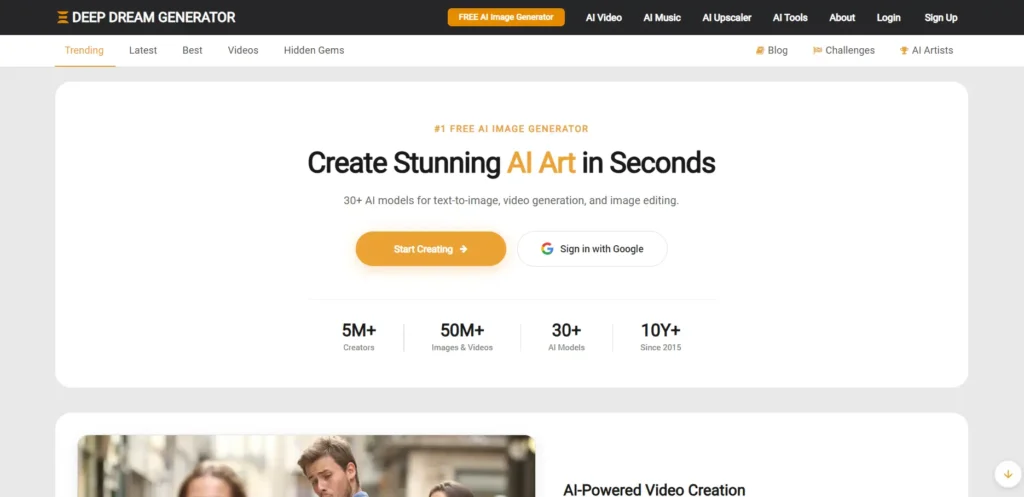
Deep Dream Generator is an AI art platform that focuses on creative and artistic image generation. It is particularly interesting for people who enjoy surreal artwork, imaginative landscapes, fantasy illustrations, and unusual artistic effects.
Instead of focusing only on realistic photographs, the platform offers different creative models and artistic styles that can transform ordinary ideas into visually interesting artwork.
You can describe an image using text or experiment with existing images to create different artistic results.
Deep Dream Generator is also worth exploring if you want to create images that look more like digital paintings than traditional photographs.
Key Features
- AI Image Generation: Create images from written descriptions.
- Deep Style: Transform existing images into different artistic styles.
- Creative Models: Experiment with several AI image generation models.
- Image Enhancement: Improve the appearance and resolution of generated artwork.
- AI Image Editing: Make creative changes to images.
- AI Video Generation: Access video generation features through supported paid options.
- Community Gallery: Explore artwork created by other users.
Pricing
Deep Dream Generator uses an energy-based system. Different models and features consume different amounts of energy.
| Plan | Price | Monthly Energy |
|---|---|---|
| Free | $0 | Based on user level |
| Basic | $9/month | 750 |
| Advanced | $19/month | 2,000 |
| Professional | $39/month | 5,000 |
| Ultra | $99/month | 15,000 |
The platform also offers one-time energy packs starting at $3.99.
The actual number of images you can generate depends on the selected model and settings. For example, standard image generation may consume less energy than advanced models.
Paid subscriptions include additional features, storage, and commercial-use rights.
Pros and Cons
Pros
- Interesting artistic image styles.
- Supports surreal and creative artwork.
- Offers different AI models.
- Includes image enhancement features.
- Provides monthly subscriptions and one-time energy packs.
Cons
- Free energy is limited.
- Advanced models can consume credits quickly.
- Some features require a subscription.
- Not every style is suitable for realistic commercial images.
Why Choose Deep Dream Generator Instead of Midjourney?
Deep Dream Generator is worth considering if you prefer artistic experiments and surreal visuals.
Its energy-based pricing also gives occasional users another way to purchase image generation capacity without necessarily committing to a long-term subscription.
Best For: Digital artists, fantasy creators, bloggers, and people who enjoy experimental AI artwork.
Visit Deep Dream Generator Official Website >>
4. StarryAI – Best for Creative AI Artwork

Visit StarryAI Official Website >>
StarryAI is an AI art generation platform that makes it easier to turn creative ideas into digital artwork. You can enter a text prompt, select a visual style, and let the AI generate an image based on your description.
The platform is designed for people who enjoy experimenting with different artistic directions. Whether you want fantasy illustrations, digital paintings, creative portraits, or visually interesting social media graphics, StarryAI offers a straightforward workflow.
One interesting aspect of StarryAI is its focus on creators who want to experiment with AI art rather than manage complicated technical settings.
Key Features
- Text-to-Image: Create artwork using simple text descriptions.
- Artistic Styles: Experiment with different visual styles.
- Image Variations: Explore different interpretations of an original idea.
- Creative Controls: Adjust available generation settings.
- AI Art Creation: Generate illustrations, portraits, and creative visuals.
- Mobile Access: Create AI artwork using supported mobile applications.
Pricing
StarryAI offers free access with limitations, while additional generation capacity and features are available through paid options.
Its current subscription and credit prices can vary by platform, region, and offer. Check the official website or application before purchasing.
| Option | Price |
|---|---|
| Free Access | $0 |
| Paid Plans | Check current pricing |
| Additional Credits | Subject to available offers |
Do not assume that free access means unlimited image generation. Check the available daily limits and credit rules before using it for regular content production.
Pros and Cons
Pros
- Easy for beginners to understand.
- Offers different artistic styles.
- Good for experimenting with creative ideas.
- Useful for digital artwork and illustrations.
- Supports mobile-based creation.
Cons
- Free generation is limited.
- Regular users may need a paid plan.
- Some advanced features depend on the selected plan.
- Pricing and allowances should be checked before subscribing.
Why Choose StarryAI Instead of Midjourney?
StarryAI is worth trying if you want a simple AI art creation experience without dealing with a complicated creative workflow. It can be a practical option for people who generate artwork occasionally and want to explore different visual styles.
Best For: Beginners, hobby artists, social media creators, and digital art enthusiasts.
Visit StarryAI Official Website >>
5. Artbreeder – Best for Creating and Mixing Characters

Visit Artbreeder Official Website >>
Artbreeder is a creative AI platform that takes a slightly different approach to image generation. Rather than relying only on text prompts, it allows users to combine, modify, and experiment with visual elements to create new images.
It is particularly interesting for portrait creation, character design, fantasy artwork, and visual concept development.
For example, you can start with a portrait and experiment with facial features, expressions, appearance, and other visual characteristics to develop a different character.
This makes Artbreeder useful for people who enjoy controlling and modifying the appearance of their artwork.
Key Features
- Portrait Creation: Generate and modify AI-generated faces.
- Image Mixing: Combine visual elements to create new images.
- Character Design: Experiment with different character appearances.
- Landscape Creation: Develop creative backgrounds and environments.
- Visual Variations: Explore different versions of an existing image.
- Creative Controls: Modify available image characteristics.
- Community Creations: Explore and take inspiration from other users’ work.
Pricing
Artbreeder provides free access with limitations. Additional features and usage capacity are available through paid subscription options.
| Option | Price |
|---|---|
| Free | $0 |
| Paid Plans | Check current pricing |
The available limits and paid features can change, so check the official pricing page before purchasing.
Pros and Cons
Pros
- Different approach to AI image generation.
- Excellent for character and portrait experiments.
- Allows visual mixing and modifications.
- Useful for fantasy character concepts.
- Free access is available.
Cons
- Not the best choice for every type of image.
- Takes time to understand its creative controls.
- Free usage comes with limitations.
- Some advanced options require payment.
Why Choose Artbreeder Instead of Midjourney?
Artbreeder is a better fit if you want to modify and experiment with existing visual concepts instead of generating everything from scratch.
Midjourney is more focused on prompt-based image creation, while Artbreeder provides a more interactive approach to developing characters and visual ideas.
Best For: Character designers, portrait artists, fantasy creators, and concept artists.
Visit Artbreeder Official Website >>
6. PixAI – Best Free Alternative for Anime and Manga Art
Visit PixAI Official Website >>
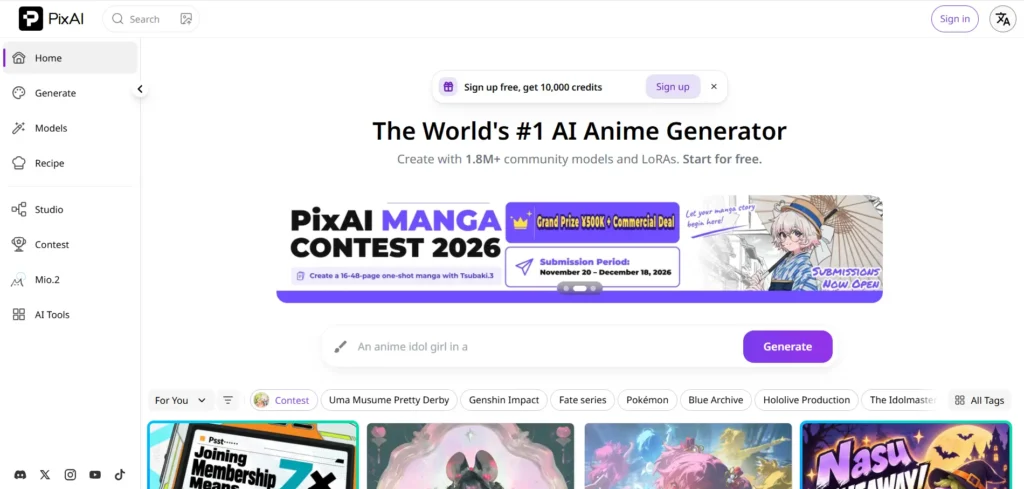
PixAI is a specialized AI image generation platform built around anime, manga, illustrations, and original character creation. If you regularly create anime characters or Japanese-inspired artwork, PixAI deserves a place on your list.
One of its biggest advantages is its large community model library. Users can explore different models and LoRAs to create artwork in specific styles. You can also upload reference images, modify existing artwork, and work on character consistency.
For anime creators, these features make PixAI more interesting than many general-purpose AI image generators.
Key Features
- Anime Image Generation: Create anime-style characters and illustrations.
- Manga Artwork: Generate manga-inspired visual concepts.
- Community Models: Explore a large collection of AI models and LoRAs.
- Character Consistency: Use references and custom LoRAs to maintain character appearance.
- Image-to-Image: Transform existing images into different styles.
- AI Image Enhancement: Improve image details and quality.
- AI Animation: Turn supported images into animated content.
- Custom LoRA Training: Train models for specific characters or artistic styles.
Pricing
PixAI offers daily free credits and several paid membership options.
| Plan | Monthly Price | Annual Average Price |
|---|---|---|
| Free | $0 | $0 |
| Starter | $9.99 | $7.99/month |
| Plus | $29.99 | $22.99/month |
| Premium | $49.99 | $35.99/month |
The free plan offers 10,000 daily credits. Paid memberships provide additional monthly credits, faster generation, and other benefits. The actual number of images you can generate depends on the model and generation settings.
Pros and Cons
Pros
- Excellent for anime and manga artwork.
- Daily free credits.
- Large community model library.
- Supports custom LoRA training.
- Useful character consistency features.
- Includes image editing and enhancement options.
Cons
- Not specifically designed for realistic photography.
- Understanding models and LoRAs takes time.
- Advanced features consume additional credits.
- The interface may feel overwhelming to new users.
Why Choose PixAI Instead of Midjourney?
PixAI is a particularly strong alternative if you create anime characters, manga illustrations, or original fictional characters.
Its specialized models and community library provide more control over anime-focused artwork than a general-purpose image generator.
Best For: Anime artists, manga creators, VTubers, character designers, and digital illustrators.
Visit PixAI Official Website >>
7. Dream by WOMBO – Best for Simple Artistic Image Generation

Visit Dream AI Official Website >>
Dream by WOMBO is an AI art generator designed to make digital artwork creation simple. You don’t need professional graphic design skills or experience with complicated AI tools. Just describe what you want to create, select an artistic style, and generate your image.
The platform is particularly useful for creating wallpapers, fantasy artwork, colourful illustrations, and creative social media visuals.
Its simple workflow makes it a good starting point for people who are new to AI image generation.
Key Features
- Text-to-Image: Generate images from written prompts.
- Art Styles: Choose from available artistic styles.
- Creative Wallpapers: Generate personalised wallpapers.
- Fantasy Artwork: Create imaginative characters and environments.
- Mobile Applications: Create artwork using supported mobile devices.
- Simple Interface: Generate images without complicated settings.
Pricing
Dream by WOMBO offers free and premium options. Subscription availability and pricing may differ between the website and mobile applications.
| Option | Price |
|---|---|
| Free Access | $0 |
| Premium | Subscription-based |
For reference, the Indian Apple App Store listing has shown multiple in-app purchase options, including ₹399 monthly and ₹3,499 yearly offers. These are regional app-store listings, not universal web prices.
Check the price displayed on your device before subscribing.
Pros and Cons
Pros
- Beginner-friendly interface.
- Easy image generation process.
- Useful for artistic wallpapers.
- Different visual styles.
- Mobile-friendly experience.
Cons
- Limited control over advanced image details.
- Free access has restrictions.
- Premium pricing varies by platform.
- Not ideal for highly controlled professional design workflows.
Why Choose Dream by WOMBO Instead of Midjourney?
Dream by WOMBO is a convenient option if you want to create artistic images quickly without learning advanced prompting techniques. It is especially suitable for casual users who want creative visuals rather than a professional image production environment.
Best For: Beginners, mobile users, wallpaper creators, and casual AI art enthusiasts.
Visit Dream AI Official Website >>
8. Neural.love – Best for AI Image Enhancement and Creative Workflows

Visit Neural Love Official Website >>
Neural.love is an AI-powered creative platform that offers image generation, image enhancement, and other media processing features. Unlike platforms that focus only on creating images from text prompts, Neural.love also provides tools for improving existing visual content.
This makes it useful for creators who already have images but want to improve their quality, restore details, or experiment with AI-powered transformations.
For example, you can use AI enhancement tools to improve an older image or explore different creative treatments for your existing artwork.
Key Features
- AI Image Generation: Generate artwork using AI.
- Image Enhancement: Improve image quality and visual details.
- AI Upscaling: Increase the resolution of supported images.
- Photo Restoration: Improve older or damaged photographs.
- Portrait Enhancement: Enhance portrait images.
- Creative Processing: Use AI-powered tools for different visual tasks.
- API Access: Developers can integrate supported services into their own applications.
Pricing
Neural.love uses a credit-based pricing system for its paid services.
| Option | Pricing |
|---|---|
| Free Access | Limited free features |
| Subscription | Check current pricing |
| Pay-as-you-go | Credit-based |
| API | Usage-based credits |
The amount of credits consumed depends on the type of processing, image quantity, and selected settings. Before purchasing credits, check their expiration rules and the cost of each operation.
Pros and Cons
Pros
- Combines image generation and enhancement.
- Useful for improving existing images.
- Offers different AI-powered creative tools.
- Credit-based payment options.
- API access for developers.
Cons
- Not every feature is available for free.
- Credit consumption varies by operation.
- Advanced processing can become expensive.
- Not as specialised in artistic prompt generation as some competitors.
Why Choose Neural.love Instead of Midjourney?
Choose Neural.love if your work involves both generating and improving images. Midjourney focuses heavily on creating new visuals, while Neural.love offers additional tools for working with existing media.
Best For: Bloggers, photographers, content creators, and people who need image enhancement alongside AI generation.
Visit Neural Love Official Website >>
9. getimg.ai – Best for Accessing Multiple AI Image Models

Visit GetImage AI Official Website >>
getimg.ai is a creative AI platform that brings different image generation models and editing features together in one place. Instead of depending on a single image generation model, users can access different models depending on the type of artwork they want to create.
This is useful because different models have different strengths. Some may be better for realistic photographs, while others are more suitable for illustrations, product visuals, or artistic images.
The platform also offers image editing, resizing, and upscaling features.
Key Features
- Multiple AI Models: Access different image generation models.
- Text-to-Image: Generate artwork from text prompts.
- Image Editing: Modify existing images with AI.
- Image Upscaling: Improve image resolution.
- Image Resizing: Prepare images for different platforms.
- Creative Workflows: Combine image generation and editing tools.
- Video and Audio Tools: Access supported additional media generation features.
- Batch Generation: Generate multiple images simultaneously depending on your plan.
Pricing
getimg.ai offers individual subscription plans.
| Plan | Monthly Price (Annual Billing) | Monthly Credits |
|---|---|---|
| Entry | $15 | 8,000 |
| Core | $26 | 19,000 |
| Plus | $59 | 42,500 |
| Ultra | $149 | 107,500 |
The monthly prices shown above are based on annual billing. The platform also offers different monthly billing prices. Entry includes selected models, AI actions, resizing, and 4K upscaling. Higher plans offer more model access, larger credit allowances, and increased generation capacity.
Check the official pricing page for the latest free access, billing terms, and credit costs.
Pros and Cons
Pros
- Multiple AI image models in one platform.
- Useful editing and enhancement tools.
- Image resizing and upscaling.
- Different plans for different usage levels.
- Suitable for professional content workflows.
Cons
- Advanced features require paid plans.
- Credits can run out quickly with expensive models.
- Choosing between models may confuse beginners.
- Higher usage can become costly.
Why Choose getimg.ai Instead of Midjourney?
getimg.ai is worth considering if you want to experiment with multiple AI models instead of depending on one platform. It is particularly useful for creators who generate images regularly and also need editing, resizing, and upscaling tools.
Best For: Digital marketers, designers, bloggers, and professional content creators.
Visit GetImage AI Official Website >>
10. Fooocus – Best Completely Free Local Alternative to Midjourney

Visit Fooocus Official Website >>
Fooocus is different from the other tools on this list because it is software that you install and run on your own computer. It is an open-source AI image generation project built around Stable Diffusion XL (SDXL).
Its main goal is to make AI image generation easier for users who don’t want to deal with too many technical settings.
You can write a prompt, adjust a few options, and generate images locally. Since the software is free and runs on your own hardware, you don’t have to pay a monthly subscription for image generation.
However, you need a compatible computer to use it comfortably.
Key Features
- Local Image Generation: Generate images directly on your computer.
- Text-to-Image: Create artwork from written prompts.
- Image-to-Image: Use existing images as creative references.
- Inpainting: Modify selected areas of an image.
- Outpainting: Expand an existing image.
- Artistic Styles: Generate different types of creative artwork.
- Offline Workflow: Once installed with the required models, it can run locally without relying on a cloud image-generation service.
Pricing
| Item | Cost |
|---|---|
| Fooocus Software | Free |
| AI Models | Generally free to download, subject to their individual licenses |
| Cloud GPU | Optional, additional cost |
| Computer Hardware | Your own compatible hardware |
There is no compulsory monthly subscription or generation-credit system when running Fooocus locally.
Its official project documentation lists a minimum GPU memory requirement of 4GB for compatible NVIDIA hardware, although more powerful hardware is recommended for a better experience.
Important: Fooocus is now in limited long-term support, primarily receiving bug fixes. It remains usable, but users looking for newer model architectures may prefer other actively developed alternatives.
Pros and Cons
Pros
- Completely free open-source software.
- No monthly image-generation subscription.
- Images can be generated locally.
- More control over the image generation process.
- Useful for experimenting with AI models.
Cons
- Requires compatible computer hardware.
- Initial installation can be confusing.
- Generation speed depends on your GPU.
- The project is in limited long-term support.
- Not as convenient as browser-based AI generators.
Why Choose Fooocus Instead of Midjourney?
Fooocus is an excellent option if you want to avoid monthly subscriptions and prefer generating images on your own computer. You also have more control over your local workflow and don’t need to purchase generation credits from a cloud platform.
However, if you have an older computer without a compatible GPU, an online alternative will be easier.
Best For: AI enthusiasts, technical users, digital artists, and people who want free local image generation.
Visit Fooocus Official Website >>
11. InvokeAI – Best for Advanced AI Image Editing and Canvas Workflows
Visit Invoke AI Official Website >>
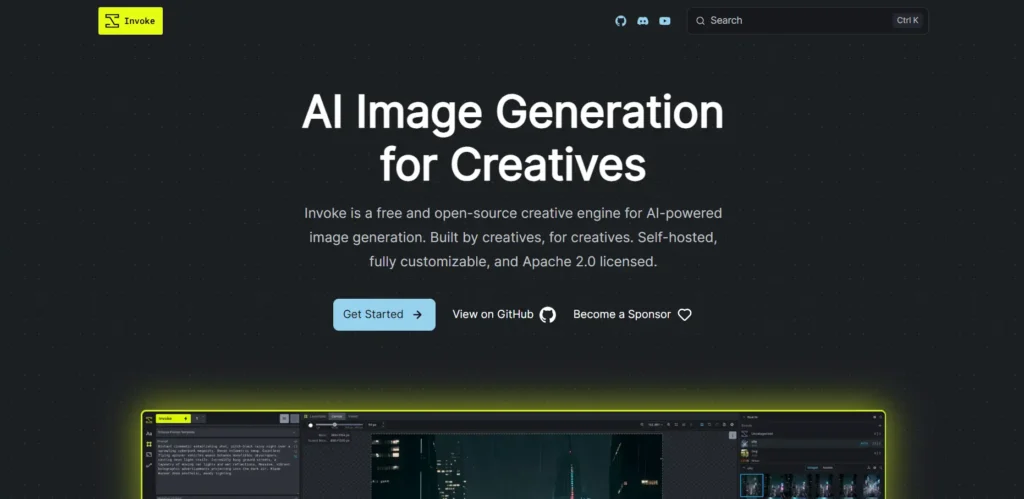
InvokeAI is an open-source creative platform designed for people who want more control over AI image generation and editing. It is particularly useful for artists and designers who want to combine AI generation with traditional creative workflows.
One of its most interesting features is its Unified Canvas. Instead of generating an image and accepting the result as it is, you can work with different areas of an image and modify them using AI.
For example, you can generate a landscape, change a specific object, expand the background, or improve selected areas without recreating the entire image.
InvokeAI is also suitable for people who enjoy experimenting with different AI models and creative workflows.
Key Features
- Text-to-Image: Generate images from written prompts.
- Unified Canvas: Work on images using an integrated creative canvas.
- Inpainting: Modify selected parts of an image.
- Outpainting: Expand existing images beyond their original boundaries.
- Image Editing: Refine and improve generated artwork.
- Model Support: Work with supported image-generation models.
- Workflow Customization: Build and manage advanced creative processes.
- Local Installation: Run the platform on your own compatible computer.
Pricing
InvokeAI is free and open-source software under the Apache 2.0 license.
| Option | Price |
|---|---|
| InvokeAI Software | Free |
| Local Image Generation | No generation subscription |
| Hosted GPU Services | Additional charges may apply |
| Hardware | Your own compatible system |
The software itself does not require a monthly subscription. However, if you use a hosted GPU provider, you may need to pay for computing resources.
The former official hosted Invoke.ai platform has been shut down. The open-source, self-hosted project continues to be maintained by its community.
Pros and Cons
Pros
- Free and open-source.
- Excellent image editing workflow.
- Powerful canvas-based tools.
- Supports different AI models.
- Offers local installation.
- Suitable for professional creative workflows.
Cons
- Requires compatible hardware for local generation.
- Initial installation takes some effort.
- Advanced features have a learning curve.
- Cloud hosting can involve additional costs.
Why Choose InvokeAI Instead of Midjourney?
InvokeAI is a strong option if you want to do more than simply generate images from text prompts. Its canvas, inpainting, and outpainting features make it useful for editing and refining existing artwork.
Midjourney is convenient for generating images online, while InvokeAI offers greater control over a self-hosted creative workflow.
Best For: Digital artists, designers, advanced AI users, and people who want more image-editing control.
Visit Invoke AI Official Website >>
12. Krita AI Diffusion – Best for AI-Assisted Digital Painting

Visit Krita AI Diffusion Official Website >>
Krita AI Diffusion is an interesting option for digital artists who already use Krita for drawing and painting. It is an open-source plugin that brings AI image generation directly into the Krita painting application.
Rather than switching between different websites and applications, you can generate and modify artwork while working inside your existing painting environment.
This is especially useful for artists who want to combine their own drawings with AI-generated content.
For example, you can draw a rough character sketch, select an area, provide a prompt, and use AI to transform it into a more detailed illustration.
Key Features
- AI Image Generation: Generate images directly inside Krita.
- AI-Assisted Painting: Combine traditional painting and AI generation.
- Inpainting: Modify selected areas of your artwork.
- Outpainting: Expand existing images.
- Sketch-to-Image: Turn rough drawings into detailed artwork.
- Reference Images: Guide image generation using visual references.
- Multiple Models: Supports different model families, depending on the installed backend.
- ComfyUI Integration: Connect to an existing ComfyUI server for more advanced workflows.
Pricing
The Krita AI Diffusion plugin is free and open-source.
However, the image generation itself requires a backend. You can choose a local server, an online service, or a custom ComfyUI server.
| Option | Price |
|---|---|
| Krita Application | Free |
| AI Diffusion Plugin | Free |
| Local Generation | No generation subscription |
| Online GPU Service | Usage-based charges may apply |
| Custom Server | Depends on your hosting and hardware |
For local generation, the project’s installation documentation recommends compatible GPU hardware. Its current requirements vary by operating system and selected model.
Pros and Cons
Pros
- Free and open-source plugin.
- Works inside Krita.
- Combines traditional drawing with AI.
- Useful for sketch-based image generation.
- Supports inpainting and outpainting.
- Offers flexible model and backend options.
Cons
- Requires Krita installation.
- Setup can be technical for beginners.
- Local generation needs suitable hardware.
- Cloud services may involve additional costs.
- Not designed as a simple standalone image generator.
Why Choose Krita AI Diffusion Instead of Midjourney?
Choose Krita AI Diffusion if you are an artist who wants AI assistance while drawing or painting. Its biggest advantage is the ability to combine manual artwork and AI generation in one application.
Midjourney is more suitable for quick prompt-based image generation, whereas Krita AI Diffusion is designed for a more hands-on artistic workflow.
Best For: Digital painters, illustrators, concept artists, and people who already use Krita.
Visit Krita AI Diffusion Official Website >>
Which Midjourney Alternative Should You Choose?
Now that you know about all 12 tools, let’s make the decision easier. The best tool depends on what you want to create, how frequently you generate images, and whether you prefer an online service or software installed on your computer.
Here are our recommendations based on different requirements.
| Your Requirement | Recommended Tool |
|---|---|
| Game assets and consistent characters | Scenario |
| Free image generation without registration | Dezgo |
| Surreal and artistic images | Deep Dream Generator |
| Simple creative AI artwork | StarryAI |
| Character and portrait mixing | Artbreeder |
| Anime and manga artwork | PixAI |
| Artistic wallpapers | Dream by WOMBO |
| Image generation and enhancement | Neural.love |
| Multiple AI image models | getimg.ai |
| Free local AI image generation | Fooocus |
| Advanced AI image editing | InvokeAI |
| AI-assisted digital painting | Krita AI Diffusion |
Best Overall Free Alternative
Our recommendation: Dezgo
If you want to start generating images without paying for a subscription or creating an account, Dezgo is a convenient starting point. Its free mode is easy to access, and its pay-as-you-go option makes it suitable for occasional users.
However, if you want a more generous daily credit allowance, PixAI and Scenario are also worth exploring for their respective creative niches.
Best Alternative for Professional Creators
Our recommendation: Scenario
Scenario is a strong choice for professional game developers and creative teams who need consistent assets, custom models, and organised creative workflows.
Best Alternative for Anime Art
Our recommendation: PixAI
PixAI is a specialised platform for anime and manga creators. Its community models, LoRAs, and character consistency features make it particularly useful for this audience.
Best Alternative Without Monthly Payments
Our recommendation: Fooocus or InvokeAI
Both are free, open-source options that can run locally on compatible hardware. They are worth considering if you want to avoid paying for every image generation.
How to Choose the Right AI Image Generator Before Purchasing?
Choosing an AI image generator is not just about finding the cheapest subscription.
A tool may offer thousands of credits but still be unsuitable for your work. Another tool may provide fewer credits but produce better results for your specific requirements.
Before purchasing any AI image generation software, consider these important factors.
1. Check the Free Plan Carefully
Always test a tool before purchasing a subscription. Some platforms provide daily credits, while others offer limited free generations or restricted access to specific models. Check:
- How many free images can you generate?
- Do free credits reset daily or monthly?
- Are unused credits carried forward?
- Are there watermarks on generated images?
- Can you download images in high resolution?
- Are important AI models locked behind a subscription?
A free plan should give you enough opportunity to understand the platform before spending money.
2. Compare Image Quality
Image quality is one of the most important factors when choosing an AI image generator. Don’t judge a tool based on its homepage examples alone.
Instead, test the same prompt across multiple platforms.
For example, use this prompt:
“A cinematic photograph of a futuristic city at sunset, flying vehicles, beautiful architecture, realistic lighting, highly detailed environment, professional photography.” Compare the results based on:
- Image realism.
- Lighting and shadows.
- Background details.
- Human anatomy.
- Object accuracy.
- Colour combinations.
- Overall composition.
This will help you understand which platform produces the best results for your requirements.
3. Understand the Credit System
Many AI image generators use credits instead of offering unlimited generation. However, one image may cost more credits than another.
For example, a standard image may consume 5 credits, while a high-resolution image or advanced model may consume 30 or more credits.
Before purchasing, check how much each generation costs. Don’t compare subscription prices alone. Compare the estimated number of images you can actually generate.
4. Check Commercial Usage Rights
This is particularly important if you create images for clients or businesses. If you want to use AI-generated images for:
- Website banners.
- Blog illustrations.
- Advertisements.
- Product images.
- YouTube thumbnails.
- Social media marketing.
- Digital products.
- Commercial design projects.
You should carefully read the platform’s licensing and terms of service. Some platforms restrict commercial use on free plans, while others provide commercial rights under specific conditions.
Also remember that commercial-use permission does not automatically guarantee copyright protection or exclusivity. Check the laws applicable to your location and the platform’s current terms.
5. Check Image Resolution and Download Options
A tool may generate attractive images but provide limited download resolution on its free plan. Consider your intended use before choosing a platform. For example:
| Use Case | What to Look For |
|---|---|
| Blog Featured Images | 16:9 image generation |
| Instagram Posts | Square and vertical formats |
| YouTube Thumbnails | 16:9 high-resolution output |
| Product Images | Detailed and realistic images |
| Printing | High-resolution downloads |
| Digital Artwork | Upscaling and editing features |
6. Look for Image Editing Features
Generating an image is only one part of the creative process. Sometimes you may need to remove an object, change a background, fix a face, or modify a specific part of an image. Look for features such as:
- Inpainting.
- Outpainting.
- Background removal.
- Image-to-image generation.
- AI upscaling.
- Reference image support.
- Character consistency.
These features can save considerable time when creating professional visuals.
7. Check Privacy and Data Policies
If you work with client photographs, unpublished artwork, or business-related images, review how the platform handles uploaded files.
Check whether your generations are public or private, whether uploaded images can be used for model training, and how long your files are stored.
This is especially important for businesses and professional designers.
Can Free AI Image Generators Really Replace Midjourney?
Yes, but it depends on what you need. Free AI image generators have become useful alternatives for many everyday creative tasks.
For example, you can use PixAI for anime artwork, Dezgo for quick image generation, and Deep Dream Generator for creative artistic visuals.
Similarly, Fooocus and InvokeAI allow users to generate images locally without paying a monthly image-generation subscription.
However, no single alternative is guaranteed to match Midjourney in every situation.
Different AI models have different strengths. Some are better at realistic photographs, others are better at illustrations, and some offer more control over image editing. The best approach is to test multiple tools and select the one that consistently produces the results you want.
Final Verdict: Which Midjourney Alternative Is Worth Trying?
You don’t necessarily need an expensive subscription to start creating impressive AI artwork. There are plenty of alternatives available, and many of them offer features that Midjourney users may find useful.
If you want a simple online generator, start with Dezgo. If you create anime artwork, try PixAI. If you work on game assets, Scenario is worth exploring. And if you want to generate images without monthly subscriptions, Fooocus and InvokeAI are excellent open-source options.
Our advice is simple: start with the free versions, test the image quality, understand the credit system, and only upgrade when you find a tool that fits your creative workflow.
The best AI image generator isn’t necessarily the most expensive or popular one. It’s the one that helps you create the images you actually need without wasting time or money.
Explore more AI image generators and creative software on ABCAITools.com to discover tools that can make your creative work easier.
Frequently Asked Questions (FAQs)
1. What is the best free alternative to Midjourney?
Dezgo is a good option for free browser-based image generation without registration. PixAI is worth considering for daily free credits and anime artwork. Fooocus and InvokeAI are excellent choices for people who want free local image generation.
2. Is there a completely free AI image generator like Midjourney?
Yes. Fooocus and InvokeAI are free, open-source AI image generation applications. You can install them on compatible computers and generate images without paying a monthly subscription. However, you need suitable hardware, and optional cloud computing services may cost extra.
3. Which Midjourney alternative does not require registration?
Dezgo allows users to generate images through its free mode without registering. This makes it convenient for people who want to experiment with AI image generation quickly.
4. What is the best Midjourney alternative for anime images?
PixAI is one of the strongest choices for anime and manga artwork. It offers community-trained models, LoRAs, character references, and tools for creating original characters.
5. Which AI image generator is best for game development?
Scenario is a strong choice for game developers because it focuses on consistent characters, game assets, custom models, and creative collaboration.
6. Can I use AI-generated images commercially?
It depends on the platform, model, subscription, and applicable license. Some tools provide commercial rights through paid subscriptions, while others allow commercial use under specific conditions. Always check the official terms before using generated images in advertisements, products, or client projects.
7. Is Fooocus better than Midjourney?
Fooocus is better for people who want free local image generation and more control over their own setup. Midjourney is more convenient for people who prefer an online service without installing software or managing computer hardware.
8. Is PixAI completely free?
PixAI provides free daily credits that users can spend on image generation and other supported features. However, higher usage, additional credits, and advanced features may require a paid membership.
9. Which AI image generator is best for beginners?
Dezgo and Dream by WOMBO are good starting points because of their simple workflows. Beginners can experiment with text prompts and artistic styles without learning advanced image-generation settings.
10. Are open-source AI image generators better than online tools?
Neither option is universally better. Open-source applications such as Fooocus and InvokeAI offer more local control and can avoid recurring generation subscriptions. Online tools are generally easier to access and do not require you to manage models, software installation, or GPU hardware.
More AI Tools Worth Exploring
Looking for more AI-powered creative software? Explore these categories on ABCAITools:
- AI Image Generators
- AI Photo Editing Tools
- AI Art Generators
- AI Logo Generators
- AI Video Generators
- AI Design Tools
- AI Background Removers
Discover new AI tools, compare their features, and find the right software for your next creative project.