Professional photos are important for LinkedIn profiles, resumes, business websites, and social media accounts. However, getting a professional photoshoot can be expensive and time-consuming. You need to find a photographer, book a studio, choose clothes, and spend time getting the right pictures.
This is where AI headshot generators can help.
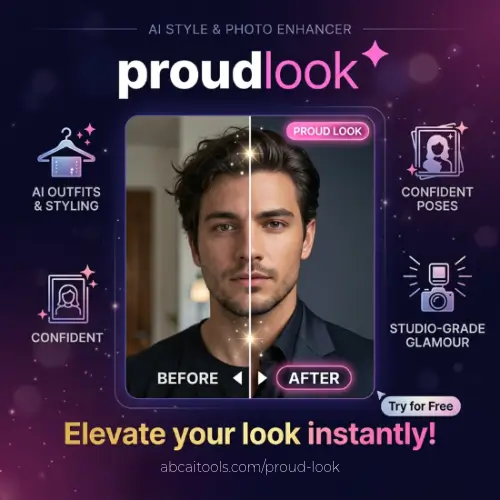
Proud Look is an AI-powered headshot generator that turns your everyday photos into professional-looking portraits. You can upload pictures taken from your phone, select different outfits and backgrounds, and let AI create professional headshots without visiting a photography studio.
One thing that makes Proud Look interesting is its team feature. Businesses can create matching professional photos for all their employees using one shared style. This is useful for companies that want their website and team pages to look clean and consistent.
In this Proud Look review, we will explore its features, how it works, pricing, benefits, limitations, and some alternatives you can consider.
What Is Proud Look?
Proud Look is an online AI headshot generator designed for individuals, professionals, and businesses. It uses artificial intelligence to transform normal photos into professional portraits.
You do not need a professional camera or photography experience. You can simply upload a few recent pictures and select the style you want.
For example, if you need a professional LinkedIn photo, you can upload your regular selfies and choose a business outfit with a clean office background. Proud Look will generate professional-style portraits based on your uploaded pictures.
The platform is useful for:
- Job seekers who need professional resume photos.
- Business owners who want better profile pictures.
- Freelancers who want to improve their online presence.
- Content creators who need professional portraits.
- Companies that want matching employee headshots.
- Real estate agents, consultants, and agency teams.
Proud Look also offers a dedicated team workflow. Instead of asking every employee to arrange a separate photoshoot, a company can select one style and invite everyone to upload their own pictures.
Key Features of Proud Look
Proud Look offers several features that make creating professional headshots easier. Let’s look at some of its most useful features.
1. AI Professional Headshot Generator

The main feature of Proud Look is its AI headshot generator.
You can upload several recent photos, and the AI will use them to create professional-looking portraits. These images can be used for LinkedIn, resumes, company websites, business profiles, and other professional platforms.
You do not need to arrange a photoshoot or hire a photographer. The AI does most of the work.
However, you should always check the final results. Sometimes AI-generated photos may slightly change facial features, hair, teeth, or other details.
2. Different Outfits and Backgrounds
Not everyone needs the same type of professional photograph.
A corporate manager may prefer a formal suit, while a freelancer or content creator may want something more casual.
Proud Look allows users to choose different outfit and background styles for their generated portraits.
You can experiment with different professional looks without purchasing new clothes or visiting different photography locations.
This gives you more flexibility when creating pictures for different platforms.
3. Watermarked Preview Before Payment
One useful feature is the ability to preview generated headshots before deciding to purchase.
This allows you to check the quality and appearance of your AI-generated photos before paying for the final downloads.
The previews contain watermarks, so you need to purchase a suitable package to access the full-resolution images.
This is helpful because you can first check whether the generated photos actually look like you.
4. High-Resolution Downloads
Image quality matters when using professional photographs.
A low-quality image may look acceptable on a small social media profile but may not look good on a company website or larger display.
Proud Look offers high-resolution headshots with its paid packages.
You can use these images for different professional purposes, such as:
- LinkedIn profile pictures.
- Company websites.
- Employee directories.
- Business presentations.
- Professional biographies.
- Online portfolios.
The paid packages also include a commercial licence, according to the supplied product information.
5. AI Headshot Editing Credits
Sometimes, the first generated image may not be exactly what you want.
Maybe you prefer a different background, outfit, or image crop.
Proud Look provides editing credits with its paid packages. These credits allow you to make changes to your generated portraits.
This is useful when you want to create multiple versions of your professional photo without starting the entire process again.
6. Matching Team Headshots

This is one of the most interesting features of Proud Look.
Businesses often have a problem when creating employee profile pictures. Different employees may upload photos taken in different locations, lighting conditions, and backgrounds.
As a result, the company website can look inconsistent.
Proud Look solves this problem with its team headshot workflow.
A company administrator can select a shared outfit and background style. Employees receive an invitation link and upload their own photos.
The AI then creates professional portraits using the same visual style.
This makes the entire team look more organised and professional.
7. Team Management Dashboard
Proud Look also provides a team management workflow.
The person managing the order can track which employees have completed their photo uploads and which people still need to participate.
The administrator can also send reminders and download selected team portraits together.
This is particularly helpful for businesses with remote employees.
Instead of organising a photography session at one physical location, everyone can upload pictures from their own phone.
8. Add New Employees Later
Companies regularly hire new employees.
One problem with traditional team photoshoots is that new employees may need another photography session to match the existing team pictures.
Proud Look allows businesses to add new team members later using the same team workflow.
This helps maintain a consistent appearance even when the company grows or employees change.
9. Privacy and Photo Protection
Privacy is important when uploading personal photographs to an AI platform.
According to Proud Look’s stated privacy information, uploaded photos and generated headshots are deleted after seven days. The company also says that customer photos are not used to train its AI models.
Another useful feature is that employees upload their own pictures directly. The buyer can monitor progress and selected favourites without seeing employees’ original uploads.
This gives employees more control over their personal photographs.
Still, it is a good idea to read the latest privacy policy before uploading personal or employee photos.
10. No Monthly Subscription
Many online AI tools charge monthly or yearly subscription fees.
Proud Look follows a different pricing model.
You pay per person or per order instead of purchasing a recurring subscription.
This can be useful for people who only need professional headshots once or twice.
Businesses can also pay according to the number of employees they want to include.
How Does Proud Look Work?
Using Proud Look is quite simple. You do not need any special technical knowledge.
Here is a basic step-by-step guide.
Step 1: Visit the Proud Look Website
Open the official website: Proud Look.
Choose whether you want to create individual professional headshots or matching portraits for your team.
Step 2: Upload Your Photos
Upload several recent pictures of yourself.
Try to use clear photos with good lighting. Your face should be visible, and you should avoid sunglasses, heavy filters, and pictures where your face is covered.
Step 3: Select Your Preferred Style
Choose the outfit and background you want for your professional portraits.
For example, you can select a formal business outfit with a clean office background.
For team orders, the administrator selects one shared style for everyone.
Step 4: Let AI Generate Your Headshots
After uploading your photos and selecting your preferred style, Proud Look processes the pictures and creates AI-generated professional portraits.
Processing time depends on the selected package.
Step 5: Preview Your Results
You can check the generated images through watermarked previews before purchasing.
Look carefully at your face, hair, teeth, clothing, and other details. Make sure the final photos still look like you.
Step 6: Purchase and Download
If you are happy with the results, purchase the suitable package and download your high-resolution headshots.
You can then use them on LinkedIn, resumes, company websites, and other professional platforms.
Proud Look Pricing and Plans
Proud Look uses a one-time payment model instead of a regular monthly subscription.
Its pricing depends on whether you are purchasing individual headshots or creating portraits for a business team.
Based on the available pricing information, here are the reported packages.
Individual Headshot Pricing
| Package | Price | Payment |
|---|---|---|
| Basic | $25 | One-time |
| Standard | $35 | One-time |
| Premium | $49 | One-time |
These are reported individual package prices. The exact number of headshots, styles, and editing credits should be checked on the checkout page before purchasing.
Proud Look for Teams Pricing
The team plans have different prices depending on the number of employees.
| Plan | Team Size | Price Per Person |
|---|---|---|
| Free Test Seat | 1 person | Free |
| Standard | 2–9 people | $22 |
| Standard | 10–24 people | $20 |
| Standard | 25–49 people | $18 |
| Standard | 50–99 people | $16 |
| Standard | 100+ people | $15 |
| Plus | 2–9 people | $30 |
| Plus | 10–24 people | $28 |
| Plus | 25–49 people | $26 |
| Plus | 50–99 people | $24 |
| Plus | 100+ people | $23 |
Prices are in USD and are one-time payments per person. Pricing is based on available third-party product listings and should be confirmed on the official checkout page. 2026+1
What is included in the team plans?
- Standard: 54 headshots per person, 9 styles, and 3 editing credits.
- Plus: 96 headshots per person, 16 styles, and 5 editing credits.
- Both plans include 4K images and a commercial licence.
- A free test seat is available for businesses to try the workflow before purchasing.
The team orders also offer a reported seven-day refund guarantee. Check the latest terms before placing an order. G2+1
Important: Prices and package details can change. Always check the official website for the latest offers and available features.
Benefits of Using Proud Look
There are several reasons why Proud Look can be useful for individuals and businesses.
1. Saves Money
Traditional professional photoshoots can cost a lot, especially when you need multiple pictures. AI-generated headshots can be a more affordable option.
2. Saves Time
You do not need to travel to a photography studio or schedule an appointment. You can upload pictures from your home or office.
3. Easy to Use
The platform has a simple workflow. You upload photos, select a style, and let the AI generate your portraits.
4. Consistent Team Appearance
The team feature helps businesses maintain a similar visual style across employee profiles.
5. Multiple Professional Looks
You can experiment with different outfits and backgrounds without arranging multiple photoshoots.
6. No Recurring Subscription
The one-time payment model is useful if you only need headshots occasionally.
Limitations of Proud Look
Although Proud Look offers useful features, there are a few things you should consider before purchasing.
1. AI Results May Not Always Be Perfect
AI can sometimes change small facial details. You should carefully review the generated pictures before using them professionally.
2. Requires Good Source Photos
Your results depend partly on the quality of the pictures you upload. Blurry, dark, or heavily filtered photos may produce less accurate results.
3. Paid Downloads
You can preview the generated images with watermarks, but you need to purchase a package to access the final high-resolution versions.
4. Limited Photo Storage Time
According to the platform’s privacy information, photos and generated headshots are deleted after seven days. Make sure you download your favourite pictures promptly.
5. Not a Replacement for Every Professional Photoshoot
AI headshots are useful for online profiles and business websites, but they may not be suitable for every situation. Some companies, publications, and official applications may require genuine photographs.
Who Should Use Proud Look?
Proud Look is designed for people who want professional-looking portraits without spending too much time or money on traditional photography.
Here are some people who may find it useful:
- Job Seekers: Create professional pictures for resumes and LinkedIn profiles.
- Freelancers: Improve your professional image when communicating with clients.
- Business Owners: Create better portraits for company websites and business profiles.
- Real Estate Agents: Maintain a consistent professional appearance across agent profiles.
- Marketing Agencies: Create matching headshots for team members.
- Remote Companies: Get professional portraits from employees working in different locations.
- Content Creators: Create professional profile photos for social media and personal branding.
For businesses with multiple employees, the team workflow is probably the most useful reason to consider Proud Look.
Is Proud Look Safe to Use?
Proud Look states that uploaded photos are used to generate headshots and are not used to train AI models. It also says that photos and generated images are deleted after seven days.
For businesses, employees upload their own photographs and provide consent directly.
These are useful privacy measures. However, users should still review the privacy policy and terms of service before uploading personal photographs.
For organisations with strict data protection requirements, it is also worth requesting the relevant security documentation before purchasing.
Final Thoughts: Is Proud Look Worth Trying?
Proud Look is a useful AI tool for creating professional headshots from everyday photos. It makes the process easier for people who do not want to spend money on traditional photography.
Its individual headshot generator is useful for job seekers, freelancers, business owners, and content creators who want better professional profile pictures.
However, its team headshot feature is what makes it more interesting for businesses. Companies can select one style, invite employees to upload their photos, track progress, and download matching portraits.
The one-time payment model is another advantage because users do not need to worry about monthly subscriptions.
There are some limitations. AI-generated images may not always look completely natural, and you should carefully check the final results before using them.
Overall, Proud Look is worth considering if you want affordable professional headshots or consistent team portraits without arranging a traditional photoshoot.
You can visit its official website to explore the available packages and try the process.
Alternatives to Proud Look
If you want to explore other AI headshot generators, here are some good alternatives.
1. HeadshotPro
HeadshotPro is an AI headshot generator that creates professional business portraits from regular photos. It offers different professional styles and options for individuals and teams.
2. Aragon
Aragon helps users turn ordinary selfies into professional-looking headshots. It offers different backgrounds, outfits, and AI photo editing features for creating polished portraits.
3. ProPhotos
ProPhotos is an AI headshot generator designed for professionals and businesses. It creates business portraits with different professional outfits and backgrounds, making it useful for LinkedIn profiles and company websites.