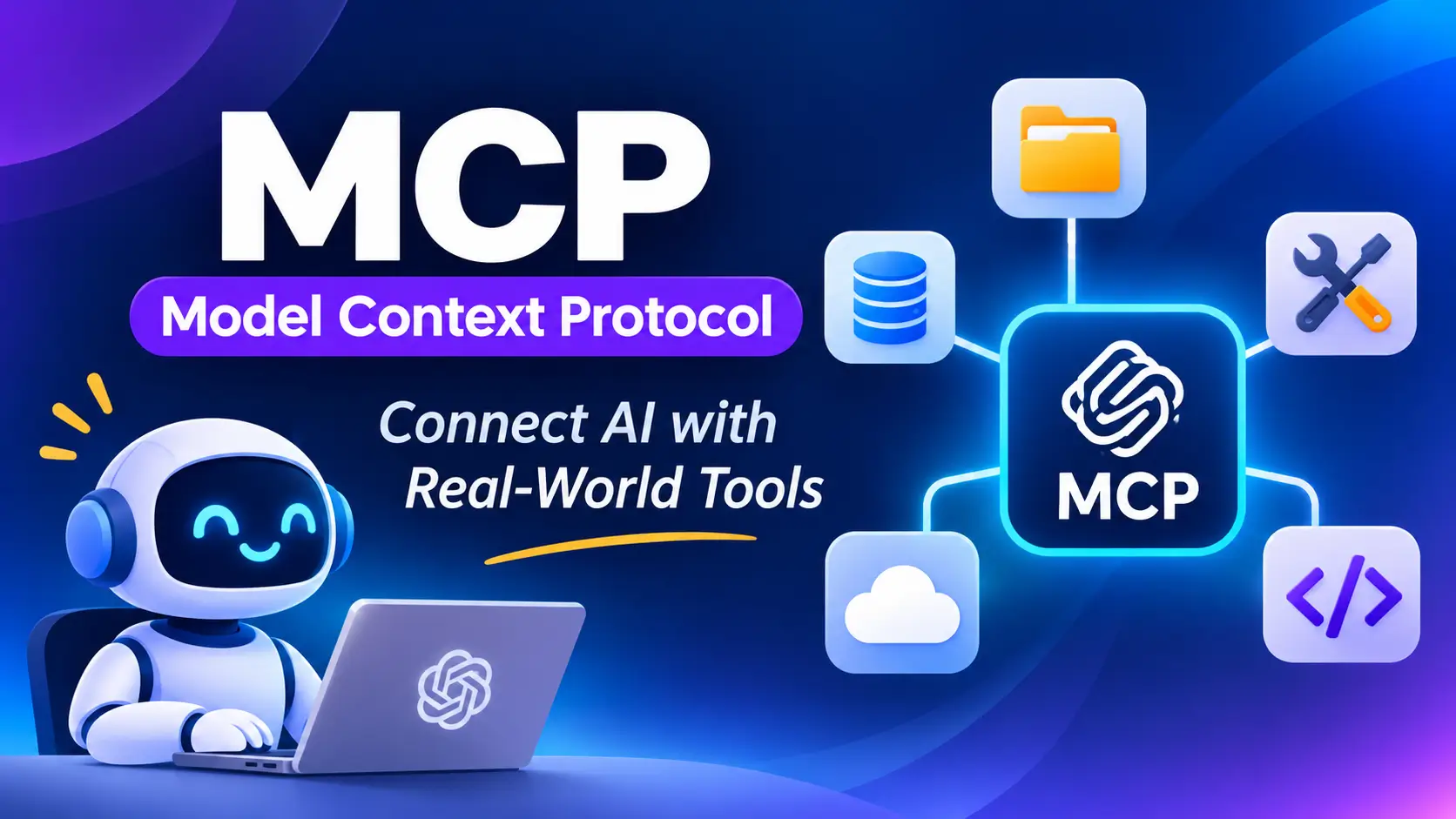
Artificial intelligence is changing the way people work, create content, write code, and manage their businesses. AI tools can answer questions, generate content, analyze information, and help users complete many daily tasks. However, AI applications often need access to external tools, files, databases, and business services to perform more useful work.
This is where MCP comes in.
MCP stands for Model Context Protocol. It is an open standard that allows AI applications to connect with external data sources, tools, and services through a common method.
For example, imagine you are using an AI assistant and want it to read a document, check information in a database, or interact with another application. Without a suitable integration, the AI may not be able to access that information or perform the task. With an MCP connection, a compatible AI application can access the tools and information provided by an MCP server.
The official MCP project describes it as a standard for connecting AI applications with external systems. It is often compared to USB-C because it provides a common connection method for different applications and services.
In this guide, we will explain what MCP is, how it works, its main features, its benefits, common use cases, limitations, and how beginners can get started.
What Is MCP (Model Context Protocol)?
MCP is an open protocol that helps AI applications communicate with external systems in a standard way.
Think of MCP as a bridge between an AI assistant and other software. Instead of creating a completely different integration for every AI application, developers can use MCP to expose supported tools and information through a common interface.
For example, an MCP server might allow a compatible AI assistant to:
- Read selected files and documents.
- Search information stored in a database.
- Retrieve information from an external service.
- Interact with supported development tools.
- Run specific functions through an API.
- Access business information when the user has permission.
MCP does not replace the AI model itself. Instead, it provides a standard way for the AI application to connect with additional capabilities.
MCP is useful for developers building AI assistants, AI agents, coding tools, business automation systems, and other applications that need access to external services.
You can learn more from the Official MCP documentation.
How Does MCP Work?
MCP uses a client-server architecture. It allows an AI application to discover available capabilities, request information, and call supported tools.
Here is a simple example.
Imagine you want an AI assistant to find information in a collection of project documents.
First, the AI application connects to an MCP server that provides access to those documents. The server tells the application which tools or resources are available. When you ask a question, the AI can request relevant information through the connection. The server processes the request and returns the result. The AI then uses that information to prepare an answer.
The exact process depends on the application, the server, and the permissions that have been configured.

Step 1: The user gives a request
The user asks the AI assistant to perform a task.
For example, you might say, “Find the latest project report and summarize its main points.”
Step 2: The AI application identifies the required capability
The AI application determines whether it needs external information or a tool to complete the request.
If an appropriate MCP server is connected, the application can check the capabilities it provides.
Step 3: The MCP client communicates with the server
The MCP client is the component responsible for communicating with the MCP server. It sends requests using the protocol’s standard message format.
Step 4: The MCP server processes the request
The server uses its configured capabilities to retrieve information or perform an allowed operation.
For example, it might search documents, query a database, or call an external API.
Step 5: The result returns to the AI application
The server sends the result back to the client. The AI application can then use the returned information to answer the user or continue working on the task.
This process makes it possible for compatible AI applications to work with external tools without requiring every integration to use a completely different communication method.
Main Components of MCP
To understand MCP properly, it helps to know the difference between an MCP host, an MCP client, and an MCP server.
1. MCP Host
The MCP host is the main AI application where the user interacts with the AI.
It manages the conversation, coordinates connections, and decides how available capabilities are used.
Examples of applications that can act as MCP hosts include compatible AI assistants and AI-powered code editors.
2. MCP Client
The MCP client is the component inside the host application that communicates with an MCP server.
It manages the connection and exchanges information using the MCP protocol.
An application can use multiple MCP clients to connect to different servers.
3. MCP Server
An MCP server provides specific tools, resources, or other supported capabilities to an AI application.
For example, one server might provide access to files, while another might connect an AI assistant to a business database.
An MCP server can run locally on a computer or remotely on a server, depending on how it is designed and configured.
Simple Example
Imagine a business uses an AI assistant connected to three MCP servers:
- A file server to access selected documents.
- A database server to retrieve business information.
- A project management server to access tasks.
The AI application can use the capabilities provided by these servers to help the user work across different systems.
The available actions depend on the tools exposed by each server and the permissions granted to the user.
Key Features of MCP
MCP offers several features that make it useful for building connected AI applications.
1. Standardized Connections
One of the main benefits of MCP is that it provides a common way for compatible applications to communicate with external services.
This can reduce the need to build separate communication systems for every AI application and data source.
2. Tool Integration
MCP servers can expose tools that an AI application can call.
These tools may perform operations such as searching information, querying databases, accessing files, or calling APIs.
The AI application can use an available tool when it is appropriate for the user’s request.
3. Access to External Data
AI models do not automatically have access to every private document, database, or application.
MCP can help bridge this gap by allowing compatible applications to retrieve information from connected sources.
The information available depends on the server’s configuration and access permissions.
4. Reusable Prompts
MCP servers can provide reusable prompt templates that help structure certain tasks.
For example, a server might provide a template for analyzing a project, reviewing a database, or preparing a structured report.
This can help developers create more consistent workflows.
5. Local and Remote Connections
MCP supports different ways of connecting clients and servers.
Local servers can communicate with applications running on the same machine. Remote servers can provide access to capabilities hosted on another system.
This flexibility makes MCP suitable for different types of applications and deployment requirements.
6. Structured Communication
MCP uses structured messages based on JSON-RPC. This helps applications exchange requests and responses in a predictable format.
It also supports capability discovery, allowing compatible clients to learn which features a server provides.
7. Security and Authorization Support
MCP supports security mechanisms for connecting to services and controlling access.
However, using MCP does not automatically make an integration secure. Developers must configure authentication, permissions, input validation, and other safeguards correctly.
8. Support for AI Agents
AI agents often need to interact with tools and external services to complete multi-step tasks.
MCP can provide a standard way for compatible agents to discover and use those capabilities.
This makes it useful for applications that go beyond answering questions and help users complete practical work.
What Are the Benefits of MCP?
MCP offers benefits for developers, businesses, and everyday users.
1. Reduces Integration Complexity
Without a common protocol, developers may need to create and maintain different integrations for different AI applications.
MCP can reduce some of this repeated work by providing a standardized interface.
A developer can build an MCP server that exposes a service’s capabilities, which compatible clients can then use.
2. Makes AI Applications More Useful
An AI assistant that can access relevant external information may be able to complete more useful tasks than one that only relies on the information in its existing context.
For example, a connected assistant could retrieve information from an approved document repository before preparing a summary.
3. Supports Automation
MCP can allow AI applications to use tools that perform specific actions.
Depending on the integration, these actions might include retrieving customer information, creating a task, searching records, or updating a supported system.
Sensitive or important actions should have suitable permission checks and confirmation steps.
4. Improves Workflow Flexibility
Businesses often use multiple software applications for communication, project management, customer records, and reporting.
MCP can help connect these systems to compatible AI applications, making it easier to create workflows across different services.
5. Encourages Reusable Development
Developers can build an MCP server around a particular service or data source and make it available to compatible clients.
This can make integrations easier to reuse, maintain, and extend.
6. Supports Different AI Applications
MCP is an open standard rather than a feature limited to a single AI model.
Compatible AI applications can use MCP servers when they implement the required protocol features.
However, not every application supports every MCP capability, so compatibility should be checked before setting up an integration.
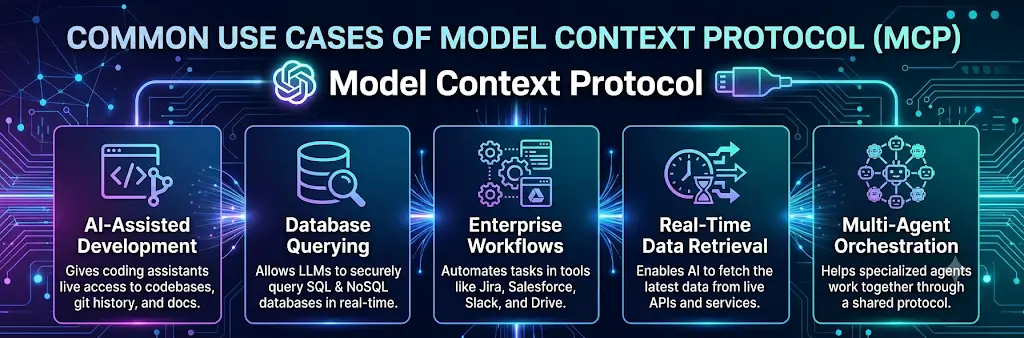
Common Use Cases of MCP
MCP can be useful in many industries and types of AI applications.
1. AI Coding Assistants
Developers can connect compatible coding assistants to tools and data sources that support their software development work.
For example, an AI coding assistant might access project files, retrieve information from an issue tracker, or interact with a supported development service.
This can help developers understand a project and complete tasks more efficiently.
2. Business Automation
Businesses can use MCP to connect AI assistants to selected internal tools and business systems.
For example, an assistant might retrieve sales information, prepare a report, or create a project task using capabilities provided by connected servers.
The exact workflow depends on the available integrations.
3. Customer Support
A customer support assistant could use an MCP server to retrieve information from an approved knowledge base or customer database.
It could then use that information to help answer questions or summarize a customer’s support history.
Access to private customer data must be carefully controlled.
4. Data Analysis
MCP can connect AI applications to databases and other sources of structured information.
A compatible AI assistant might use an exposed database tool to retrieve sales figures, compare records, or help analyze business performance.
Developers should restrict database permissions and avoid giving an AI assistant unnecessary access to sensitive records.
5. Content Creation
Content creators can benefit from workflows that connect AI tools to their documents, research sources, or content management systems.
For example, an AI assistant might retrieve approved research materials, organize information, and help prepare a draft.
Publishing or editing live content should require appropriate permissions and safeguards.
6. Project Management
MCP can help connect AI applications to supported task management and collaboration services.
Depending on the server, users might retrieve task details, review project progress, or create new tasks through natural language requests.
7. Personal Productivity
A compatible AI assistant could connect to selected calendars, documents, or task management tools.
For example, it might retrieve upcoming events and help prepare a daily schedule.
The assistant can only access the information and actions that the connected services allow.
MCP vs Traditional API Integrations
MCP and APIs are related, but they are not the same thing.
An API allows software systems to communicate with one another. MCP provides a standardized protocol that AI applications can use to discover and interact with tools and resources.
| Feature | MCP | Traditional API |
|---|---|---|
| Main purpose | Standardize connections between AI applications and external capabilities | Allow software systems to communicate |
| Tool discovery | Can expose discoverable tools and their input schemas | Depends on the API and its documentation |
| AI integration | Designed to support AI application workflows | May require additional integration logic for AI |
| Data access | Can expose resources and tools | Depends on the API endpoints |
| Actions | Can expose callable tools | Can expose operations through endpoints |
| Compatibility | Requires compatible MCP clients and servers | Requires software that supports the API |
| Security | Depends on correct authentication, authorization, and implementation | Depends on correct authentication, authorization, and implementation |
MCP does not replace APIs. An MCP server can act as a layer that exposes an existing API through a standard interface.
This allows developers to use existing services while making their capabilities available to compatible AI applications.
MCP vs RAG
MCP and RAG are also different technologies, although they can work together.
RAG stands for Retrieval-Augmented Generation. It is a technique that retrieves relevant information and supplies it to an AI model when generating a response.
MCP is a protocol for connecting AI applications with external systems and capabilities.
| Feature | MCP | RAG |
|---|---|---|
| Main purpose | Connect AI applications to external systems | Improve responses using retrieved information |
| Primary role | Communication and integration protocol | Information retrieval and generation technique |
| Can retrieve information | Yes, through connected tools or resources | Yes, through a retrieval system |
| Can support actions | Yes, if the server exposes action tools | Not inherently |
| Can work with the other | Yes | Yes |
For example, an MCP server could provide access to a document search tool. That tool could retrieve relevant documents for a RAG workflow.
In this case, MCP handles the connection, while RAG describes how retrieved information is used to help generate an answer.
Is MCP Free to Use?
The MCP specification is open source, and developers can access its documentation and software development resources without purchasing a proprietary MCP license.
However, the total cost of using MCP depends on the application and the services involved.
| Item | Potential cost |
|---|---|
| MCP specification and documentation | Free to access |
| Open-source MCP server software | Often free, depending on the project license |
| Building a custom MCP server | Developer time and infrastructure costs may apply |
| Hosting a remote server | Hosting or cloud charges may apply |
| External APIs | May be free or paid, depending on the provider |
| AI model usage | May require a paid subscription or API usage fees |
| Enterprise security and monitoring | Additional costs may apply |
There is no single price for MCP itself. If you are planning to use it for a business or AI project, check the pricing of the AI platform, external services, and hosting provider.
How to Get Started With MCP
If you want to learn MCP, the best approach is to start with a small project and gradually explore more advanced integrations.
Step 1: Understand the Basics
Read the official MCP introduction to learn about hosts, clients, servers, tools, resources, and prompts.
Step 2: Choose a Compatible AI Application
Choose an AI application or development environment that supports the type of MCP connection you want to use.
Check its documentation for supported transports, authentication methods, and setup instructions.
Step 3: Choose an MCP Server
Select an MCP server that provides the functionality you need.
For a beginner project, you might choose a server that provides access to sample files or another non-sensitive data source.
Use trusted documentation and repositories when selecting server software.
Step 4: Configure the Connection
Follow the setup instructions for your selected AI application and MCP server.
Depending on the integration, you may need to configure a local command, a remote server address, authentication details, or permissions.
Do not share API keys, passwords, or other secret credentials in public configuration files.
Step 5: Test the Available Tools
After connecting the server, check which capabilities the application can discover.
Try a simple, low-risk request to confirm that the connection works and the returned information is correct.
Step 6: Review Security and Permissions
Before connecting business systems or personal data, verify which files, records, and actions the server can access.
Use the minimum permissions needed for your task and test potentially destructive actions carefully.
Step 7: Build More Advanced Workflows
Once the basic connection works, you can explore workflows involving multiple tools, databases, or business services.
Start with read-only access where possible and introduce write permissions only when necessary.
Is MCP Safe to Use?
MCP can be used securely, but its safety depends on how the client, server, and connected services are configured.
An MCP server may be able to access files, private information, databases, or external applications. If it has excessive permissions or contains a security weakness, the consequences could be serious.
Here are some important safety practices:
- Use trusted servers: Review the source, documentation, and reputation of an MCP server before connecting it.
- Limit permissions: Give the server access only to the files, services, and actions required for its purpose.
- Protect credentials: Keep API keys and authentication tokens private.
- Review sensitive actions: Require confirmation before deleting data, publishing content, sending messages, or making important changes.
- Validate inputs: Developers should check tool arguments and prevent unauthorized operations.
- Monitor activity: Review logs and investigate unexpected requests or behavior.
- Be careful with untrusted content: External documents and websites may contain misleading instructions that should not automatically be treated as trusted commands.
Connecting an MCP server does not mean the server is automatically safe. Always evaluate its permissions and security before using it with important systems.
Limitations of MCP
Although MCP can make AI integrations easier, it does not solve every problem.
1. Compatibility Is Not Guaranteed
An AI application may support MCP but not every feature offered by a particular server.
Always check whether the client and server support compatible capabilities and protocol versions.
2. Setup Can Be Technical
Some MCP integrations are simple to configure, while others require command-line tools, environment variables, authentication, or programming knowledge.
Beginners may need to follow technical documentation carefully.
3. Server Quality Varies
MCP is a protocol, not a guarantee that every server is reliable, secure, or well maintained.
A poorly designed server may return incorrect information or expose unnecessary capabilities.
4. External Services Can Fail
An MCP server may depend on an API, database, network connection, or hosting service.
If one of those services becomes unavailable, the related AI workflow may stop working.
5. MCP Does Not Guarantee Correct Answers
An AI model can still misunderstand a request or make mistakes when interpreting information returned by a server.
Important results should be checked, especially when they affect business operations or sensitive decisions.
6. Costs Can Still Apply
Even when the protocol and server software are free, users may need to pay for model usage, API requests, cloud hosting, or other connected services.
MCP can simplify integration, but it does not make every connected service free.
Who Should Use MCP?
MCP can be useful for different groups of people.
Developers: Developers who want to connect AI applications to APIs, databases, files, and software tools can use MCP to create reusable integrations.
Businesses: Organizations can explore MCP to connect AI assistants with selected business systems and build controlled automation workflows.
AI Agent Builders: Developers creating AI agents can use MCP to provide access to external tools through a standard interface.
Technical Teams: Teams working with code repositories, monitoring systems, project management tools, or internal databases may find MCP useful for connecting their workflows to AI applications.
Beginners Learning AI: Beginners who want to understand how AI applications connect to external tools can learn MCP through simple examples and small projects.
However, everyday users do not necessarily need to understand the technical details of MCP. If an AI application already provides the integrations they need, they can use those features without building an MCP server themselves.
The Future of MCP
As AI applications become more capable, they increasingly need to work with information and services outside their own environment.
MCP provides a common approach for exposing tools, resources, and other capabilities to compatible AI applications. This can help developers build integrations that are easier to reuse across different supported clients.
Potential areas of growth include business automation, AI-powered development, data analysis, productivity tools, and enterprise assistants.
The long-term usefulness of MCP will depend on adoption, compatibility, implementation quality, and security practices across the ecosystem.
MCP should not be viewed as a replacement for AI models, APIs, or other integration technologies. Instead, it is one part of the infrastructure that can help AI applications interact with external systems.
Conclusion
MCP, or Model Context Protocol, is an important technology for connecting AI applications with external tools, data sources, and services.
Its main advantage is standardization. Instead of creating a completely different integration for every compatible AI application, developers can use MCP to expose capabilities through a common protocol.
MCP can support AI coding assistants, business automation, data analysis, content workflows, customer support, and personal productivity. However, its success depends on reliable servers, compatible clients, suitable permissions, and proper security practices.
If you are a beginner, start by exploring the official MCP documentation and testing a simple integration. If you are a developer, consider how MCP could make your existing tools and APIs easier for AI applications to use.
As AI systems continue to develop, understanding MCP can help you learn how modern AI applications connect with the wider software ecosystem.
Alternatives to MCP
MCP is not the only way to connect AI applications with external services. The right alternative depends on your project and technical requirements.
1. Direct API Integration
Direct API integration allows an application to communicate with a service through its API. It is useful when you need precise control over a particular integration, although developers may need to build and maintain custom integration logic.
2. Function Calling
Function calling allows an AI model to request a specific function with structured arguments. The application then executes the function and returns the result. It is useful for applications that need to call a defined set of tools.
3. REST APIs
REST APIs provide a widely used method for applications to exchange information over HTTP. They are suitable for retrieving data, updating records, and connecting software systems.
4. LangChain
LangChain is a development framework for building applications powered by language models. It provides components for working with models, tools, data retrieval, and multi-step workflows.
5. LlamaIndex
LlamaIndex provides tools for building AI applications that connect language models with external data. It is especially useful for document search, retrieval-augmented generation, and data-focused AI workflows.
Each option serves a somewhat different purpose. MCP is particularly useful when you want a standardized way to expose capabilities to compatible AI clients, while direct APIs and AI development frameworks may be better suited to other integration needs.
Frequently Asked Questions (FAQs)
1. What does MCP stand for?
MCP stands for Model Context Protocol. It is an open standard that allows compatible AI applications to connect with external tools, data sources, and services through a common protocol.
2. What is MCP used for?
MCP is used to connect AI applications to external capabilities such as files, databases, APIs, and business tools. It can support information retrieval, tool use, and automated workflows.
3. Is MCP an AI model?
No. MCP is not an AI model or chatbot. It is a protocol that helps AI applications communicate with external systems.
4. Is MCP free?
The MCP specification and documentation are freely accessible. However, hosting, development, external API access, and AI model usage may involve costs.
5. What is an MCP server?
An MCP server is a program that exposes tools, resources, or other supported capabilities to compatible AI clients. It can run locally or remotely.
6. What is an MCP client?
An MCP client is the component that manages communication between an AI application and an MCP server.
7. What is the difference between MCP and an API?
An API provides a way for software systems to communicate. MCP provides a standardized protocol for AI applications to discover and use external capabilities. An MCP server can expose an existing API to an AI application.
8. Can MCP work with different AI applications?
Yes, provided the applications and servers support compatible MCP features and protocol versions. The exact level of support varies by application.
9. Is MCP safe?
MCP can be used safely when implemented correctly, but security depends on the server, authentication, permissions, and safeguards. Only connect trusted servers and avoid granting unnecessary access.
10. Do I need coding skills to use MCP?
Not always. Some AI applications provide user-friendly ways to connect to MCP servers. Building a custom server or troubleshooting advanced integrations usually requires technical knowledge.
11. Can MCP help automate business tasks?
Yes. If an MCP server exposes suitable tools, an AI application may be able to retrieve information or perform approved operations in connected business systems.
12. What is the difference between MCP and RAG?
MCP is a protocol for connecting AI applications to external systems. RAG is a technique that retrieves relevant information and supplies it to an AI model to help generate a response. Both can be used together.