
Have you ever recorded a podcast or a video and then felt sad when you played it back? Maybe one person was loud and the other was quiet. Maybe there was a fan humming in the background. Fixing these problems by hand takes a lot of time and some real skill.
That is the problem Auphonic tries to solve. It is a web tool that cleans up your audio for you. You upload a file, choose a few settings, and it does the hard work. In this article, we will look at what Auphonic does, who should use it, how much it costs, and what its good and bad points are.
What Is Auphonic?
Auphonic is an online audio post-production service. “Post-production” simply means the work you do after you finish recording. This includes fixing volume, removing noise, and making the sound ready to publish.
The company is based in Austria and has been around since 2012. Its website says that over 2 million users have tried it, including some big names in podcasting. You do not need to install anything big. You work in your web browser, or you can connect it with other apps.
Think of it like a smart helper for your ears. You give it a messy recording, and it gives you back a smooth, balanced one.
Key Features of Auphonic
Let us go through the main things Auphonic can do.
1. Intelligent Leveler
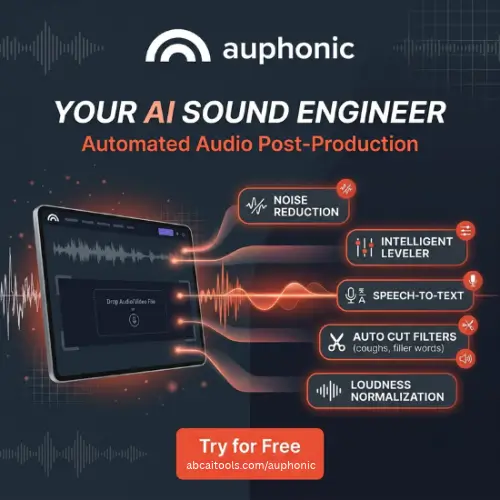
This feature balances the volume. If one speaker talks loudly and another speaks softly, the leveler brings them closer together. It also balances music and speech. Normally, you would need to use a tool called a compressor and spend a lot of time adjusting it. Here, it happens on its own.
2. Noise and Reverb Reduction
Background hum, echo, and room noise can ruin a good recording. Auphonic removes them while trying to keep the voice natural. This is helpful if you record at home in a room with hard walls.
3. Filtering and Auto EQ
Some sounds are too deep or too sharp. Auphonic filters out unwanted frequencies and makes the voice clearer and easier to listen to.
4. Filler Word and Silence Cutting
We all say “um” and “uh.” Auphonic can find these filler words, along with coughs and long pauses, and cut them out. It works in more than one language.
5. Loudness Normalization
Every platform wants a certain loudness level. Auphonic can set your audio to the right target and follow standards like EBU R128, which broadcasters use. This keeps your episodes from sounding too loud or too quiet next to others.
6. Multitrack Algorithms
If you record each speaker on their own track, Auphonic can mix them together in a smart way. Its newest update, called Sync Tracks, can automatically line up your multitrack recordings. That helps when tracks start at slightly different times.
7. Speech-to-Text and Chapters
Auphonic can turn speech into written text and create shownotes. It can also add chapter markers, so listeners can jump to the part they want. On the official pricing page, these tools are marked as paid features, so the free plan does not include them.
8. Video Support
It also works with video files. You can add metadata and chapters, and you can even make audiograms, which are short clips with moving sound waves for social media.
Who Should Use Auphonic?
Auphonic is made for people who talk into a microphone and want it to sound good, without learning sound engineering.
- Podcasters can balance host and guest voices and get files ready to publish.
- Teachers and course creators can clean up lecture recordings and add transcripts.
- Video creators can improve voice tracks before uploading to YouTube.
- Audiobook narrators can keep volume steady across long recordings.
- Small teams and broadcasters who do not have a sound engineer can use it to keep quality the same every week.
How Does Auphonic Work?
Using it is simple, and you can learn it in minutes.
- Create an account and log in.
- Upload your audio or video file. You can also pull it from a cloud service.
- Choose the settings you want, like leveling, noise reduction, and loudness target.
- Start the production and wait a short time.
- Download your finished file or publish it straight to a service.
One nice thing is that you can edit settings and run the same production again without paying twice. According to the site, this is free as long as you use the same input files in the same production.
Integrations and Automation
Auphonic is not only a one-time tool. It can connect with many services. You can send your finished audio to places like YouTube, Libsyn, SoundCloud, Dropbox, Google Drive, and more.
For people who make a lot of content, it also has:
- Watch Folders: Drop a file in a folder and Auphonic processes it on its own.
- API and CLI: Developers can build Auphonic into their own apps.
- Zapier: Connect it to thousands of other apps without code.
- Zoom integration: A recent addition that was announced in October 2026.
Auphonic Pricing
Auphonic does not charge by features. It charges by the hours of audio you process. There are three ways to use it.
Free plan: You get 2 hours of processed audio every month. Free credits do not stack up if you do not use them. Free users also get a short Auphonic jingle added to their productions, and multitrack productions must be under 20 minutes.
Recurring Credits: You pay every month for a fixed number of hours. Unused hours do not roll over, but Auphonic has Loyalty Rewards that add extra hours after 6, 12, and 24 months of staying subscribed, at the same price. The site says the S plan, for example, grows from 9 hours to 14 hours per month.
One-Time Credits: You buy a pack of hours once, and they never expire. This is a pay-as-you-go option that works well if you only need audio fixed once in a while.
Here are the plans in a simple table:
| Plan | Hours per Month | Best For |
|---|---|---|
| Free | 2 hours | Trying it out, very light use |
| Auphonic S | 9 hours | Small podcasts |
| Auphonic M | 21 hours | Weekly shows and small teams |
| Auphonic L | 45 hours | Busy creators |
| Auphonic XL | 100 hours | Studios and agencies |
| Auphonic XXL | 250 hours | Large teams |
| More | 1,000+ hours | Custom business plans (contact Auphonic) |
| One-Time Credits | 5 to 3,000+ hours | Pay as you go, credits never expire |
About the price: The entry plan, Auphonic S, was listed at $11 per month when billed yearly, which is $132 per year. Paying yearly saves about 20% compared with paying monthly. Exact prices for the bigger plans can change, so please check the official pricing page before you buy. Taxes or VAT may be added depending on where you live.
A few billing facts are worth knowing:
- The minimum charge is 3 minutes per production, even for very short files.
- If the processing fails, you are not charged.
- If you are not happy with a result, you can use the “Refund credits” link to ask for your credits back.
- Multitrack work is charged by the length of the final output, not by how many tracks you used.
Yearly and Business users also get extras like team accounts, priority processing, and priority support.
Pros and Cons
Pros
- Saves hours of manual editing
- Results sound natural, not robotic
- Easy to automate with watch folders, API, and Zapier
- Supports many languages
- Fair pricing, since you only pay for the hours you use
- Free plan to test it first
Cons
- The free plan is limited to 2 hours and adds a jingle
- You get less control than a full audio editor like a DAW
- Speech-to-text and shownotes need a paid plan
- Recurring hours do not roll over
Final Thoughts
Auphonic is a great pick if you want good sound without the headache. It will not replace a human sound engineer for a big music production, and it is not meant to. But for spoken content like podcasts, lessons, interviews, and audiobooks, it does the job very well and saves a lot of time.
The free plan makes it easy to try. Upload one episode, listen to the before and after, and see if it fits your work. If you make audio every week, the paid plans can quickly pay for themselves in time saved.
Alternatives to Auphonic
1. Adobe Podcast (Enhance Speech)
A simple AI tool that makes voice recordings sound like they were made in a studio. It is quick and good at removing noise and echo.
2. Descript
An editor that lets you edit audio by changing the text transcript. It also removes filler words and has tools for video.
3. Cleanvoice AI
A tool made for removing filler words, mouth sounds, and long silences from podcasts. It is easy to use and works with many languages.
4. Podcastle
A web studio for recording and editing podcasts. It offers noise removal, leveling, and transcripts in one place.
5. Hindenburg Pro
A desktop editor built for spoken-word and audio storytelling. It has an automatic leveler and gives you more manual control than Auphonic.



