Building a website used to mean learning code or paying a designer. Then drag-and-drop builders came along, and those still take time to learn. Now there is a newer way: you type what you want and an AI builds it for you. Wegic is one of the tools that works like this.
In this review I’ll explain what Wegic does, what it costs, where it works well, and where it falls short.
What Is Wegic?
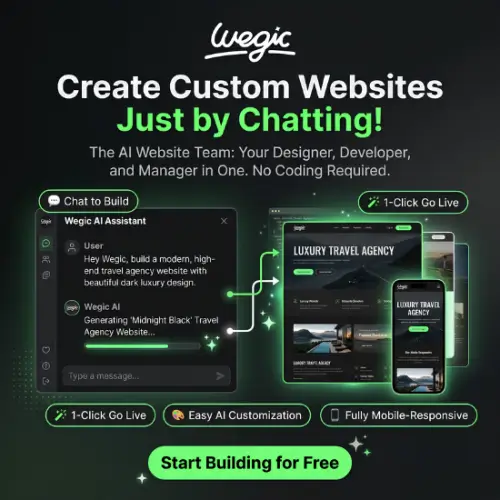
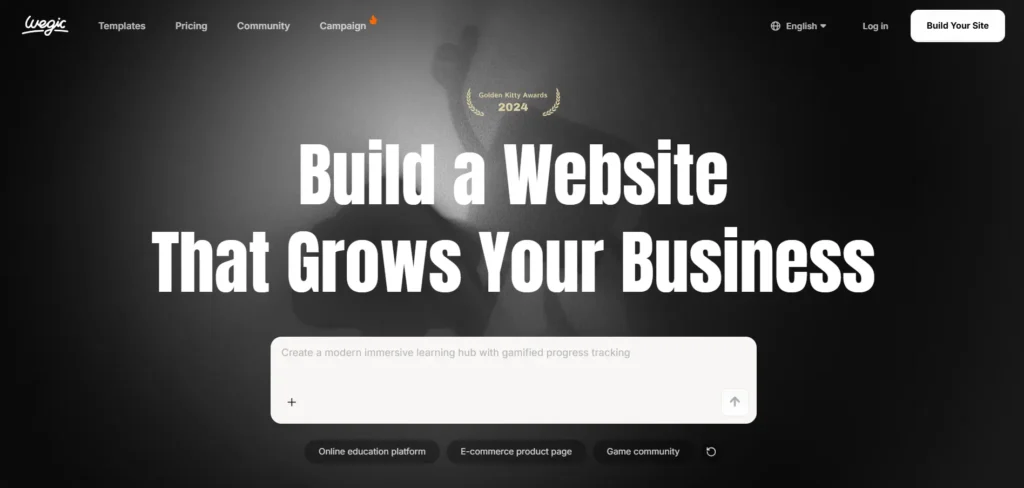
Wegic is an AI website builder that works through a chat window. You tell it what you need, like a portfolio, a restaurant site, a landing page, or a small online shop. It asks a few questions about your style and content, then builds the pages while you watch.
The chat sits on one side of the screen and a live preview sits on the other. If you don’t like something, you type a new instruction. You can ask it to rewrite a section, change the colours, add a page, or rebuild part of the layout.
Key Features of Wegic
Here are the main things Wegic offers, one by one.
- Chat-based website planning and building: You describe your site in plain words and Wegic plans and creates it.
- Live desktop and mobile previews: You can see how your site looks on a computer and a phone before you publish. This helps you catch layout problems early.
- Direct editing: You can click on text, images, or sections and change them yourself. This is faster when typing a new instruction would take too long.
- Responsive multi-page layouts: Your site adjusts to different screen sizes, and you can have more than one page.
- AI-made content: Wegic can write copy and create images, video, and animation for your pages.
- Forms, bookings, and lead collection: Visitors can send enquiries, request bookings, and upload files. This is useful for service businesses.
- Product displays and payment options: You can show products and take payments, so it works for simple online stores.
- Wegic Cloud: The data people submit on your site is stored here. There is also an admin area where you can manage it.
- SEO and analytics tools: You get SEO settings, Google indexing tools, analytics connections, and a place to add custom head code.
- Version history with rollback: If an edit goes wrong, you can go back to an older version.
- Custom domains: You can use your own domain name on eligible plans.
- Code export: Subscribed users can download the code of their site and host it somewhere else.
How Wegic Works in Real Use
The first step is simple. You open Wegic and type something like “I need a website for my photography business.” Wegic asks about your style, colours, and the pages you want. Then it builds a first version.
From there you improve it. Maybe the heading is too long, or you want a darker colour scheme. You type that, and the preview updates. For small changes like fixing a word or swapping a photo, you can click the element and edit it directly.
Code export is a useful extra. If you are a developer, or you work with one, you can take the generated files and host them anywhere. This helps when the visual editor reaches its limit. One thing to remember is that each download uses credits. If your site keeps changing, repeated exports can eat into your monthly allowance.
Wegic Pricing
Credits matter a lot with Wegic, so here is how the pricing works. New accounts get a small number of free credits. According to Wegic’s own pricing article, new users get 30 free credits when they sign up. You can also earn 100 credits each time a friend joins through your referral link. These free credits are mainly for planning your site through chat. Generating the website itself needs a paid trial or subscription.
Here are the prices listed on Wegic’s official website:
| Plan | Monthly Billing | Yearly Billing (per month) | What You Get |
|---|---|---|---|
| Free | $0 | $0 | 30 free credits on sign-up, mainly for planning |
| Trial Pack | $2.99 | Free 100 credits only when signup | |
| Starter | $39.90/month | $23.9/month (40% off) | 600 credits/month, 10 pages per site, Wegic badge removed, 10K visitors/month, SSL certificate |
| Premium | $69.90/month | $41.9/month (40% off) | Unlimited credits, unlimited pages, custom domain, unlimited visitors, SSL certificate, Google Analytics |
| Ultra | $2999/month | n/a | 7-day delivery of a custom site, payments and forms, biweekly data reports, permanent hosting, unlimited design revisions |
A few things to know about the pricing:
- On Starter, you pay $2 extra for every 10K visitors above the limit.
- Starter publishes your site on a Wegic subdomain. You need Premium to use a custom domain.
- Edits use credits based on the size of the request. Unused monthly credits do not carry forward.
- If your subscription ends, your hosted site is unpublished. Exported code can still be moved to another host.
- Wegic was showing a 20% discount offer on its site at the time I checked, so look at the pricing page before you pay. Prices and offers can change.
Pros and Cons
| Pros | Cons |
|---|---|
| Build full pages just by chatting | Generation and edits use credits |
| Live preview shows changes as they happen | Monthly credits do not roll over |
| Forms, bookings, lead collection, and SEO included | Exact design changes can take several tries |
| Responsive layouts come built in | Failed edits may still use credits |
| Subscribers can export the code | Custom domains need the Premium plan |
| You can host the site somewhere else if you want | Hosted sites need an active plan |
What Do Users Say?
On Product Hunt, reviewers often praise the quick setup and the clean interface. Most people say it is easy to get a first version of a site up in a short time.
The complaints are fairly consistent too. Some users say adjustments feel slow. Others are unhappy when a failed edit still uses up credits. A third group says it takes real effort to get one exact visual change the way they want it.
Who Should Use Wegic?
Wegic is a good fit for:
- Small business websites
- Personal portfolios
- Campaign and landing pages
- Simple online stores
- Anyone who wants a site fast and has no coding skills
Wegic is not the best choice if you need a heavy database app, unusual backend logic, or strict pixel-perfect design. For those, a developer or a more technical builder will serve you better.
Final Thoughts
Wegic does what it promises. You chat, it builds, and you can see the result right away. For a small business owner or a freelancer who wants a decent site without learning design tools, that is a real saving of time.
The main thing to watch is credits. Since edits cost credits and failed edits may still count, it is smart to write clear instructions and make bigger changes in one go instead of many tiny ones. Also remember that a custom domain needs Premium, and that your hosted site goes offline if you stop paying.
My advice is to use the free credits to plan your site first and see if you like the chat style. If it feels right, a yearly Starter plan is the cheapest way in. If you later need your own domain or many pages, you can move up to Premium.
Alternatives to Wegic
- Wix AI Website Builder: A popular website builder with a big template library and an AI option. It gives you more design freedom, but it takes longer to learn.
- Hostinger AI Website Builder: A low-cost builder with AI features, templates, and hosting in one place. A good pick if budget matters most.
- 10Web: An AI builder that works on top of WordPress. It suits people who want the AI speed along with WordPress plugins and control.
- Framer: A design-focused builder that makes modern, animated sites. It is great for portfolios and landing pages, and it also has AI tools.
- Durable: An AI builder that creates a small business site in about a minute. It also includes simple tools for invoices and customer management.