Building a website used to require technical knowledge, coding skills, and a lot of time. You either had to learn WordPress, hire a web developer, or spend hours working with complicated website-building tools. But things are changing with AI-powered website builders.
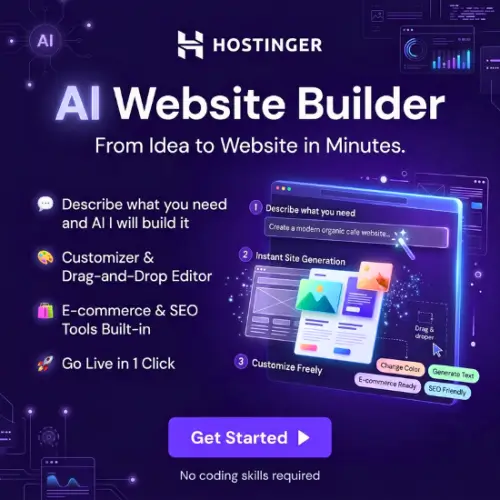
Hostinger AI Website Builder is one such tool that makes website creation easier. It allows users to create websites by simply describing what they want. The AI understands the instructions and generates a website with pages, layouts, images, and sample content.
You don’t need to know HTML, CSS, or JavaScript to get started. Once your website is ready, you can customize it using Hostinger’s visual editor and built-in AI tools.
Hostinger also provides website hosting, domain services, security features, and marketing tools in one place. This makes it a convenient option for beginners, freelancers, small businesses, bloggers, and entrepreneurs who want to build an online presence without hiring a developer.
In this article, we will explore Hostinger AI Website Builder’s features, pricing, benefits, limitations, and alternatives to help you decide whether it is the right choice for your website.
What Is Hostinger AI Website Builder?
Hostinger AI Website Builder is a no-code website creation platform that uses artificial intelligence to help users build professional websites.
Instead of starting with a blank page, you can describe your website idea, business, or project. The AI uses that information to generate a website design with relevant sections, text, and images.
For example, if you want to create a website for a digital marketing agency, you can enter a description of your business. Hostinger AI will generate a starting website with sections such as Home, About Us, Services, and Contact.
You can then change the website’s colors, fonts, images, text, and page layouts using its editing tools.
Hostinger provides two main ways to create websites: Manual mode and Agentic mode. Manual mode offers a visual website editor with drag-and-drop functionality, while Agentic mode allows you to build and modify websites by chatting with an AI assistant.
The platform is suitable for people who want to launch websites quickly without dealing with technical website development.
Key Features of Hostinger AI Website Builder
Hostinger offers several features that make website creation easier. Let’s look at some of its most useful features.
1. AI Website Generator
The AI website generator is one of the main reasons people choose Hostinger.
You don’t have to select every section or design element manually. Simply explain your website idea, provide some basic information, and let the AI generate a website for you.
For example, you can enter a prompt like:
“I want to create a professional website for my photography business. It should have a homepage, photo gallery, about section, pricing information, and contact form.”
Hostinger AI will use your description to generate a website based on your requirements.
Once the website is created, you can edit the generated content and design. This feature is especially useful for beginners who don’t know how to design a website from scratch.
2. Drag-and-Drop Website Editor
AI can create the initial website, but you may still want to make changes to its appearance.
Hostinger provides a visual editor that allows you to customize your website without writing code.
You can:
- Add or remove website sections.
- Change text, images, and backgrounds.
- Adjust colors and fonts.
- Edit page layouts.
- Add buttons and contact forms.
- Customize website elements.
Its Smart Grid system helps keep website elements organized while giving users flexibility to customize their layouts.
You can see your changes while editing, which makes the entire process easier.
3. 400+ Website Templates
If you don’t want AI to generate your website, you can start with a professionally designed template.
Hostinger provides more than 400 website templates covering different industries and purposes.
Some popular template categories include:
- Business websites
- Online stores
- Personal portfolios
- Photography websites
- Blogs
- Health and beauty websites
- Landing pages
- Link-in-bio websites
These templates are designed to work on different screen sizes, including mobile phones, tablets, and desktop computers.
You can select a template that matches your business and customize it according to your brand.
This saves time because you don’t have to create the entire website layout yourself.
4. AI Writer
Writing website content can be difficult, especially if you are creating your first website.
Hostinger’s AI Writer helps you generate content for different website sections.
You can use it to create:
- Homepage descriptions.
- About Us content.
- Service descriptions.
- Product descriptions.
- Blog content.
- Marketing text.
For example, if you run a digital marketing agency, you can ask the AI Writer to create a short introduction explaining your services.
You can then edit the generated content to match your business tone and requirements.
It is a useful feature for people who want to publish website content without spending hours writing everything manually.
5. AI Image Generator
Images play an important role in website design. A good image can make your website look more attractive and professional.
Hostinger includes AI-powered image creation tools that help users generate visual content for their websites.
Instead of searching for every image separately, you can describe the image you need and use AI to generate a suitable visual.
For example, you can create images for:
- Website banners.
- Business landing pages.
- Blog posts.
- Product sections.
- Background images.
You should still check the quality and suitability of generated images before publishing them.
6. AI Logo Maker
A logo helps visitors recognize your brand.
Hostinger’s AI Logo Maker helps users create logo designs without hiring a professional graphic designer.
You can provide your business name and choose a suitable style. The tool helps generate logo ideas that you can customize.
It can be useful for startups, freelancers, small businesses, and personal brands that need a basic logo.
However, if your business requires a unique brand identity, you may still want to work with a professional designer.
7. AI SEO Assistant
Creating a website is only the first step. You also need people to discover it through search engines.
Hostinger provides built-in SEO tools to help users improve their website’s search visibility.
Its SEO features can help with:
- Website SEO recommendations.
- Page titles and meta descriptions.
- Content optimization.
- Search engine-friendly website structure.
- Image optimization.
- Basic SEO improvements.
These tools can help beginners understand some important SEO practices without installing several additional plugins.
However, using an SEO assistant does not guarantee higher Google rankings. You still need useful content, proper keyword research, good website performance, and quality backlinks.
8. AI Blog Content Generator
If you want to run a blog, publishing useful content regularly is important.
Hostinger includes AI-powered writing tools that can help you generate blog ideas and draft articles.
You can provide a topic and let AI create an initial draft. You can then edit the content, add your own experience, include relevant images, and publish it.
This can save time for bloggers and business owners who want to maintain a content section on their websites.
For better results, always check AI-generated articles for accuracy, originality, and usefulness before publishing.
9. Ecommerce Website Builder
Hostinger is not limited to personal websites and business portfolios. It also offers ecommerce functionality.
You can use its website builder to create an online store and sell products or services.
Some ecommerce features include:
- Product listings.
- Product images and galleries.
- Shopping cart.
- Inventory management.
- Order management.
- Product descriptions.
- Payment integrations.
- Shipping and tax management.
You can also use AI tools to help generate product descriptions.
Hostinger supports payment options such as Stripe and PayPal, with additional payment methods depending on your location and setup.
Its ecommerce solution is suitable for small and growing businesses that want to start selling online.
However, businesses with large product catalogs or advanced ecommerce requirements may find dedicated platforms such as Shopify more suitable.
10. Mobile-Friendly Website Design
Today, many people visit websites using smartphones.
A website that looks good on a desktop but performs poorly on mobile devices can create a bad experience for visitors.
Hostinger templates are designed to be responsive, meaning they adjust to different screen sizes.
You can also preview and customize your website for mobile devices.
This helps ensure that important elements such as text, images, buttons, and navigation remain easy to use.
11. Hosting, Domain, and SSL Security
One useful thing about Hostinger is that it combines website building and hosting services.
You don’t need to purchase hosting from one company and connect it to a separate website builder.
Depending on your selected plan, you can get:
- Website hosting.
- A free custom domain for one year.
- SSL security.
- Business email for one year.
- Website backups.
- Website management tools.
SSL helps protect information exchanged between your website and visitors by encrypting the connection.
Having these services in one place makes website management easier, especially for beginners.
12. AI Agent and Website Customization
Hostinger is also developing its AI Builder with an Agentic mode.
This allows users to interact with an AI assistant through natural language.
Instead of manually changing every element, you can describe the changes you want. The AI agent can help build or modify website content and functionality.
For example, you can ask it to create a new page, change website content, or add a particular feature.
This approach is useful for people who prefer giving instructions instead of working through every setting manually.
How to Use Hostinger AI Website Builder?
Getting started with Hostinger is quite simple. You can follow these steps to create your first website.
Step 1: Visit Hostinger
Open the Hostinger website and explore its AI Website Builder plans.
Step 2: Select a Plan
Choose a suitable plan according to your website requirements. Complete the purchase process and create your Hostinger account. Use Coupon Code: ANANTVIJAY
Step 3: Choose AI Website Creation
Open the website creation option and select AI website generation or choose a ready-made template.
Step 4: Describe Your Website
Enter your website name, business type, purpose, and other important details.
Try to provide clear instructions so that AI can understand what you want to create.
Step 5: Generate Your Website
Hostinger AI will generate a starting website based on your description.
It may include different pages, sections, images, and sample text.
Step 6: Customize Your Website
Use the visual editor or AI assistant to make changes.
Update your logo, images, colors, text, contact information, and other website elements.
Step 7: Connect Your Domain
Choose your custom domain and configure the website settings.
Step 8: Publish Your Website
Once everything looks good, preview your website on different devices and publish it.
Your website is now ready for visitors.
Hostinger AI Website Builder Pricing
Hostinger offers different subscription plans depending on the number of websites you want to create and the features you need.
The following prices are based on the official Hostinger India pricing page checked in November 2026.
| Plan | Promotional Price | Renewal Price | Best For |
|---|---|---|---|
| Premium | ₹149/month | ₹449/month | Personal websites and portfolios |
| Business (Unlimited) | ₹249/month | ₹649/month | Growing businesses and ecommerce |
| Cloud Startup | ₹599/month | ₹1,599/month | Businesses needing more performance |
Important pricing information:
- The promotional prices shown above are based on a 48-month subscription.
- You pay the full subscription amount upfront rather than paying monthly.
- Premium costs ₹7,152 for 48 months.
- Unlimited costs ₹11,952 for 48 months.
- Cloud Startup costs ₹28,752 for 48 months.
- A free custom domain is included for one year on eligible plans.
- The plans include a 30-day money-back guarantee, subject to Hostinger’s terms.
Which Hostinger Plan Should You Choose?
Premium: A good starting option for personal websites, portfolios, blogs, and small business websites. It supports up to three websites but does not include the full ecommerce offering.
Unlimited: Suitable for growing businesses and users who want to create multiple websites. It includes ecommerce availability, more AI credits, and additional features.
Cloud Startup: Better suited to businesses that need more hosting resources and additional scalability.
Always check the official pricing page before purchasing because promotional discounts, renewal prices, and included features can change.
Benefits of Hostinger AI Website Builder
Here are some important advantages of using Hostinger.
1. Beginner-friendly: You don’t need coding or website development experience to create a website.
2. Saves time: AI can generate the initial website design and content much faster than building everything manually.
3. All-in-one platform: Hosting, domain services, website creation, and security features are available together.
4. Built-in AI tools: You get useful tools for writing, image creation, logo design, and SEO.
5. Responsive templates: You can create websites that work across desktop, tablet, and mobile devices.
6. Affordable starting price: Promotional plans make it possible for beginners to launch a website with a relatively small initial budget.
7. Ecommerce support: You can create an online store and manage products, orders, and payments.
8. Customer support: Hostinger provides 24/7 customer support through its support channels, including live chat.
Limitations of Hostinger AI Website Builder
Although Hostinger offers many useful features, it is important to understand its limitations before purchasing.
1. Limited design freedom: Its visual editor is easy to use, but users who want complete control over every design element may find it restrictive compared with custom-coded websites.
2. Not ideal for large ecommerce stores: It provides essential ecommerce features, but large stores with complex business requirements may need Shopify or another dedicated ecommerce platform.
3. AI content needs editing: AI-generated website text and images may require manual improvements before publishing.
4. SEO still requires work: Built-in SEO tools can help with basic optimization, but they cannot guarantee search engine rankings.
5. Subscription costs increase after renewal: Promotional prices are generally available for longer subscription periods. The renewal price is higher, so you should consider the long-term cost.
6. Platform flexibility: A hosted website builder is not the same as a self-hosted WordPress website. You should check the available export and migration options before building a large website that you may want to move elsewhere.
Who Should Use Hostinger AI Website Builder?
Hostinger is designed for people who want to create websites without dealing with complicated technical processes.
Here are some users who may benefit from it:
- Beginners: People creating their first website without coding knowledge.
- Freelancers: Designers, developers, writers, and consultants who want to showcase their work.
- Small businesses: Local businesses that need a website to display their products and services.
- Bloggers: People who want to start a blog and publish articles online.
- Entrepreneurs: Business owners who want to test new ideas without investing heavily in website development.
- Online sellers: Small businesses that want to sell physical or digital products.
- Agencies: Small agencies that need a simple way to build websites for their projects.
If you want a simple website that you can build and manage yourself, Hostinger is worth considering.
Hostinger AI Website Builder vs Traditional Website Development
Traditional website development often requires a developer, designer, hosting provider, and additional tools.
With Hostinger, many of these things are available in one platform.
| Feature | Hostinger AI Website Builder | Traditional Development |
|---|---|---|
| Coding Knowledge | Not required | Often required |
| Website Creation | AI-assisted | Manual development |
| Design | Templates and AI | Custom design possible |
| Hosting | Included in plans | Purchased separately |
| Website Editing | Visual editor | Depends on platform |
| Development Time | Usually faster | Can take longer |
| Customization | Platform-dependent | Greater flexibility |
| Maintenance | Managed platform | Depends on setup |
Hostinger is a convenient choice for simple and medium-sized websites, while traditional development is more suitable for projects that require special functionality and complete technical control.
Is Hostinger AI Website Builder Worth It?
Yes, Hostinger AI Website Builder is worth considering if you want to create a professional-looking website without spending too much time on technical work.
Its biggest advantage is that it combines AI website generation, visual editing, hosting, domain services, and useful marketing tools in one platform.
The AI website generator gives you a starting design, while the editor allows you to customize it according to your needs. Features such as AI Writer, AI Image Generator, AI Logo Maker, and SEO tools can also make website creation easier.
However, it is not the perfect solution for everyone. If you need advanced ecommerce features, complete design freedom, or a highly customized web application, you may want to compare it with other platforms.
For beginners, freelancers, bloggers, and small businesses, it offers a practical way to get a website online without hiring a developer.
Final Thought
Hostinger AI Website Builder makes website creation easier by combining artificial intelligence with simple editing tools.
You can describe your idea, generate a website, customize its appearance, and publish it without writing code. Its built-in hosting, domain, SSL, and AI tools also reduce the need to manage multiple services.
The platform is particularly useful for people who want to launch a website quickly and manage it independently.
If you are planning to create a portfolio, business website, blog, landing page, or small online store, Hostinger is a good option to explore.
You can check its latest plans and features through the official Hostinger AI Website Builder page.
Alternatives to Hostinger AI Website Builder
If Hostinger doesn’t match your requirements, here are some other website builders worth exploring.
1. Wix AI Website Builder
Wix offers AI-powered website creation, customizable templates, drag-and-drop editing, SEO tools, and ecommerce features. It is a good alternative for users who want more design flexibility and a wide range of website-building options.
2. Squarespace
Squarespace provides professionally designed website templates, AI-assisted website creation, blogging tools, and ecommerce functionality. It is especially useful for photographers, creative professionals, portfolios, and businesses that want an attractive website.
3. Shopify
Shopify is a dedicated ecommerce platform with AI-assisted store creation, product management, payment processing, inventory tracking, and marketing tools. It is a better choice for businesses that mainly want to sell products online.
4. GoDaddy Website Builder
GoDaddy offers AI-assisted website creation, ready-made designs, domain services, marketing tools, and ecommerce options. It is suitable for beginners and small businesses looking for a simple way to establish their online presence.
5. WordPress.com
WordPress.com offers AI-assisted website creation, themes, blogging tools, hosting, and customization options. It is a good alternative for bloggers, content creators, and businesses that want to build a content-focused website.
6. Webflow
Webflow combines visual website design, CMS functionality, responsive layouts, and advanced customization options. It is suitable for designers, agencies, and businesses that need greater control over website appearance and functionality.