
Discover the best AI productivity tools on ABC AI Tools. From task managers and note-taking apps to meeting summarizers, calendar planners, focus aids, and workflow automation, these tools help you get more done in less time.
Compare features, integrations, platforms, and pricing side by side to find the right fit for professionals, students, freelancers, and teams. Every top AI productivity tool is curated in one place.
Start exploring and find the AI tool that helps you do your best work with less effort.
Discover the best AI productivity tools on ABC AI Tools. From task managers and note-taking apps to meeting summarizers, calendar planners, focus aids, and workflow automation, these tools help you get more done in less time.
Compare features, integrations, platforms, and pricing side by side to find the right fit for professionals, students, freelancers, and teams. Every top AI productivity tool is curated in one place.
Start exploring and find the AI tool that helps you do your best work with less effort.


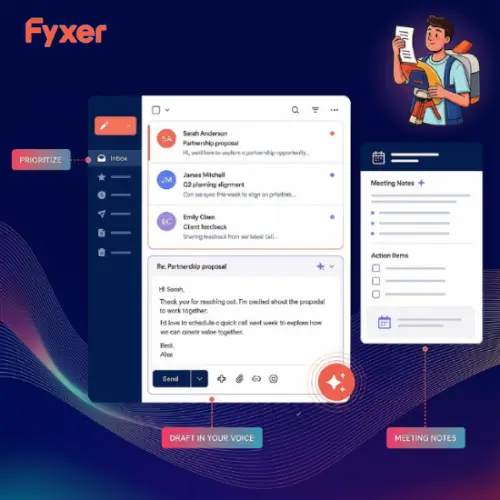






AI productivity tools use machine learning to cut the busywork that eats into your day. They can organize tasks, summarize long documents, capture meeting notes, schedule your time, and automate repetitive steps between apps. Instead of juggling lists, tabs, and reminders, you get smart help that keeps you focused on the work that matters most.
The category covers many ways to save time and stay organized. Task and project tools prioritize your to-do list and suggest realistic schedules. Note-taking apps capture ideas, organize them automatically, and make them searchable. Meeting tools record, transcribe, and summarize calls with clear action items. Calendar assistants find the best meeting times and protect focus hours. Others include email management, document summarization, browser and desktop helpers, writing and text expansion tools, habit and time tracking, knowledge bases, and automation platforms that connect your apps and run routine tasks for you.
Start by finding what slows you down most, whether that is task overload, scattered notes, or too many meetings. Compare how helpful the AI features are in practice, such as smart prioritization, summaries, and automation, rather than just how many features are listed. Check integrations with apps you already use, like Google Workspace, Microsoft 365, Slack, Notion, and Zapier. Look at platform availability across web, mobile, and desktop, plus offline access and sync. Consider ease of setup and how quickly you can build a habit around it. Review privacy and security, since these tools often hold personal or company information. Pricing ranges from generous free plans to premium and team subscriptions.
Start with one tool and one workflow, such as meeting notes or task planning, and build from there. Keep your system simple, review your tasks daily, and let automation handle repeat work. Avoid installing too many apps, since a tool only helps if you actually use it consistently.
AI summaries and suggestions can miss context or contain errors, so review them before acting or sharing. Get consent before recording meetings, protect confidential information, and check your organization’s policies on AI tools. Remember that productivity is about meaningful results, so leave room for rest and focused thinking.
We bring together the most useful and current AI productivity tools in one organized place. Each listing includes key features, pricing, pros and cons, and practical use cases, so you can compare quickly and choose with confidence. Whether you need a simple note-taker or a full productivity system, you will find options for every work style and budget.
Start exploring and find the AI tool that helps you do your best work with less effort.
