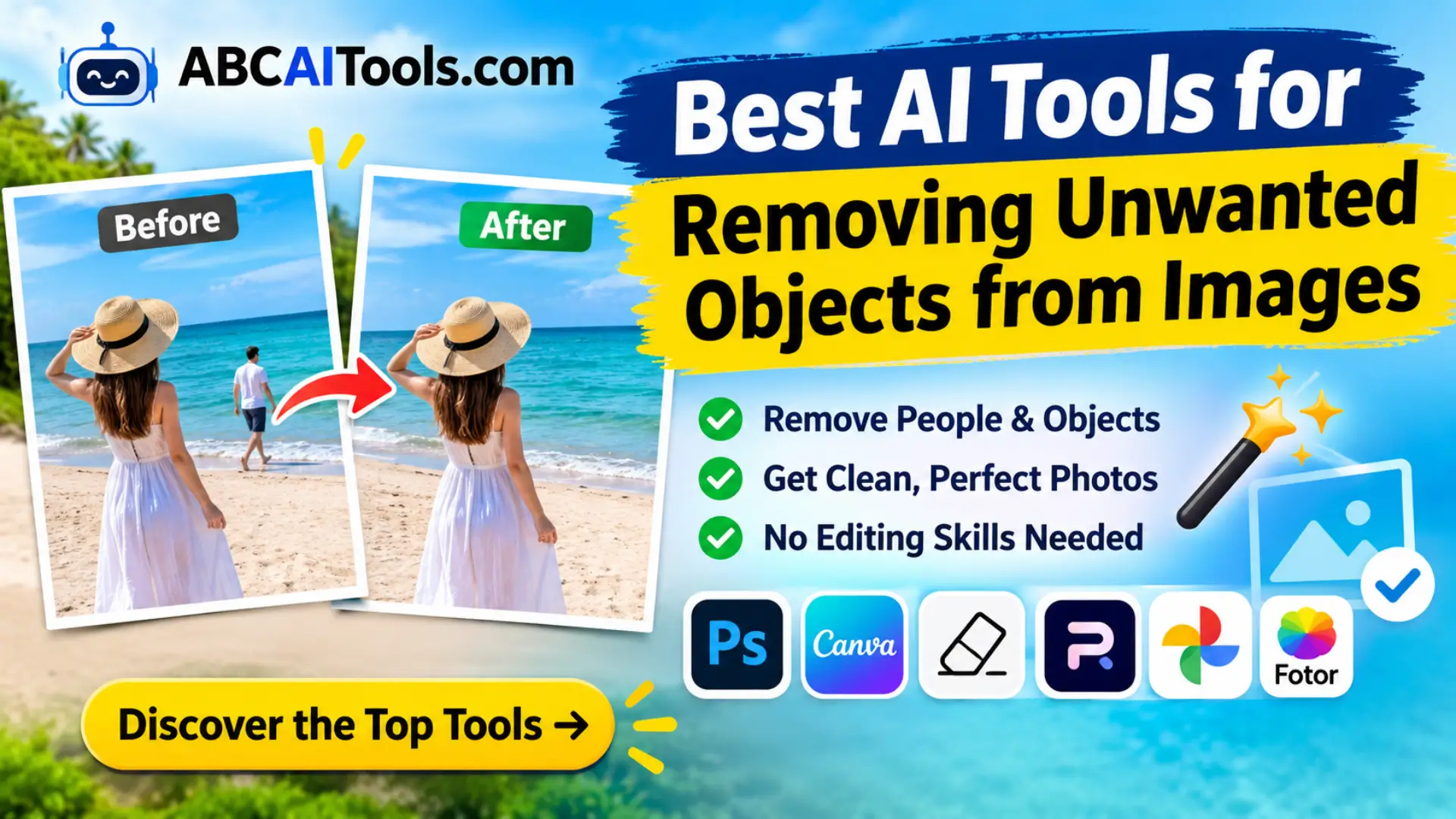
Have you ever taken a beautiful photograph only to discover an unwanted person, vehicle, electrical wire, or distracting object in the background?
Traditionally, removing these unwanted elements required professional photo editing software and considerable editing skills. You had to use tools like the Clone Stamp, Healing Brush, or Content-Aware Fill to manually repair the affected area.
Fortunately, artificial intelligence has made this process much easier.
Today, AI-powered object removal tools can automatically identify unwanted objects, remove them, and reconstruct the missing background. You simply upload your photograph, highlight the object you want to remove, and let the AI handle the editing.
Whether you are a photographer, social media creator, ecommerce seller, blogger, or someone who wants cleaner personal photographs, these tools can save considerable time.
However, not every AI object remover produces the same results. Some are better for removing people from travel photographs, while others are designed for professional product photography or detailed image editing.
In this guide, we will explore the 7 best AI tools for removing unwanted objects from images in 2026. We will compare their features, pricing, advantages, disadvantages, and ideal use cases so you can choose the right tool.
Quick Comparison: Best AI Object Removal Tools
Here is a quick overview of our selected tools.
| AI Tool | Best For | Free Option | Starting Paid Price |
|---|---|---|---|
| Adobe Photoshop | Professional photo editing | Free trial / mobile options | ₹599/month* |
| Cleanup.pictures | Quick online object removal | Yes | $3/month* |
| Canva Magic Eraser | Social media designs | Free plan available; feature access varies | ₹4,000/year* |
| Photoroom | Ecommerce product photos | Free option available | $7.50/month* |
| Pixelcut | Quick AI photo editing | Yes | $8/month* |
| Google Photos | Everyday photo cleanup | Eligible free access | Free |
| Fotor | General photo editing | Yes | Check current plans |
Paid prices are indicative advertised rates, generally based on annual billing where applicable. Adobe’s displayed ₹599/month is a first-year promotional rate for an annual subscription. Canva pricing is for its India Pro annual plan. Actual prices, taxes, eligibility, and features may vary by country and subscription method.
1. Adobe Photoshop – Best for Professional Object Removal
Best for: Professional photographers, graphic designers, creative professionals, and advanced photo editors.

Visit Adobe Photoshop Official Website >>
Adobe Photoshop is one of the most powerful image editing applications available. It offers advanced editing capabilities, including AI-powered object removal, Generative Fill, and other intelligent image manipulation features.
Unlike basic online object removers, Photoshop gives users greater control over the editing process. You can remove unwanted objects, repair complicated backgrounds, refine edges, and make additional adjustments to achieve a professional-looking result.
Its Remove Tool is particularly useful when you want to eliminate distracting elements without manually rebuilding the entire background.
Key Features
- AI Remove Tool: Remove unwanted objects, people, wires, and other distractions.
- Generative Fill: Remove or replace selected image areas using AI.
- Generative Expand: Extend an image beyond its original boundaries.
- Advanced Retouching: Refine small details and repair imperfect areas.
- Layer-Based Editing: Make changes without permanently modifying the original image.
- Professional Controls: Adjust lighting, colours, textures, shadows, and other image elements.
- Multiple Platforms: Access Photoshop on desktop, web, and supported mobile devices.
Pricing
Adobe Photoshop offers subscription-based plans.
- Photoshop: Advertised introductory pricing starts at approximately ₹599/month for the first year with an annual subscription billed monthly.
- Regular pricing: The advertised standard rate is approximately ₹733.96/month.
- Free Trial: Available for eligible new subscribers.
Pricing and promotional eligibility should be confirmed on the official website.
Pros
- Excellent control over complicated image edits.
- Powerful AI object removal capabilities.
- Suitable for professional photography.
- Supports detailed retouching and image reconstruction.
- Includes many additional photo editing features.
Cons
- Takes time to learn.
- Subscription may be expensive for occasional users.
- Requires more powerful hardware for demanding workflows.
- May be unnecessarily complicated for simple object removal.
Why Choose Adobe Photoshop?
Photoshop is different from simple AI object removal websites because it combines automatic AI editing with professional manual controls.
For example, imagine you want to remove a person standing behind your main subject. A basic tool might remove the person but leave an imperfect background. With Photoshop, you can use additional retouching and Generative Fill features to improve the final result.
Our Verdict: Choose Adobe Photoshop if image quality, editing flexibility, and professional-level control matter more than simplicity.
Visit Adobe Photoshop Official Website >>
2. Cleanup.pictures – Best for Quick Online Object Removal
Best for: Bloggers, photographers, content creators, and people who want to remove unwanted objects without installing software.

Visit Cleanup Pictures Official Website >>
Cleanup.pictures is a dedicated online image cleanup tool designed to remove unwanted elements from photographs.
Its biggest advantage is simplicity. You do not need professional editing knowledge or complicated software. Upload your image, select the unwanted area using a brush, and let the AI reconstruct the background.
It is particularly useful for removing unwanted people, objects, text, logos, and other distractions from photographs.
Key Features
- AI Object Removal: Remove unwanted objects from photographs.
- People Removal: Erase unwanted people from backgrounds.
- Text Removal: Remove distracting text and date stamps.
- Logo Removal: Clean up unwanted visual elements.
- Brush-Based Selection: Highlight exactly which area you want to remove.
- High-Resolution Export: Paid plans support unlimited image resolution.
- Browser-Based Editing: No traditional desktop software installation required.
Pricing
Cleanup.pictures offers a free plan and a paid Pro plan.
| Plan | Price | Features |
|---|---|---|
| Free | $0 | Unlimited images, exports limited to 720p |
| Pro Monthly | $5/month | Unlimited images and resolution, high-quality refiner |
| Pro Annual | $36/year | Equivalent to $3/month |
Check the official pricing page for current offers and billing terms.
Pros
- Very easy to use.
- No advanced editing knowledge required.
- Free option for basic image cleanup.
- Useful for removing people and objects.
- Works directly in a browser.
- Paid version supports high-resolution exports.
Cons
- Free exports are limited to 720p.
- Not a complete professional photo editing application.
- Complicated backgrounds may require multiple attempts.
- Fewer advanced editing controls than Photoshop.
Why Choose Cleanup.pictures?
Cleanup.pictures focuses primarily on image cleanup rather than offering a huge collection of unrelated design features.
This makes it a convenient option when your main goal is to remove something from a photograph quickly.
For example, if you have a travel photograph with unwanted tourists in the background, you can highlight those people and let the AI fill the selected areas.
Our Verdict: Cleanup.pictures is an excellent choice for users who want a straightforward online object removal tool without learning complicated editing software.
Visit Cleanup Pictures Official Website >>
3. Canva Magic Eraser – Best for Social Media Creators
Best for: Social media managers, Instagram creators, bloggers, marketers, and small businesses.
Visit Canva Official Website >>
Canva is widely used for creating social media posts, presentations, advertisements, thumbnails, and marketing materials.
However, it also includes AI photo editing features that make it useful for removing unwanted objects from images.
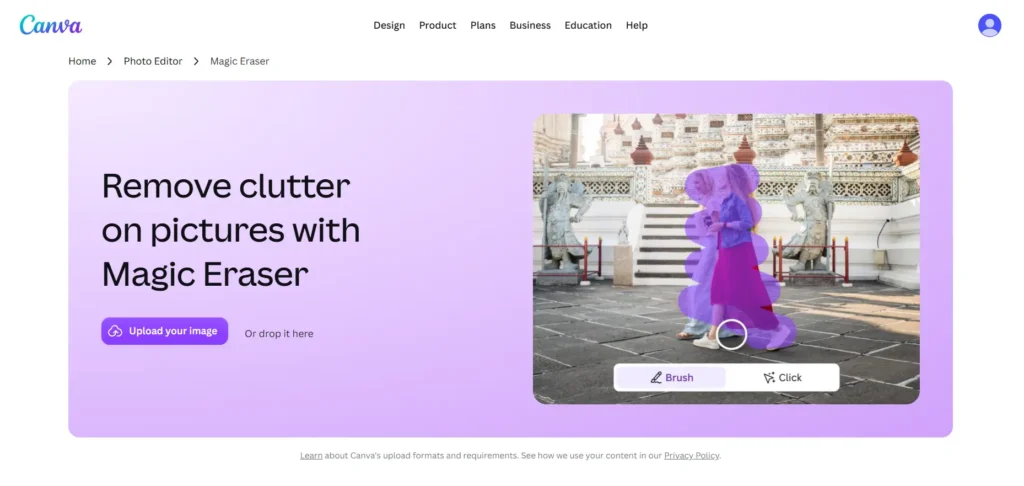
Its Magic Eraser feature allows users to brush over distracting elements and remove them from a photograph.
One of Canva’s biggest advantages is that you can continue editing the same image after removing unwanted objects. You can add text, graphics, logos, shapes, and other design elements without switching between different applications.
Key Features
- Magic Eraser: Remove unwanted objects from selected image areas.
- Magic Edit: Modify selected parts of an image using AI.
- Background Remover: Remove image backgrounds.
- Photo Editing: Adjust brightness, contrast, colours, and other settings.
- Design Templates: Create social media graphics and promotional materials.
- Brand Kit: Maintain consistent branding across your designs.
- Drag-and-Drop Editor: Easily combine images, text, and graphic elements.
Pricing
Canva offers multiple subscription options.
| Plan | India Pricing | Features |
|---|---|---|
| Canva Free | ₹0 | Basic editing and limited AI access |
| Canva Pro Lite | ₹1,590/year | Selected premium tools and content |
| Canva Pro | ₹4,000/year | Premium features and expanded AI access |
| Canva Business | Separate pricing | Advanced business and collaboration features |
Magic Eraser availability depends on the plan and current feature entitlements. Check the pricing comparison before purchasing.
Pros
- Beginner-friendly interface.
- Combines photo editing and graphic design.
- Useful for social media content creation.
- Includes numerous templates and design assets.
- No need to switch between multiple applications for common design tasks.
Cons
- Some advanced AI features require a paid subscription.
- Not as powerful as Photoshop for complex retouching.
- AI editing usage may be subject to plan limits.
- Less suitable for highly detailed professional photo restoration.
Why Choose Canva Magic Eraser?
Canva is different because it is not just an object removal tool. It is a complete visual content creation platform.
Imagine you are designing an Instagram promotional post. You notice an unwanted object in your product photograph. Instead of opening another application, you can remove the object and finish your entire design inside Canva.
This saves time, especially when creating multiple social media graphics.
Our Verdict: Canva is a strong option for content creators and marketers who regularly create social media posts and need object removal as part of their design workflow.
Visit Canva Official Website >>
4. Photoroom – Best for Ecommerce Product Photography

Visit Photoroom Official Website >>
Best for: Ecommerce sellers, online store owners, product photographers, and marketplace sellers.
Product photography plays an important role in online shopping. Poorly presented product images can make a professional product look unattractive.
Photoroom is an AI-powered visual editing platform designed particularly for product photography and commercial visuals.
Its Retouch feature allows users to remove unwanted objects from images. You can also use its other editing features to create cleaner product photographs, replace backgrounds, and improve product presentation.
This makes it especially useful for ecommerce businesses that need consistent product images.
Key Features
- AI Retouch: Remove unwanted objects and distractions.
- Background Removal: Automatically separate products from backgrounds.
- AI Backgrounds: Generate new backgrounds for product images.
- AI Shadows: Add realistic-looking shadows.
- AI Product Fixer: Improve product visuals.
- Image Enhancer: Improve image quality.
- Batch Editing: Process multiple product images using supported workflows.
- Multiple Platforms: Available on web, iOS, and Android.
Pricing
Photoroom offers several subscription options.
| Plan | Advertised Price | Main Benefits |
|---|---|---|
| Free | $0 | Basic editing access |
| Pro | $7.50/month | 8,000 AI credits and 1,000 exports |
| Max | $20.99/month | 25,000 AI credits and 3,000 exports |
| Ultra | $82.50/month | 75,000 AI credits and 10,000 exports |
| Enterprise | Custom | Business-focused workflows |
The listed paid rates are based on annual billing. The Retouch tool is listed as a core utility that does not require AI credits, subject to applicable plan and fair-use limits.
Pros
- Designed with ecommerce workflows in mind.
- Easy object removal using Retouch.
- Excellent collection of product photography tools.
- Supports batch workflows.
- Available on mobile and desktop.
- Includes background editing and image enhancement.
Cons
- Some advanced features require paid plans.
- Export limits apply to subscription tiers.
- More expensive plans may be unnecessary for casual users.
- Not designed to replace every feature of professional photo editing software.
Why Choose Photoroom?
Photoroom is different because it focuses heavily on commercial product photography.
For example, imagine you sell watches, shoes, cosmetics, or electronic accessories online. Your product photograph contains dust, unwanted reflections, or distracting objects.
You can use Retouch to clean the photograph and other Photoroom tools to improve its overall presentation.
Our Verdict: Photoroom is a great choice for ecommerce businesses that need more than simple object removal and want a complete product image editing workflow.
Visit Photoroom Official Website >>
5. Pixelcut – Best for Quick AI Photo Editing
Best for: Small business owners, social media creators, online sellers, and mobile photo editors.

Visit Pixelcut Official Website >>
Pixelcut is an AI-powered image editing platform that offers several tools for creating and improving visual content.
Its Magic Eraser feature helps remove unwanted objects from images, while its other AI editing tools allow users to improve and transform photographs.
Pixelcut is particularly useful for people who want a simple editing experience without learning professional photo editing software.
Key Features
- Magic Eraser: Remove unwanted elements from images.
- Pro Eraser: Access additional object removal capabilities.
- Generative Fill: Recreate or modify selected image areas.
- AI Backgrounds: Create alternative image backgrounds.
- Background Removal: Remove backgrounds automatically.
- Image Upscaler: Improve image resolution.
- Batch Editing: Process multiple images using supported features.
- Mobile and Web Access: Edit images across supported devices.
Pricing
Pixelcut offers Free, Pro, and Business plans.
| Plan | Advertised Price | Main Benefits |
|---|---|---|
| Free | $0/month | Limited AI editing features |
| Pro | $8/month | 600 AI credits monthly and expanded tools |
| Business | $24/month | 3,600 AI credits monthly and team features |
Prices shown are annual-billing equivalents. Monthly billing may cost more.
Pros
- Easy-to-use editing interface.
- Useful AI object removal features.
- Includes multiple image editing tools.
- Supports mobile and desktop workflows.
- Suitable for small businesses.
- Offers a free version.
Cons
- Free access has limitations.
- Advanced AI features use credits.
- Not as comprehensive as Photoshop.
- Some features may produce inconsistent results on complicated backgrounds.
Why Choose Pixelcut?
Pixelcut combines object removal with several other AI-powered image editing tools.
For example, if you are creating product images for an online store, you can remove unwanted objects, improve image quality, and prepare your visuals for marketing.
Instead of purchasing separate applications for every small editing task, you can manage multiple image workflows through one platform.
Our Verdict: Pixelcut is worth considering if you want a beginner-friendly AI photo editing platform with object removal and additional creative tools.
Visit Pixelcut Official Website >>
6. Google Photos – Best Free Option for Everyday Photo Cleanup
Best for: Smartphone users, travellers, casual photographers, and people who want to clean up personal photographs.

Visit Google Photos Official Website >>
You do not always need to purchase professional software to remove unwanted objects from photographs.
Google Photos includes AI-powered editing capabilities, including Magic Eraser, that can help remove distractions from your pictures.
Depending on your device, account, and feature availability, you may be able to use these editing capabilities without purchasing a separate photo editing subscription.
Magic Eraser is particularly useful for everyday photographs where you want to remove people, objects, or other distracting elements.
Key Features
- Magic Eraser: Remove unwanted objects and distractions.
- Magic Editor: Make more advanced AI-powered image edits where available.
- Object Selection: Brush, circle, or select unwanted areas.
- Photo Enhancements: Improve colours and image appearance.
- Cloud Photo Library: Organise and access backed-up photographs.
- Mobile Editing: Edit images directly through the Google Photos application.
Pricing
Google Photos offers a free storage tier and paid Google One storage plans.
Its AI editing feature availability is not a single universal paid subscription. Access and editing limits can vary by supported device, account, region, and current Google Photos policies.
Pros
- Convenient for everyday photo editing.
- No separate object removal software required.
- Simple mobile editing experience.
- Useful for removing background distractions.
- Integrates with the Google Photos ecosystem.
Cons
- Feature availability varies across devices and accounts.
- Not suitable for advanced professional retouching.
- Some editing features have usage limitations.
- Requires an internet connection for certain cloud-powered features.
Why Choose Google Photos?
The biggest advantage of Google Photos is convenience.
Most people already use their smartphones to capture and store photographs. Having an object removal feature in the same photo application makes editing much easier.
For example, if someone accidentally walks into your holiday photograph, you can try removing that person directly from Google Photos instead of transferring the image to another editing application.
Our Verdict: Google Photos is an excellent starting point for casual users who want to remove unwanted objects without paying for dedicated editing software.
Visit Google Photos Official Website >>
7. Fotor – Best for General AI Photo Editing
Best for: Beginners, bloggers, photographers, and users who need multiple photo editing features.

Visit Fotor Official Website >>
Fotor is an online photo editing platform that combines traditional editing tools with AI-powered features.
It is designed for users who want to improve photographs without learning complicated professional editing applications.
Depending on the available tools and plan, Fotor can be used for image cleanup, background editing, enhancement, and other creative tasks.
It is worth considering if you need an all-in-one image editing platform rather than a tool dedicated exclusively to object removal.
Key Features
- AI-powered photo editing.
- Image enhancement.
- Background removal and replacement.
- AI retouching capabilities.
- Batch editing features.
- Creative design templates.
- Image effects and filters.
- Cloud-based editing workflows.
Pricing
Fotor offers multiple subscription options, including Free, Pro, Pro+, and higher-tier plans.
The exact paid pricing can vary depending on billing period, promotions, region, and account eligibility.
Pros
- Offers multiple image editing features.
- Beginner-friendly interface.
- Includes AI-powered editing options.
- Useful for everyday photo improvements.
- Supports additional creative workflows.
Cons
- Some advanced features require a subscription.
- AI usage may depend on credits and plan limits.
- Object removal is not its only focus.
- Complex edits may require additional manual adjustments.
Why Choose Fotor?
Fotor is useful if you want a broader photo editing platform.
Rather than purchasing software exclusively for removing unwanted objects, you can explore its other editing features for improving images, adjusting colours, and creating visual content.
Our Verdict: Fotor is a good alternative for users who want general AI photo editing capabilities alongside image cleanup features.
Visit Fotor Official Website >>
Which AI Object Removal Tool Should You Choose?
Choosing the right tool depends on your requirements, budget, editing experience, and the type of photographs you work with.
Here are our recommendations:
| Your Requirement | Recommended Tool |
|---|---|
| Professional photo editing | Adobe Photoshop |
| Quick online object removal | Cleanup.pictures |
| Social media designs | Canva |
| Ecommerce product photographs | Photoroom |
| Beginner-friendly AI editing | Pixelcut |
| Free everyday photo cleanup | Google Photos |
| General photo editing | Fotor |
Best Tool for Beginners
If you have never edited photographs before, start with Cleanup.pictures or Google Photos.
Both offer straightforward workflows that do not require advanced editing knowledge.
Best Tool for Professionals
Adobe Photoshop is a stronger choice for professional photographers and designers who need greater control over image quality.
Best Tool for Ecommerce Businesses
Photoroom is particularly useful for online sellers who regularly create product photographs and marketing visuals.
Best Tool for Social Media Creators
Canva is a practical option if you regularly create Instagram posts, Facebook advertisements, YouTube thumbnails, and other marketing materials.
Best Free AI Object Remover
Google Photos is worth trying first if you already use the application and have access to its AI editing features.
Cleanup.pictures is another good choice if you prefer a dedicated browser-based tool, although its free export resolution is limited.
How Does AI Object Removal Work?
AI object removal is based on a technology commonly known as image inpainting.
When you select an unwanted object, the AI analyses the surrounding pixels, textures, colours, and patterns.
It then estimates what the selected area should look like without the unwanted object.
For example, imagine a photograph of a beach with a person standing in the background.
When you highlight that person, the AI analyses the surrounding sand, water, and other visual details. It then generates a replacement area that attempts to match the original background.
The process generally involves four steps:
- Upload an Image: Select the photograph you want to edit.
- Select the Object: Use a brush or selection tool to highlight the unwanted element.
- AI Processing: The software analyses the surrounding image and reconstructs the selected area.
- Download the Result: Review the edited image and save the final version.
The quality of the result depends on the AI model, image resolution, background complexity, and size of the selected object.
What Can You Remove Using AI Object Removal Tools?
Modern AI object removers can handle many types of unwanted elements.
Here are some common examples:
1. Unwanted People
Remove strangers, tourists, or people who accidentally appear in the background of your photographs.
2. Vehicles
Clean up photographs by removing unwanted cars, motorcycles, bicycles, or other vehicles.
3. Electrical Wires and Cables
Remove distracting wires, cables, and poles from landscape and architectural photographs.
4. Background Objects
Remove unwanted furniture, signs, rubbish bins, decorations, and other distracting objects.
5. Text and Date Stamps
Some tools can remove unwanted text, camera timestamps, and other visual distractions.
6. Product Photography Distractions
Ecommerce sellers can remove dust, unwanted background objects, and other imperfections from product photographs.
Important: Removing watermarks or logos from images does not automatically give you permission to use copyrighted material. Always respect the original creator’s rights and licensing restrictions.
Important Factors to Consider Before Buying an AI Object Remover
Not every object removal tool is suitable for every user.
Before purchasing a subscription, consider these factors.
1. Image Quality
The most important factor is the quality of the final image.
Some tools can remove an object but leave visible smudges, unnatural textures, or blurry patches.
Test the software using photographs similar to the images you normally edit.
2. Resolution and Export Quality
If you are editing photographs for websites, advertisements, or professional projects, export resolution matters.
Check whether the software supports:
- High-resolution image exports.
- Original image dimensions.
- JPG and PNG formats.
- Watermark-free downloads.
- Commercial-use requirements.
3. Free Plan Limitations
Some tools offer free access but restrict image resolution, monthly usage, or advanced editing capabilities.
Before paying, check whether the free version is sufficient for your needs.
4. Ease of Use
A good object removal tool should make editing simple.
Look for features such as:
- Brush-based selection.
- Automatic object detection.
- Undo and redo.
- Multiple editing attempts.
- Before-and-after comparison.
5. Processing Speed
If you edit only one or two photographs occasionally, processing speed may not be very important.
However, photographers and ecommerce sellers who edit hundreds of images should look for faster processing and batch editing features.
6. Subscription and Credit Limits
Some AI platforms use monthly credits instead of unlimited editing.
Understand how credits work before subscribing.
Check whether object removal consumes credits, whether unused credits expire, and whether additional credits require payment.
7. Privacy and Security
You may be uploading personal photographs, customer images, or commercial product photographs.
Before uploading sensitive images, review the provider’s privacy policy, data retention practices, and image usage terms.
8. Commercial Usage Rights
If you plan to use edited images for advertising, ecommerce listings, or client projects, check the software’s commercial-use terms.
Do not assume that purchasing a subscription automatically grants unrestricted rights to every image or asset.
Free vs Paid AI Object Removal Tools: Which Is Better?
The answer depends on how frequently you edit photographs.
| Factor | Free Tools | Paid Tools |
|---|---|---|
| Basic object removal | Often available | Available |
| Export resolution | May be limited | Usually higher limits |
| Watermarks | Depends on tool | Often watermark-free |
| Advanced AI features | Limited | More options |
| Batch editing | Often restricted | Available on selected plans |
| Processing limits | May apply | Higher allowances |
| Professional workflows | Limited | Better suited |
When Should You Use Free Tools?
Free tools are usually sufficient if:
- You occasionally edit personal photographs.
- You only need to remove small objects.
- You do not need high-resolution exports.
- You are testing different AI object removal applications.
When Should You Buy a Paid Subscription?
A paid subscription makes more sense if:
- You regularly edit photographs.
- You need high-resolution exports.
- You work with commercial images.
- You need batch editing.
- You want additional professional editing features.
Our recommendation is simple: test the free version first. Upgrade only when you encounter a limitation that affects your work.
Tips for Getting Better Results with AI Object Removal
Even the best AI tool cannot guarantee perfect results on every photograph.
Follow these tips to improve your editing results.
1. Select the Entire Object
Make sure you highlight the complete unwanted object, including visible shadows when necessary.
2. Avoid Selecting Too Much Background
Large selections can make it harder for AI to reconstruct complicated backgrounds accurately.
3. Use Smaller Selections
For detailed photographs, remove unwanted objects in smaller sections rather than selecting everything at once.
4. Try Multiple Generations
If the first result looks unnatural, try processing the same selection again or adjusting the brush area.
5. Check the Final Image at Full Resolution
Zoom in and inspect the edited area before publishing or downloading the photograph.
6. Keep the Original Image
Always save a copy of your original photograph so you can return to it if the edited version does not look right.
Final Verdict: Which AI Object Removal Tool Is Worth Buying?
AI object removal technology has made professional-looking photo cleanup accessible to almost everyone.
You no longer need advanced editing knowledge to remove distracting people, objects, wires, or unwanted elements from your photographs.
However, the best software depends on your specific requirements.
Here are our final recommendations:
- Adobe Photoshop: Best for professionals who need advanced editing control and high-quality results.
- Cleanup.pictures: Best for quick and simple online object removal.
- Canva: Best for social media creators who want to remove objects and design graphics in one place.
- Photoroom: Best for ecommerce sellers and product photography.
- Pixelcut: Best for beginner-friendly AI image editing.
- Google Photos: Best for everyday photo cleanup without buying dedicated software.
- Fotor: Best for users who want an all-in-one photo editing platform.
If you are unsure which application to choose, start with Cleanup.pictures or Google Photos. Try them on a few photographs and see whether the results meet your expectations.
If you regularly edit commercial images, consider Adobe Photoshop or Photoroom.
The best AI object remover is not necessarily the most expensive one. It is the tool that consistently produces the image quality you need while fitting your budget and workflow.
Frequently Asked Questions (FAQs)
1. What is the best AI tool for removing unwanted objects from images?
Adobe Photoshop is an excellent option for professional editing. Cleanup.pictures is a great choice for simple online object removal, while Google Photos is convenient for everyday photo cleanup.
2. Can I remove unwanted objects from images for free?
Yes. Several tools offer free object removal capabilities. Google Photos provides AI editing features to eligible users, while Cleanup.pictures offers free image cleanup with a 720p export limit.
3. Can AI remove people from the background of photographs?
Yes. AI object removal tools can identify and remove unwanted people from photographs. However, the final result depends on the complexity of the background and the quality of the original image.
4. Which AI object remover is best for beginners?
Cleanup.pictures, Google Photos, and Pixelcut are good starting points because they offer relatively simple editing experiences.
5. Can AI remove objects without affecting the background?
AI object removers attempt to reconstruct the background after removing an object. However, perfect reconstruction is not guaranteed, particularly when the object covers complicated textures or important background details.
6. Can I remove multiple objects from one image?
Yes. Most of the tools discussed in this guide allow you to select and remove multiple objects, although the exact workflow and usage limitations vary.
7. Do AI object removal tools reduce image quality?
Some tools limit export resolution on their free plans. Others may introduce blurry textures or visual imperfections during reconstruction. Always check the final image before using it professionally.
8. Can I use AI object removal tools on mobile phones?
Yes. Google Photos, Adobe Photoshop, Photoroom, and Pixelcut offer mobile editing options. Availability and features vary between iOS and Android.
9. Is AI object removal suitable for ecommerce product photos?
Yes. Photoroom and Adobe Photoshop are particularly useful for ecommerce sellers who need clean and professional-looking product images.
10. Are AI object removal tools safe to use?
Reputable platforms generally provide privacy policies and information about how uploaded images are processed. However, you should review their privacy and data retention policies before uploading confidential or sensitive photographs.
11. Do I need Photoshop to remove unwanted objects from pictures?
No. Many online and mobile tools can remove unwanted objects without requiring Photoshop or professional editing knowledge.
12. What is the difference between an object remover and a background remover?
An object remover deletes selected elements from an existing photograph and reconstructs the surrounding area. A background remover separates the main subject from its background, often making the background transparent.
They serve different purposes.
Affiliate Disclosure: Some links on this page may be affiliate links. If you purchase a product through these links, we may earn a commission at no additional cost to you. Our recommendations are based on product features, usability, and suitability for different needs.