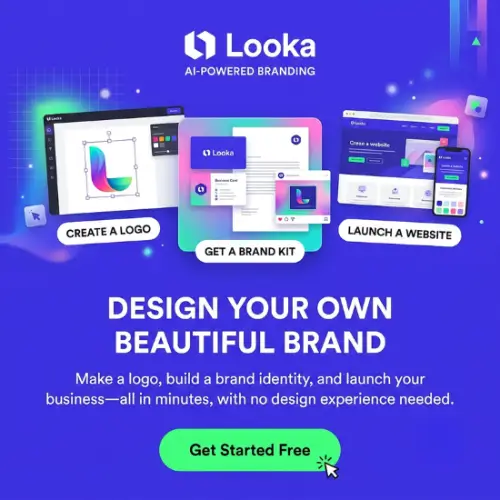
Starting a business is exciting, but creating a professional brand identity can be expensive. Hiring a designer for a logo, business cards, social media graphics, and other marketing materials may not fit everyone’s budget. This is where Looka comes in. It uses artificial intelligence to help you create professional-looking logos and matching brand designs without needing graphic design skills.
Looka is designed for entrepreneurs, startups, freelancers, and small business owners who want to build a recognizable brand without spending too much time or money. You can explore different logo ideas, customize your favorite design, and create matching marketing materials from one platform.
Let’s explore Looka’s features, pricing, benefits, limitations, and whether it’s worth using for your business.
What Is Looka?
Looka is an AI-powered logo maker and brand identity platform that helps users create logos and marketing materials. You simply enter your business name, select your preferred colors, fonts, symbols, and design styles, and Looka generates logo ideas based on your choices.
You don’t need professional design experience to use it. Its editing tools allow you to change different parts of your logo until you find a design that matches your business.
But Looka is more than just a logo generator. Its Brand Kit feature helps you create matching business cards, social media posts, email signatures, letterheads, invoices, and other promotional materials.
Looka was previously known as Logojoy before changing its name. According to the company, more than 20 million small business owners have used its platform.
How Does Looka Work?
Looka makes the logo creation process simple. Instead of starting with a blank page, you provide some basic information about your business and let its AI generate design ideas.
Here’s how the process works:
1. Enter Your Business Name
First, visit Looka’s website and enter your company or brand name. You can also add a slogan if you want it to appear with your logo.
This information helps Looka understand what type of logo you want to create.
2. Choose Your Preferred Design Styles
Looka asks you to select different design styles, colors, and symbols that you like.
For example, if you are creating a logo for a technology company, you might prefer modern fonts, blue colors, and simple digital symbols.
Your selections help the AI understand your preferences.
3. Browse AI-Generated Logos
After completing the initial steps, Looka generates multiple logo designs based on your selections.
You can scroll through the available options, compare different designs, and save your favorite ones.
You can also continue browsing to discover more designs based on your preferences.
4. Customize Your Favorite Logo
Once you find a design you like, you can open it in the editor and make changes.
You can customize:
- Logo colors
- Font styles
- Symbols and icons
- Text placement
- Layout and spacing
- Logo size and proportions
This gives you more control over the final design.
5. Preview and Download Your Logo
Before purchasing, you can preview your logo on different mockups, including business cards, T-shirts, and other branding materials.
Once you’re happy with the design, you can select a suitable package and download your logo files.
Key Features of Looka
Looka offers several useful features for people who want to create a complete brand identity. Let’s understand its main features.
1. AI Logo Generator
The AI Logo Generator is Looka’s main feature. It helps you create logo designs without starting from scratch. You only need to provide your business name and select your preferred design styles, colors, and symbols.
The platform generates different logo options that you can explore and customize. This makes it easier to find ideas, especially if you don’t have a clear design in mind.
It is useful for startups, online stores, personal brands, YouTube channels, and small businesses.
2. Easy-to-Use Logo Editor
Finding a logo design is only the first step. You may want to change its colors, fonts, symbols, or overall appearance before using it.
Looka provides an easy-to-use editor for this purpose. You can experiment with different combinations and see how your logo looks before making a purchase.
The editor is beginner-friendly, so you don’t need advanced graphic design knowledge.
3. Brand Kit
The Brand Kit is one of the most useful features of Looka.
Instead of creating every marketing design separately, you can use your logo, brand colors, and fonts to generate matching promotional materials.
Looka offers more than 300 branded templates covering different categories. These include:
- Business cards
- Social media posts
- Instagram stories
- Facebook covers
- YouTube graphics
- Email signatures
- Letterheads
- Invoices
- Flyers and posters
- Presentations
- Advertisements
- Brand guidelines
- Newsletters and brochures
You can edit these templates and download the designs whenever you need them while your subscription is active.
This feature is especially useful for businesses that regularly create marketing materials.
4. AI Website Builder
Looka also offers a website builder through its Brand Kit Web subscription. It helps you create a website that matches your logo and brand identity.
You can use its drag-and-drop editor to customize your website without writing code. The website package includes hosting, SEO tools, mobile-friendly designs, and unlimited storage and bandwidth.
It can be useful for service businesses, freelancers, portfolios, and informational websites.
Looka also offers a separate ecommerce website upgrade for businesses that want to sell products online.
However, if you need advanced website customization or a large online store, a dedicated website platform may be a better option.
5. Logo Mockups and Previews
Sometimes, a logo looks good on a computer screen but doesn’t look as attractive when printed on a business card or displayed on a T-shirt.
Looka helps solve this problem with logo mockups.
You can preview your design on different items before purchasing it. This gives you a better idea of how your brand identity might look in real-world situations.
It is a helpful feature for people who want to check their logo’s appearance before spending money.
6. High-Quality Logo Files
When you purchase the Premium Logo Package or a Brand Kit subscription, Looka provides different logo file formats. These include:
- PNG: Useful for websites, social media, and digital marketing.
- SVG: A scalable format suitable for different screen sizes and printing.
- EPS: Useful for professional printing and further editing.
- PDF: Helpful for sharing and printing your logo.
You also receive different logo variations, including transparent backgrounds and black-and-white versions.
These files make it easier to use your logo across different platforms.
7. Free Business Name Generator
Looka also offers a free business name generator.
If you are starting a new business but haven’t decided on a name, this tool can help you explore different ideas.
You can enter keywords related to your business and discover possible company names.
It is a useful starting point for entrepreneurs who are still developing their brand identity.
Who Should Use Looka?
Looka is suitable for different types of users. However, it is particularly helpful for people who want an affordable and simple way to create a brand identity.
Here are some examples:
Small Business Owners: Create a professional logo, business cards, invoices, and promotional designs without hiring a designer.
Startups: Build an initial brand identity while keeping design expenses under control.
Freelancers: Create logos and matching marketing materials for personal brands and professional services.
Ecommerce Store Owners: Design a consistent brand identity for online stores, product promotions, and social media pages.
Content Creators: Create logos and social media branding for YouTube channels, Instagram pages, and other online platforms.
Entrepreneurs: Explore different branding ideas before investing in professional design services.
Looka Pricing and Plans
Looka allows users to create and edit logos for free. However, you need to purchase a package when you want to download and use your finished logo.
It offers two main purchasing options: one-time logo packages and annual Brand Kit subscriptions.
Here is an overview of its pricing:
| Plan | Price | What You Get |
|---|---|---|
| Basic Logo Package | $35 (one-time) | One low-resolution PNG logo file |
| Premium Logo Package | $72 (one-time) | High-resolution PNG, SVG, EPS, PDF, color variations, and unlimited logo changes |
| Brand Kit | $96/year | Logo files, unlimited logo edits, 300+ branded templates, and marketing materials |
| Brand Kit Web | $129/year | Everything in Brand Kit plus an AI website builder and hosting |
| Brand Kit Web Ecommerce | $299/year | Brand Kit, website builder, and ecommerce features for selling up to 100 products |
Note: Prices are listed in USD and may change depending on promotions, location, taxes, and checkout conditions. Check Looka’s official pricing page before purchasing.
Which Looka Plan Should You Choose?
If you only need a simple logo for your website or social media account, the Basic Logo Package may be sufficient.
If you want high-quality files for printing, professional use, and future customization, the Premium Logo Package is a better choice.
The Brand Kit subscription is useful if you regularly need business cards, social media graphics, invoices, and other marketing materials.
If you also want to create and publish a website, consider Brand Kit Web.
Businesses selling products online should check the separate ecommerce package before making a decision.
Pros and Cons of Looka
Before purchasing any AI design software, it’s important to understand both its advantages and limitations.
Pros
- Easy-to-use interface suitable for beginners.
- Generates multiple logo ideas using AI.
- No professional graphic design skills required.
- Allows customization of fonts, colors, symbols, and layouts.
- Offers more than 300 branded marketing templates.
- Provides high-resolution and vector logo files with eligible plans.
- Includes useful logo mockups for previews.
- Offers a website builder with hosting.
- Allows free logo creation and editing before purchasing.
- Provides full ownership of the purchased logo design.
Cons
- You need to pay to download your finished logo.
- The Basic Logo Package offers only a low-resolution PNG file.
- Brand Kit features require an annual subscription.
- AI-generated designs may look similar to other logo designs.
- Creative control is more limited than professional design software.
- Advanced website customization may not meet every business requirement.
- Individual logo elements, such as symbols, are not exclusively owned by the customer.
Why Is Looka Different From Other AI Logo Makers?
There are many AI logo generators available online, but Looka offers more than just automated logo creation.
Its biggest advantage is the combination of an AI logo generator and a complete Brand Kit.
For example, imagine you are starting a new clothing business. You need a logo, business cards, Instagram posts, Facebook covers, promotional banners, and other marketing materials.
With a basic logo generator, you may only get the logo. You would need another design tool to create everything else.
Looka brings many of these branding tasks together in one place. Once you create your logo, its Brand Kit uses your brand colors and fonts to generate matching designs.
This can save time and help maintain a consistent appearance across different marketing platforms.
It is particularly useful for people who want a complete branding solution without learning complicated graphic design software.
Is Looka Free?
Yes, Looka allows you to create, explore, and edit logo designs without paying.
You can enter your business name, choose your design preferences, browse AI-generated logos, and customize your favorite designs.
However, downloading your finished logo requires a paid package.
If you want additional features such as 300+ branded templates, you need a Brand Kit subscription.
Therefore, Looka is free to try, but it is not a completely free logo downloading tool.
Do You Own the Logo Created With Looka?
Yes. Looka states that customers receive full ownership and copyright of their purchased logo design.
You can use your purchased logo for personal or commercial purposes.
However, there is one important detail: ownership of the complete logo does not mean you own the individual design elements, such as symbols or icons.
If you want to protect your brand name and logo legally, you should consider registering a trademark through the appropriate trademark authority in your country.
For Indian businesses, this means checking the trademark registration process through the Indian Trade Marks Registry.
Can You Edit Your Logo After Purchasing?
Yes. Looka allows you to make unlimited changes to your purchased logo through its editor with eligible packages.
You can change colors, fonts, symbols, spacing, and other design elements.
This is useful if your business changes its branding style in the future.
However, the company name field cannot be changed after purchasing. If you want to use a different business name, you may need to create a new logo design.
Is Looka Worth It?
Looka is worth considering if you want to create a professional-looking logo and matching marketing materials without hiring a graphic designer.
Its AI logo generator makes the design process simple, while the Brand Kit helps you create different promotional materials using a consistent brand identity.
The biggest advantage is that you can explore and customize designs before spending money.
However, Looka may not be the best choice for businesses that need completely unique illustrations, complex logo designs, or advanced graphic editing features.
For those requirements, working with a professional designer or using advanced design software may be a better option.
Overall, Looka is a useful branding platform for startups, freelancers, entrepreneurs, and small business owners who want an easier way to build their visual identity.
Final Thought
Creating a professional brand identity doesn’t always require expensive design services. With Looka, you can generate logo ideas, customize your favorite designs, and create matching marketing materials from one platform.
Its AI-powered logo maker is easy to use, and the Brand Kit adds extra value for businesses that need regular promotional designs.
If you are starting a new business or building an online brand, Looka is worth trying. You can explore its logo designs for free and purchase a package only when you find something you genuinely like.
Alternatives to Looka
If Looka doesn’t meet your requirements, here are some other AI logo makers and branding platforms worth exploring.
1. LogoAI
LogoAI is an AI-powered logo maker that helps businesses create professional logos and matching brand identity materials. It also offers business card designs, social media assets, and automated branding tools.
2. Designs.ai
Designs.ai is an AI-powered creative platform that offers logo creation, branding, graphic design, and other marketing tools. It is suitable for businesses looking for multiple creative features in one workspace.
3. Brandmark
Brandmark is an AI logo design platform that helps users generate logos using business names, keywords, and design preferences. It also offers brand guidelines, business card designs, and other visual identity materials.
4. Canva
Canva is a popular graphic design platform with logo templates, social media designs, business cards, and other branding resources. Its AI-powered design features make it easier for beginners to create and customize marketing materials.
5. Tailor Brands
Tailor Brands is an online branding platform that helps entrepreneurs create logos and build their business identity. It also offers website creation, branded materials, and additional business services.