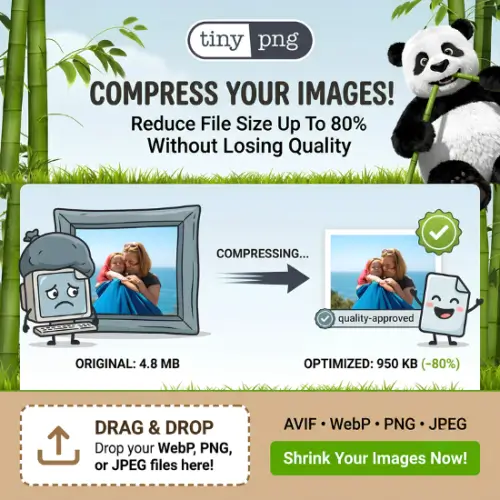
Have you ever uploaded a picture to your website or social media, only to realize it takes forever to load? Or maybe you noticed your website is running slow, and you have no idea why. Most of the time, the culprit is huge image files.
When you take a photo with your phone or design a graphic, the file size can be massive. If you put that directly on the web, it eats up your data and makes people wait. Nobody likes waiting. This is where TinyPNG comes to the rescue.
If you are creating content, running a blog, or even just making thumbnails for your social media videos, you need your images to look great but take up very little space. TinyPNG is one of the most popular tools on the internet for doing exactly that. Let’s break down what it is, how it works, and why you should use it.
What Exactly is TinyPNG?
TinyPNG is a free online tool that compresses your image files. It takes a large, heavy picture and makes it much smaller without ruining how it looks.
You might have heard of it as TinyJPG. Actually, TinyPNG and TinyJPG are the exact same platform. They just use different names depending on whether you are uploading a PNG or a JPEG file. Today, the tool also supports WebP, which is a newer image format made by Google that is even better for the web.
The main goal of TinyPNG is to reduce the file size of your images so they load faster on websites and apps, while keeping the visual quality almost exactly the same.
How Does It Actually Work?
You don’t need to be a computer expert to understand it, but it is pretty cool. TinyPNG uses something called “smart lossy compression.”
Don’t let the big words scare you. Here is what it means in simple terms: When you save an image, your computer records millions of tiny colored dots (pixels). TinyPNG looks at the image and finds colors that are almost identical. It then mixes those similar colors together.
Because your human eyes cannot really tell the difference between these tiny color changes, the picture still looks perfect to you. But because there are fewer unique colors to save, the file size drops dramatically. It can easily shrink a file by 50% to 80% without you noticing any drop in quality.
Key Features of TinyPNG
There are many image compressors out there, but TinyPNG stays at the top for a few good reasons.
1. Bulk Uploads
You don’t have to compress images one by one. You can drag and drop up to 20 images at the same time. The tool will process all of them together and give you a single ZIP file to download. This saves a ton of time.
2. Keeps Transparency Intact
If you are working with PNG files, you probably use them because they have transparent backgrounds. This is super important for logos and icons. TinyPNG is smart enough to compress the image while keeping the transparent background perfectly clear.
3. WebP Support
WebP is the modern standard for web images. It makes pictures even smaller than JPEG or PNG. TinyPNG lets you convert your old PNG and JPEG files into WebP format with just one click.
4. Plugins for WordPress and Photoshop
If you use WordPress for your website, you can install the TinyPNG plugin. It will automatically compress every image you upload to your site. If you use Adobe Photoshop, they have a plugin for that too, so you can compress images right inside your editing software.
5. API for Developers
If you are building an app or a website and want to add image compression automatically, TinyPNG offers an API (a way for software to talk to other software).
Why You Need TinyPNG (Especially for Social Media)
Since you are focused on creating good quality videos and content for social media, image compression is more important than you might think.
First, think about your video thumbnails. A thumbnail is the first thing people see. If it is a massive file, it loads slowly on mobile phones. If it loads slowly, people might scroll past it. Using TinyPNG ensures your thumbnails are crisp, colorful, and load instantly.
Second, if you have a portfolio website to show off your videos, site speed is everything. Google ranks fast websites higher. If your site is full of heavy, uncompressed images, it will load slowly, and your search rankings will drop. Compressing your images is the easiest SEO (Search Engine Optimization) trick in the book.
Finally, it saves you bandwidth. If you are paying for web hosting, huge images eat up your monthly data limits. Smaller images mean you can host more content without paying extra fees.
How to Use TinyPNG
Using the tool is incredibly easy. You really don’t need a tutorial, but here is the basic process:
- Open your web browser and go to the official TinyPNG website.
- You will see a big box that says “Drop your .png or .jpeg files here!”
- Click on that box to open your computer’s file manager, or simply drag your images from your desktop and drop them into the box.
- Wait for a few seconds. You will see a progress bar as it compresses the files.
- Once it is done, click the “Download all” button to get a ZIP file, or click the download icon on each individual image.
That’s it! You just made your images web-ready.
TinyPNG Pricing
One of the best things about TinyPNG is that it is completely free for normal, everyday use. You only need to pay if you are running a massive business or need to compress thousands of images a month.
Here is a simple breakdown of their pricing:
| Plan / Feature | Price | What You Get |
|---|---|---|
| Free Web Tool | $0 | Compress up to 20 images at once. Max file size is 5MB per image. |
| Free API | $0 | 500 image compressions per month for developers. |
| WordPress Plugin | $0 | Automatically compress images on your WordPress site. |
| Credit Pack 1 | $25 | 10,000 image compressions. Credits never expire. |
| Credit Pack 2 | $99 | 50,000 image compressions. Credits never expire. |
| Custom API | Custom | For massive businesses needing millions of compressions. Contact sales. |
As you can see, for 99% of students, bloggers, and social media creators, the free version is more than enough.
Final Thought
To wrap things up, TinyPNG is a must-have tool for anyone who spends time on the internet. Whether you are a student making a school project, a blogger writing articles, or a creator making social media videos, you need your images to look good and load fast.
It takes the heavy lifting out of image optimization. You don’t need to learn complex photo editing software or mess with confusing settings. Just drop your files, wait a few seconds, and download your perfectly compressed images. It keeps your website fast, saves your visitors from staring at loading screens, and keeps your content looking sharp.
Give it a try the next time you are uploading pictures. Your website (and your viewers) will thank you.
Alternatives to TinyPNG
If you want to explore other options or need a tool with slightly different features, here are some of the best alternatives to TinyPNG:
Compressor.io
This is a great online tool that supports JPEG, PNG, GIF, and SVG formats. It offers both lossy and lossless compression, giving you more control over the final image quality.
Squoosh
Built by Google, this is a fantastic free web app that lets you compress images right in your browser. It has a cool side-by-side slider so you can see the exact quality difference before you download.
ImageOptim
This is a free desktop application specifically for Mac users. It strips out hidden metadata and compresses images locally on your computer without sending them to the internet.
ShortPixel
ShortPixel is highly popular for WordPress users. It offers a generous free tier and automatically converts your images to WebP format to make your website load lightning fast.
Kraken.io
This tool is built for professionals and businesses. It offers excellent image optimization and has a feature that can automatically resize your images to fit specific dimensions.