
Important Update: remove.bg’s background removal is moving to Canva. The standalone website will no longer be available from 1 December 2026 at 9:00am CET.
Have you ever taken a really great photo, but the background is just too messy? Maybe there is a trash can in the corner, or the wall behind you has a weird pattern. You want to use this photo for an Instagram post, a YouTube thumbnail, or a school project, but you just cannot figure out how to cut yourself out of the picture.
In the past, you had to use complicated computer programs and spend hours carefully clicking around the edges of your hair or clothes. It was boring and very hard to do. But today, things are much easier. There is a tool called Remove.bg that does all the hard work for you in just a few seconds.
If you create content for social media, make videos, or just want your photos to look clean and professional, this tool is a game-changer. Let us break down exactly what Remove.bg is, how it works, and if it is worth your time.
What is Remove.bg?
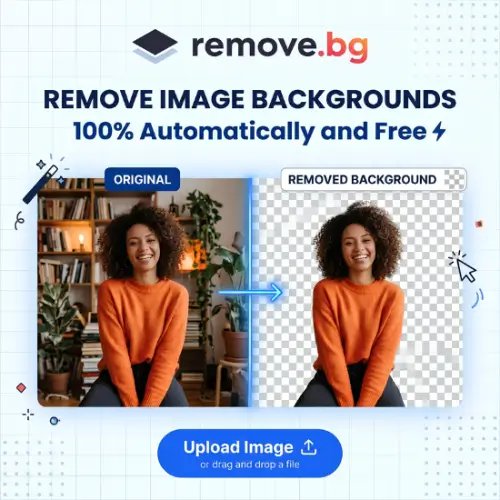
Remove.bg is a website and an app that uses smart computer technology (Artificial Intelligence, or AI) to remove the background from any picture. You do not need to know anything about photo editing. You just upload your image, and the computer automatically figures out what the main subject is. Then, it deletes everything else.
The AI is trained on millions of pictures. It knows what a person looks like, what a dog looks like, and what a car looks like. Because it has “seen” so many images, it can easily tell the difference between the main object and the background, even if the edges are tricky, like curly hair or the fur on a pet.
How Does It Work?
Using Remove.bg is incredibly simple. You really only need to follow three easy steps:
- Upload Your Photo: Go to the website or open the app. Click the big button that says “Upload Image” and choose a photo from your phone or computer.
- Wait a Few Seconds: The AI will scan your picture. In about five seconds, the background will just disappear. It will be replaced by a checkered pattern, which just means that area is now transparent (empty).
- Download or Edit: You can click “Download” to save the picture right away. But you do not have to stop there! You can also click “Edit” to add a new background. You can pick a solid color, choose one of their ready-made designs, or upload your own background image.
That is it. There are no confusing menus, no sliders to adjust, and no tricky tools to learn.
Key Features That Make It Great
There are a lot of background removers on the internet, but Remove.bg is one of the most popular. Here is why people love using it:
- It is Super Fast: The whole process takes about five seconds. You can process dozens of images in just a few minutes.
- High-Quality Edges: The hardest part of removing a background by hand is getting the edges right. Remove.bg is very good at keeping fine details like individual strands of hair or the feathers on a bird.
- Works on Everything: It does not just work on people. You can use it for products, animals, cars, food, and even objects like shoes or electronics.
- Bulk Processing: If you run an online store and need to remove the background from 500 product photos, you do not have to do them one by one. You can upload them all at once, and the system will process them together.
- Works Everywhere: You can use it on your web browser, download the desktop app for your computer, or get the mobile app for your phone.
How to Use Remove.bg for Social Media and Videos
Since many people use this tool to create content for social media, it is worth talking about how it helps. If you are making videos or posts for platforms like Instagram, TikTok, or YouTube, having clean images is very important.
When you remove the background from a photo, you can place that person or object into a completely new scene. For example, if you are making a YouTube thumbnail, you can cut yourself out of your bedroom and put yourself in front of a cool, colorful background. This makes your video stand out and gets more people to click on it.
If you use AI image-to-video tools to create social media videos, Remove.bg is a perfect first step. You can take a photo of a product, remove the messy background, and then feed that clean image into an AI video generator. The AI will make the product move or spin, and because the background is already gone, the final video will look like a professional commercial. You can also use the transparent images as overlays in your video editing software to make cool transitions or pop-up effects.
Tips for Getting the Best Results
Even though the AI is very smart, you can help it do a better job by taking good photos in the first place. Here are a few simple tips:
- Use Good Lighting: Make sure your subject is well-lit. If the photo is too dark, the AI might get confused about where the edges are.
- Create Contrast: It helps if the person or object stands out from the background. If you are wearing a black shirt and standing in front of a black wall, the computer will have a harder time telling where you end and the wall begins.
- Keep it Simple: Try to take the photo with only one main subject. If there are three people standing close together, the AI might accidentally blend them into one big shape.
Pros and Cons of Remove.bg
To give you a fair review, here is a quick look at the good and bad points of the tool.
The Good:
- Very easy to use; anyone can do it.
- Saves hours of manual editing time.
- The edge detection is some of the best in the business.
- Great for both single images and bulk editing.
The Bad:
- The free version only gives you a small, low-quality image.
- You have to pay if you want high-definition (HD) downloads.
- It sometimes struggles with very see-through objects, like clear glass or thin wire.
Pricing Plans
Remove.bg is free to try, but if you want to use it for real projects or business, you will need to pay. They use a “credit” system. One credit equals one high-quality image download.
Here is a simple table to show you how the pricing works:
| Plan Type | Price | What You Get | Best For |
|---|---|---|---|
| Free | $0 | 1 free credit (Low-resolution download only) | Testing the tool or quick, small web images. |
| Subscription (Monthly) | Starts at $9/month | 40 credits per month. Unused credits do not roll over. | Regular creators who need a steady amount of images. |
| Subscription (Yearly) | Starts at $69/year | 40 credits per month (billed yearly). Saves you money. | Long-term users who want the best monthly rate. |
| Pay-As-You-Go | Starts at $0.20 per credit | Buy a pack of credits (e.g., 200 credits for $40). Credits never expire. | People who only need to edit photos occasionally. |
Note: If you are a developer and want to use their technology in your own app or website, they also offer special API pricing based on how many images you process.
Final Thoughts
Remove.bg is exactly what it promises to be: a fast, easy, and reliable way to remove backgrounds from pictures. It takes a task that used to require professional skills and expensive software, and makes it available to everyone in just a few clicks.
Whether you are a student making a presentation, a small business owner taking product photos, or a social media creator making eye-catching thumbnails and videos, this tool will save you a massive amount of time. While the free version is a bit limited by low resolution, the paid plans are very reasonably priced for the quality you get. If you take a lot of photos and need them to look clean and professional, Remove.bg is definitely worth trying.
Alternatives to Remove.bg
PhotoRoom
This app is built mostly for mobile phones and is perfect for online sellers. It removes backgrounds quickly and lets you add professional studio backgrounds and shadows to your products.
Canva
This is a popular all-in-one design website that includes a background remover. You have to pay for the Pro version to use this specific feature, but it is very easy to use.
Adobe Express
Adobe offers a free, quick-action tool on their website to remove backgrounds. It is powered by the same smart technology used in professional Photoshop, making it very accurate.
Fotor
This is another complete online photo editor that includes a dedicated background removal tool. It is a good choice if you want to remove a background and then add filters or text in the same place.
Slazzer
This tool works almost exactly like Remove.bg and is actually made by the same team. It is a great backup option if you want to compare the edge quality between the two.



