A great YouTube thumbnail can make someone stop scrolling and become interested in your video. But creating professional-looking thumbnails can take time, especially if you don’t have graphic design skills.
Fortunately, AI thumbnail generators make this process much easier. You can generate eye-catching backgrounds, add realistic faces, remove backgrounds, create bold text designs, and build professional YouTube thumbnails in just a few minutes.
Whether you are a beginner, a gaming creator, a tech YouTuber, or a professional content creator, there are several AI tools that can help you create better thumbnails without hiring a designer.
In this guide, we will explore the best AI tools for YouTube thumbnail creation, compare their features and pricing, discuss their advantages and disadvantages, and help you choose the right tool for your channel.
Quick Comparison: Best AI YouTube Thumbnail Makers
| AI Tool | Best For | Free Plan | Paid Pricing (Starting From) |
|---|---|---|---|
| Canva | Overall thumbnail design | Yes | Around $12/month |
| vidIQ | AI-generated YouTube thumbnails | Yes | Around $19/month |
| Adobe Express | Professional thumbnail editing | Yes | Around $9.99/month |
| Fotor | AI image generation and editing | Yes | Around $8.99/month |
| Pikzels | Dedicated AI thumbnail creation | Trial/limited access | Around $28/month (annual billing) |
| 1of10 | Thumbnail ideas and optimization workflow | Yes | Around $15/month (annual billing) |
| Ideogram | AI-generated images with text | Yes | Around $15/month |
| Midjourney | Creative and cinematic backgrounds | No regular free plan | Around $10/month |
| CapCut | Quick thumbnails and video editing | Yes | Paid plans available |
Pricing is indicative, primarily based on publicly listed USD plans and may vary by country, billing cycle, taxes, and AI credit limits. Check each provider’s official pricing page before purchasing.
1. Canva – Best Overall AI Tool for YouTube Thumbnail Creation

Visit Canva Official Website >>
Canva is one of the most popular graphic design platforms for content creators. It offers thousands of YouTube thumbnail templates, an easy drag-and-drop editor, and AI-powered design features.
You don’t need professional graphic design skills to use Canva. Simply select a YouTube thumbnail template, upload your image, add text, and customize the design.
Canva also provides AI-powered features that help you generate images, edit existing designs, remove backgrounds, and create new visual elements.
For creators who want more control over their thumbnails, Canva offers a complete design environment instead of just generating a single image.
Key Features
- Thousands of ready-made YouTube thumbnail templates.
- AI image generation and editing features.
- Background remover for easier subject selection.
- Drag-and-drop design editor.
- Large library of fonts, graphics, photos, and elements.
- Brand kits for maintaining consistent channel branding.
- Easy PNG and JPG downloads.
- Cloud-based editing and collaboration.
Pricing
Canva offers a free plan with access to basic design tools and a selection of templates and AI features.
Its paid plans include additional premium templates, stock assets, advanced editing features, and higher AI usage limits.
Canva Pro pricing in India has been listed around ₹4,000 per year, although available plans and offers can change.
Pros
- Very easy for beginners to use.
- Large collection of YouTube thumbnail templates.
- Combines AI generation with manual editing.
- Useful for creating thumbnails and other social media graphics.
- Supports consistent branding across multiple videos.
Cons
- Some useful templates and assets require a paid subscription.
- AI generation has usage limits.
- You may need to manually adjust AI-generated images.
- It can feel less specialized than dedicated YouTube thumbnail tools.
Why Choose Canva?
Canva is a great choice if you want an all-in-one design platform. Instead of purchasing separate software for thumbnails, social media posts, banners, and other graphics, you can manage most of your visual content in one place.
Best for: Beginners, educators, vloggers, small businesses, and YouTubers who want an easy design workflow.
Visit Canva Official Website >>
2. vidIQ – Best AI Thumbnail Generator for YouTubers
Visit VidIQ Official Website >>
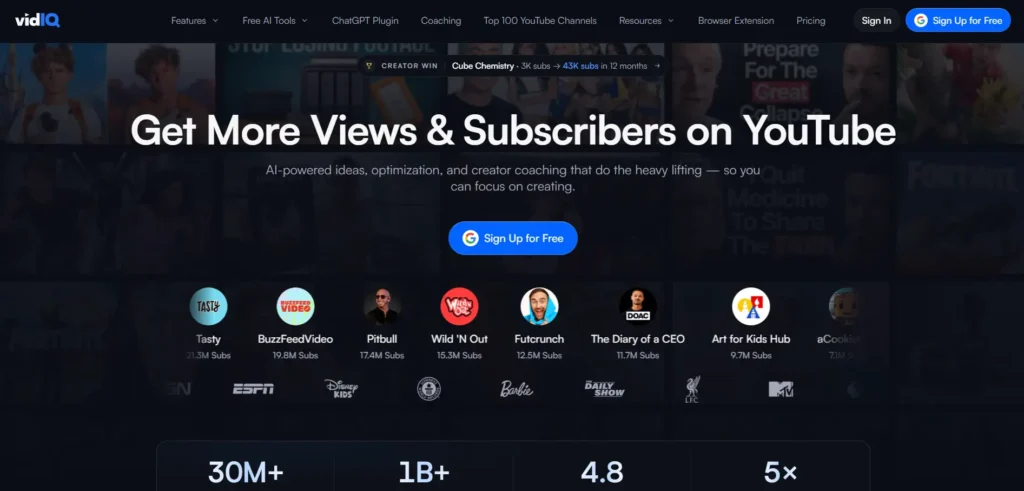
vidIQ is a YouTube growth platform that provides tools for keyword research, video optimization, competitor research, and channel development.
It also offers an AI-powered thumbnail creation feature that helps creators generate thumbnail ideas based on their video content.
One useful feature is that you can start with a video upload, a YouTube link, or a text description. The AI can analyze the content and generate thumbnail concepts that match the subject of your video.
You can also upload reference images, add your own face, and make changes to generated thumbnails.
This makes vidIQ particularly useful for creators who publish videos regularly and want to simplify their thumbnail workflow.
Key Features
- AI-powered YouTube thumbnail generator.
- Generate thumbnails using a video upload or YouTube URL.
- Create thumbnails from text prompts.
- Add your own images and faces.
- Edit text, layouts, and visual elements.
- YouTube keyword research tools.
- Video optimization and channel analytics.
- Thumbnail creation workflow designed for YouTube.
Pricing
vidIQ offers a free plan with limited access to its features and AI credits. Its Boost subscription has been listed at approximately $19 per month, with annual billing options also available.
The exact number of thumbnail generations and available features depends on your subscription.
Pros
- Designed specifically for YouTube creators.
- Can use actual video content as a starting point.
- Combines thumbnail creation with YouTube growth tools.
- Supports custom images and reference material.
- Useful for creators who upload videos frequently.
Cons
- Some features require a paid subscription.
- AI-generated results may need manual corrections.
- Not a complete replacement for advanced graphic design software.
- Usage limits depend on your plan.
Why Choose vidIQ?
The biggest advantage of vidIQ is its YouTube-focused workflow. Canva is primarily a general graphic design platform, while vidIQ combines thumbnail creation with tools for understanding and growing a YouTube channel.
If you already use vidIQ for keyword research and video optimization, its thumbnail generator can be a convenient addition.
Best for: YouTubers, educational channels, gaming creators, and people who regularly publish videos.
Visit VidIQ Official Website >>
3. Adobe Express – Best for Professional Thumbnail Editing
Visit Adobe Express Official Website >>
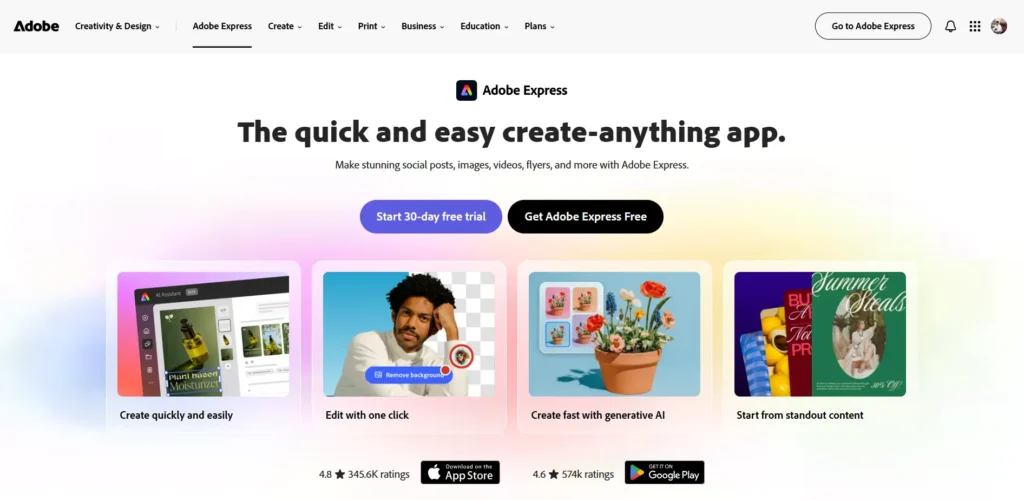
Adobe Express is a graphic design platform that combines templates, image editing, stock assets, and Adobe Firefly-powered AI features.
It is a good option for creators who want professional-looking thumbnails without learning complicated software like Photoshop.
You can start with a ready-made YouTube thumbnail template or create a design from scratch. Its AI features can help generate visual elements and make editing easier.
Adobe Express also provides background removal, text effects, image adjustments, and design customization options.
Key Features
- AI image generation powered by Adobe Firefly.
- Ready-made YouTube thumbnail templates.
- Background removal.
- Text effects and graphic elements.
- Image editing and resizing.
- Adobe Stock assets on eligible plans.
- Brand kits and reusable designs.
- Integration with other Adobe products.
Pricing
Adobe Express offers a free plan with basic design features and limited access to premium assets and AI capabilities.
The Premium plan has been listed at approximately $9.99 per month in the US. Regional pricing is different; the Indian pricing page has listed Premium at approximately ₹398.84 per month, including GST.
Pros
- Professional design tools.
- Easy-to-use interface.
- AI image generation through Firefly.
- Useful stock assets and templates.
- Suitable for different types of marketing graphics.
Cons
- Some advanced features require a subscription.
- AI generation and editing may have usage limits.
- Beginners may need time to explore all the features.
- Some workflows are better suited to manual editing.
Why Choose Adobe Express?
Adobe Express is a good alternative to Canva if you prefer Adobe’s design ecosystem.
Its combination of Firefly AI, templates, editing tools, and stock assets makes it useful for creators who want more than a basic thumbnail generator.
Best for: Professional YouTubers, marketers, designers, and creators who already use Adobe products.
Visit Adobe Express Official Website >>
4. Fotor – Best for AI Image Generation and Photo Editing

Visit Fotor Official Website >>
Fotor is an online photo editing and graphic design platform with several AI-powered tools.
It can help you generate images from text descriptions, improve photographs, remove backgrounds, and create attractive visual designs.
For YouTube creators, these features are particularly useful when building thumbnails around a person’s face, product, or specific background.
You can generate a visual using AI and then refine it using Fotor’s editing tools.
Key Features
- AI image generator.
- AI photo enhancement.
- Background removal and replacement.
- AI-powered image editing.
- Ready-made design templates.
- Photo effects and filters.
- Text and graphic elements.
- Image resizing and exporting.
Pricing
Fotor offers free access with limited AI credits and editing features.
Its paid Pro and Pro+ plans provide additional AI credits, premium editing tools, higher-quality exports, and other benefits.
Pricing depends on the selected plan and billing cycle.
Pros
- Beginner-friendly interface.
- Useful AI image generation features.
- Background removal and replacement.
- Combines photo editing and graphic design.
- Suitable for creating different types of visual content.
Cons
- Free AI credits are limited.
- Some advanced tools require a subscription.
- Generated images may need additional editing.
- It is not exclusively designed for YouTube thumbnails.
Why Choose Fotor?
Fotor is particularly useful if you want to create custom images and edit existing photographs in one platform.
For example, you can generate a dramatic background, remove the background from your photograph, and combine both elements into a thumbnail.
Best for: Beginners, small YouTube channels, bloggers, and creators who need AI photo editing alongside thumbnail design.
Visit Fotor Official Website >>
5. Pikzels – Best Dedicated AI Thumbnail Creation Platform

Visit Pikzels Official Website >>
Pikzels is an AI-powered platform focused on YouTube thumbnail creation.
Unlike general design tools, it is built around the needs of YouTube creators. Its workflow focuses on generating thumbnail concepts, maintaining a recognizable visual style, and creating designs suitable for different video topics.
You can describe your thumbnail idea and use reference styles to guide the AI.
It is especially interesting for creators who want a consistent appearance across their YouTube channel.
Key Features
- AI-powered YouTube thumbnail generation.
- Prompt-based thumbnail creation.
- Reference-based design workflows.
- Custom thumbnail concepts.
- Tools for maintaining a consistent visual style.
- Options for creating thumbnails featuring your face.
- Dedicated thumbnail creation environment.
Pricing
Pikzels offers paid subscription plans.
Its Premium plan has been listed at around $40 per month with monthly billing or approximately $28 per month with annual billing.
Check the official website for the latest available plans, generation credits, and limits.
Pros
- Focuses specifically on YouTube thumbnails.
- Suitable for creators who publish frequently.
- Useful for consistent thumbnail styles.
- Reduces the need to build every design from scratch.
- More specialized than general design platforms.
Cons
- More expensive than many basic design alternatives.
- No equivalent full-featured free plan may be available.
- AI-generated results may need refinement.
- May be unnecessary for creators who publish only occasionally.
Why Choose Pikzels?
Pikzels is worth considering if thumbnails are an important part of your YouTube production process.
Rather than using a general-purpose design editor, you get a workflow focused on YouTube thumbnail concepts and visual consistency.
Best for: Full-time YouTubers, professional creators, and channels that publish multiple videos every week.
Visit Pikzels Official Website >>
6. 1of10 – Best for Thumbnail Ideas and Performance Research

Visit 1of10 Official Website >>
1of10 is a platform designed to help YouTube creators understand successful video ideas and thumbnail styles.
Its approach is different from traditional graphic design software. Instead of focusing only on creating an image, it also emphasizes research into videos and thumbnails that have performed well.
This can help creators discover visual approaches before starting the design process.
It is useful when you already know your video topic but are unsure how to present it visually.
Key Features
- YouTube thumbnail research.
- Inspiration from successful videos.
- AI-assisted thumbnail creation.
- Thumbnail style exploration.
- Tools for developing video ideas.
- Workflow for studying content in your niche.
Pricing
1of10 has offered a free plan with limited credits.
Its paid plans have been listed from approximately $15 per month with annual billing, depending on the selected package.
Check the official pricing page for current credit limits and features.
Pros
- Useful for thumbnail research and inspiration.
- Helps creators explore different visual approaches.
- Focuses on YouTube-specific content.
- Useful before starting the design process.
- Can complement a separate image editor.
Cons
- Not a complete replacement for advanced design software.
- Some features require paid credits.
- Research does not guarantee video performance.
- Beginners may need time to understand its workflow.
Why Choose 1of10?
The main advantage of 1of10 is its research-focused approach.
A conventional design tool helps you make a thumbnail, but researching successful thumbnails can help you decide what kind of design to create in the first place.
Best for: YouTube strategists, experienced creators, and channels looking for fresh thumbnail ideas.
Visit 1of10 Official Website >>
7. Ideogram – Best for AI Images with Text

Ideogram is an AI image generation platform known for its ability to create images containing text.
This is particularly useful for YouTube thumbnails because many thumbnail designs include large headlines, short phrases, and attention-grabbing words.
Traditional AI image generators sometimes struggle with spelling and text placement. Ideogram is worth considering when text is an important part of your design.
You can describe the image you want, specify the text, and generate different visual concepts.
Key Features
- Text-to-image generation.
- AI-generated typography and text.
- Different visual styles.
- Image editing and generation tools.
- Multiple design variations.
- Reference-based creative workflows.
- High-quality visual generation.
Pricing
Ideogram offers free access with limited generation credits.
Its paid plans have included Basic, Plus, and Pro options, with pricing depending on the billing cycle.
The Plus plan has been listed from approximately $15 per month with annual billing.
Visit: https://ideogram.ai/pricing
Pros
- Useful for text-heavy thumbnail concepts.
- Creates different visual styles.
- Good for creative backgrounds and compositions.
- Easy to use with text prompts.
- Can reduce manual design work.
Cons
- Free generations are limited.
- AI-generated text may still contain errors.
- Some images need additional editing.
- Not a dedicated YouTube thumbnail editor.
Why Choose Ideogram?
If your thumbnail concept depends on bold text, interesting typography, and custom AI-generated backgrounds, Ideogram is worth trying.
You can generate the main visual in Ideogram and finish the layout using Canva or Adobe Express.
Best for: Creators who use large headlines, promotional graphics, and text-based thumbnail designs.
8. Midjourney – Best for Cinematic and Creative Thumbnail Backgrounds
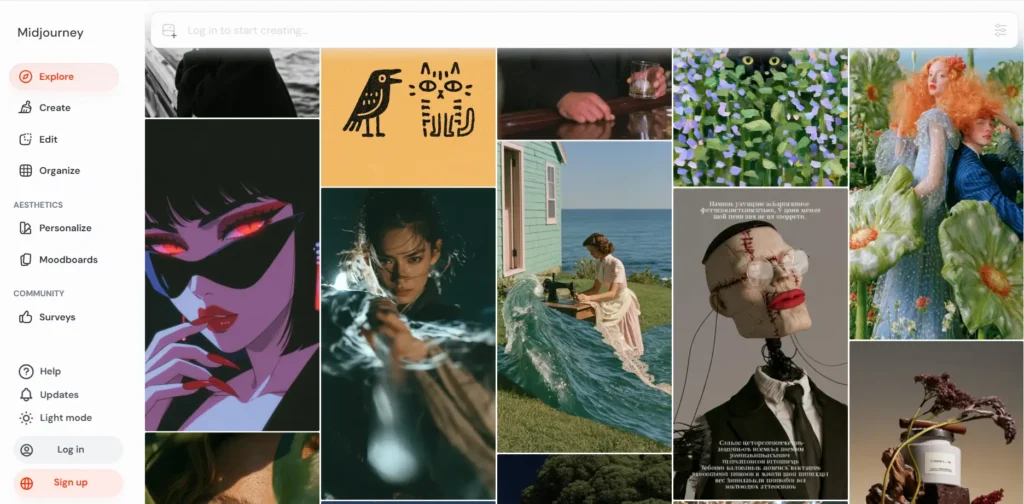
Midjourney is a popular AI image generation platform used to create detailed, artistic, and visually impressive images.
It is not specifically a YouTube thumbnail editor. However, it can be extremely useful when you need a unique background or a creative visual that is difficult to create manually.
For example, you can generate futuristic cities, cinematic landscapes, fantasy characters, dramatic lighting, and realistic environments.
You can then combine the generated image with your own face, text, and other elements using a separate editing tool.
Key Features
- Text-to-image generation.
- Realistic and artistic image styles.
- Cinematic backgrounds.
- Creative lighting and compositions.
- Multiple image variations.
- Image reference features.
- Advanced prompt customization.
Pricing
Midjourney generally requires a paid subscription.
Its Basic plan has been listed at approximately $10 per month, with higher plans offering additional generation capacity and features.
Visit: https://www.midjourney.com/plans/
Pros
- Excellent creative image generation.
- Useful for cinematic backgrounds.
- Supports many artistic styles.
- Suitable for unique thumbnail concepts.
- Offers different image variations.
Cons
- Not a complete thumbnail design editor.
- Requires learning how to write effective prompts.
- Paid subscription required for regular use.
- Text and logos may need to be added separately.
Why Choose Midjourney?
Choose Midjourney when your priority is creating visually impressive backgrounds rather than designing the complete thumbnail.
It works especially well for gaming, storytelling, technology, science fiction, and entertainment channels.
Best for: Gaming YouTubers, storytelling channels, documentary creators, and people who want distinctive AI-generated visuals.
9. CapCut – Best for Video Creators Who Also Need Thumbnails
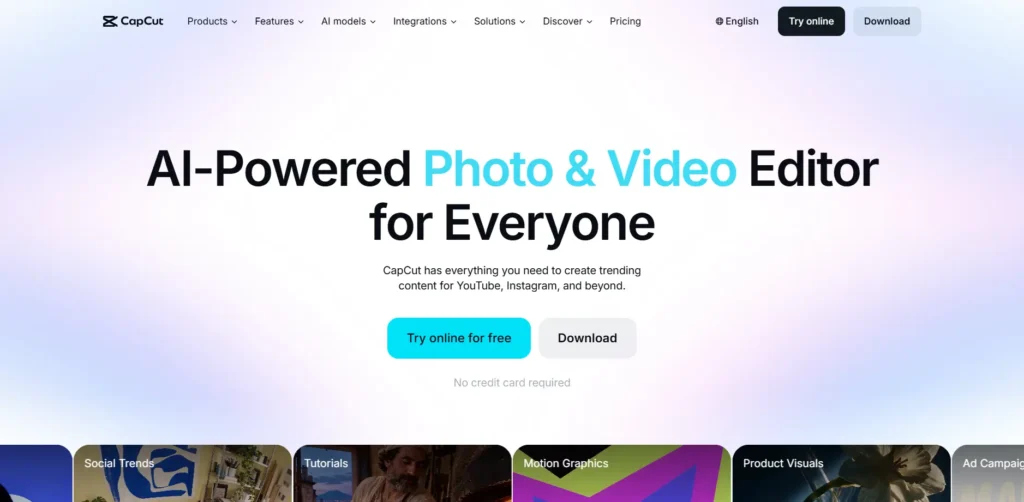
CapCut is primarily known as a video editing platform, but it also provides image editing and design features that can help creators prepare video covers and thumbnails.
If you already edit your videos in CapCut, using the same platform for thumbnail preparation can make your workflow easier.
You can capture frames from your videos, add text, adjust colors, apply effects, and create designs for your YouTube channel.
AI features and availability can vary depending on your region, device, and subscription.
Key Features
- Video editing and frame extraction.
- Text and typography tools.
- Image editing.
- Effects and filters.
- Background removal on supported plans.
- Ready-made templates.
- AI-powered creative features.
- Mobile and desktop workflows.
Pricing
CapCut offers a free version with basic editing tools.
Paid Pro plans are available, but pricing and feature availability vary by region and platform.
Pros
- Useful for video editing and thumbnail preparation.
- Beginner-friendly interface.
- Mobile and desktop support.
- Easy to reuse video frames.
- Includes several creative editing features.
Cons
- Not primarily designed as a dedicated thumbnail generator.
- Some features require a Pro subscription.
- AI tools may differ by region.
- Advanced thumbnail layouts may be easier in Canva or Adobe Express.
Why Choose CapCut?
CapCut is a practical option if you want to manage your video editing and basic thumbnail creation in one application.
It can save time, especially when your thumbnail uses a frame from the actual video.
Best for: Shorts creators, vloggers, mobile video editors, and beginners.
Which AI YouTube Thumbnail Maker Should You Choose?
Not every creator needs the same thumbnail software. The best option depends on your budget, editing experience, and the type of videos you publish.
Here is a quick recommendation:
| Your Requirement | Recommended Tool |
|---|---|
| Best overall thumbnail design | Canva |
| AI thumbnails based on video content | vidIQ |
| Professional editing and design | Adobe Express |
| AI photo editing and backgrounds | Fotor |
| Dedicated AI thumbnail creation | Pikzels |
| Researching successful thumbnail styles | 1of10 |
| Generating images with text | Ideogram |
| Cinematic AI backgrounds | Midjourney |
| Editing videos and thumbnails together | CapCut |
Best Free AI Tools for YouTube Thumbnails
If you are just starting your YouTube channel, you don’t need to purchase an expensive subscription immediately.
Consider these options:
- Canva: Start with its free templates and basic design features.
- vidIQ: Try its AI thumbnail generator and limited free features.
- Adobe Express: Use its free design tools and available AI features.
- Fotor: Experiment with free AI image generation credits.
- Ideogram: Try its free image generation allowance.
Free plans have restrictions, so check the export quality, watermark policy, and AI generation limits before using a tool regularly.
How to Create a Professional YouTube Thumbnail Using AI
Creating a thumbnail with AI is not complicated. You can follow these steps to make a professional design even if you have no previous graphic design experience.
Step 1: Understand Your Video Topic
Before opening any AI tool, decide what your video is about and what viewers should understand immediately.
For example, if your video is about making money with AI tools, your thumbnail could show a person, a laptop, and a visual related to AI.
Keep the concept focused on one main idea.
Step 2: Choose an AI Thumbnail Generator
Select a tool based on your requirements.
- Use Canva for templates and complete design control.
- Use vidIQ for AI-generated thumbnail concepts based on video content.
- Use Ideogram for creative visuals containing text.
- Use Midjourney for cinematic backgrounds.
Step 3: Write a Clear AI Prompt
A detailed prompt can help the AI understand your requirements.
For example:
“Create a professional YouTube thumbnail about the best AI tools for beginners. Show a surprised young content creator on the right side, a futuristic AI technology background, bright blue and purple lighting, high contrast, clean composition, and enough empty space on the left for a large headline. Use a 16:9 landscape composition.”
You can adjust the prompt according to your niche.
Step 4: Add Your Own Face or Product Image
If you want a personal and recognizable thumbnail, upload your own photograph. Use a clear image with good lighting. Remove the background and place yourself in the design.
You can also add relevant products, screenshots, or objects related to your video.
Step 5: Add Short and Attractive Text
Avoid putting your entire video title on the thumbnail. Instead, use a short phrase that creates curiosity. Examples:
- “AI TOOLS YOU NEED”
- “MAKE VIDEOS FASTER”
- “FREE AI TOOLS”
- “I TRIED 10 AI TOOLS”
- “THIS CHANGES EVERYTHING”
Use readable fonts, contrasting colors, and a clear visual hierarchy.
Step 6: Export and Preview Your Thumbnail
YouTube recommends a 16:9 thumbnail format. A commonly used size is 1280 × 720 pixels.
Before uploading, check that:
- The main subject is clearly visible.
- Text is readable on a mobile screen.
- Important objects are not cropped.
- The image represents your actual video.
- The exported image meets YouTube’s current file and size requirements.
Step 7: Test Different Thumbnail Designs
If your channel has access to YouTube Studio’s Test & Compare feature, use it to compare multiple thumbnail options.
Testing can help you understand which design works better for your audience.
Remember that a visually attractive thumbnail does not automatically guarantee more views. The video topic, title, audience interest, and content quality also matter.
What Makes a Good YouTube Thumbnail?
Even the best AI software cannot automatically make every thumbnail successful. You need to understand a few important design principles.
1. Use a Clear Main Subject
Your thumbnail should communicate one main idea. Avoid adding too many unrelated objects.
2. Use High-Contrast Colors
The main subject should stand out from the background. Make sure the text and important elements remain visible on small screens.
3. Keep Text Short
A thumbnail is not a blog post or video description. A few powerful words are usually enough.
4. Use Facial Expressions Carefully
For personality-driven channels, a genuine facial expression can make the design more engaging. Use expressions that match the actual video.
5. Create Curiosity Without Misleading Viewers
Your thumbnail should encourage people to watch the video while accurately representing its content.
6. Maintain Consistent Branding
Use similar fonts, colors, and design styles across your channel. This helps viewers recognize your videos.
Important Things to Check Before Buying an AI Thumbnail Tool
Before purchasing a subscription, compare more than just the monthly price. Some tools look affordable but have strict generation limits.
Here are the important factors to consider.
AI Generation Limits
Check how many thumbnails or images you can generate each month.
Some platforms use credits, while others offer unlimited access to selected features. Read the usage conditions carefully.
Export Quality
Make sure the tool can export high-resolution PNG or JPG files suitable for YouTube.
Watermarks
Check whether the free plan adds a watermark. A watermark can make a professional thumbnail look less polished.
Editing Flexibility
Some tools generate a complete thumbnail but offer limited editing options.
If you frequently change text, colors, facial expressions, or layouts, choose software with a flexible editor.
Commercial Usage Rights
Read the provider’s licensing terms before using AI-generated images for commercial content.
Check whether the plan permits monetized YouTube content and whether any restrictions apply to uploaded reference images, stock assets, or generated content.
Face and Character Consistency
If you use your face in every thumbnail, look for features that help maintain a consistent appearance.
Also check whether you need to upload reference photos or purchase a higher-tier plan.
Cancellation and Refund Policy
Before subscribing, review the cancellation terms, automatic renewal conditions, and refund policy.
Avoid purchasing a long-term subscription until you have tested the product.
Final Verdict: Which AI Thumbnail Maker Is Worth Buying?
AI thumbnail generators can save YouTube creators a lot of time and make professional-looking designs easier to create.
However, the right choice depends on what you want from the software.
- Canva is our all-round recommendation for creators who want templates, AI features, and complete editing flexibility.
- vidIQ is a strong option for YouTubers who want thumbnail creation alongside channel research and optimization.
- Adobe Express is suitable for creators who prefer Adobe’s design ecosystem.
- Fotor is useful for AI image generation and photo editing.
- Pikzels is worth considering if you want a dedicated thumbnail creation workflow.
- Midjourney is a good choice for generating unique and cinematic backgrounds.
Our recommendation is to start with a free plan and create two or three real thumbnails for your channel. Compare the results, check the export quality, and see whether the tool fits your workflow.
Only upgrade when the free version becomes limiting or when a paid feature genuinely saves you time.
The best AI thumbnail tool is not necessarily the most expensive one. It is the one that helps you create clear, attractive, and relevant thumbnails consistently.
Frequently Asked Questions (FAQs)
1. What is the best AI tool for YouTube thumbnail creation?
Canva is a strong all-round option because it combines AI features, templates, and manual editing. vidIQ is a good alternative if you want AI-generated thumbnail concepts based on your video content.
2. Can I create YouTube thumbnails using AI for free?
Yes. Tools such as Canva, vidIQ, Adobe Express, Fotor, and Ideogram offer free access or limited free features. However, AI credits, premium templates, and export options may be restricted.
3. Which AI thumbnail generator is best for beginners?
Canva is one of the easiest options for beginners. Its ready-made templates and drag-and-drop editor make thumbnail creation simple.
4. Can AI create thumbnails using my own face?
Yes. Some tools support uploading reference photographs or using your face in generated designs. vidIQ and dedicated thumbnail platforms such as Pikzels offer features worth exploring for this workflow.
5. What is the best thumbnail size for YouTube?
A commonly used recommended thumbnail size is 1280 × 720 pixels, with a 16:9 aspect ratio. Check YouTube’s latest upload requirements before exporting.
6. Do AI-generated thumbnails increase YouTube views?
AI can help you create attractive and relevant thumbnail designs, but it cannot guarantee more views. Performance depends on several factors, including your topic, title, audience, and video quality.
7. Can I use AI-generated thumbnails on a monetized YouTube channel?
Generally, yes, provided you have the necessary rights to use the images and comply with YouTube’s policies and the AI tool’s licensing terms. Avoid misleading visuals and unauthorized use of copyrighted material or another person’s likeness.
8. Is Canva better than vidIQ for YouTube thumbnails?
They serve different purposes. Canva is better for general design flexibility and template customization, while vidIQ offers a more YouTube-focused thumbnail workflow that can start with your actual video content.
9. Which AI tool is best for gaming thumbnails?
Midjourney is worth considering for creative gaming backgrounds, while Canva and Photoshop-style editors can help assemble characters, text, and other elements. vidIQ and Pikzels are also worth exploring for YouTube-focused workflows.
10. Do I need graphic design skills to use AI thumbnail generators?
No. Most AI thumbnail tools provide templates, automated image generation, and simple editing features. Beginners can create attractive designs without professional design experience.