Imagine you have a great idea for a social media video. You have your pictures, you have generated some awesome AI video clips, and you have edited everything together perfectly. But there is one big problem: you need a voiceover. Maybe you do not like the sound of your own voice, or maybe you just do not have a good microphone. What do you do?
This is where AI voice generators come in to save the day. One of the most popular tools for this job is PlayHT. But is it actually good? Is it easy to use? And is it worth your money?
In this simple and honest review, we will look at everything you need to know about PlayHT. We will break down its features, check the pricing, and see if it is the right tool to help you create good quality videos for social media.
What Exactly is PlayHT?
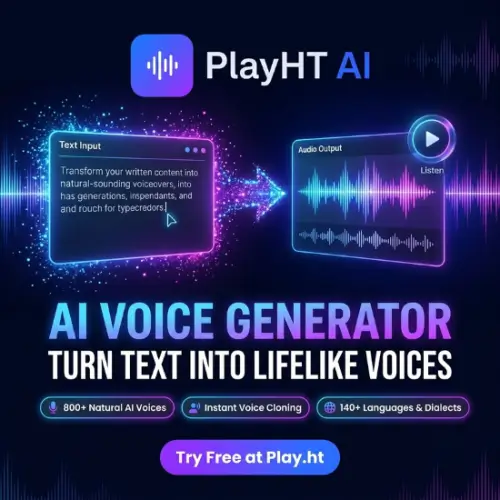
To put it simply, PlayHT is a website that turns your written text into spoken audio. It uses advanced artificial intelligence to read your words out loud. But it does not sound like the old, robotic computer voices you might remember from the past.
Today, PlayHT sounds almost exactly like a real human being. It can add pauses, change its tone, and even show emotion. Whether you need a deep, serious voice for a documentary or a cheerful, energetic voice for a TikTok video, PlayHT has a voice for it. It is basically like having a professional voice actor sitting in a studio, ready to read your script whenever you want.
Why Use AI Voices for Social Media Videos?
If you are making videos for platforms like YouTube, Instagram, or TikTok, audio is just as important as the visuals. People will scroll past a video if the voice is annoying or hard to understand.
Using an AI voice generator like PlayHT has a few big benefits for content creators:
- Save Time: You do not have to record, re-record, and edit your own voice. Just type the text and get the audio in seconds.
- Consistent Quality: AI voices do not get tired, they do not cough, and they do not mess up words. Every time you generate audio, it sounds perfect.
- Privacy: If you want to stay anonymous and not show your face or use your real voice, AI voices are the perfect solution.
- Multiple Languages: If you want your videos to reach people all over the world, AI tools can translate and speak in dozens of different languages.
Key Features of PlayHT
When you log into the PlayHT website, you will see a lot of buttons and options. Let us break down the most important features in simple words.
1. Huge Library of Voices
PlayHT offers over 900 different AI voices. You can filter them by gender, age, accent, and even the style of the voice. Whether you need a British narrator, a young American teenager, or a friendly Australian guide, you will find it here.
2. Ultra-Realistic Voice Cloning
This is one of the coolest features. Voice cloning means you can upload a short audio clip of a voice, and PlayHT will learn how it sounds. Then, you can type any new text, and the AI will speak it using that exact voice. You can clone your own voice so you never have to record again, or you can create a unique “brand voice” for your social media channel.
3. Emotional Control
Robots do not have feelings, but PlayHT’s AI does (or at least, it fakes it really well!). You can tell the AI to sound happy, sad, angry, or excited. You can also add specific pauses, make the voice whisper, or make it speak faster. This helps the voiceover match the mood of your video perfectly.
4. Support for Many Languages
PlayHT supports more than 142 languages and accents. This is super helpful if you want to make your social media videos global. You can take a script in English and easily generate a Spanish or Hindi version for different audiences.
5. Custom Pronunciation
Sometimes AI gets confused by weird words, brand names, or slang. PlayHT lets you type out exactly how a word should be pronounced. This saves you from having to re-record the audio just because the AI said your channel name wrong.
How to Use PlayHT (Step-by-Step)
Using PlayHT is very easy, even if you are not a tech expert. Here is a quick guide to get you started:
Step 1: Create an Account
Go to the official PlayHT website and sign up. You can start with a free account to test things out.
Step 2: Choose Your Voice
Click on the voice library. Listen to the samples and pick a voice that fits your video. You can favorite voices so you can find them easily next time.
Step 3: Type or Paste Your Script
Go to the text box and type what you want the voice to say. You can also upload a document if your script is very long.
Step 4: Adjust the Settings
If you want to change the speed, add a pause, or change the emotion, use the settings menu above the text box.
Step 5: Generate and Download
Click the “Generate” button. Wait a few seconds for the AI to do its magic. Once it is done, listen to the preview. If you like it, click download to save the audio file to your computer. Then, just drop it into your video editor!
PlayHT Pricing Plans
One of the most important things to check before using any tool is the price. PlayHT has a few different plans depending on how much you need to use it. Here is a simple table to help you understand the pricing:
| Plan Name | Price (Per Month) | What You Get | Best For |
|---|---|---|---|
| Free Plan | $0 | 120 minutes of audio, 1 voice clone, basic voices. | Beginners who just want to test the tool. |
| Starter Plan | $14 | 1,800 minutes of audio, 3 voice clones, commercial rights. | Hobbyists and small creators making a few videos a month. |
| Unlimited Plan | $39 | Unlimited audio generation, 5 voice clones, fast processing. | Full-time creators making daily social media videos. |
| Enterprise Plan | Custom Pricing | API access, dedicated support, custom limits. | Big companies and developers building their own apps. |
Note: Prices are based on standard monthly billing. They sometimes offer discounts if you pay for a whole year at once.
Pros and Cons of PlayHT
No tool is perfect. Here is an honest look at the good and the bad sides of PlayHT.
The Good Things (Pros):
- The voices sound incredibly real and natural.
- The website is very easy to navigate and use.
- You get commercial rights on paid plans, meaning you can monetize your YouTube videos.
- Great features for controlling emotion and pauses.
The Not-So-Good Things (Cons):
- The free plan is a bit limited if you want to make long videos.
- Voice cloning requires you to have a really good, clear audio sample to work well.
- Sometimes, very long paragraphs can cause the AI to glitch or sound a bit off.
Tips for Getting the Best Voiceover
Since you want to create good quality videos for social media, here are a few quick tips to make your PlayHT voiceovers sound perfect:
- Write Like You Speak: When writing your script, use simple words and short sentences. AI reads better when the text is conversational.
- Use Punctuation: Commas and periods tell the AI when to take a breath. If you want a longer pause, add a dash or use the pause tool.
- Break It Into Chunks: Do not paste a 10-minute script all at once. Break it into smaller paragraphs. This makes it easier to fix mistakes and keeps the AI sounding fresh.
- Match the Visuals: Make sure the emotion of the voice matches what is happening on the screen. A happy voice over a sad video will confuse your viewers.
Final Thought
PlayHT is a fantastic tool for anyone who needs voiceovers for their content. If you are making social media videos, especially if you are combining AI image-to-video tools with voiceovers, PlayHT makes the process so much easier. It saves you time, gives you professional-quality audio, and lets you experiment with different voices without spending hours in a recording booth.
While the free plan is a bit small, the paid plans are very reasonably priced for the quality you get. If you want to level up your video game and make your social media pages look and sound professional, PlayHT is definitely worth a try.
Alternatives to PlayHT
If you want to check out other options before making your final choice, here are some of the best alternatives that offer similar features:
ElevenLabs
ElevenLabs is currently one of the most famous AI voice tools on the market. It offers amazing voice cloning and extremely realistic speech generation for any type of project.
Murf.ai
Murf.ai is built specifically for video creators and offers a great studio interface. It allows you to sync AI voices directly with pictures and video clips right inside the browser.
Speechify
Speechify is mostly known for reading text out loud for studying, but it also has a great studio for creators. It offers high-quality voices and a very easy-to-use mobile app.
Lovo.ai
Lovo.ai provides a massive library of voices and is very focused on emotional range. It is a great choice if you need voices that can express deep feelings for storytelling videos.