Have you ever had a song idea in your head but no clue how to turn it into real music? Maybe you can write words but can’t play an instrument. Maybe you make videos and need background music that doesn’t sound boring. Suno is built for exactly these people.
Suno is an AI music maker. You type what kind of song you want, and it creates a full track with vocals, instruments, and lyrics. Most songs are ready in under a minute. In this article, we’ll look at what Suno does, what’s new, how much it costs, and who should use it.
What Is Suno?
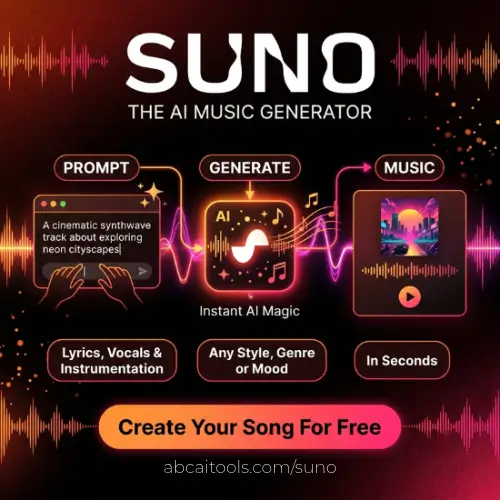
Suno is a website and app that turns text into music. You can describe a song like “happy pop song about summer holidays,” and Suno writes the lyrics, makes the melody, adds the instruments, and even sings it for you. You don’t need to know music theory, and you don’t need any gear.
The goal is simple: let anyone make music, no matter their skill level. A school student can try it for fun, and a working songwriter can use it to test ideas fast.
Suno has also grown quickly. One review reports it reached 2 million paid subscribers by February 2026, which shows how many people are using it.
Which Model Does Suno Use Now?
You might read older articles saying Suno runs on models called Bark and Chirp. Those were early ones. Suno has moved a long way since then. In March 2026, Suno released v5.5, which it calls its best and most expressive model yet. That update also brought three new features: Voices, Custom Models, and My Taste.
Here’s what those mean in plain words:
- Voices: You can record or upload your own singing voice and use it to make new songs. So the song can sound like you.
- Custom Models: You can teach the AI your own style, so your songs have a more consistent sound.
- My Taste: Suno quietly learns what kind of music you like and gets better at matching it over time.
Voices and Custom Models need a paid plan, while My Taste is free for everyone.
Key Features of Suno
Original, High-Quality Music
Suno doesn’t glue together bits of old songs. It makes new tracks based on your prompt. The instruments sound clean, the rhythm feels natural, and the melodies are catchy. Newer versions also sound more like real singers, with better emotion in the voice.
Fast Song Creation
This is where Suno shines. Making a song the normal way can take days or weeks. With Suno, you can have a full song in about a minute. That means you can try many ideas quickly and keep only the best one.
Every Style You Can Think Of
Rock, pop, jazz, hip-hop, lo-fi, cinematic scores, or K-pop. Change a few words in your prompt and the whole style changes. It’s a fun way to hear how one idea sounds in different genres.
Suno Studio
For people who want more control, there’s Suno Studio. It’s a browser-based workstation with timeline editing, warp markers, time signature support, and multitrack arrangement, and it’s only on the Premier plan. You can also split a song into separate parts. Studio can separate tracks into up to 12 vocal and instrument stems and export MIDI. That’s handy if you want to finish a song in other music software.
Works on Phone and Web
You can use Suno in your browser, and there are also iOS and Android apps. So you can make a song while sitting on the bus.
Who Is Suno For?
Suno works for many kinds of people:
- Beginners and hobbyists who always wanted to make a song but never knew how.
- Songwriters and musicians who want quick demos or fresh ideas when they’re stuck.
- YouTubers, podcasters, and game makers who need background music for projects.
- Teachers and students who want to explore how songs are put together in a fun, hands-on way.
- Small businesses that want a catchy jingle without paying a studio.
How to Make Your First Song on Suno
It’s really easy:
- Go to the Suno website or open the app and sign up. A free account is enough to start.
- Write a short description of the song you want. Mention the style, the mood, and the topic.
- Or paste your own lyrics if you already have some.
- Click create and wait a short moment.
- Listen to the results. Suno usually gives you more than one version to choose from.
- Not happy? Change your prompt a little and try again.
A small tip: be clear but not too long. “Sad acoustic guitar ballad, soft female voice, about missing home” works better than a very vague prompt like “nice song.”
Suno Pricing
Suno has three plans: Free, Pro, and Premier. Everything runs on credits. The free plan gives you 50 credits a day, which is about 10 songs, for personal use only. The yearly price is the headline number, and if you pay monthly, the plans cost $10 and $30.
| Plan | Monthly Price | Price if Billed Yearly | Credits | Main Extras |
|---|---|---|---|---|
| Free | $0 | $0 | 50 credits per day (about 10 songs) | Personal use only, older model (v4.5) |
| Pro | $10 | $8 per month | 2,500 credits per month (about 500 songs) | Commercial use, latest v5.5 model, Voices, Custom Models, extra credits can be bought |
| Premier | $30 | $24 per month | 10,000 credits per month (about 2,000 songs) | Everything in Pro plus Suno Studio |
A few things to know before you pay:
- Unused credits don’t carry over, neither daily nor monthly. So use them before they reset.
- Both paid plans include commercial use rights. The free plan doesn’t. If you want to put your songs on YouTube with ads or sell them, you need Pro or Premier.
- The commercial license only applies to songs made while a paid plan is active. Songs you made earlier on the free plan stay non-commercial.
- Annual billing saves about 20%.
Prices can change, so always check the official pricing page before you buy.
Pros and Cons
Pros
- Very easy to use, even for complete beginners
- Songs are ready in about a minute
- Clean, simple design
- Works in almost every music style
- Real free plan to try it out
- Strong new features like Voices and Studio
Cons
- Sometimes you’ll hear small odd sounds or glitches in a track
- The best features are locked behind paid plans
- Credits expire, so you can’t save them
- You may need a few tries before you get the exact song you imagined
- Rules around AI music and copyright are still changing, so read the terms if you plan to earn money
Final Thoughts
Suno makes music creation feel simple and fun. You type an idea, wait a moment, and hear a full song. It’s not perfect, and you may hear a few odd bits now and then. But for fast ideas, background music, and just playing around, it’s hard to beat.
If you’re new, start with the free plan and make a few songs. If you like it and want to use your music for videos or business, Pro is the best place to start. Premier only makes sense if you really need the Studio editing tools. Whatever you pick, Suno is one of the easiest ways to turn a thought into a song today.
Alternatives to Suno
- Udio: Another popular text-to-song tool that makes tracks with vocals from a short prompt. It’s known for realistic voices and has paid plans based on monthly credits.
- AIVA: An AI composer that focuses on instrumental and cinematic music. A good pick for film, game, and background scores.
- Soundraw: Lets you build royalty-free music by choosing mood, genre, and length. It’s simple and great for video creators who want quick background tracks.
- Mubert: Generates endless music streams from a mood or activity. Handy for apps, streams, and videos that need non-stop background sound.
- Beatoven.ai: Makes custom background music that matches the mood of your video or podcast. Easy to use, and made mainly for content creators.
- Boomy: A beginner-friendly tool where you can create songs in seconds and even release them to streaming platforms. Good for people who just want to experiment.