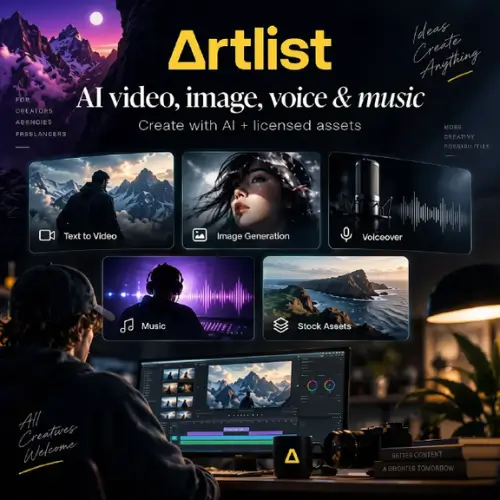
If you make videos, you know the pain. You find music on one site, stock clips on another, and a voiceover tool somewhere else. Then you pay for all of them every month. Artlist is trying to fix that by putting everything in one place.
Artlist started as a site for royalty-free music and stock footage. Today it is also a full AI creative platform. You can make images, videos, voiceovers, music, and even AI avatars without leaving the site. Let’s look at what Artlist AI does, how it works, what it costs, and who should use it.
What Is Artlist AI?
Artlist AI is the AI part of the Artlist platform. It has two main parts:
- AI Toolkit: the tools that actually generate things, like images, videos, voice, and music.
- Artlist Studio: a workspace where you put all those pieces together into one finished video.
The big plus is variety. Artlist gives you access to 100+ AI models from different companies, so you aren’t stuck with one engine. Names like Kling, Veo, Seedream, Nano Banana, and Sora show up in its model list, and Artlist also has its own model. This is an area that changes fast, so the exact list may be different by the time you read this.
Main Features of Artlist AI
- Text-to-image. Type what you want, pick a style (there are 20+ curated looks), and get an image. It works well for thumbnails, storyboards, and quick concept art.
- Image editing and blending. You can mix up to three images into one, or make new versions of an image you already like.
- Image-to-video. This turns a still picture into a short clip with gentle motion. Don’t expect a Hollywood movie. Think of a slow, smooth camera move with a little extra life.
- Text-to-video. Describe a scene and get a short video. Different models give different quality, from lighter versions to pro-level ones. The more complicated your idea, the more the results can vary.
- AI voiceover. Type your script and pick a voice. You can change the mood (happy, sad, serious) and add effects like vintage radio or walkie-talkie. The tool now supports 71+ languages, which is a big jump from the older 21+ number.
- Voice cloning and speech-to-speech. Upload your own voice and let the tool re-create it, or change the style of a recording.
- AI music and AI avatars. Artlist can also create music tracks and talking avatars, which is handy for explainer videos.
- Natural language search. Instead of guessing tags, you can search by feeling. Something like “sunset drone shot with calm music” really does get you useful results.
- Artboards and AI suggestions. Collect your favorite clips, images, and tracks on one board. The tool then suggests more assets that match your style. It’s like a mood board that helps back.
- Premiere Pro extension. If you edit in Adobe Premiere Pro, you can make voiceovers right inside your editor. No exporting and importing.
- AI Agent. There is also a chat-style helper that guides you step by step, which is useful if you don’t want to pick every setting yourself.
How Artlist AI Works in Real Life
Using it feels simple. You sign up, open the AI Toolkit or Artlist Studio, pick a tool, and type your idea. Each result uses some of your monthly credits.
Small touches make daily work easier. You can preview a voiceover with effects before you commit. You can change the pacing of a voice just by adjusting punctuation, so a comma makes a pause and a full stop makes a longer one. If the AI says a name wrong, you can spell it out the way it sounds, and it will fix itself.
The best part is saving time. A YouTuber can make a thumbnail, a voiceover, and background music in one sitting, on one site, under one bill.
Credits: How the System Works
Artlist uses a credit system. Your plan gives you a set number of credits each month, and you can spend them on any AI tool. A short image costs fewer credits than a long, high-quality video. Credits renew every month, and unused ones generally do not roll over, so it’s smart to pick a plan that matches how much you really create.
Some higher plans also include an “Unlimited” option on certain models, so you don’t have to spend credits on those.
Artlist AI Pricing
Prices below come from Artlist’s official pricing guide and exclude VAT or taxes. Artlist updates its plans often, so always check the official site before you buy. Yearly plans cost much less per month.
| Plan | Monthly Credits | Monthly Billing | Yearly Billing (per month) |
|---|---|---|---|
| AI Starter | 7,500 | $15.99 | $9.99 |
| AI Starter | 16,500 | $19.99 | $11.99 |
| AI Starter | 40,000 | $39.99 | $23.99 |
| AI Creator | 80,000 | $69.99 | $41.67 |
| AI Creator | 120,000 | $99.99 | $59.99 |
| AI Creator | 240,000 | $199.99 | $119.99 |
| AI Pro | 500,000 | $399.99 | $239.99 |
| AI Pro | 1 Million | $799.99 | $479.99 |
| Voiceover Only | 7,500 | $15.99 | $11.99 |
| Artlist Max Pro (AI + full stock library) | 7,500 | Not listed | From $39.99 |
| Max Teams (2 to 7 people) | 10,000 | Not listed | $33.99 per member |
| Max Business / Enterprise | Custom | Contact sales | Custom |
A few notes on the plans:
- AI Starter is the best way to try things out.
- AI Creator and above add priority generation speed, and the yearly versions get access to Unlimited.
- Artlist Max is the “everything” plan. It adds music, sound effects, stock footage, templates, LUTs, and plugins on top of the AI tools.
- Business plans add things like legal protection and team controls.
There is also a free account. It gives you watermarked downloads and small samples of the AI tools, which is enough to test the platform. You can’t publish that content, though.
Licensing and Ownership
Content you make with Artlist AI is covered for commercial use, including images, videos, and voiceovers. That means you can use them in client work, ads, and online videos.
One warning, though. If you clone a real person’s voice, make sure you have their permission. The tool is powerful, but the legal and ethical side is still your job.
Who Should Use Artlist AI?
- YouTubers and creators who want visuals, music, and voice in one place.
- Freelancers tired of paying for ten different subscriptions.
- Agencies and brands making ads, explainers, and social clips in large amounts.
- Video editors who use Premiere Pro and want quick voiceovers without leaving the timeline.
Pros and Cons
Pros
- Everything lives in one platform.
- 100+ AI models to choose from.
- Commercial license is included.
- Search that understands what you mean.
- Premiere Pro extension saves time.
Cons
- Credits can run out fast if you make lots of high-quality video.
- AI video is still short and sometimes unpredictable.
- Pricing has many tiers, which can feel confusing at first.
- No full free trial on paid AI plans is guaranteed.
Final Thoughts
Artlist AI is a smart pick for people who make content often. You get stock music, footage, and a full set of AI tools in one place, with a license that covers commercial work. It won’t replace a full film crew, and AI video still has limits. But for thumbnails, social clips, explainers, and voiceovers, it can save a lot of time and money.
If you are new, start small. Try the free account first, then move to AI Starter on a monthly plan. If you find yourself using it every week, switch to a yearly plan to cut the price. If you also need music and stock clips, Artlist Max is usually the better deal than buying everything separately.
Alternatives to Artlist AI
1. Runway: A popular AI video tool for text-to-video and image-to-video clips. It’s great for creators who care mostly about video generation.
2. ElevenLabs: One of the best AI voice tools, with natural voices, voice cloning, and many languages. A strong pick if voiceover is your main need.
3. Epidemic Sound: A big library of royalty-free music and sound effects with a creator-friendly license. Good if you mainly need music for videos.
4. Envato Elements: A subscription with stock footage, music, templates, and graphics, plus some AI tools. It suits people who want lots of assets for one fee.
5. Adobe Firefly: Adobe’s AI tool for images and video, which works neatly with Photoshop and Premiere Pro. A good fit if you already live in Adobe apps.
6. Canva: A beginner-friendly design tool with AI image and video features, templates, and stock media. Easy for social posts and quick edits.