Adalo—Build Mobile and Web Apps Without Writing Code
Think about the last time you had an app idea. Maybe a booking app for a local salon, a member list for your club, or a simple tool to track customer requests at work. Then you remembered that building an app means learning to code, or paying a developer a lot of money.
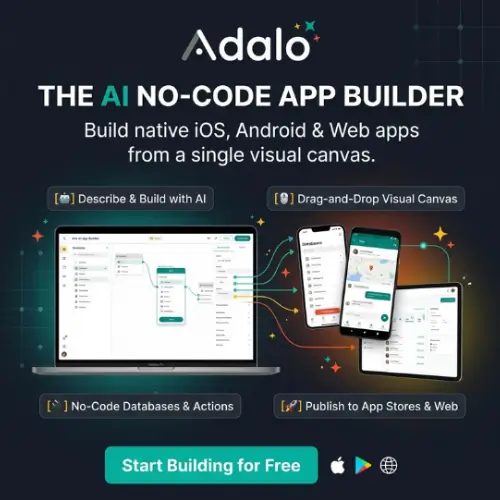
Adalo is built to remove that problem. It is an AI app builder that lets you create real iOS, Android and web apps without writing any code. You describe what you want in plain English, the AI builds a first version, and then you adjust it yourself with a drag-and-drop editor.
In this article, we’ll look at what Adalo does, how its AI tools work, what it costs, and who should use it.
What Is Adalo?
Adalo is a no-code platform. “No-code” means you build software by clicking, dragging and typing instead of writing programming languages.
What makes Adalo different is that it mixes two ways of working:
- AI instructions. You tell the AI what you want.
- A visual editor. You fine-tune the result by hand.
You can use the AI to get started fast, then take over and change anything you like. Adalo also uses one shared project for mobile and web, so you manage your app’s data and features in one place instead of keeping separate versions.
Meet Ada, the AI Assistant
Adalo’s helper is called Ada. You give her a description, and she builds or edits your app. For example, you could type, “I want a booking app for my barber shop with a services list and a calendar.” Ada then creates the screens and the structure behind them.
Ada is currently labeled beta. That means it is still being improved, so you should expect a few rough edges. Adalo says Ada is included on all plans.
Key AI Features
Magic Start
Magic Start creates your first prototype. It builds the screens, the database collections, the links between data, the navigation and even some sample data. You don’t begin with a blank page, which is the hardest part of any project.
Magic Add
Already have an app? Magic Add lets you add new features by describing them. You could ask for a favorites list or a review system, and the AI adds it to what you already built.
Visual AI Direction
This one is simple and handy. You click on an item on the canvas, such as a button or a card, and describe the change you want. For example, “make this button bigger and green.” You don’t have to hunt through menus.
X-Ray
X-Ray works like a checkup for your app. It scans for problems such as broken links, missing data connections and design that doesn’t match from screen to screen. Then it suggests fixes. This saves time, because small mistakes are easy to miss when you build alone.
Visual Control: See Your Whole App at Once
Adalo’s canvas shows several screens side by side. This helps you understand how a user moves through your app, for example from the home page to a product page to checkout.
You stay in control of the look. You can move components around, change layouts, and use your own fonts, colors and branding. Your app doesn’t have to look like everyone else’s.
The Built-In Database
Almost every app needs to store information, such as user names, bookings, orders or messages. Adalo includes a built-in database for this.
It also gives you ready-made building blocks:
- User accounts (sign up and log in)
- Forms
- Lists
- Feature templates for common business tasks
If you need more, you can use custom actions and connect outside data sources. Just remember that these extra options depend on your plan, so check before you rely on them.
What Can You Build With Adalo?
Adalo works best for apps built around records, users and workflows. Here are some good examples:
- A booking app for a small business
- A membership directory
- A simple store or marketplace
- An internal tool for tracking customer requests
- A community or event app
- A client portal
What Adalo Is Not Good For
Adalo is honest about its limits. These kinds of projects are outside what Ada is meant to handle:
- Complex games
- Apps that must work fully offline
- Apps that control Bluetooth hardware directly
Also, don’t trust an AI-made app blindly. Always test it, especially the parts about permissions (who can see what), payments and navigation. A small mistake in those areas can cause big trouble.
Adalo Pricing
Adalo has a free plan, and the paid plans are flat monthly prices. Adalo says it does not charge extra based on usage, so your bill should not jump as more people use your app. Paying yearly saves about 20%.
| Plan | Price (billed yearly) | Price (billed monthly) | Best for |
|---|---|---|---|
| Free | $0 | $0 | Building and testing your idea |
| Starter | About $36/month | About $45/month | One simple app, solo builders |
| Professional | About $52/month | About $65/month | Growing businesses, more editors |
| Team | About $160/month | About $200/month | Agencies and teams with several apps |
| Business | About $200/month | About $250/month | Larger groups with many apps |
Quick notes on the plans:
- Free lets you build and test, but it has limited database records and shows Adalo branding. You can’t publish a real app to the stores on it.
- Starter is where you can start publishing. It adds things like a custom domain and custom fonts.
- Professional adds more editors, more storage, custom integrations, push notifications and geolocation.
- Team adds more published apps, priority support, extra tools like API access and version history, and much more storage.
- Business is made for larger organizations and can include special add-on pricing.
Prices and limits change from time to time, and different websites list slightly different numbers. Always check Adalo’s official pricing page before you buy.
Extra costs to remember: Even with a flat Adalo price, you may pay for other things. Publishing to the Apple App Store costs $99 per year for an Apple Developer account, and Google Play charges a one-time fee. If you accept payments, services like Stripe take a small cut of each sale.
Pros and Cons
What’s good
- Easy to start, even if you have never built an app
- AI builds a first version for you
- Real native iOS and Android apps, plus web
- Flat pricing with no usage surprises
- Built-in database and ready-made templates
- Free plan to test your idea
What to watch out for
- Ada is still in beta
- Publishing to the app stores needs a paid plan
- The free plan is small
- Not suitable for complex games or heavy offline use
- You must test AI-made apps carefully
Who Should Use Adalo?
Adalo is a good fit for:
- Small business owners who want an app for customers
- Founders who want to test an idea quickly
- Freelancers and agencies building apps for clients
- Teachers and students learning how apps work
- Team leaders who need a simple internal tool
If you have never coded, Adalo is a friendly place to begin.
Tips for Getting Started
- Start on the free plan. Build and test before you pay.
- Write a clear description for Ada. Say who the app is for and what it should do.
- Start small. Build one main feature first, then add more with Magic Add.
- Run X-Ray often to catch broken links and missing connections.
- Test everything on a real phone before you launch, especially logins and payments.
Final Thoughts
Adalo makes app building much less scary. You can describe your idea, let the AI create a starting point, and then shape it the way you want with the visual editor. With a built-in database, native publishing and flat pricing, it covers a lot of ground for a no-code tool.
It is not perfect. Ada is still in beta, the free plan can’t publish, and some project types are not a good match. But for booking apps, directories, client portals and simple business tools, it is a strong choice. Start free, test your idea, and upgrade only when you are ready to launch.
Alternatives to Adalo
- Bubble AI: Builds custom apps with AI help and a powerful visual editor. It suits people who want more control over complex web app logic.
- Softr AI: Creates web apps around your existing business data, with user roles and data syncing. It is great for portals and internal tools.
- Bolt: Generates web applications from simple prompts and includes database, login and hosting tools. It is quick for turning an idea into a working site.
- Glide: Turns spreadsheets and data into simple, clean mobile-friendly apps. It is easy to learn and good for lightweight business tools.
- FlutterFlow: A visual builder for mobile and web apps with more design and code flexibility. It suits people who want to grow into more advanced projects.