
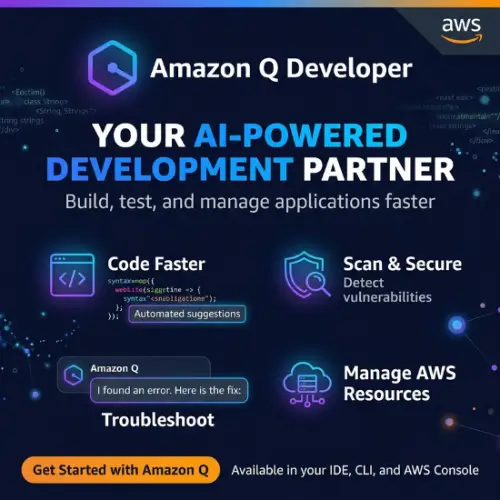
If you spend a lot of time writing code, managing AWS resources, or just trying to figure out why your cloud bill is so high, you have probably wished for a helper who knows everything about AWS. That is exactly what Amazon Q Developer is trying to be. It is a generative AI assistant built by Amazon Web Services, designed to sit by your side while you code, debug, deploy, and even upgrade old applications.
But here is the thing: the tech world moves fast. Amazon Q Developer has gone through some big changes recently, and if you are thinking about using it, you need to know what is happening before you invest your time. This article breaks it all down in plain English—what it does, how much it costs, and what you should use instead if the current version does not fit your needs.
What Exactly Is Amazon Q Developer?
At its heart, Amazon Q Developer is like having a very smart friend who has memorized all of AWS documentation and can write code faster than you can type. You can chat with it inside your code editor (like VS Code or JetBrains), ask it questions in the AWS console, or even talk to it through Slack and Microsoft Teams.
It does not just answer questions. It can look at your code and suggest the next line you should write. It can scan your project for security holes. It can take a messy Java 8 application and upgrade it to Java 17 with just a few clicks. And if you are new to a codebase, it can explain what is going on in plain language so you do not have to spend days reading through files.
The idea is simple: let the AI handle the boring, repetitive stuff so you can focus on the interesting problems.
The Big Catch: End of Support for IDE Plugins
Here is something you absolutely must know before you get too excited. AWS has announced that on April 30, 2027, they will stop supporting the Amazon Q Developer IDE plugins entirely. That means the version of Q Developer that lives inside VS Code, JetBrains, and Visual Studio will be retired.
Why? Because AWS has a new product called Kiro that is meant to replace it. Kiro is a full IDE (not just a plugin) built from the ground up for agentic coding—where AI agents can plan, write, test, and verify code on their own. AWS is essentially saying: “We are moving on from plugins, and Kiro is the future.”
This does not mean Amazon Q Developer is dead. The version that lives in the AWS Console, Slack, and Teams is still alive and well. But if your main reason for trying Q Developer was to get code suggestions in your editor, you should probably look at Kiro instead. The command-line version has also already become the Kiro CLI.
What Can Amazon Q Developer Actually Do?
Let us walk through the main features, because there is a lot here.
It Writes Code With You (and For You)
Amazon Q Developer generates code suggestions as you type. It supports over 25 programming languages, including Java, Python, and JavaScript. The company claims that BT Group accepted 37% of its suggestions, and National Australia Bank reported a 50% acceptance rate—which is pretty high for AI code assistants.
But it goes beyond single lines. You can describe a feature in natural language—like “build an SMS notification system for delivery confirmations”—and Q Developer will analyze your codebase, create a step-by-step plan, and then implement the changes across multiple files after you approve the plan.
It Reviews and Secures Your Code
Security is a big deal, and Q Developer scans your code for vulnerabilities like exposed credentials and log injection. When it finds a problem, it suggests a fix tailored to your specific application, and you can accept it with one click. It also automates code reviews, catching logical errors, code duplication, and anti-patterns before your teammates even see the pull request.
It Upgrades Old Applications
This is one of the more impressive features. Amazon Q Developer can take a Java 8 application and upgrade it to Java 17. AWS claims that over 1,000 production applications have been upgraded this way, with an average upgrade time of just 10 minutes per application—compared to the 2 days it would take a human. It can also help port .NET applications from Windows to Linux.
It Knows AWS Inside and Out
Because Amazon built it, Q Developer is an expert on AWS services. You can ask it about your running EC2 instances, your billing, or architectural best practices. It is available in the AWS Console, and you can even talk to it in Slack or Teams to troubleshoot operational issues. This is genuinely useful if you are managing cloud infrastructure and do not want to dig through documentation every time you forget a service limit.
How Much Does Amazon Q Developer Cost?
Amazon Q Developer has two tiers: a free tier and a Pro tier. Here is the breakdown:
| Feature | Free Tier | Pro Tier |
|---|---|---|
| Price | $0 | $19 per user per month |
| Agentic chat requests | 50 per month | 1,000 per month |
| Java upgrade capacity | 1,000 lines of code per month | 4,000 lines of code per user per month (pooled at account level) |
| Extra Java upgrade cost | N/A | $0.003 per line beyond the pool |
| Latest Claude models | Yes | Yes |
| IP indemnity | No | Yes |
| Admin dashboard & IAM Identity Center | No | Yes |
| Data used for service improvement | Yes (opt-out available) | No (automatic opt-out) |
| Reference tracking | Yes | Yes |
Source: AWS pricing pages
The free tier is genuinely free forever, which is nice for students or hobbyists. But the 50 agentic requests per month will run out fast if you are using it seriously. And the fact that your free-tier data may be used to improve the service (unless you opt out) is something to keep in mind if you are working on anything sensitive.
The Pro tier at $19 per month is competitive with other AI coding tools. The IP indemnity is a meaningful addition for businesses—it means AWS will have your back if someone sues over copyrighted code suggestions. But again, remember that the Pro tier for IDE plugins is being sunset in 2027.
The Privacy Question
One thing that stands out about Amazon Q Developer is the difference in data handling between tiers. With the Pro tier, your proprietary content is not used for service improvement. With the free tier, it might be used unless you explicitly opt out. If you are a student learning to code, that is probably fine. If you are working on a company project, you need the Pro tier or a different tool entirely.
Real-World Results: What Are People Saying?
AWS likes to throw around statistics. The company claims that Amazon Q Developer speeds up development tasks by up to 80% and increases developer productivity by up to 40%, based on internal studies and customer quotes. BT Group reported a 37% code acceptance rate, and National Australia Bank reported 50%.
These numbers sound impressive, but it is worth remembering that they come from AWS’s own marketing materials. Independent reviews have noted that Q Developer can struggle with large, complex codebases and that its value drops significantly if you are not working within the AWS ecosystem. It is a great tool for AWS-native work, but it is not a universal solution for every programming problem.
So, Should You Use It?
Yes, if: You work heavily with AWS, you need to upgrade Java applications, or you want a free AI assistant to help you learn and write code. The AWS Console integration is genuinely useful for cloud engineers.
No, if: You want an AI coding assistant that will stick around in your IDE for years to come (remember the 2027 shutdown), or you work primarily outside the AWS ecosystem. In those cases, you should look at the alternatives below.
Final Thought
Amazon Q Developer is a capable tool with some genuinely impressive features, especially for AWS-centric work and Java upgrades. But it is also a product in transition. The IDE plugins are being retired in 2027, and AWS is clearly steering users toward Kiro. If you are starting fresh today, you should probably go straight to Kiro if you want the “Q Developer experience” inside an editor. If you mainly need help with AWS infrastructure questions, the Console and Slack versions of Q Developer are still there and still useful.
The free tier is a low-risk way to try it out. Just do not build your entire workflow around a plugin that has an expiration date.
Alternatives to Amazon Q Developer
If Amazon Q Developer does not fit your needs—whether because of the IDE plugin sunset or because you want something different—here are some solid alternatives to consider.
| Alternative | What It Is | Why Consider It |
|---|---|---|
| Kiro | AWS’s new agentic IDE (VS Code compatible) | This is the official replacement for Q Developer’s IDE plugins. It uses a spec-driven workflow where you define requirements before agents write code, and it supports the latest Claude models. If you liked Q Developer’s coding features, this is where they are going. |
| GitHub Copilot | AI coding assistant from GitHub/Microsoft | The most widely used AI coding tool, with deep integration into VS Code, JetBrains, and Visual Studio. It excels at inline suggestions and has a large user community. Great if you want something stable and widely adopted. |
| Cursor | AI-native code editor (fork of VS Code) | Built from the ground up for AI-assisted coding. It understands your entire codebase and lets you chat with your project. Popular among developers who want an editor that feels AI-first rather than AI-bolted-on. |
| JetBrains AI Assistant | AI coding assistant built into JetBrains IDEs | If you already live in IntelliJ, PyCharm, or WebStorm, this is the natural choice. It includes multiple agents (including Claude and Codex) and works well for JetBrains users. Pricing starts lower than Q Developer Pro. |
| Claude Code | Agentic CLI from Anthropic | A terminal-based agent that can edit files, run commands, and navigate codebases autonomously. Good for developers who prefer working in the command line and want a powerful, general-purpose coding agent. |



