
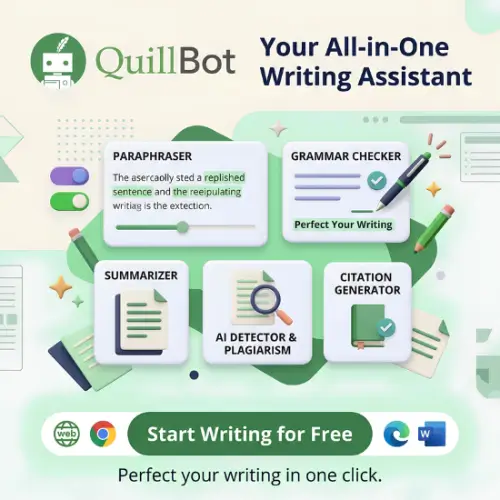
Writing clear, professional, and original content takes time, especially when you have to write essays, blog posts, emails, assignments, or business documents regularly. Even when you know what you want to say, finding the right words and correcting grammar can be challenging. This is where an AI writing assistant like QuillBot can make your work easier.
QuillBot is an AI writing platform that helps users paraphrase sentences, improve grammar, summarize long documents, generate citations, and make their writing easier to understand. What started as a simple paraphrasing tool has grown into a collection of writing and productivity tools. Whether you are a student, blogger, content writer, researcher, or working professional, QuillBot offers several features to help you write with more confidence and spend less time editing.
What Is QuillBot?
QuillBot is an AI writing assistant designed to improve existing text and help users communicate more clearly. Its main feature is the Paraphraser, which rewrites sentences and paragraphs while trying to preserve their original meaning. It also includes tools for grammar checking, summarization, plagiarism checking, AI detection, and citation generation. Users can access these features through its website and supported browser integrations.
Key Features of QuillBot
QuillBot offers more than just sentence rewriting. Here are some of its most useful features and how they can help with everyday writing tasks.
1. AI Paraphrasing Tool
The Paraphraser is the main reason many people use QuillBot. It helps you rewrite sentences and paragraphs without changing their original meaning intentionally.
For example, if you have written a sentence that sounds repetitive or difficult to understand, you can paste it into the tool and get a different version. This can make your content sound more natural and easier to read.
QuillBot provides different writing modes, including:
- Standard: Rewrites text while keeping the original meaning.
- Fluency: Makes sentences smoother and easier to read.
- Formal: Makes writing sound more professional.
- Simple: Makes complicated sentences easier to understand.
- Creative: Offers more expressive wording.
- Academic: Helps create a more academic writing style.
- Shorten: Reduces unnecessary words.
- Expand: Adds more detail to existing sentences.
The available modes and their names can vary by version and subscription. You can also compare different rewriting styles to find the version that works best.
This feature is useful for students, bloggers, website owners, and professionals who regularly work with written content.
2. Grammar Checker
Grammar mistakes can make even good content look unprofessional. QuillBot’s Grammar Checker helps identify common writing problems and suggests corrections. It can help you find:
- Spelling mistakes.
- Grammar errors.
- Incorrect punctuation.
- Sentence structure problems.
- Commonly confused words.
- Unclear or awkward expressions.
You can paste your text into the grammar checker and review the suggested changes. This is particularly helpful when writing professional emails, academic assignments, website content, and social media posts.
However, you should not automatically accept every suggestion. Sometimes a sentence may be grammatically correct but intentionally written in a particular style.
3. AI Summarizer
Reading long articles, research papers, reports, and documents can take a lot of time. QuillBot’s Summarizer helps reduce lengthy content into shorter and more manageable summaries.
You can use it to understand the main points without reading every sentence. The tool is useful for:
- Summarizing research papers.
- Understanding lengthy articles.
- Preparing study notes.
- Extracting important information from reports.
- Reviewing long documents quickly.
It offers different summary styles, depending on the available options. You can use a paragraph-style summary or extract important points in a bullet format.
Keep in mind that an AI-generated summary may leave out important details. Always check the original document when accuracy is important.
4. Plagiarism Checker
Originality is important when publishing articles, submitting academic assignments, or preparing professional documents. QuillBot includes a Plagiarism Checker that helps identify text that may match existing online or published sources.
This feature can be useful for students, researchers, and content writers who want to review their work before submitting or publishing it. The plagiarism checker is particularly useful for checking:
- Blog posts and website articles.
- Academic assignments.
- Research documents.
- Business reports.
- Other written materials.
Plagiarism checking is not a guarantee that your work is completely original. You should still provide proper citations and references whenever you use information from another source.
5. AI Content Detector
QuillBot also provides an AI Detector that examines text and estimates whether it may have been generated using artificial intelligence. This feature can be useful for educators, editors, content managers, and writers who want another way to review written material.
However, AI detection tools are not completely reliable. They can sometimes identify human-written text as AI-generated or fail to recognize AI-assisted writing.
Therefore, you should never use an AI detector’s result as the only proof that someone has used AI to write something. Treat its results as an indication rather than a final judgment.
6. Citation Generator
Creating citations manually can be confusing, especially when working on research papers and academic assignments.
QuillBot’s Citation Generator helps users create references in commonly used academic formats. It can help with:
- APA citations.
- MLA citations.
- Chicago-style citations.
- Website references.
- Book references.
- Academic source references.
You can enter the details of a source and generate a citation instead of formatting everything manually.
This feature can save time for students and researchers. However, always verify the generated reference because missing or incorrect source details can result in inaccurate citations.
7. AI Humanizer
QuillBot also offers an AI Humanizer that attempts to make AI-generated text sound more natural.
It can rewrite robotic or repetitive sentences into a smoother writing style. This may help when editing AI-assisted drafts, improving readability, or removing awkward expressions.
However, no humanizer can guarantee that content will pass every AI detector. The best approach is to review the writing, add your own ideas, check the facts, and make sure the final content reflects your actual understanding.
8. PDF Tools
QuillBot also offers PDF-related tools that help users work with documents. Depending on the available tool and supported format, you can use its PDF features for tasks such as:
- Merging PDF documents.
- Splitting PDF files.
- Converting documents.
- Managing PDF content.
These tools can be useful for students and office professionals who regularly work with digital documents.
9. Browser Extensions and Mobile Apps
Another useful advantage of QuillBot is that you do not always need to open its website to use its writing tools.
Its browser extensions and mobile applications make it easier to access supported writing features while working on different platforms.
You can use QuillBot to improve text while writing emails, preparing documents, or working on online content.
This makes it a convenient option for people who want writing assistance as part of their everyday workflow.
QuillBot Pricing and Plans
QuillBot follows a freemium pricing model. You can start with its free plan and upgrade to Premium when you need more advanced writing features.
According to QuillBot’s official pricing page, the main subscription options include Free and Premium. The company also offers a Team plan for organizations.
Pricing displayed below is in USD, based on the official pricing page checked in November 2026. Prices may vary by country, currency, promotions, and checkout location.
| Plan | Price | Main Features |
|---|---|---|
| Free | $0/month | Limited paraphrasing, two paraphrasing modes, basic grammar corrections, basic summaries, limited AI detection |
| Premium – Monthly | $19.95/month | Unlimited paraphrasing, advanced grammar suggestions, additional writing modes, full access to premium tools |
| Premium – Quarterly | $13.31/month | Premium features, billed at $39.95 every three months |
| Premium – Annual | $8.33/month | Premium features, billed at $99.95 annually |
| Team | Custom pricing | Team management, centralized billing, usage metrics, and organizational controls |
Is QuillBot Free to Use?
Yes, QuillBot offers a free plan that allows you to try its main writing features without purchasing a subscription.
However, the free version has limitations. According to its standard pricing information, users can paraphrase up to 125 words at a time and access only two paraphrasing modes: Standard and Fluency. Some other features, such as AI detection and summarization, also have usage restrictions.
The free version is suitable for occasional writing tasks. But if you regularly rewrite long articles, prepare assignments, or create website content, the Premium plan may be more useful.
Is QuillBot Premium Worth the Money?
QuillBot Premium can be a good investment if you use writing tools regularly.
It removes the main paraphrasing word limit and provides access to additional modes and advanced writing features. It also offers more extensive summarization and plagiarism-checking capabilities.
For someone who writes occasionally, the free plan may be enough. However, students, bloggers, researchers, and professional writers who work with large amounts of text may benefit from upgrading.
My suggestion is to test the free version first. If you find yourself regularly reaching its limits, consider purchasing an annual subscription.
Who Should Use QuillBot?
QuillBot is designed for different types of users. Here are some examples of people who can benefit from this platform.
1. Students
Students can use QuillBot to improve assignment writing, understand difficult paragraphs, summarize study materials, and correct grammar mistakes. Its citation generator can also help with academic references.
2. Bloggers and Content Writers
Bloggers can use the paraphrasing tool to improve sentence structure, reduce repetitive wording, and make articles easier to read. The summarizer can also help when researching lengthy materials.
3. SEO Professionals
SEO professionals can use QuillBot to improve website content, rewrite awkward sentences, and check grammar before publishing. However, paraphrasing alone does not make an article SEO-friendly. Original information, search intent, useful examples, and proper research are still important.
4. Freelancers
Freelancers who write emails, proposals, product descriptions, and client documents can use QuillBot to make their communication clearer and more professional.
5. Teachers and Researchers
Teachers and researchers can use its summarization, grammar, citation, and plagiarism-checking features to support their writing and reviewing workflows.
What Makes QuillBot Different from Other AI Writing Tools?
There are many AI writing tools available today, but QuillBot has a slightly different approach.
Many AI writing platforms focus on generating new content from prompts. QuillBot focuses more on improving the content you already have.
For example, if you have written a paragraph but are not happy with its sentence structure, you can use QuillBot to rewrite it. You do not need to explain the entire topic again or generate a completely new article.
Another advantage is that several writing tools are available in one place. You can paraphrase text, check grammar, summarize documents, create citations, and review potential plagiarism without switching between multiple websites.
Its different rewriting modes also provide more control over how your sentences sound.
This makes QuillBot particularly useful for people who already have ideas or draft content but need help improving the final version.
QuillBot Pros and Cons
Before purchasing any AI writing software, it is important to understand both its advantages and limitations.
| Pros | Cons |
|---|---|
| Useful Paraphrasing: Multiple writing modes help improve sentence structure and tone. | Free Version Limits: The word limit can be restrictive for longer writing tasks. |
| All-in-One Platform: Includes grammar, summarization, citations, and other writing tools. | Subscription Cost: Regular users may need a paid plan to access the full experience. |
| Easy to Use: Simple interface suitable for beginners and experienced writers. | Manual Editing Needed: Rewritten text can sometimes lose its original meaning or context. |
| Academic Support: Citation and plagiarism tools are useful for students and researchers. | AI Detector Limitations: AI detection results are not always accurate. |
| Multiple Integrations: Browser extensions and mobile apps support different writing workflows. | Not a Complete Content Generator: It is more focused on improving existing writing than creating complete content strategies. |
| Flexible Writing Styles: Different modes help adjust the tone of sentences. | Feature Restrictions: Some advanced tools and usage limits depend on the subscription. |
Is QuillBot Safe and Reliable?
QuillBot is an established writing platform with a large user base. It is used by students, professionals, and content creators for everyday writing and editing tasks.
However, like any online writing platform, you should be careful about the information you upload.
Avoid submitting confidential business documents, private customer information, passwords, or sensitive personal data unless you have reviewed the company’s current privacy policy and understand how your information is handled.
You should also review all AI-generated suggestions before using them. QuillBot can make mistakes, change the meaning of a sentence, or produce inaccurate wording.
For academic work, remember that paraphrasing does not remove the need to cite the original source.
QuillBot vs Other AI Writing Tools
How does QuillBot compare with other popular writing assistants?
| Tool | Best For | Main Strength |
|---|---|---|
| QuillBot | Paraphrasing and writing improvement | Multiple rewriting modes and useful writing tools |
| Grammarly | Grammar and professional writing | Grammar, tone, and clarity suggestions |
| Wordtune | Sentence rewriting | Rewriting and adjusting sentence tone |
| ProWritingAid | Long-form writing | Detailed writing reports and editing suggestions |
| LanguageTool | Multilingual grammar checking | Grammar and spelling support across multiple languages |
| DeepL Write | Improving sentence quality | Rewriting and refining text |
QuillBot is a strong option if paraphrasing is your main requirement. Grammarly is worth considering if you want broader grammar and writing assistance. Wordtune is another good choice for sentence-level rewriting, while ProWritingAid is more suitable for writers working on lengthy documents.
Final Thoughts: Is QuillBot Worth Trying?
QuillBot is a useful AI writing assistant for anyone who regularly works with written content. Its paraphrasing tool is the main attraction, but the additional features make it more than just a rewriting platform.
Students can use it to improve assignments and prepare study notes. Bloggers can make their articles easier to read, while professionals can improve emails, reports, and business documents.
Its free version is a good starting point, although the word limits may become frustrating if you use it frequently. The Premium plan provides more flexibility for regular users.
Of course, QuillBot is not perfect. You still need to check rewritten sentences, verify important information, and use your own judgment when accepting AI suggestions.
My recommendation: If you are looking for an easy-to-use paraphrasing tool with additional grammar, summarization, and citation features, QuillBot is worth trying. Start with the free version and upgrade only if its features fit your daily writing needs.
Alternatives to QuillBot
If QuillBot does not meet your requirements, here are some other AI writing tools that offer similar features, including paraphrasing, grammar correction, sentence rewriting, and content improvement.
1. Grammarly
Grammarly is an AI-powered writing assistant that helps users correct grammar, spelling, punctuation, and sentence structure. It also provides suggestions for improving tone, clarity, and professional communication.
2. Wordtune
Wordtune helps users rewrite sentences, improve readability, and adjust their writing tone. It is a good alternative for people who mainly need AI-powered sentence rewriting and paraphrasing.
3. ProWritingAid
ProWritingAid is designed for writers who want detailed feedback on their content. It checks grammar, readability, sentence structure, and writing style, making it useful for bloggers, authors, and long-form content creators.
4. LanguageTool
LanguageTool is a grammar and spelling checker that supports multiple languages. It helps users find writing mistakes, improve sentence structure, and make their content easier to understand.
5. DeepL Write
DeepL Write helps users improve their writing by suggesting alternative words, better sentence structures, and different writing styles. It is particularly useful for professionals who want clear and natural-sounding communication.



