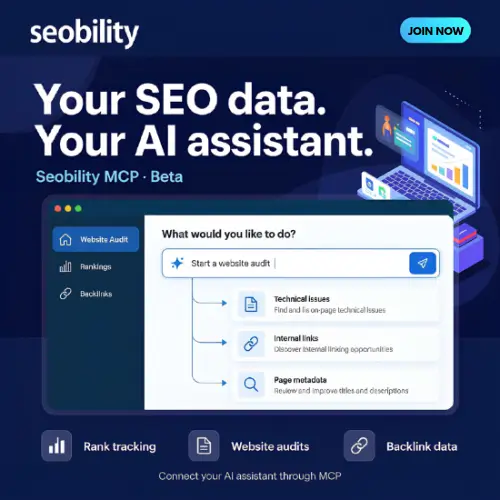
Most SEO tools ask you to log in, click through menus, and stare at charts. Seobility is trying to change that. With its new MCP integration, you can simply ask your AI assistant a question like “How are my rankings today?” and get a real answer from your own Seobility account. No dashboard digging required.
I spent some time going through what Seobility actually offers right now, what is still in beta, and who it makes sense for. Here is the full picture…
What Is Seobility?
Seobility is an SEO software platform built for small businesses, freelancers, and agencies. It handles the core jobs you would expect: checking your website for technical problems, tracking your Google rankings, watching your backlinks, and helping with keyword research .
What makes it stand out lately is its focus on AI. Not just AI as a buzzword, but actual features that connect your SEO work to the AI assistants you already use. That is where the MCP integration comes in.
The MCP Integration: SEO Without Opening a Dashboard
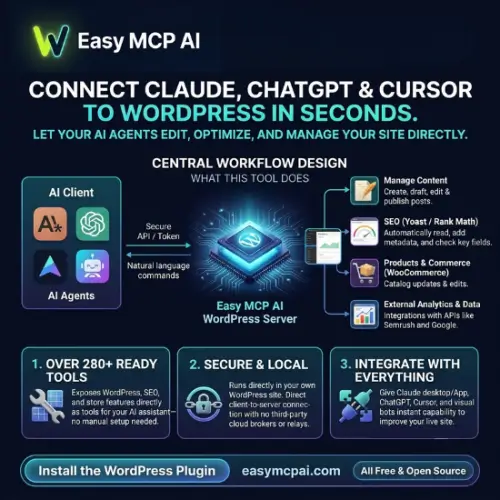
MCP stands for Model Context Protocol. In simple terms, it is a bridge between an AI assistant (like ChatGPT or Claude) and your Seobility account . Once you set it up with your API key, your assistant can read your project data and even start tasks for you.
Here is what that looks like in practice. You open your AI chat and type: “Start a crawl for my website and tell me the top five issues.” The assistant talks to Seobility, kicks off the audit, waits for the results, and then explains the problems in normal language . You never had to switch tabs.
A few important limits to know. The assistant can read your data and add things (like new keywords to track), but it cannot delete anything . Also, finding an SEO issue does not mean Seobility fixes it automatically. You would still need a separate connection to your content management system for that .
The MCP feature is currently in beta on paid plans. Every request you make uses MCP credits, and your normal plan limits (projects, keywords) still apply . Beta means you might run into a bug here and there, but the core idea works.
Website Audits: Finding What Is Broken
Seobility’s audit tool crawls your site and looks for the usual suspects: broken internal links, missing or duplicate metadata, pages with thin content, and duplicate content issues . After a crawl, you get a report that groups problems by severity, so you know what to fix first.
What I like is that the audit does not just dump a list of errors. It tries to explain why something matters. For a small business owner who is not an SEO expert, that kind of guidance is more useful than raw data.
The free Basic plan lets you crawl up to 100 pages per project, which is enough for a simple website. Paid plans raise that limit significantly depending on which tier you choose .
Rank Tracking and Google AI Overviews
Seobility tracks your keyword positions on Google, both desktop and mobile. The default check covers the first two pages of results, updated daily on paid plans .
The interesting part is AI Overview tracking. When Google shows an AI-generated summary at the top of search results for your keyword, Seobility can show you the answer text and which sources Google cited . If your website is one of those sources, you will see it. If your competitors are there and you are not, that is a clear signal to work on.
This is different from the broader AI Visibility Tracking feature that is still coming. Right now, Google AI Overview tracking is available inside your ranking reports. The wider feature that watches ChatGPT, Gemini, and other platforms is not fully released yet.
AI Visibility Tracking: Coming Soon, Not Here Yet
Seobility has announced a bigger AI tracking tool that will monitor your brand across multiple AI answer platforms, including ChatGPT and Gemini . It will show you how often your brand is mentioned, compare your share of voice against competitors, and even track the sentiment of how AI describes you.
That sounds great. But it is not generally available yet. Seobility is running a closed beta and rolling it out in stages . If you sign up expecting this feature today, you will be disappointed. Treat it as something to watch for, not something to buy right now.
Backlink Monitoring and AI Crawler Checks
Seobility gives you a weekly backlink overview, showing new and lost links compared to the previous week . You can analyze anchor texts, find broken backlinks pointing to your site, and check what your competitors are doing with their links.
One feature that feels very current: Seobility can tell you whether your website blocks supported AI crawlers . As more AI companies crawl the web to train models and generate answers, knowing whether you are accidentally blocking them is useful information. It is a small feature, but it shows Seobility is paying attention to where search is going.
Pricing: What You Actually Pay
Seobility has a free Basic plan that is genuinely free, not a trial. It gives you one project, ten tracked keywords, and limited audit pages . It is fine for testing the waters, but you will outgrow it quickly.
Paid plans come with a 14-day free trial . Here is the pricing structure based on Seobility’s official plans:
| Plan | Price (Monthly) | Projects | Crawled Pages per Project | Tracked Keywords | MCP Access |
|---|---|---|---|---|---|
| Basic | Free | 1 | 100 | 10 | No |
| Premium | ~$59.90 / €59.90 | 3 | 25,000 | 300 | Yes (Beta) |
| Professional | ~$99.90 / €99.90 | 7 | 50,000 | 700 | Yes (Beta) |
| Agency | ~$209.90 / €209.90 | 20 | 100,000 | 1,500 | Yes (Beta) |
Note: Prices are shown in EUR from Seobility’s official pricing page. USD amounts are approximate and may vary by region and billing currency .
MCP access requires a paid plan. If you want to use the AI assistant feature, the free plan will not work . Also, keep an eye on MCP credits. They are included with your plan, but heavy usage could hit limits depending on what Seobility sets during the beta period.
Who Should Use Seobility?
Seobility makes the most sense for small businesses that want an affordable all-in-one SEO tool without a steep learning curve. The interface is clean, the audit reports are readable, and the MCP integration is a genuinely useful time-saver if you already work with an AI assistant.
Agencies managing multiple small client sites might also find the Agency plan reasonable, especially if they want to give clients access to audit results without paying for a separate reporting tool.
If you need deep backlink analysis with a massive index, or enterprise-level rank tracking across hundreds of thousands of keywords, Seobility is not built for that. It is a focused tool for people who want to get the basics right and spend less time clicking around.
Final Thought
Seobility is not trying to be everything to everyone. It does the core SEO jobs well, and its MCP integration is a smart step toward the way work is actually happening now—inside AI conversations. The AI Visibility Tracking feature is promising but not ready yet, so do not choose Seobility for that reason alone. Choose it if you want a straightforward SEO tool that lets you ask your AI assistant for answers instead of hunting through reports.
Alternatives to Seobility
| Tool | Description |
|---|---|
| Semrush | A much broader marketing platform with deeper keyword research, competitive analysis, and its own AI visibility monitoring. Better for teams that need more data, but it costs significantly more. |
| SE Ranking | A balanced all-in-one SEO tool with strong rank tracking, auditing, and a clean interface. Often praised for value, and it includes AI features without the beta feel. |
| Ahrefs | The gold standard for backlink analysis and keyword research. If links are your main focus, Ahrefs has the biggest index, but it is a heavier investment and less beginner-friendly. |
| Keywords Everywhere | A browser-based tool for quick keyword and competitor research with MCP access and AI SEO reports. Cheaper and lighter than Seobility, but it is an add-on rather than a full platform. |