

Discover the best AI YouTube tools on ABC AI Tools. From video idea and script generators to title, thumbnail, and description helpers, SEO and keyword research, auto-captioning, editing, voiceovers, and channel analytics, these tools help you create better videos and grow your channel faster.
Compare features, accuracy, YouTube integrations, and pricing side by side to find the right fit for creators, brands, agencies, and educators. Every top AI YouTube tool is curated in one place.
Start exploring and find the AI tool that helps your channel grow.
Discover the best AI YouTube tools on ABC AI Tools. From video idea and script generators to title, thumbnail, and description helpers, SEO and keyword research, auto-captioning, editing, voiceovers, and channel analytics, these tools help you create better videos and grow your channel faster.
Compare features, accuracy, YouTube integrations, and pricing side by side to find the right fit for creators, brands, agencies, and educators. Every top AI YouTube tool is curated in one place.
Start exploring and find the AI tool that helps your channel grow.

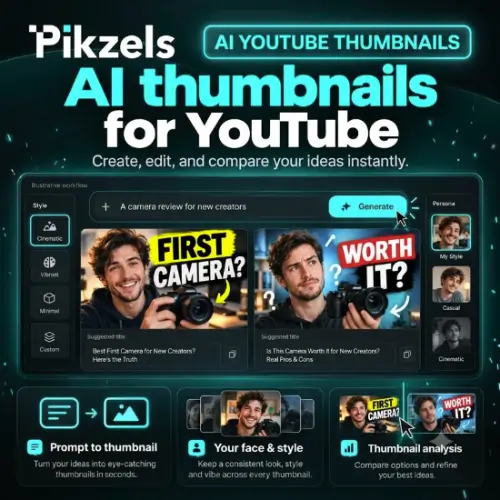
AI YouTube tools use machine learning and language models to help you plan, produce, optimize, and analyze videos on the world’s largest video platform. They can suggest video ideas, write scripts, generate titles and thumbnails, create chapters and captions, and show which topics and keywords your audience is searching for. Instead of spending hours on research, editing, and optimization, you get a faster workflow that helps you publish consistently and get discovered.
The category covers the full YouTube workflow. Idea and research tools find trending topics, content gaps, and competitor strategies. Script and outline generators draft hooks, structure, and calls to action. Title, thumbnail, and description tools create click-worthy packaging and test variations. SEO tools suggest keywords, tags, and chapters that improve search and suggested views. Editing tools cut footage, remove silences, add captions, and clean up audio. Voiceover and avatar tools support faceless channels. Others offer translation and dubbing, video summarizers, comment management and reply assistants, repurposing into Shorts, scheduling, channel audits, and analytics that explain what drives views, watch time, and subscribers.
Start with your biggest bottleneck, whether that is finding ideas, scripting, editing, packaging, or understanding performance. Compare the quality of generated scripts and titles, and how well they match your voice and niche. Check that the tool uses YouTube’s official integrations, so your channel stays secure and compliant. Look at keyword and competitor data quality, thumbnail and title testing, analytics depth, and browser extensions. Review caption accuracy, language support, and export options for editing tools. Consider team collaboration, privacy practices, and commercial rights for any music or stock media. Pricing ranges from free plans to subscriptions for creators and agencies.
Start with the viewer: choose topics people are actively searching for, then craft a title and thumbnail that make a clear promise the video delivers on. Use AI to draft outlines and scripts, then add your personality, stories, and expertise. Hook viewers in the first 30 seconds, use chapters, and review your analytics to learn where people drop off.
Follow YouTube’s Community Guidelines, monetization policies, and rules on disclosing realistic AI-generated or altered content. Mass-produced, repetitive videos can limit monetization, so add original value. Avoid clickbait that misleads viewers, fake engagement, and copyrighted material you lack rights to use. Fact-check AI-written scripts and captions, and get consent from people who appear in your videos.
We bring together the most useful and current AI YouTube tools in one organized place. Each listing includes key features, pricing, pros and cons, and practical use cases, so you can compare quickly and choose with confidence. Whether you need a simple title generator or a complete channel growth platform, you will find options for every skill level and budget.
Start exploring and find the AI tool that helps your channel growth faster.
