
Creating beautiful images for blogs, websites, social media, and presentations can take a lot of time. Not everyone has the skills to use professional graphic design software. Hiring a designer for every small project can also become expensive.
This is where AI image generators can help.
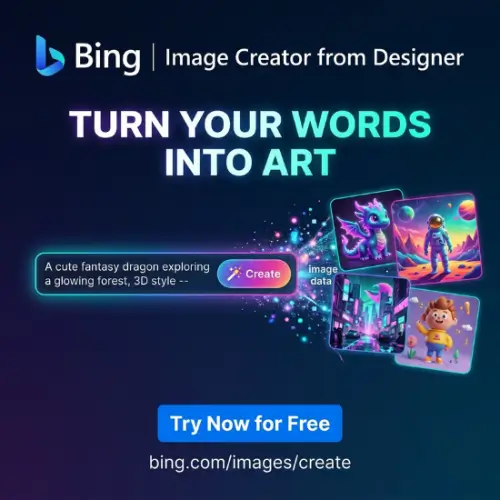
Bing Image Creator is an Free AI image generation tool from Microsoft that turns written descriptions into images. You simply explain what you want to see, and the tool uses artificial intelligence to create visuals based on your instructions.
For example, you can type “a beautiful modern house surrounded by green mountains during sunset” and let the AI create an image from that description.
The best part is that you can start using Bing Image Creator for free with a personal Microsoft account. You do not need advanced design knowledge or expensive software to get started.
Microsoft has also added different AI image models, giving users more choices when creating realistic photographs, illustrations, and creative artwork.
In this review, we will explore Bing Image Creator’s features, pricing, advantages, disadvantages, practical uses, and some of its best alternatives.
What Is Bing Image Creator?
Bing Image Creator is a free AI image generation tool developed by Microsoft. It allows users to create images by entering text prompts instead of drawing or designing them manually.
The platform uses advanced AI models to understand written instructions and turn them into visual content. Depending on the selected model, it can generate realistic photographs, digital artwork, illustrations, and other creative images.
You can access it through the Bing Image Creator website and supported Microsoft experiences.
It is especially useful for bloggers, students, content creators, social media managers, and people who want to create custom images without hiring a professional designer.
How Does Bing Image Creator Work?
Bing Image Creator uses artificial intelligence models that understand the relationship between words and visual elements.
When you enter a description, the AI processes your prompt and creates an image that matches your instructions as closely as possible.
For example, imagine you want an image of a small coffee shop. You can enter a prompt like:
“A cozy modern coffee shop on a rainy evening, warm yellow lights, wooden furniture, people sitting near large windows, realistic photography, cinematic lighting.”
The AI understands the different elements in your description and generates an image based on them.
You can experiment with different descriptions, styles, colours, lighting conditions, and backgrounds to get different results. The quality of the final image depends on the AI model, the prompt, and the complexity of the requested scene.
Key Features of Bing Image Creator
Bing Image Creator offers several useful features that make AI image generation simple for beginners and experienced creators.
1. Text-to-Image Generation
Its main feature is the ability to generate images from text prompts. You do not need to upload a reference image or create a complicated design. Just describe your idea in everyday language, and the AI will turn it into a visual.
For example, you can request a futuristic city, a beautiful nature scene, a cartoon character, or a realistic product photograph.
This feature is helpful when you need original visual ideas for blogs, presentations, social media posts, and personal projects.
2. Multiple AI Image Models
One of the interesting things about Bing Image Creator is its support for different AI image generation models. Microsoft has introduced models such as:
- MAI-Image-1: Microsoft’s in-house image generation model, designed to create realistic visuals with detailed lighting, reflections, landscapes, and other photographic elements.
- MAI-Image-2e: A newer model that focuses on improved image quality, sharper details, richer colours, and better text rendering.
- DALL-E 3: An OpenAI image generation model known for understanding detailed text prompts and creating images based on complex instructions.
- GPT-4o: Supports image generation and image-based editing experiences.
Model availability and selection can change depending on the version and experience you are using.
3. Different Artistic Styles
You can experiment with different visual styles to create images that match your requirements. Some examples include:
- Realistic photography
- Digital artwork
- Cartoon illustrations
- Oil painting
- Fantasy artwork
- Cinematic photography
- 3D-style illustrations
- Minimalist artwork
You can also mention the style directly in your prompt.
For example, adding “watercolour painting style” or “ultra-realistic photography” can help guide the AI towards your preferred appearance.
4. Fast and Standard Image Generation
Bing Image Creator provides different generation speeds. Microsoft offers daily free fast image creations. Once you use your daily fast creations, you can continue generating images at standard speed.
You can also use Microsoft Rewards points to access additional fast generations, subject to the current availability and rules of the Rewards programme.
This system is useful because you do not always need to purchase a subscription to continue experimenting with AI-generated images.
5. Simple and Beginner-Friendly Interface
The platform has a straightforward interface. You only need to enter your prompt, select an available model, and start generating images.
You do not need to understand complicated image editing tools, layers, brushes, or technical settings. This makes it a good choice for people who are trying AI image generation for the first time.
6. Microsoft Ecosystem Integration
Bing Image Creator is connected with Microsoft’s ecosystem. You can access image creation through the Bing website and supported experiences in Microsoft products, including Copilot.
This makes it convenient for people who already use Microsoft services for searching, browsing, and everyday work.
7. Image Upload and Editing
Microsoft also provides image-based experiences that allow users to upload an existing image and make changes using AI.
For example, you may want to change the background, add an object, or modify certain visual elements.
However, editing features and model availability can differ from the standard text-to-image experience. Microsoft’s documentation explains that uploaded-image editing uses GPT-4o rather than the other selectable image generation models in that workflow.
8. Surprise Me and Creative Inspiration
AI image generation is also a fun way to explore creative ideas. When you are unsure what to create, you can experiment with random suggestions and different prompt styles.
Sometimes the AI may add unexpected visual details to your original idea. These details can make an image more interesting, although they may not always match your exact expectations.
Who Should Use Bing Image Creator?
Bing Image Creator is suitable for different types of users.
Bloggers and Website Owners
Bloggers can create custom featured images, article illustrations, and supporting visuals. Instead of searching through stock image websites, you can describe the exact image you need.
For example, an article about healthy food could include a custom image of a colourful salad on a wooden table.
Social Media Managers
Social media managers can use the tool to create visual ideas for Instagram, Facebook, Pinterest, and other platforms.
It can help generate backgrounds, creative concepts, promotional artwork, and post illustrations.
YouTubers and Content Creators
YouTubers can experiment with thumbnail concepts, backgrounds, character illustrations, and visuals for their videos.
However, the generated image may still need additional editing to achieve the correct thumbnail size, composition, and text placement.
Students and Teachers
Students can create illustrations for school projects, presentations, and educational assignments.
Teachers can also generate visual examples to explain topics in a more interesting way.
Small Business Owners
Small business owners can use AI-generated images to explore advertising concepts, product presentation ideas, and social media designs.
However, businesses should carefully review Microsoft’s terms and any applicable usage restrictions before using generated images commercially.
Examples of What You Can Create with Bing Image Creator
Here are some practical examples:
| User Type | Example Use |
|---|---|
| Blogger | Featured images for blog posts |
| YouTuber | Thumbnail backgrounds and creative concepts |
| Instagram Creator | Creative illustrations and social media visuals |
| Teacher | Educational images and presentation artwork |
| Student | School project illustrations |
| Business Owner | Advertising concepts and promotional visuals |
| Designer | Early design concepts and inspiration |
| Story Writer | Fantasy characters and story illustrations |
| Website Owner | Custom website backgrounds |
| Digital Artist | Creative artwork and visual experiments |
How to Use Bing Image Creator
Getting started is simple. Follow these steps:
Step 1: Visit the Official Website: Open Bing Image Creator Official Website.
Step 2: Sign In: Sign in using your personal Microsoft account. If you do not have one, you can create a new account.
Step 3: Enter Your Prompt: Write a detailed description of the image you want to generate. For example:
“A beautiful futuristic city at night, colourful neon lights, modern skyscrapers, flying vehicles, cinematic atmosphere, ultra-detailed digital artwork.”
Step 4: Select an Available Model: If model selection is available in your experience, choose the model that best suits your requirements.
Step 5: Generate Your Image: Click the Create button and wait for the AI to process your prompt.
Step 6: Review the Results: Check the generated images and select the one that matches your idea.
Step 7: Save Your Favourite Image: Download or save your preferred result using the available options. You can repeat the process with a modified prompt if the first result does not meet your expectations.
Tips to Get Better Results from Bing Image Creator
The quality of an AI-generated image depends heavily on the instructions you provide.
Here are some simple tips that can help you get better results.
1. Write Detailed Prompts
Avoid using very short descriptions.
Instead of writing “a dog”, try:
“A golden retriever sitting in a green garden, beautiful morning sunlight, flowers in the background, realistic photography.”
The second prompt gives the AI much more information.
2. Mention the Image Style
Always describe the style you want.
You can use phrases such as realistic photography, 3D illustration, cartoon style, digital painting, or cinematic photography.
3. Describe Lighting and Background
Lighting and background can make a big difference.
Try adding descriptions such as soft natural light, sunset lighting, dark background, bright studio lighting, or dramatic shadows.
4. Experiment with Different Prompts
Sometimes your first prompt will not generate the exact image you imagined.
Change a few words, try a different style, or provide more details.
Small changes can produce very different results.
5. Use Copilot for Prompt Ideas
If you are struggling to write a detailed prompt, ask Microsoft Copilot to help you create one.
Explain your image idea and ask it to turn that idea into a detailed AI image generation prompt.
You can then copy the prompt into Bing Image Creator.
Bing Image Creator Pricing
One of the biggest advantages of Bing Image Creator is its free access.
You can start generating images without purchasing a monthly subscription.
Microsoft currently provides daily fast image generations, followed by standard-speed generations. Microsoft Rewards points can also be used for additional fast creations.
Here is a simple pricing overview:
| Plan or Feature | Price | Details |
|---|---|---|
| Free Access | $0/month | Free image generation with a Microsoft account |
| Fast Generations | Included | 15 free fast creations per day, according to Microsoft’s current documentation |
| Standard Generations | Free | Continue generating at a slower speed |
| Microsoft Rewards | Varies | Redeem eligible points for additional fast creations |
| Paid Subscription | No separate mandatory subscription | No dedicated paid Bing Image Creator subscription is required for basic access |
Note: Microsoft can change generation limits, Rewards requirements, and feature availability. Check the official website for the latest information.
Pros and Cons of Bing Image Creator
Every AI image generator has advantages and limitations. Bing Image Creator is no exception.
Pros
- Free to use for basic image generation.
- Beginner-friendly interface.
- No advanced design skills required.
- Supports different AI image generation models.
- Creates realistic images and creative illustrations.
- Useful for blogs and social media content.
- Integrates with Microsoft’s ecosystem.
- Offers free standard-speed generation after fast creations are used.
Cons
- Requires a personal Microsoft account.
- Strict content filters may block some prompts.
- AI-generated images may contain unwanted details.
- Results may not always match the prompt perfectly.
- Fast generation is limited by daily allowances.
- Some advanced editing features may be limited.
- Text and small details may still need correction.
- Commercial usage requires careful review of Microsoft’s applicable terms.
Is Bing Image Creator Good for Commercial Use?
This is an important question for bloggers, marketers, website owners, and business users.
Bing Image Creator can help create visuals for different projects, but you should not automatically assume that every generated image is free from commercial usage restrictions.
Microsoft’s Image Creator terms and Microsoft Services Agreement govern how the service can be used. Different Microsoft image creation experiences may also have different conditions.
Before using an image in advertisements, product packaging, paid campaigns, or other commercial projects, review the exact terms that apply to the tool you used.
You should also avoid generating images that copy protected characters, logos, trademarks, or another artist’s work without permission.
For professional business projects, keep records of the source model and the applicable usage terms.
Is Bing Image Creator Worth Trying?
Yes, Bing Image Creator is worth trying, especially if you want an easy and affordable way to explore AI image generation. Its biggest advantage is that beginners can create images without paying for an expensive design tool or learning complicated software.
It is useful for bloggers, students, YouTubers, social media managers, and people who enjoy experimenting with creative ideas. The availability of different image generation models also gives users more flexibility.
However, it may not replace professional design software or specialised AI image generators for every project. You may still need another editing tool to add text, adjust layouts, improve details, or prepare images for professional use.
Overall, if you want to experiment with AI image generation without spending money, Bing Image Creator is a good starting point.
Final Thought
Bing Image Creator makes AI image generation accessible to almost everyone. You do not need to be a professional artist or graphic designer to turn your ideas into attractive visuals.
Its free access, simple interface, and different AI models make it a useful option for everyday creative work.
Although it has some limitations, especially around content filters, generation limits, and commercial usage requirements, it offers plenty of value for beginners.
If you regularly create blog posts, social media content, presentations, or personal artwork, give Bing Image Creator a try.
You can start with a simple prompt and gradually experiment with more detailed descriptions to improve your results.
Alternatives to Bing Image Creator
If Bing Image Creator does not meet your requirements, here are some other AI image generation tools worth exploring.
1. Midjourney
Midjourney is a popular AI image generation platform known for its detailed, artistic, and visually impressive results. It is a strong choice for digital artists, designers, and creators who want more creative control over image styles.
2. Stable Diffusion
Stable Diffusion is an open-source image generation model that offers flexibility and customisation. It is suitable for advanced users who want more control over image generation, models, and workflows.
3. Adobe Firefly
Adobe Firefly is an AI-powered creative platform designed for generating and editing images. It offers useful features for designers and content creators who already work with Adobe’s creative software.
4. Leonardo AI
Leonardo AI is an AI image generation platform that offers tools for creating illustrations, realistic visuals, game assets, and other creative artwork. It is a good option for users who want more specialised creative controls.
5. Ideogram
Ideogram is an AI image generation platform known for its ability to create images containing readable text. It can be especially useful for posters, logos, advertisements, and social media graphics.
6. Canva AI
Canva offers AI-powered image generation and design features within its popular graphic design platform. It is useful for people who want to generate images and immediately use them in presentations, social media posts, and marketing designs.
7. Google Gemini
Google Gemini supports AI image generation and editing through its supported image generation models. It is a useful alternative for users who want to create and refine images using natural language instructions.
8. DALL-E
DALL-E is an AI image generation model from OpenAI that creates visuals from text descriptions. It is particularly useful for understanding detailed prompts and generating or editing images through supported ChatGPT experiences.



