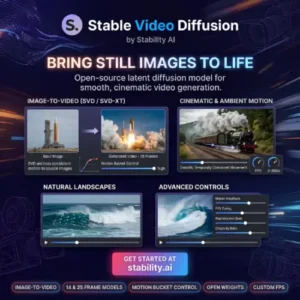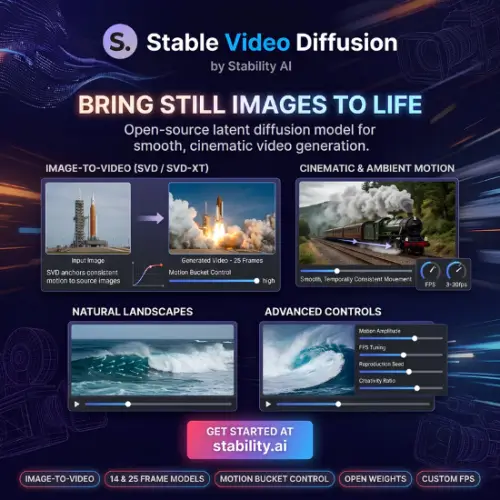
Have you ever looked at a photo and wished it could move? Maybe a picture of a landscape where the clouds slowly drift, or a portrait where the person blinks and smiles. That is exactly the kind of magic Stable Video Diffusion (SVD) tries to create. It is an AI tool built by Stability AI, the same company behind the famous Stable Diffusion image generator. Instead of making pictures from text, SVD takes one image you already have and turns it into a short video clip.
Now, before you get too excited, there is an important catch you need to know. As of July 2025, the official hosted API for Stable Video Diffusion was shut down . You cannot just go to a website and pay per video anymore through the official channel. The tool still exists, but you have to run it yourself on your own computer or server. This guide will walk you through what SVD is, how it works, what it costs (or does not cost), and what other options you have if self-hosting sounds too complicated.
What Exactly Is Stable Video Diffusion?
Think of Stable Video Diffusion as a bridge between a photograph and a movie. You give it a still picture—like a drawing, a photo of a person, or a landscape—and the AI predicts how the pixels should move to create a natural-looking motion. The result is usually a very short clip, around two to four seconds long .
The model comes in a few versions. The original release had a 14-frame version and a 25-frame version. Later, Stability AI released SVD 1.1, which improved the overall quality and consistency . The technology works by using something called a diffusion model. It starts with random noise and slowly “denoises” it into a video, guided by the image you provided.
One thing that makes SVD special is that it is open-source. Stability AI released the model weights for people to download. This means researchers, hobbyists, and small companies can run it on their own hardware without paying a monthly subscription to a big tech company. You just need the right graphics card and a bit of technical know-how.
How Do You Actually Use It Now?
Since the official API is gone, the only official way to use Stable Video Diffusion is through self-hosting . This sounds scary, but it is basically like installing a video game on your PC.
First, you need to go to Stability AI’s page on Hugging Face (a website for AI models) and download the model weights for SVD 1.1. Then, you need to get the code from their GitHub repository. The script you need to run is called simple_video_sample.py. If you have a powerful Nvidia graphics card with enough video memory, you can run this script to generate videos from your images. It is free to do this, but it costs electricity and requires a decent computer. If you do not have a strong computer, this path will be very slow or might not work at all.
The Pricing Situation (It’s Complicated)
This is where things get a little messy. Because the official API was discontinued, there is no single “official price list” for generating videos through Stability AI’s website anymore. However, you might see third-party websites or wrappers offering “Stable Video” services. These are not the official Stability AI API; they are usually other companies running the open-source model and charging you for their convenience.
Here is a breakdown of what you might encounter. Some online tools claim to offer Stable Video Diffusion-style generation with credit systems. For example, some sites list a free tier with 25 credits per month, and paid plans starting around $9 per month for basic usage . Please be careful: these are not official Stability AI prices for SVD. They are prices for third-party services that might be using the model.
For the actual model itself, the software is free to download and use under the Stability AI Community License, provided your company makes less than $1 million per year . If you are a big business, you would need to talk to Stability AI about an enterprise license.
| Plan Type | What You Get | Approximate Cost (Third-Party Sites) |
|---|---|---|
| Self-Hosted (Official) | Full control, unlimited generations (limited by your hardware) | Free (model download), but you pay for your own computer/electricity |
| Free Tier (Third-Party) | Limited credits (e.g., 25/month), watermarks or low resolution sometimes | $0 |
| Basic (Third-Party) | Around 600 credits/month, enough for short clips | ~$9 / month |
| Growth (Third-Party) | More credits for heavier usage | ~$19 / month |
Note: The pricing above is based on third-party observations and may not reflect the current state of any specific website. Always check the site you are using.
What Are the Strengths and Weaknesses?
Stable Video Diffusion is not perfect, but it does a few things well. The biggest strength is that it is open. You can run it offline. You do not have to send your private photos to a random server. It is also pretty good at creating subtle, natural motions. If you have a photo of a flowing river or a person looking around, SVD can often make it look believable.
However, the weaknesses are also clear. The videos are very short. Two seconds is barely enough time to show any real action. It also struggles with complex motions. If you try to make a character wave their hand or walk across the screen, the AI might get confused and warp the image. Because it is a self-hosted tool, you need a powerful GPU (like an RTX 3090 or better) to get results in a reasonable amount of time. If you have an old laptop, forget about it.
Final Thought
Stable Video Diffusion is a powerful piece of technology for people who like to tinker. It represents the open-source spirit of the AI community. It is not a polished, click-and-go product like some of its competitors. If you are a developer, a researcher, or a hobbyist with a good computer, downloading SVD and playing with it is a great way to understand how AI video generation works. But if you just want to make a funny video for social media without the hassle, you might want to look at the alternatives below.
Alternatives to Stable Video Diffusion
If you want something easier to use or more advanced, here are some other AI video tools you can try.
Runway (Gen-2 / Gen-3)
A very popular web-based tool that is easy to use and creates high-quality, cinematic videos from text or images. It offers more control over camera movement than SVD.
Pika Labs
A fun and creative tool that focuses on making short, stylized animations. It is great for social media content and often has a free tier to try out.
Kling AI
A strong competitor that can generate longer videos (up to a few minutes) with impressive physics and motion consistency. It is available online and has been gaining a lot of attention.
Luma Dream Machine
Known for creating very realistic and fluid motions from images. It is fast, produces high-definition results, and is accessible directly through a web browser.
Wan (Open Source)
If you liked the idea of running a model yourself but want something newer, Wan is an open-source video model that supports text-to-video and image-to-video. It is designed to run efficiently on consumer graphics cards.