
Creating videos takes time. You need a script, visuals, voiceover, background music, captions, and editing. Even a simple 60-second video can take hours if you want it to look good.
But what if you could give an AI tool an idea or a script and let it create most of the video for you?
That’s exactly what Agent Opus is designed to do.
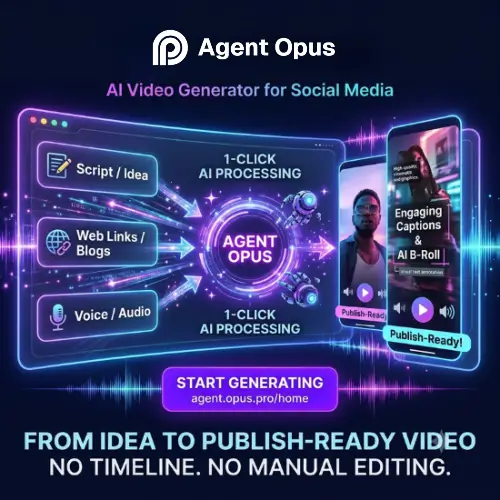
Agent Opus is an AI video creation tool from the makers of OpusClip. Unlike traditional video editors, it doesn’t require you to start with existing video footage. You can provide a simple idea, written script, audio recording, or music file, and the tool will generate a complete video using AI.
It can create visuals, voiceovers, captions, motion graphics, and background music. You can also add your brand assets to make the videos look more consistent.
Sounds interesting.
But is it actually useful for regular content creators, YouTubers, and small businesses? Let’s look at its features, pricing, advantages, disadvantages, and alternatives.
What Is Agent Opus?
Agent Opus is an AI-powered video generator that turns text, scripts, ideas, and audio recordings into ready-to-use videos.
You don’t need to record yourself, search for stock footage, or manually arrange every scene on a video timeline. The AI agent handles most of these tasks automatically.

For example, imagine you want to create a YouTube Short about five useful AI tools. You can provide your script, select a visual style, choose a voice, and let Agent Opus generate the video.
It can also turn a podcast recording into a video by creating visuals around your existing audio.
The platform is mainly designed for:
- YouTubers and content creators.
- Instagram Reels and TikTok creators.
- Digital marketing agencies.
- Small business owners.
- Social media managers.
- People who want to create videos without learning professional editing software.
However, remember one thing: AI-generated videos still need human checking. You may have to correct visuals, replace unsuitable scenes, or adjust the final output before publishing.
Main Features of Agent Opus
Agent Opus offers several video creation options. Instead of providing only one text-to-video feature, it has different workflows depending on the content you want to create.
Let’s understand them.
1. AI Idea to Video Generator
You don’t always need a complete script to create a video.
Sometimes, you only have an idea. For example:
“Create a 60-second video explaining how artificial intelligence is changing online shopping.”
You can describe your concept, and Agent Opus will use it to generate a video with relevant visuals, narration, and other elements.
This feature is useful for people who have plenty of content ideas but don’t want to spend hours preparing every video from scratch.
But don’t expect every result to be perfect. A vague prompt can produce generic scenes or visuals that don’t match your message.
My suggestion is to provide clear instructions about the topic, audience, tone, and visual style.
2. Script to Video
This is one of the most useful features for content creators.
You can paste an existing script into Agent Opus, and it will convert your written content into a complete video.
The tool can:
- Understand your script.
- Arrange scenes according to the content.
- Generate or select relevant visuals.
- Add AI voiceovers.
- Create captions and subtitles.
- Add motion graphics and transitions.
- Format the video for social media.
For example, if you have a 500-word script about making money online, you can use this feature to create a narrated video without recording yourself.
It can save time, especially if you regularly publish educational videos, product explainers, and social media content.
And there’s another advantage.
You can work with scripts, outlines, and even blog URLs instead of starting with a completely blank project.
3. Audio to Video
Already have a podcast, interview, voiceover, or audio recording?
You don’t need to record everything again.
Agent Opus can turn your existing audio into a video by creating visuals around the recording. It can also add motion graphics and captions.
For example, imagine you have recorded a 5-minute podcast about digital marketing.
Upload the audio, describe the kind of visuals you want, and let Agent Opus build a video around your voice.
According to the supplied product information, audio files can be up to 10 minutes long.
This feature can be useful for:
- Podcast creators.
- Voiceover artists.
- Online educators.
- Interview channels.
- Creators who prefer audio recording over appearing on camera.
One thing to remember: adding visuals to a podcast doesn’t automatically make it more interesting. Your audio quality, storytelling, and topic still matter.
4. Song to Video
Music creators can also use Agent Opus.
The Song to Video feature takes an uploaded music track and generates visuals around it. This can be useful for musicians who want to create promotional videos without hiring a video production team.
For example, you can upload an original song and let the AI create a visual presentation that follows the music.
It can help with:
- Music promotional videos.
- YouTube music content.
- Social media music clips.
- Visual content for independent artists.
However, if you’re uploading copyrighted music, make sure you have the necessary rights to use it.
5. Reference to Video
Sometimes, explaining your preferred video style is difficult.
You might have seen a video with an interesting editing style, scene arrangement, or visual presentation and want something similar.
Agent Opus offers a Reference to Video workflow, which is described as being in beta in the supplied product information.
The idea is to use reference material to guide the AI when generating your video.
This can be useful when you want to maintain a particular creative direction rather than relying entirely on written prompts.
Since this feature is in beta, its availability and results may change.
6. AI Motion Graphics
Motion graphics are animated visual elements used in explainer videos, advertisements, educational content, and presentations.
Agent Opus can generate animated explainers and motion graphics without requiring you to manually animate every element.
For example, you can create an educational video explaining how an online payment system works.
Instead of showing only static images, the video can use animated elements to explain the process.
This is particularly useful for:
- Educational videos.
- Business explainers.
- Product demonstrations.
- Marketing presentations.
- Social media advertisements.
7. AI Voiceovers and Captions
A good video needs more than visuals.
Voiceovers and captions help viewers understand your message, especially when they are watching without sound.
Agent Opus can generate AI voiceovers and automatically add captions to videos.
You can select a voice and configure the video according to your requirements.
The official website also describes voice cloning and support for multiple languages.
This is helpful for creators who want to produce narrated videos without recording their own voice every time.
However, always listen to the generated narration before publishing. Pronunciation, pauses, and emotional delivery may not match your expectations.
8. Multiple Video Formats
Different social media platforms require different video dimensions. For example:
- YouTube videos generally use 16:9.
- Instagram Reels use 9:16.
- YouTube Shorts use 9:16.
- Instagram feed posts can use 1:1.
Agent Opus supports different aspect ratios, allowing creators to prepare content for different platforms.
This saves some extra work when you’re creating videos for multiple social media channels.
9. Brand Assets and AI Ads
This feature is particularly interesting for businesses and marketing agencies.
Agent Opus allows you to add brand assets such as logos, visual styles, and other brand elements.
Once your brand information is added, you can use it while generating new videos.
The Assets to Ads workflow is designed to help marketing teams create different advertising variations using their existing brand materials.
For example, an online store selling skincare products might want to test several video advertisements for the same product.
Instead of creating every advertisement manually, the team can use Agent Opus to generate different creative versions.
This doesn’t mean every advertisement will perform well. You’ll still need to test different messages, audiences, and offers.
How to Use Agent Opus to Create a Video
Getting started is relatively simple.
You don’t need professional video editing experience. Follow these steps:
Step 1: Visit the Official Website
Visit Agent Opus and create your account.
You can explore the free option before deciding whether you need a paid subscription.
Step 2: Choose Your Video Creation Method
Select the workflow according to your requirements.
You can start with:
- An idea or prompt.
- A written script.
- An audio recording.
- A music file.
- Reference material.
Step 3: Describe Your Video
Provide clear instructions about the video you want.
Mention the topic, target audience, visual style, tone, and important details.
The more specific your instructions are, the easier it is to communicate your expectations to the AI.
Step 4: Select Voice and Visual Style
Choose your preferred AI voice and visual style.
You can also configure the aspect ratio, captions, music, and other available settings.
Step 5: Generate Your Video
Review your settings and start the generation process.
Agent Opus will assemble the video using AI-generated or selected visuals, narration, and other elements.
Step 6: Review and Edit
Watch the complete video before publishing it.
Check whether:
- The visuals match your script.
- The voiceover sounds natural.
- The captions are correct.
- The music is suitable.
- The scenes appear in the right order.
Make changes where necessary.
Don’t publish blindly.
Agent Opus Pricing (2026)
Agent Opus uses a credit-based pricing system. This means your available credits determine how many videos you can generate.
The official pricing page currently lists three plans: Free, Pro, and Max.
Here is the pricing information displayed on its website.
| Plan | Price | Credits |
|---|---|---|
| Free | $0 | 60 credits |
| Pro | $29/month | 3,600 credits/year |
| Max | $129/month | 18,000 credits/year |
Important: The Pro and Max prices shown above are based on annual billing ($348 and $1,548 per year, respectively).
What Do the Plans Include?
Free Plan
- 60 credits listed on the pricing page.
- Access to the editor.
- Preset AI voice library.
- Custom logos, characters, and objects.
Pro Plan
- 3,600 credits per year.
- Watermark removal.
- Social media scheduler.
- Access to premium video models.
- Background music generation.
- Custom styles.
- Brand Library access.
- Custom avatar and voice clone slots.
Max Plan
- 18,000 credits per year.
- Everything included in Pro.
- Priority AI processing.
- Priority customer support.
- Additional custom style generations.
- More brand brief, avatar, and voice clone slots.
- Savings on additional credit purchases.
How Does the Credit System Work?
This is something you should understand before purchasing a subscription.
According to the official help centre, video generation costs depend on the final video length and selected quality.
| Video Quality | Credits Per Second | 1-Minute Video |
|---|---|---|
| Standard | 1 | 60 credits |
| Standard+ | 3 | 180 credits |
| Premium | 7 | 420 credits |
| Ultra | 12 | 720 credits |
Premium and Ultra are available on paid plans.
For example, generating a one-minute Standard video requires 60 credits, while a one-minute Ultra video requires 720 credits.
So, a higher-priced subscription doesn’t necessarily mean unlimited video generation.
One pricing detail to check: The pricing page describes the Free plan as offering 60 credits per month, while the official credits FAQ describes the 60 welcome credits as a one-time allowance, with additional onboarding credits available. Check the current allowance shown inside your account before relying on free monthly credits.
You can check the latest details on the official Agent Opus Pricing Page.
Pros and Cons of Agent Opus
Let’s look at both sides.
Pros
- No existing footage required: You can create videos using only an idea, script, or audio recording.
- Multiple workflows: Script to video, audio to video, and song to video give you different ways to create content.
- AI voiceovers: You don’t always need to record your own narration.
- Automatic captions: Saves time when preparing videos for social platforms.
- Brand consistency: You can add brand assets for repeated video production.
- Different aspect ratios: Useful for publishing across multiple platforms.
- Beginner-friendly workflow: You don’t need to learn a complicated editing timeline before creating your first video.
Cons
- Credit limitations: Longer videos and higher-quality generations consume more credits.
- AI mistakes: Generated visuals may not always represent your script accurately.
- Limited creative control: Automatic editing may not match your exact editing preferences.
- Extra editing may be needed: Some videos will need manual corrections before publishing.
- Paid plans can become expensive: Regular video production can consume credits quickly.
- Not a complete replacement for professional editors: Detailed editing, complex storytelling, and precise scene control may still require other software.
Who Should Use Agent Opus?
Agent Opus makes the most sense for people who regularly need video content but don’t want to spend hours producing every video manually.
YouTubers: Useful for educational videos, faceless content, explainers, and narrated videos.
Social Media Creators: Helpful for producing Reels, Shorts, and other short-form content.
Small Businesses: Can help create product promotions, advertisements, and brand videos.
Marketing Agencies: Useful for producing multiple advertising variations and client content.
Podcast Creators: A practical option for turning audio recordings into visual content.
Who Should Avoid Agent Opus?
Honestly, this tool isn’t for everyone.
If you are a professional video editor who needs complete control over every transition, animation, layer, and frame, you may find the automatic workflow restrictive.
Also, if you only create one or two videos every few months, paying for a recurring subscription may not make much sense.
And if your main requirement is editing existing long videos into short clips, you should look at OpusClip instead.
Agent Opus creates new videos. OpusClip focuses on repurposing existing footage.
These are two different jobs.
Is Agent Opus Worth It?
Agent Opus is an interesting option for people who want to create videos without handling every production step themselves.
Its biggest advantage is the variety of input options. You can start with a simple idea, a complete script, a podcast recording, or a music file.
The automatic voiceovers, captions, visuals, and brand asset features make it useful for creators and businesses that need regular video content.
But there are a few things to consider.
First, AI-generated videos aren’t always ready to publish without checking. Second, the credit system requires some planning, especially if you regularly generate longer videos or use Premium and Ultra quality.
My suggestion is simple: start with the free option, test different video creation methods, and see whether the output matches your expectations.
If it saves you enough editing time, a paid plan may be worth considering.
Don’t buy an annual subscription just because the demo looks impressive.
Test it first.
Final Thoughts
Agent Opus is worth exploring if you want to turn ideas, scripts, and audio recordings into complete videos without spending hours on manual editing.
It brings several useful features together, including AI voiceovers, captions, motion graphics, different video formats, and brand asset management.
However, don’t expect it to replace every part of a professional video production process. You still need good ideas, clear scripts, and a final quality check.
For regular content creators and small businesses, it can be a useful addition to their video creation workflow.
My recommendation: Try the free version first. Generate a few different types of videos, check the quality, and then decide whether the paid plans are worth your money.
Alternatives to Agent Opus
If Agent Opus doesn’t match your requirements, here are some other AI video creation tools worth checking out.
1. Runway
Runway is an AI-powered video and image creation platform with advanced generative models and creative editing features. It’s a good choice for creators who want more control over visual generation and cinematic video production.
2. Synthesia
Synthesia helps you create AI avatar videos using written scripts. It is particularly useful for business presentations, employee training, educational videos, and corporate communication.
3. InVideo AI
InVideo AI turns written prompts into videos using AI-generated scripts, visuals, voiceovers, and other editing elements. It’s useful for YouTube videos, advertisements, and social media content.
4. Pictory
Pictory helps transform scripts, articles, and other text content into videos using stock visuals, captions, and voiceovers. It is a useful option for bloggers, marketers, and educational content creators.
5. HeyGen
HeyGen is an AI video platform that focuses on talking avatars, voice cloning, and video translation. It works well for product explainers, personalized videos, and presenter-style content.
6. VEED
VEED is an online video editing platform with AI-powered video creation and editing features. It offers tools for subtitles, voiceovers, background removal, and social media video production.



