
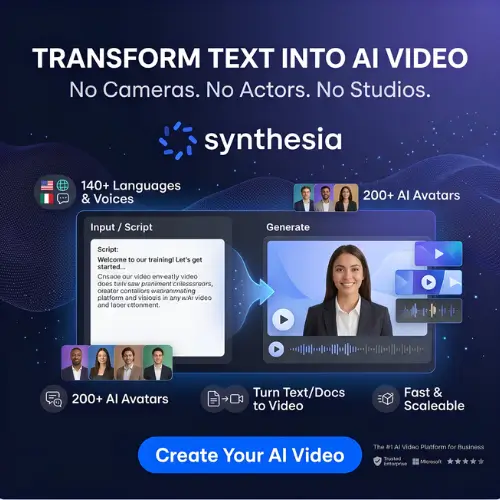
Synthesia is an AI-powered video creation platform that helps you create professional videos without using a camera, microphone, or recording studio. You can simply enter a text prompt, upload a document, or use a PowerPoint presentation to generate videos featuring realistic AI avatars that speak your script.
With features like AI avatars, voice cloning, video translation, and ready-made templates, Synthesia makes video creation faster and easier. It is especially useful for businesses, educators, marketers, and content creators who want to create training videos, tutorials, presentations, and promotional content without hiring professional presenters.
What is Synthesia?
Synthesia is an AI-powered video creation platform that helps businesses create professional videos without cameras, studios, or human presenters. You can turn text prompts, documents, PowerPoint presentations, and other materials into videos featuring realistic AI avatars.
It is especially useful for businesses, teachers, trainers, marketing teams, and content creators who need to make videos regularly. Instead of recording a new video every time information changes, you can simply edit the script and generate an updated version.
The platform combines AI avatars, text-to-speech technology, voice cloning, video translation, and editing tools to make video production easier.
How Does Synthesia Work?
Synthesia uses artificial intelligence to convert written content into videos. Its AI technology combines text-to-speech, digital avatars, voice generation, and video editing to create a complete presentation.
The process is simple, even if you have never created a video before.
- Enter your content: Start with a text prompt, write a script, or upload a document such as a PDF, Word file, or PowerPoint presentation.
- Choose an AI avatar: Select a digital presenter from the available avatar library or create your own custom avatar.
- Select a voice: Choose a voice that matches your content. You can also use voice cloning for a more personal presentation.
- Customize your video: Add images, backgrounds, text, animations, and other visual elements to make your video more interesting.
- Generate your video: Synthesia processes your script and creates a video in which the AI presenter speaks your content.
- Download or share: Preview the final result and share it through a link, embed it on a website, or download it if your plan supports downloads.
You can also use its AI Video Assistant and Syren AI video agent to create an initial video draft without building every scene manually.
Key Features of Synthesia
Synthesia offers several features that make AI video creation easier. Let’s look at some of its most useful features.
1. AI Video Generator
The AI Video Generator is the main feature of Synthesia. It helps you create professional-looking videos from written scripts without recording yourself.
You simply enter your text, select an AI presenter, and choose a suitable voice. The platform generates a video where the avatar speaks your script with matching lip movements and facial expressions.
You can use this feature to create:
- Educational and tutorial videos.
- Employee training videos.
- Product demonstrations.
- Business presentations.
- Marketing and promotional videos.
- Company announcements.
- Customer support videos.
It is particularly helpful for businesses that regularly need to create similar videos. Instead of arranging a new recording session every time, you can make changes to the existing script and generate an updated video.
2. AI Video Assistant
Creating a video from scratch can take time, especially when you need to write a script and organize different scenes. Synthesia’s AI Video Assistant makes this process easier.
You can upload a PowerPoint presentation, PDF, Word document, or provide a website link. You can also describe your video idea using a simple text prompt.
The AI Video Assistant studies your material and creates an initial video draft. It can prepare a script, divide the content into scenes, and select suitable visuals and an AI avatar.
For example, imagine that you have a 20-page employee training document. Instead of manually converting every section into a video, you can upload the document and let the AI prepare the first version.
You can then review the scenes, edit the script, replace visuals, and make other changes before publishing.
3. Syren AI Video Agent
Syren is Synthesia’s AI video agent that takes video creation a step further. Instead of manually selecting every element, you can describe the video you want and allow Syren to build it.
You can provide instructions about the target audience, topic, video style, and presentation. You can also upload supporting documents, screenshots, presentations, or other materials.
Syren can then write the script, select visuals, choose an avatar, and create the video with motion graphics.
For example, if you want to create a product introduction video, you can explain the product, its important features, and the type of audience you want to reach. Syren uses this information to prepare a complete video.
You can refine the result through chat or edit individual elements directly.
This feature is especially useful for people who want to create videos quickly without spending too much time on manual editing.
4. AI Avatar Library
AI avatars are one of the biggest reasons people choose Synthesia.
The platform provides a large collection of digital presenters that can deliver your script in a natural-looking way. You can choose different presenters based on their appearance, clothing, style, and the type of video you are creating.
Synthesia’s official website advertises more than 240 stock avatars. The number of avatars available can depend on your subscription plan.
These avatars are useful for creating professional videos without hiring a presenter or appearing in front of a camera.
You can use them for:
- Corporate training.
- Educational lessons.
- Business presentations.
- Product explanations.
- Customer onboarding.
- Marketing videos.
You can also customize the appearance of supported avatars by changing outfits, backgrounds, and other visual elements.
5. Personal AI Avatar
Do you want to create videos using your own digital appearance without recording yourself every time? Synthesia’s Personal Avatar feature can help.
It allows you to create a digital version of yourself using a photo or video recording, depending on the avatar creation option available to your account.
Once your Personal Avatar is ready, you can use it in different videos. You can also create a voice clone so that your digital presenter speaks using a version of your own voice.
This is particularly useful for business owners, educators, trainers, and professionals who regularly communicate with their audience.
For example, a business owner can create a Personal Avatar once and use it for product announcements, company updates, and educational videos.
Consent and safety: Synthesia requires a live on-camera consent recording for Personal Avatars. This helps prevent people from creating digital versions of someone else without their permission.
6. AI Voice Generation and Voice Cloning
A good voice makes a video easier to understand and more interesting to watch. Synthesia offers AI-generated voices that can read your script without requiring a microphone or professional voice artist.
You can select different voices based on language, accent, and speaking style.
The platform also supports voice cloning. This feature allows you to create a digital version of your own voice and use it with your Personal Avatar.
It is useful for people who want to maintain a consistent voice across multiple videos.
Synthesia advertises more than 2,000 AI voices across its voice library, although the available voices and features may vary depending on the plan.
7. AI Video Translation and Dubbing
Creating videos for international audiences can be difficult because you may need to record the same content in several languages.
Synthesia makes this process easier with its AI translation and dubbing features.
Its 1-Click Translation feature allows you to translate an existing Synthesia video into other languages without creating the entire video again.
The platform also offers AI Dubbing for videos created outside Synthesia. You can upload an existing video or provide a supported YouTube link and generate a translated version.
Some of the benefits include:
- Translate videos into more than 140 languages.
- Create content for international audiences.
- Generate translated voiceovers.
- Maintain the original speaker’s voice through supported voice-cloning technology.
- Synchronize translated speech with the speaker’s lip movements.
- Use glossaries to maintain consistent product names and technical terms.
This feature can be especially useful for international companies, online educators, and businesses that want to reach customers in different countries.
8. Roleplay Sessions
Roleplay Sessions is an interesting feature that makes Synthesia more than a regular AI video generator.
It allows users to interact with AI avatars and practice real-life conversations. Instead of simply watching a training video, employees can have a two-way conversation with a digital character.
For example, a sales employee can practice speaking with a potential customer. The AI avatar can ask questions, raise objections, and respond to the employee’s answers.
Other possible training scenarios include:
- Customer service conversations.
- Sales negotiations.
- Job interviews.
- Manager feedback discussions.
- Handling customer complaints.
- Business communication.
After the practice session, the platform can provide feedback and scores based on the skills being assessed.
This makes it useful for companies that want to improve employee communication and customer-handling skills.
9. Survey Sessions
Survey Sessions allow businesses to collect information through conversations with AI avatars.
Instead of sending a traditional survey form with multiple questions, you can create an interactive experience where an AI avatar asks questions and listens to the responses.
The avatar can also ask follow-up questions when it needs more information.
For example, a company can use Survey Sessions to collect employee feedback, understand customer experiences, or conduct research interviews.
After collecting responses, Synthesia can organize the information into an AI-generated report. You can review individual responses, transcripts, and the main themes identified by the platform.
This feature can save time when collecting feedback from a large number of people.
10. Video Templates and Customization
Not everyone wants to create a video from a blank page. Synthesia provides ready-made templates that help users start projects more quickly.
You can choose a template based on the type of video you want to create.
For example, there are templates suitable for:
- Business presentations.
- Training materials.
- Educational videos.
- Product introductions.
- Company announcements.
- Marketing content.
After selecting a template, you can change the text, avatar, background, images, and other elements.
You can also add motion graphics, captions, music, and other visual elements to improve the final presentation.
These customization options help businesses maintain a consistent style across their video content.
11. Interactive Videos
Synthesia also supports interactive video experiences.
Instead of creating a video that only plays from beginning to end, you can add interactive elements that allow viewers to participate.
For example, you can include quizzes, questions, and branching paths. Depending on the viewer’s answer, the video can take them to a different section.
This is particularly helpful for employee training and online education.
A company can create a safety training video with questions at different stages. Employees can answer the questions and learn whether they understood the information correctly.
Interactive videos can make learning more engaging than simply watching a long presentation.
12. Video Sharing, Analytics, and LMS Integration
Creating a video is only one part of the process. Businesses also need a simple way to distribute their videos and understand how people interact with them.
Synthesia offers video sharing options, including shareable links and website embeds. Downloading videos is available on supported paid plans.
The platform also provides analytics that help users understand video performance. Depending on the content and plan, you can track information such as views, engagement, and completion.
For companies that use learning management systems (LMS), Synthesia supports SCORM exports on its Enterprise plan for compatible learning workflows.
This is useful for businesses that want to include AI-generated videos in their employee training programs.
13. Synthesia API
Synthesia also offers API options for businesses and developers who want to automate video creation. The API can be used to generate videos from templates and integrate video creation into existing business applications.
For example, a company could automatically create personalized videos for customers using information from its own system.
Synthesia also provides an Interactive Avatars API for building real-time conversational avatar experiences into supported applications.
These features are mainly useful for developers, software companies, and businesses that want to build automated video workflows.
Who Should Use Synthesia?
Synthesia is designed mainly for people and organizations that need to create professional videos regularly. Here are some examples of users who can benefit from this platform.
| User Type | How They Can Use Synthesia |
|---|---|
| Businesses | Create company announcements, presentations, and internal communication videos. |
| HR Teams | Prepare employee onboarding and training materials. |
| Teachers | Create educational lessons and explain difficult topics. |
| Marketing Teams | Make product demonstrations and promotional videos. |
| Sales Teams | Create sales presentations and practice customer conversations. |
| Online Course Creators | Turn written lessons into video presentations. |
| Customer Support Teams | Create product tutorials and support videos. |
| International Companies | Translate videos for audiences in different countries. |
Synthesia Pricing and Plans
Synthesia offers different subscription plans depending on how frequently you create videos and which features you need.
There is a free Basic plan for users who want to try the platform. Paid plans offer additional credits, video downloads, more avatars, and other features.
The following table shows the main self-serve plans listed on Synthesia’s official pricing page. Prices are in US dollars.
| Plan | Monthly Billing | Annual Billing (Per Month) | Best For |
|---|---|---|---|
| Basic | Free | Free | Beginners and testing |
| Starter | $29/month | $18/month | Individuals and small projects |
| Pro | $89/month | $64/month | Regular video creators and small teams |
| Enterprise | Custom Pricing | Custom Pricing | Large businesses and organizations |
Source: Official Synthesia pricing page. Annual prices are billed yearly. Prices and promotional offers may change. Check the website for your region’s current checkout price.
What Do You Get with Each Plan?
1. Basic Plan
The Basic plan is free and suitable for people who want to explore Synthesia before purchasing a subscription. It includes:
- 10 minutes of video creation or dubbing per month.
- 3 survey responses per month.
- 500 monthly credits.
- Access to pre-built templates and libraries.
- Shareable video links.
- Synthesia watermark on videos.
2. Starter Plan
The Starter plan is designed for individuals who want to create videos regularly. It includes:
- Everything available in the Basic plan.
- 1,250 additional monthly credits.
- Video downloads.
- No Synthesia watermark.
- AI Video Assistant.
- More AI avatars.
- Three guest seats.
- Chat and email support.
3. Pro Plan
The Pro plan is suitable for people and small teams that need more video creation capacity and advanced features. It includes:
- Everything available in the Starter plan.
- 6,000 additional monthly credits.
- Personal Avatars.
- Interactive videos.
- Branded video pages.
- More AI avatars.
- Five guest seats.
4. Enterprise Plan
The Enterprise plan is designed for larger organizations that need advanced collaboration and security features. It offers:
- Custom credit allowances.
- Unlimited video minutes under the Enterprise plan.
- Full avatar library.
- Brand Kits.
- Shared workspaces and team collaboration.
- SSO and SCIM.
- Advanced API options.
- Enterprise support and onboarding.
- SCORM export.
Enterprise pricing depends on the organization’s requirements.
Important note about credits: Synthesia uses a shared credit system for different AI features. Video generation, dubbing, surveys, and other supported features can consume credits. The actual amount depends on the type of content you create. So, check your estimated credit usage before choosing a plan.
You can visit the official Synthesia pricing page for the latest details.
Is Synthesia Free?
Yes, Synthesia offers a free Basic plan that does not require a credit card to get started.
It includes 10 minutes of video creation or dubbing per month, three survey responses, and 500 credits. You can explore the editor, try AI avatars, and create videos.
However, free videos include a Synthesia watermark and can only be shared through a link. If you want to download videos without the Synthesia logo, you will need a paid plan.
The free plan is a good option for testing the platform before deciding whether to upgrade.
Advantages and Disadvantages of Synthesia
Before choosing any AI video tool, it is important to understand both its benefits and limitations.
Advantages
- Easy to use: You do not need professional video editing skills to create videos.
- Realistic AI avatars: Choose from a large collection of digital presenters.
- Saves time: Create videos without arranging recording sessions.
- Multiple languages: Make content for international audiences.
- Personal Avatars: Create a digital version of yourself.
- Voice cloning: Use your own cloned voice for supported videos.
- Document to video: Convert presentations and documents into video drafts.
- Business-friendly: Useful for training, onboarding, and company communication.
- Interactive experiences: Create roleplays, surveys, and interactive videos.
- Easy updates: Change your script without recording everything again.
Disadvantages
- Credit limitations: Video generation and other AI features consume credits.
- Free plan restrictions: Free videos include a watermark and cannot be downloaded.
- Subscription costs: Advanced features can be expensive for individual creators.
- AI limitations: Some avatars and voices may not sound completely natural in every situation.
- Editing limitations: It does not offer the same creative control as professional video editing software.
- Internet required: You need an internet connection to work with the online platform.
- Avatar consent requirements: Creating a Personal Avatar requires a consent verification process.
Is Synthesia Worth It?
Synthesia is worth considering if you regularly create training videos, educational content, business presentations, or product demonstrations.
Its biggest advantage is that it makes video production easier. You do not need to arrange cameras, microphones, recording locations, or presenters every time you want to publish something new.
The AI Video Assistant and Syren also help reduce the time spent preparing scripts and organizing scenes. Features like video translation, Personal Avatars, and Roleplay Sessions make the platform more useful for businesses with ongoing video requirements.
However, Synthesia may not be the best choice for everyone. If you want to create cinematic videos, advanced social media edits, or highly creative promotional content, a traditional video editor or another AI video platform may offer more flexibility.
For beginners, the free plan is a good starting point. You can test the avatars and video creation process before investing in a paid subscription.
Final Thoughts
Synthesia is a powerful AI video creation platform that makes professional video production easier for businesses, educators, and content creators. Its ability to turn text, documents, and presentations into videos with AI presenters is one of its biggest strengths.
Features like Personal Avatars, AI voice cloning, video translation, Syren, and interactive Roleplay Sessions make it more than just a simple text-to-video tool.
Although its credit system and paid plans may not suit every individual creator, it is a useful solution for organizations that need to produce and update videos regularly.
Overall, if you want to create professional videos without recording yourself or hiring presenters, Synthesia is worth trying.
Alternatives to Synthesia
If Synthesia does not meet your requirements, here are some good alternatives with similar AI avatar and video creation features.
1. HeyGen
HeyGen is an AI video creation platform that helps users create videos with realistic digital avatars. It also offers video translation, voice cloning, and personalized AI presenter videos, making it a strong alternative to Synthesia.
2. Elai
Elai allows users to convert text, presentations, and other content into videos featuring AI presenters. It is useful for creating educational videos, business presentations, and employee training materials.
3. D-ID
D-ID is an AI video platform that creates talking-avatar videos from images and text. It also offers conversational AI agents, making it useful for interactive business communication and customer experiences.
4. JoggAI
JoggAI is an AI video generator that helps users create avatar-based videos and product advertisements. It is particularly useful for ecommerce businesses, marketers, and people who create promotional videos.
Frequently Asked Questions About Synthesia
1. Can I create videos with Synthesia for free?
Yes. Synthesia has a free Basic plan that includes 10 minutes of video creation or dubbing per month, three survey responses, and 500 credits. Free videos include a watermark and cannot be downloaded.
2. Does Synthesia support Hindi?
Yes. Synthesia supports more than 140 languages and accents, including Hindi. You can use supported Hindi voices to create videos for Indian audiences.
3. Can I create my own AI avatar?
Yes. You can create a Personal Avatar using your photo or a video recording, depending on the creation method. You must complete the required live consent verification.
4. Can Synthesia translate videos into other languages?
Yes. Its 1-Click Translation and AI Dubbing features help convert videos into other languages. Supported translation features can also preserve the original speaker’s voice and synchronize lip movements.
5. Is Synthesia good for YouTube videos?
Yes. You can use it to create educational videos, tutorials, explainers, and business-related content. However, you may need another video editor for advanced editing, effects, and creative storytelling.
6. Does Synthesia offer a watermark-free video?
Yes. You can remove the Synthesia watermark by subscribing to a suitable paid plan, such as Starter or Pro.
7. Can I use Synthesia for employee training?
Yes. Synthesia is particularly useful for employee onboarding, internal training, company policies, and interactive learning experiences. It also offers Roleplay Sessions for practicing workplace conversations.
8. Does Synthesia provide an API?
Yes. Synthesia provides API options for developers and businesses that want to automate video generation, dubbing, and avatar-based experiences.



