If you run a small business or try to find new customers for a living, you already know the hardest part is not the selling itself. The hardest part is finding the right people to talk to in the first place. You need names, email addresses, phone numbers, and a way to reach out without spending all day copying and pasting. That is exactly the problem Apollo tries to solve.
Apollo is a platform that combines a giant database of business contacts with tools for sending emails and making calls. Think of it as a search engine for finding potential customers, mixed with an email tool and a phone dialer. You can look up people, save them to a list, and start reaching out, all from one place. The company says its database has more than 240 million contacts and over 30 million companies . That is a lot of people to potentially talk to.
What Apollo Actually Does
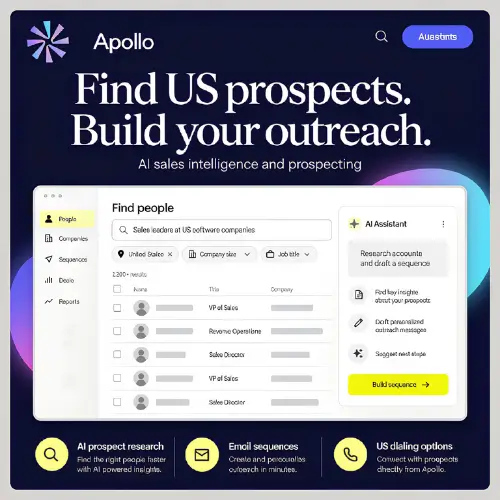
The basic idea is simple. You tell Apollo what kind of customer you want. Maybe you sell software to small factories, or you offer design services to marketing agencies. You type in filters like job title, industry, company size, and location. Apollo then shows you a list of people who match. You can look through the results, pick the ones that seem like a good fit, and save them.
Once you have a list, Apollo can help you find their email addresses and phone numbers. This process is called enrichment. Then you can put those contacts into an email sequence, which is basically an automated series of emails that go out one after another. Apollo also has a built-in dialer, so you can call people directly from the platform. After a call, it can create transcripts and AI summaries so you do not have to write notes yourself .
The part that saves a lot of time is the AI Assistant. You can describe your product and your ideal customer in plain language, and the assistant helps build lists and draft personalized emails. It is not perfect, but it takes away a lot of the boring typing work.
Special Features for Selling in the United States
Apollo has added some practical features for teams that focus on American businesses. One useful filter lets you separate where a person actually lives from where their company is headquartered. For example, if you want to reach sales leaders who work in Texas, you can filter for that. But you can also avoid assuming that everyone at a Texas company actually works in Texas. This matters because people work remotely more than ever.
There are also filters for time zones and local time. If you are calling people in California from New York, you do not want to accidentally call at 6 in the morning their time. Apollo lets you organize outreach by region so you do not make that mistake.
For calling, paid plans let you pick US phone numbers by area code and set up a business caller ID. There is also something called local presence dialing, which shows the person you are calling a number with a local area code. That feature requires an advanced dialer add-on, which costs extra. Apollo also has Do Not Call screening and call recording rules that vary by state. These tools are helpful, but Apollo makes it clear that they do not replace your responsibility to follow the law. You still need to make sure your calls and recordings are allowed.
How the Credits Work (This Part Matters)
Apollo does not charge you just for sitting in the seat. It uses a credit system. Credits are like tokens you spend when you want to access contact data or run certain actions. A verified email usually costs one credit. A phone number costs more, typically eight credits. Enrichment can cost between one and eight credits per record, depending on what you are looking for. AI research also uses credits .
The important thing to understand is that credits are shared across your whole team. If one person uses a lot, there is less for everyone else. Credits also do not roll over. If you do not use them by the end of the billing cycle, they disappear. This means you need to have a rough idea of how much outreach you plan to do before you pick a plan. If you are just testing the waters, the free plan gives you a small amount to play with. If you are running a real campaign, you will likely need to pay.
Apollo Pricing
Here is a simple table showing the main plans. Prices are per user, per month, when you pay annually. If you pay month to month, it costs a little more.
| Plan | Price (Annual Billing) | What You Get |
|---|---|---|
| Free | $0 | Basic access, very limited credits, 2 sequences |
| Basic | $49 | More credits, unlimited sequences, CRM integrations |
| Professional | $79 | Workflow automation, AI research, dialer access |
| Organization | $119 | International dialing, SSO, advanced admin controls |
The Organization plan requires at least three users . There are also add-ons, like the advanced dialer for $119 per month and inbound tools for website visitor identification, which also cost extra. The exact credit allowance per plan changes, so it is worth checking Apollo’s pricing page directly before you commit.
What Apollo Is Good At and Where It Falls Short
Apollo is great for teams that want everything in one place. You do not need to buy a separate database, email tool, and dialer. For a small sales team or a founder doing their own outreach, that simplicity is valuable. The free plan is genuinely useful for trying things out, and the filters are detailed enough to build targeted lists.
The downside is the credit system. Phone numbers are expensive in credits, and if you are calling a lot of people, you can burn through your allowance faster than you expect. Some users also report that contact data is not always perfectly accurate. Job titles can be outdated, and not every phone number works. That is true of every contact database, but it is worth knowing. Apollo also has a policy that allows customer data to be used to train its internal models, and there is no opt-out for that . If privacy is a big concern for your business, you should think about whether that matters to you.
Final Thought
Apollo is not magic. It will not find you perfect customers who are ready to buy the moment you email them. But it does take a lot of the manual work out of prospecting. If you are tired of jumping between spreadsheets, email tools, and your phone, Apollo puts those pieces together in a way that makes sense. Start with the free plan, see how far the credits take you, and only upgrade when you actually need more.
Alternatives to Apollo
Seamless.AI
Finds business emails and phone numbers in real time and enriches your contact lists. It also tracks buyer signals and helps with prospect research and outreach messages.
GojiBerry
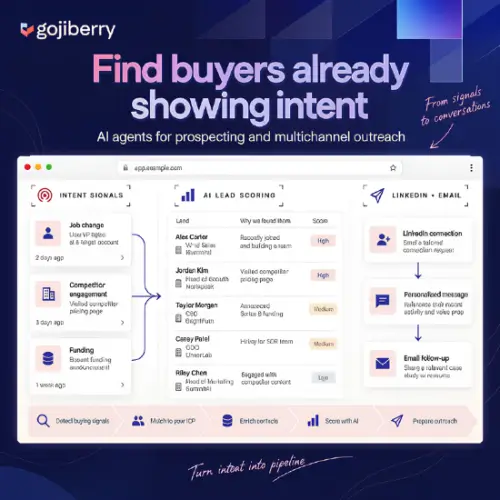
Finds prospects by watching for buying signals and social activity, then helps you prepare LinkedIn and email outreach. Good for teams that want signal-based prospecting.
AnyBiz
Uses AI agents to handle prospecting and outreach across email, LinkedIn, and phone. A good fit if you want more automation and less manual list building.
ColdIQ
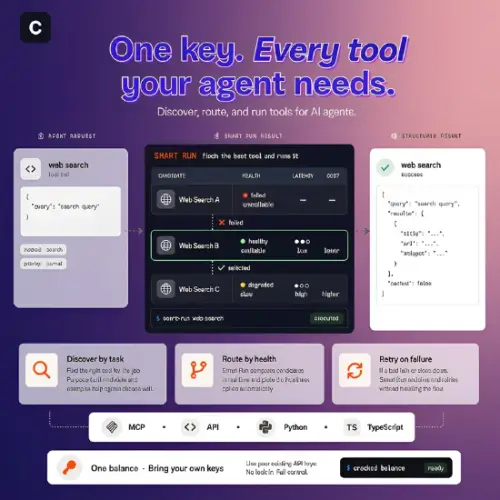
Offers contact research and enrichment through an API and MCP server. Best for teams building custom sales workflows who want to plug data into their own systems.