All AI tools follow the same annoying pattern. You click on a cool feature, sign up, get 3 free credits, see the pricing page, and lose interest before you even get to test the tool.
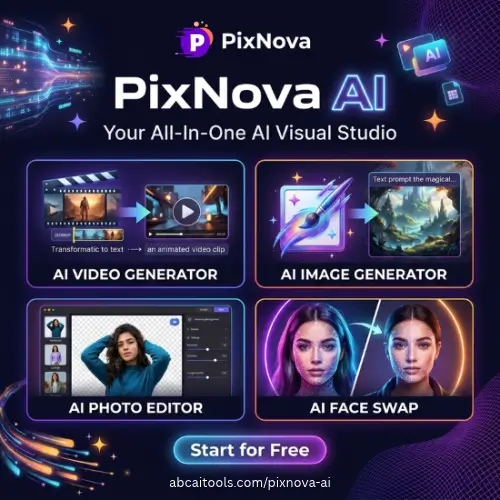
PixNova AI jumps most of these steps. It’s a free website that removes the drama and gives you lots of tools to edit pictures and videos. You don’t have to download anything. You don’t have to make an account. There’s no watermark on your edited pictures. You go on the website, upload a picture or type in a prompt, and you get a result.
I’ll cover what Pixnova can do, the kinds of things it can help you do, what it can’t do, and alternatives you can check out if it doesn’t work for you.
What Is PixNova AI?
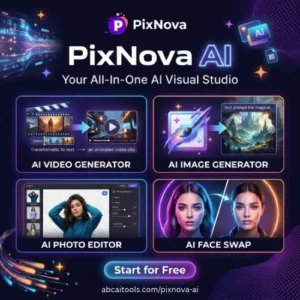
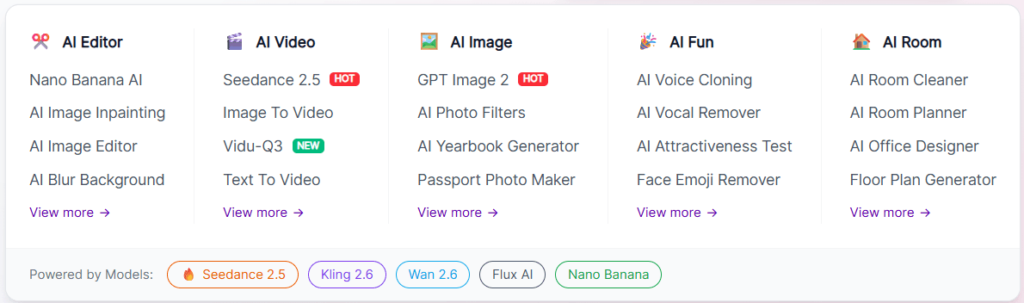
PixNova AI is a browser-based suite of AI editing tools. Think of it as a toolbox rather than one single app. Inside, you get an image generator, a face swapper, an upscaler, a photo enhancer, a background remover, an object remover, a headshot maker, anime and sketch filters, and video generators.
Some of these tools are serious work tools. A background remover or a 4x upscaler genuinely saves time if you sell products online. Others are pure fun, like the AI Baby Generator or the hug and kissing video makers that people use for social media reels.
The whole thing runs in your browser, so it works on a normal laptop or even a phone. You do not need a graphics card or any editing skills.
How to Use It (Takes About a Minute)
The workflow is honestly boring in a good way:
- Open the PixNova website.
- Pick the tool you want from the menu.
- Drag and drop your image, or type a text prompt if the tool needs one.
- Wait a few seconds for processing.
- Download the result.
There is no timeline to learn, no layers panel, no confusing settings. If you have ever used an online PDF converter, you already know how to use this.
For video tools, you either upload a photo (image-to-video) or write a short description of the scene you want (text-to-video). Short, clear prompts usually work better than long poetic ones.
Main Features Worth Talking About
AI Face Swap for Photos, GIFs and Videos
This is the feature most people come for. You upload a source face and a target image, and the AI blends them. It handles photos, GIFs and short videos, which is more than many free tools offer.
Results look best when both faces are clear, well lit and facing a similar direction. Side profiles, heavy shadows and blurry group photos will give you weird edges. That is true for every face swap tool, not just this one.
One honest warning: only swap faces you have permission to use. Using someone’s photo without consent is a fast way to get into trouble, and in many places it is illegal.
AI Image Generator (Text to Image)
Type what you want, get a picture. Useful for blog headers, thumbnails, concept ideas, poster backgrounds and quick mockups. It will not replace a designer for brand work, but for a rough visual in 20 seconds, it does the job.
Image Upscaler and Photo Enhancer
The upscaler pushes resolution up to 4x. The enhancer fixes lighting, sharpness and general clarity. These two are the most practical tools on the platform.
Old family photos, low-res product shots, screenshots that look mushy when you zoom in — all of these benefit. Just remember that AI adds detail based on guesswork. It cannot recover text or faces that were never really there.
Background, Object and Watermark Remover
The background remover gives you a clean cut-out, which is exactly what e-commerce sellers need for marketplace listings. The object remover cleans up photobombers, wires, dust spots and random clutter.
There is also a watermark remover. Please use it only on your own images or content you have rights to. Removing a photographer’s watermark to reuse their work is theft, plain and simple.
Headshots, Anime and Sketch Filters
The headshot generator turns a casual selfie into something you could put on LinkedIn. The anime and sketch converters are popular for profile pictures and fan art style posts.
There are also hairstyle, clothing and expression changers. These are handy if you want to preview a look before booking a salon visit, or if you need three variations of the same model shot for an ad.
AI Video Generators
PixNova includes both text-to-video and image-to-video. The image-to-video option is the more reliable of the two, since the AI already has a starting frame to work from.
If you make short-form content, this is where it gets interesting. Take a still product photo or a portrait, animate it into a 3 to 5 second clip, add music, and you have a reel. The hug and kiss video generators fall in the same fun category and do well on Instagram and TikTok.
Cloud Storage and Privacy
You can connect Google Drive and Dropbox, which helps if you keep your assets in the cloud. Uploaded files are encrypted and deleted after processing, so your photos are not sitting on a server forever. That is a decent privacy promise for a free tool.
PixNova AI Pricing
Here is the simple part. PixNova is free, with no credit system and no hidden charge.
| Plan | Price | What You Get | Best For |
|---|---|---|---|
| Free (No Login) | $0 | Face swap, image generator, upscaler, enhancer, background and object remover, headshots, anime filters, video tools | Students, casual creators, quick one-off edits |
| Free (Regular Use) | $0 | Same toolset, watermark-free downloads, cloud connect | Small businesses, e-commerce sellers, social media pages |
| Paid / Credit Packs | Not listed at the time of writing | Check the official pricing page for any new premium tier | Heavy or bulk users, if a paid option is added later |
Always check the site directly before you plan a big project around it. Free AI platforms change their limits often, and server costs are real.
Who Should Actually Use This?
Students get a free way to make project visuals, presentations and posters.
Small shop owners can clean up product photos without paying a photographer for every SKU.
Social media creators get face swaps, anime filters and short AI clips for reels.
Marketers can test ad concepts quickly before spending on a real shoot.
Complete beginners get tools that need zero training.
Who should skip it? Professional studios that need RAW support, batch processing, colour accuracy and full commercial licensing paperwork. This is a quick-fix toolbox, not a production pipeline.
Pros and Cons
Pros
- Genuinely free with no credit counting
- No login and no software install
- Watermark-free downloads
- Many tools under one roof
- Works on photos, GIFs and videos
- Files deleted after processing
Cons
- Limited fine control compared to Photoshop or Dzine
- Output quality drops on blurry or dark inputs
- AI videos are short and can look odd on fast motion
- Free servers can slow down at peak hours
- Not built for large batch jobs
Tips for Better Results
Upload the highest quality image you have. AI cannot invent detail from a 200-pixel thumbnail. Use even lighting and a front-facing angle for face swaps. Keep video prompts short and specific, like “woman smiling, camera slowly zooms in, warm evening light.” And always check hands, teeth and hairlines before you post, because those are the spots where AI still slips.
Final Thoughts
PixNova AI is not trying to be Adobe. It is trying to be the tab you open when you need a background gone, a photo sharpened or a face swapped in the next two minutes. For that job, it works well, and the fact that it stays free without watermarks makes it easy to recommend.
Keep your expectations realistic. You will get quick, usable results, not gallery-grade artwork. For students, small sellers and everyday creators, that trade is more than fair.
Alternatives to PixNova AI
Live3D AI Image Editor
A browser-based editor for people who prefer editing with text prompts instead of buttons. It offers multiple AI models and export sizes, so you get more prompt-driven control than PixNova, though fewer tools overall.
Dzine
A more structured creative workspace with text-to-image, image-to-image, generative fill, object removal and 2D-to-3D conversion. Pick this if you care about composition and precise canvas-based editing rather than quick fixes.
Fotor AI
An all-round photo editor with AI enhancement, background removal and generation, plus proper manual editing controls. Useful when you want to fine-tune a result instead of accepting the AI output as-is.
Photiu AI
A simple, free, no-account tool focused on background removal, object cleanup and upscaling. It does not match PixNova’s video features, but it is fast for basic photo repairs.
Remaker AI
A close match for face swapping across photos and videos, with bulk face swap and upscaling included. Good if face swap is the only feature you actually use.
Vidnoz AI
Stronger on the video side, with AI avatars, talking photos and image-to-video clips. A better fit if your main goal is making short marketing or social videos.