
Lindy: The “AI Employee” That Actually Does the Work (No Code Needed)
Most automation tools ask you to think like a programmer. You drag boxes, connect arrows, and hope the whole thing doesn’t break when an app updates. Lindy tries something different. You just type what you want in normal English, connect your apps, and an AI agent goes to work. It’s like hiring a helper who never sleeps and doesn’t need a desk.
I spent time digging into what Lindy actually offers, how it works, what it costs, and where it stumbles. If you run a small business, manage operations, or just want to stop copying and pasting between apps all day, this breakdown is for you.
What Is Lindy?
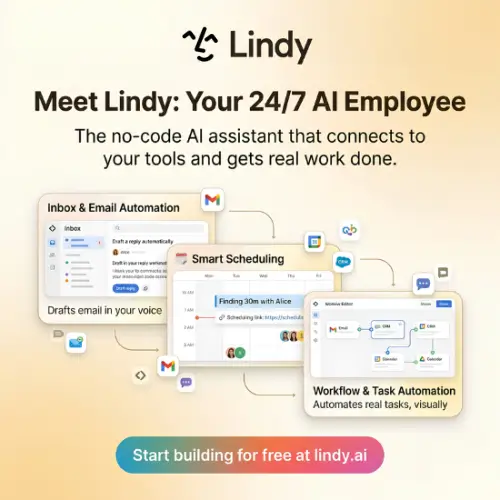
Lindy is a platform for building AI “agents” without writing code . The company calls these agents “Lindies,” and the basic idea is simple: you describe a repetitive task in plain English, connect the apps you already use (like Gmail, Slack, HubSpot, or Notion), and the agent handles the task automatically.
The pitch is an “AI employee” for different departments. For example, you could build an agent that watches your support inbox, figures out what the customer is upset about, and drafts a reply for you to approve. Or you could set up an agent that acts like a sales rep—researching new leads as they come in and updating your CRM .
What makes Lindy stand out is that it doesn’t just connect two apps. It can sit in the middle of several tools at once and keep them in sync. So if you use a directory platform for listings and a database tool like Coda as your source of truth, Lindy can read from one, update the other, and make sure nothing gets lost.
How Does Lindy Actually Work?
The biggest difference between Lindy and tools like Zapier or n8n is the building process. You don’t drag and drop modules onto a canvas. Instead, you write a prompt that describes the agent’s role .
Let’s say you want an agent that handles inbound support emails. You might type something like: “Watch the support inbox. If the email is a refund request, check the order status in Shopify. If the order was placed less than 30 days ago, draft a friendly reply offering a refund and flag it for my approval.”
Lindy takes that instruction and generates the logic for you. You review it, connect the right accounts, and turn it on. The whole setup can take a couple of minutes if you know what you want .
It’s aimed at people who already understand automation—operations managers, small business owners, indie hackers—but who have hit the ceiling of simpler rule-based tools. You don’t need to code, but you do need to think clearly about the process you want to automate.
Core Features That Matter
Lindy has packed a lot into the platform. Here are the features that actually change how you work.
Natural Language Agent Builder
This is the heart of Lindy. You describe the job, and the platform builds the agent. No visual flowchart required. You can also use a template from the library if you’d rather start with something pre-built for email triage, data extraction, or summarization .
Integrations with Real Business Tools
Lindy connects to over 1,500 apps, including Slack, Google Drive, HubSpot, Notion, Freshdesk, and specialized tools like Brilliant Directories . The integrations aren’t just for reading data—agents can write back, update records, and trigger actions in other systems.
Predefined Agent Roles
You don’t have to invent every agent from scratch. Lindy offers roles for support, sales, marketing, and document processing. If you need a phone agent that handles calls, that’s available too .
Model-Agnostic Setup
You’re not locked into one AI model. Lindy lets you choose which model powers each agent, and the platform will pick a sensible default if you don’t want to think about it . This matters because some tasks need a fast, cheap model, while others need a more careful (and expensive) one.
Team Management and Permissions
If you’re deploying agents across a team, Lindy gives you centralized management, access controls, and approval workflows. You can decide which actions happen automatically and which need a human to click “approve” first .
Computer Use (Autopilot)
This is Lindy’s wilder feature. Agents can get their own cloud-based computer, meaning they can operate websites and internal tools that don’t have an API . If you can click it, Lindy can theoretically learn to click it too. It’s not perfect, but it removes one of the biggest limits of automation: “Sorry, that app doesn’t integrate.”
What Lindy Costs
Lindy uses a credit-based pricing model. You pay per user, and everyone on your workspace shares one pool of credits. Credits measure the work an agent does—bigger jobs use more credits .
| Plan | Price | What You Get |
|---|---|---|
| Free Trial | $0 | $50 in free credits, lasts 7 days, no credit card required |
| Plus / Pro / Max | Starts around $29.99 per user/month | Paid plans with increasing credit allocations; exact tiers shown at checkout |
| Top-Up Credits | $10 per 1,000 credits | Buy more when your pool runs low; purchased credits don’t expire |
| Enterprise | Custom quote | Adds SSO, SCIM, HIPAA with signed BAA, and audit logs |
A few important details: unused monthly credits don’t roll over. If your pool runs out, Lindy pauses credit-using actions until you top up or the next cycle starts—you won’t get a surprise bill . Also, there’s no permanent free plan. The free credits are a one-time trial.
Where Lindy Shines (and Where It Struggles)
The Good
Setup is genuinely fast. Multiple reviewers note that you can go from sign-up to a working agent in minutes, not hours . For a small business owner who doesn’t have time to learn a complex builder, that matters.
It works where your team already talks. Lindy lives in Slack, iMessage, Gmail, and the web. You don’t have to open a new dashboard to use it—you can just message it like a coworker .
The approval system is smart. Anything with outside impact (sending an email, updating a ticket, posting to Slack) can require your approval first. Read-only lookups don’t need approval, so agents can research without bugging you .
Security is solid on paper. SOC 2 Type II, GDPR, HIPAA (Enterprise), and a clear statement that your data is never used to train models .
The Not-So-Good
Credit costs add up. Reviewers consistently flag the credit model as frustrating for power users. Advanced models cost more, and heavy usage can burn through your pool quickly . If you’re automating high-volume tasks, do the math before committing.
Agent instruction-following isn’t perfect. Some users report that agents occasionally ignore instructions or produce inconsistent results, especially on complex tasks . Debugging a misbehaving agent can be hard because you can’t always see why it made a decision.
Support is mixed. Some users praise the Slack community and responsiveness. Others report dismissive support experiences, including one serious privacy concern that was handled poorly . This isn’t universal, but it’s worth knowing.
No permanent free tier. The 7-day trial is enough to test the waters, but if you’re a hobbyist or a very small operation, the monthly cost may feel steep compared to simpler tools.
Who Should Use Lindy?
Lindy makes the most sense for small business owners and operations managers who are already comfortable with automation but want something more flexible than Zapier. If you’re spending hours every week moving data between apps, drafting similar emails, or qualifying leads manually, Lindy can probably take that off your plate.
It’s also a good fit for teams that want to deploy agents across multiple people with centralized controls. The shared credit pool and permission system are designed for collaboration, not just solo use.
If you’re a developer who wants fine-grained control over every step, you’ll probably be happier with n8n or a code-based framework. Lindy trades precision for speed and simplicity. That’s a good trade for many people, but not everyone.
Final Thought
Lindy isn’t magic. It won’t replace your judgment, and it won’t work perfectly every time. But it does something important: it makes the promise of AI agents feel real for people who don’t write code. The natural language builder, the wide integrations, and the approval system lower the barrier enough that a busy operations manager can actually try this stuff without a six-week setup project.
The credit pricing is the biggest caveat. Go in with your eyes open, start with the free trial, and measure what a typical task actually costs before you scale up. If the math works for your workload, Lindy can genuinely give you back hours every week.
Alternatives to Lindy
| Tool | What It Does |
|---|---|
| Instinct | A ready-made personal assistant for appointments, shopping, travel, and everyday admin. Better if you want a finished assistant, not a builder. |
| Taskade | Combines collaborative task management with AI agents and lightweight app building. Good for teams that want tasks and automation in one place. |
| n8n | A more technical automation platform with visual workflows, AI agents, code support, and self-hosting. Better for developers who want full control. |
| MindStudio | No-code platform for building AI agents, web apps, and connected workflows. A close competitor if you want more app-building flexibility. |
| MindPal | Turns your documents into AI agents and multi-agent workflows you can publish for clients. Good for knowledge-based agents. |
| TextCortex | Enterprise platform for building agents on company knowledge, with cited answers and EU hosting. Better for compliance-focused teams. |
| Adapt | Company agents that act with each user’s permissions across 100+ business tools. Strong if permission-scoped access is critical. |



