
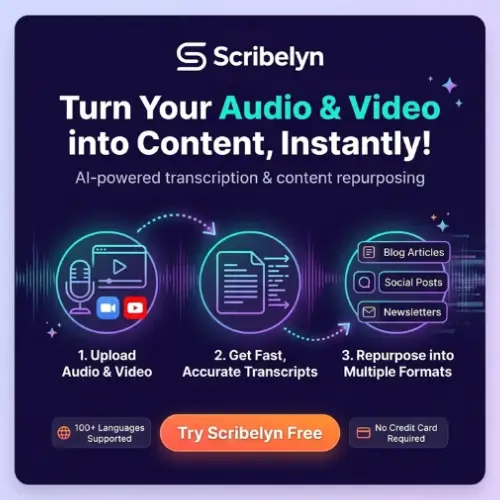
If you have ever recorded a podcast, a client call, or a long webinar, you know the painful part comes after you stop recording. You still need to write show notes, draft a blog post, cut social media updates, and maybe send a recap email. Most people end up moving the transcript into three different writing tools and losing half a day.
Scribelyn tries to solve exactly this problem. It is a web workspace that takes your audio or video, turns it into a transcript, and then helps you reshape that transcript into more than seventy written formats. The idea is simple: one recording should not just sit in your folder. It should feed your blog, newsletter, LinkedIn, and client follow-up without you starting from a blank page every time.
Quick note before we go deeper: Scribelyn is not a video editor. If you want vertical clips with animated captions, this is not the right tool. But if your main need is written content from spoken words, this review will help you decide.
What Scribelyn Actually Does
The workflow is straightforward. You upload an audio or video file, paste a YouTube link, or connect a Zoom recording. Scribelyn transcribes the source, pulls out the key points, and then lets you generate content formats without leaving the workspace .
The template library is the main selling point. A single podcast episode can become show notes with timestamps, a full blog article, a newsletter draft, LinkedIn posts, an X thread, and short video scripts. Webinars can turn into recap articles, email sequences, and FAQs. Client calls can produce summaries, action items, pain points, and proposal notes that are ready to share .
What makes this useful is that the transcript stays as the common source. Before you publish anything, you can check the original quote or idea inside the same window. That sounds small, but it saves a lot of switching back and forth between tabs.
Who Is It For?
Scribelyn fits best with people who already record regularly and need written output from those recordings. That includes podcasters who hate writing show notes, consultants who want client call summaries without typing them manually, course creators who need lesson recaps, and small marketing teams that publish across several channels every week.
It is less useful for someone who records once a month and only needs a quick transcript. The value comes when one recording needs to support multiple publishing channels at the same time .
Features That Matter in Daily Use
Transcription and language support. Scribelyn handles uploaded audio, video, YouTube links, and Zoom recordings. It also supports transcription, translation, and content generation in more than 100 languages . For international teams or creators with non-English audiences, this is a practical advantage.
Projects and folders. If you work with several clients or run multiple shows, you can keep everything separated by project or campaign. This sounds basic, but messy workspaces become a real problem once you have dozens of recordings.
Custom brand voice. On eligible plans, you can set a brand voice that guides how articles, emails, and posts are written. For agencies or creators who want consistent tone across formats, this feature is worth testing carefully. The generated drafts will still need editing, but a good brand voice setting can reduce the amount of rewriting.
Shareable document links. Instead of sending files back and forth, you can share a link to a transcript or generated document. Clients or colleagues can open it in their browser .
Where Scribelyn Falls Short
The biggest limitation is that Scribelyn is not a video repurposing tool. It does not reframe clips, add animated captions, or edit a timeline. If your main goal is short-form video for TikTok or Reels, a dedicated clip tool like OpusClip will serve you better .
Independent feedback about Scribelyn is still limited. The testimonials on its website do not identify the reviewers, so you should test the transcript accuracy and content quality with your own recordings before moving a regular workflow onto the platform .
Privacy is another point to check. Scribelyn’s terms allow the company to process user content to provide and improve the service. If you work with private client calls, unreleased interviews, or commercially sensitive recordings, review the current policy and get consent before uploading .
Also, generated drafts are drafts. Names, numbers, quotations, and the speaker’s intended meaning all need to be checked against the original recording. No AI content tool should replace a final human review.
Scribelyn Pricing
Pricing details for Scribelyn vary depending on where you look, and the official website should be your final reference. The table below combines information from available sources, including a third-party pricing summary that lists subscription and lifetime options . Treat these figures as a starting point and confirm current prices before purchasing.
| Plan | Price | What You Get |
|---|---|---|
| Starter (monthly) | $6/month | 1,200 transcription minutes annually, 10 GB storage |
| Pro (monthly) | $19/month | 7,200 annual minutes, 60 GB storage, most popular option |
| Ultra (monthly) | $59/month | 72,000 annual minutes, unlimited storage, for teams and agencies |
| Starter Lifetime | $59 one-time | 100 minutes/month, 10 GB storage |
| Pro Lifetime | $149 one-time | 600 minutes/month, 60 GB storage, priority processing, brand voice |
| Ultra Lifetime | $299 one-time | 3,000 minutes/month, unlimited storage, shared workspace, dedicated support |
All subscription tiers reportedly include the full template library, brand voice, and multilingual support. Annual billing may save up to 33% compared to monthly billing . Extra transcription minute packs are available from the dashboard when you run out .
Important: The lifetime deal pricing above comes from a third-party source, not a direct confirmation from Scribelyn’s current website. Lifetime deals in AI software carry a long-term sustainability question because transcription and generation costs do not disappear over time. If you choose a lifetime plan, understand that the service must remain operational for the deal to have value.
A Simple Way to Test It
Before paying, use the trial allowance to run two or three real recordings through Scribelyn. Check three things: how accurate the transcript is for your speakers, whether the generated blog or show notes sound like something you would actually edit and publish, and whether the formatting saves you time or creates more cleanup work.
If the transcript is clean and the drafts are close to usable, Scribelyn can genuinely reduce the time between recording and publishing. If you spend more time fixing outputs than writing from scratch, the tool is not solving your problem yet.
Final Thought
Scribelyn is a focused tool with a clear job: take spoken content and turn it into written assets without forcing you to juggle separate transcription and writing apps. It is not trying to be a video editor, a meeting bot, or a full social media scheduler. That focus is a strength for podcasters, consultants, and content teams who already have recordings and need words out of them.
The main caution is simple. Test with your own material, check the privacy terms for sensitive recordings, and treat every generated draft as a starting point rather than a finished product. If that fits how you work, Scribelyn can save real hours across a publishing week.
Alternatives to Scribelyn
| Alternative | What It Does |
|---|---|
| Castmagic | A close alternative for turning podcasts, interviews, and recordings into transcripts, summaries, quotes, show notes, and marketing copy. Good if your main source is long-form audio. |
| Descript | Adds transcript-based audio and video editing, recording, captions, filler word removal, and voice tools on top of transcription. Better for creators who want to edit the recording itself, not just generate written content. |
| OpusClip | Focuses on turning long recordings into short vertical video clips with captions and reframing. Choose this if short-form video is your priority rather than written assets. |
| ContentStudio AI | Built around creating, scheduling, and publishing social content. Less focused on recordings as the main source, but useful if your bottleneck is publishing and scheduling rather than transcription. |



One Response
Scribelyn is a solid option if you already record podcasts or calls and need written output fast. The template library and transcript-first workflow are genuinely useful for repurposing spoken content. One gap worth noting: if your recordings include voice work that needs natural-sounding playback or TTS output, that’s a separate step. I’ve been using Dessa AI for that — it’s a browser-based voice studio with real-time Live Talk conversations and natural text to speech with WAV download. No free plan, credits billed by the second, so you only pay for what you actually use. Handy complement to a transcription-to-content pipeline.