Build Websites and Apps Just by Chatting with AI
Have you ever dreamed of making your own website or app but felt stuck because you don’t know how to code? Well, there is a tool that might just change everything for you. It is called Bolt.new, and it lets you build real, working websites and applications simply by typing what you want in plain English.
Instead of spending months learning programming languages or hiring an expensive developer, you can now describe your idea to an AI, and it will actually build it for you. In this article, I will explain what Bolt.new is, how it works, how much it costs, and whether it is worth trying. I will keep everything simple and easy to understand, just like talking to a friend.
What Exactly is Bolt.new?
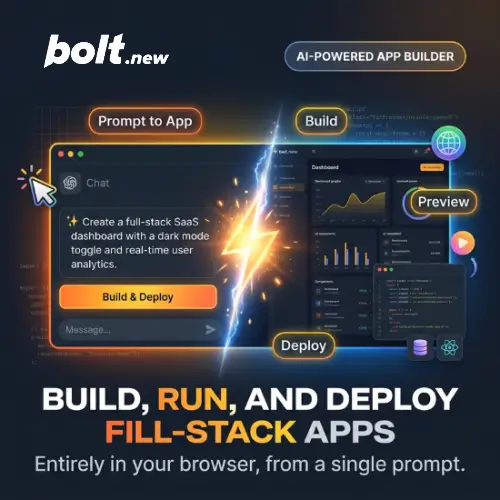
Bolt.new is an AI-powered development platform created by a company called StackBlitz. The main idea behind it is very simple: you tell the AI what you want to build, and it writes the code for you . It is not just about making a pretty picture or a design mockup. Bolt.new actually creates a working application that runs right there in your web browser.
What makes it special is that it does not just generate code and leave you alone. It runs a real development environment inside your browser. This means it can install packages, run commands, and even show you errors if something goes wrong. You do not need to download any heavy software or set up complicated tools on your computer. Just open the website, type your idea, and watch it come to life .
How Does It Work for a Beginner?
The process is surprisingly simple. When you sign up for Bolt.new, you are greeted with a chat box. You type something like, “Build me a simple to-do list app where I can add and remove tasks.” Then, you hit enter and wait a moment.
The AI agent starts working. It creates files, writes the code for the user interface, sets up the logic for adding and removing tasks, and even styles it so it looks nice. You will see a live preview of your app right next to the chat. If you want to change something, you do not need to dig into the code. You just tell the AI, “Make the background blue and add a button that says ‘Clear All’.” The AI makes the change, and the preview updates instantly .
This is a huge deal for students, entrepreneurs, or anyone who has an idea but lacks technical skills. You can literally go from an idea in your head to a working prototype in a matter of minutes.
Features That Make Bolt.new Stand Out
While there are other AI tools out there, Bolt.new has a few tricks that make it unique.
A Real Runtime in Your Browser
Many AI tools just give you a block of code that you have to copy and paste somewhere else. Bolt.new actually runs the code. Because it uses technology called WebContainers, it can run a full Node.js environment right inside your browser tab. This means the app you are building is actually executing and responding, not just sitting there as text .
Supports Many Frameworks
Bolt.new is not limited to just one type of technology. Whether you want to build with React, Vue, Svelte, or even Astro, it can handle it. This flexibility is great because it means you are not stuck if you want to try something different later .
Built-In Hosting and Databases
Once your app is ready, you do not need to figure out how to put it on the internet. Bolt.new has built-in hosting. You can connect a custom domain, and it even handles databases for you. If your app needs to store user information or save data, Bolt can set that up without you needing to be a database expert .
Design System Knowledge
For teams or people who care about branding, Bolt has a feature called “Design System Knowledge.” This means you can teach the AI your specific brand colors, fonts, and styles, and it will apply them to everything it builds for you. This is especially useful for agencies or companies that want to keep their look consistent .
Bolt.new Pricing: Is It Affordable?
Bolt.new uses a freemium model. You can start for free, which is great for trying it out. However, once you start building bigger things, you will likely need to pay. The pricing is based on “tokens,” which are like units of AI usage. Building a bigger app uses more tokens.
Here is a breakdown of the plans based on the official website :
| Plan | Price | What You Get (Key Features) |
|---|---|---|
| Free | $0 / month | You get 1 million tokens per month (with a daily limit of 300K). It is perfect for trying out ideas and small projects. However, Bolt puts its own branding on your website, and you cannot use a custom domain . |
| Pro | $25 / month | This is the most popular plan. You get 10 million tokens per month, and unused tokens can roll over to the next month. You can remove Bolt branding, connect your own domain, and get access to the newest and smartest AI models. It also includes SEO tools to help your site rank on Google . |
| Teams | $30 / member / month | Everything in Pro, plus features for working together. This includes centralized billing, team management, and the ability to share design systems across your team . |
| Enterprise | Custom Pricing | For large companies that need advanced security, compliance (like SOC 2), and dedicated support. You get unlimited tokens, but you pay based on consumption . |
A Quick Note on a Cheaper Plan: There was also a Bolt Lite plan mentioned for $9/month. It is designed for students and hobbyists. It uses “Bolt Forge,” which is a mode that uses efficient open-source AI models to give you more usage for a lower price. However, this plan may have specific availability windows, so it is best to check the website directly to see if it is currently open .
The Good and The Not-So-Good
What I Liked:
The speed is incredible. You can test an idea in minutes. It is also very forgiving for beginners because it shows you errors and tries to fix them automatically. The fact that it handles both the front-end (what you see) and the back-end (the logic and database) is a massive time-saver.
What to Watch Out For:
Because it uses tokens, complex apps can burn through your monthly allowance quickly. Some users have noted that while it is great for prototypes, extremely complex applications can sometimes hit the limits of what a browser-based environment can handle smoothly . Also, the free plan is quite limited if you are building something serious.
Final Thought
Bolt.new is a fantastic tool for turning ideas into reality. It is not going to replace professional developers for massive, complex systems, but it is a game-changer for prototyping, learning, and building small to medium-sized projects. If you are a student wanting to build a portfolio, an entrepreneur testing a business idea, or just someone curious about coding, Bolt.new is absolutely worth trying. The free tier gives you enough to see if it fits the way you think and work.
Alternatives to Bolt.new
If you want to explore other options that work in a similar way, here are a few good ones to check out:
Lovable
This tool is very similar to Bolt but focuses a lot on helping non-technical founders build complete products. It is very friendly for beginners and handles the database and hosting automatically, though it is a bit more rigid in the technology it uses.
v0 by Vercel
If your main goal is to build beautiful user interfaces and you plan to use React or Next.js, v0 is excellent. It is created by the same company that makes the Vercel hosting platform, so deploying your project is incredibly smooth. It is slightly more focused on front-end design than full-stack apps.
Replit Agent
Replit is a well-known online coding platform, and their Agent feature is their AI builder. It is great for building full web apps and even has support for mobile app development. It is a very strong competitor if you want a more traditional coding environment combined with AI help.