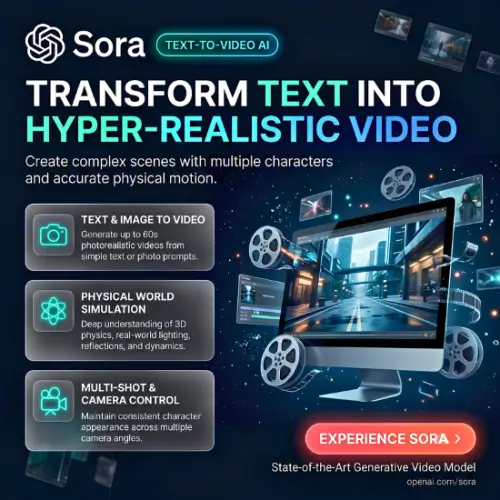
New Update: The Sora web and mobile app experiences were shut down on April 26, 2026
AI video creation is becoming more popular, and OpenAI is one of the companies leading this change. With Sora, OpenAI makes it possible to turn simple text descriptions into realistic videos without needing a camera, professional editing software, or a production team.
You can describe a scene, choose the visual style, and let AI create a video based on your instructions. Sora is designed for content creators, filmmakers, marketers, businesses, and people who want to experiment with video creation.
The newer Sora 2 model takes things further by adding synchronized audio, improved motion, more realistic physics, and features that make it easier to create short video stories. It also introduces Cameos, allowing users to add their own likeness to AI-generated scenes.
But is Sora really worth using? What can you create with it, how much does it cost, and how does it compare with other AI video generators?
In this review, we will explore Sora’s features, pricing, benefits, limitations, and alternatives to help you decide whether it is the right tool for your needs.
What Is Sora?
Sora was an AI video-generation platform developed by OpenAI. It allowed users to create videos from written descriptions and, in supported workflows, use images or other visual inputs to guide video generation.
Its second-generation model, Sora 2, was introduced on September 30, 2025. It improved video realism, movement, sound generation, and creative control compared with the earlier model.
For example, you could write:
A golden retriever running through a green garden on a sunny morning, with butterflies flying around and soft cinematic lighting.
Sora 2 could turn this description into a short video, complete with matching sounds.
The platform was designed to make video production easier for people who did not have professional filmmaking experience. Instead of spending hours recording and editing footage, users could describe their ideas in everyday language.
Important 2026 update: OpenAI discontinued the Sora web and app experiences on April 26, 2026. Its Sora API was also discontinued on September 24, 2026. Therefore, Sora is no longer an available video-generation service as of November 5, 2026. This review covers its features and capabilities as a historical product review. OpenAI Help Center+1
Main Features of Sora
Sora introduced several interesting features that made AI video creation more accessible. Here are some of its most important capabilities.
1. Text-to-Video Generation
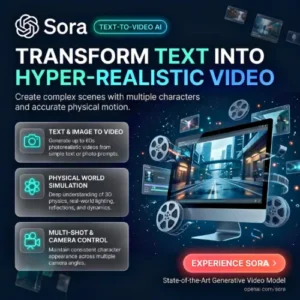
One of Sora’s main features was text-to-video generation. Users could describe a scene in simple words, and the AI model would generate a video based on the prompt.
You did not need a camera, actors, or a professional video studio. You only needed a clear description of what you wanted to see.
For example, you could describe a busy street in New York, a beautiful beach at sunset, or a futuristic city with flying cars.
This feature was especially useful for social media creators, marketers, and people who wanted to experiment with different video ideas.
2. Realistic Physics and Natural Movement
One of the biggest improvements in Sora 2 was its ability to understand physical interactions more accurately.
Earlier AI video generators sometimes struggled with basic movements. Objects could change shape, people could move unnaturally, and water or other materials did not always behave realistically.
Sora 2 improved these areas.
For example, it could generate scenes involving flowing water, bouncing balls, falling objects, and moving characters with more natural interactions.
This made generated videos look more believable. However, it was not a perfect physics simulator, and some scenes could still contain visual mistakes.
3. Built-in Audio Generation
Another interesting feature was native audio generation.
Traditional AI video workflows often required users to generate a video first and then add background music, sound effects, or voiceovers using separate tools.
Sora 2 introduced synchronized audio generation, making this process easier.
For example:
- A video of a busy city could include traffic sounds and distant conversations.
- A beach scene could include ocean waves and wind.
- A person speaking could have synchronized dialogue.
- An action scene could include suitable sound effects.
This feature helped creators produce more complete videos without depending entirely on external audio software.
4. Cameo Feature
Cameo was one of the most interesting additions to Sora 2.
It allowed users to create a verified representation of their own likeness and insert themselves into AI-generated scenes.
For example, you could imagine yourself walking through a fantasy world, appearing in a science-fiction movie, or starring in a funny social media video.
The feature also included controls for managing access to your likeness. Users could decide who could use their Cameo and revoke access.
This opened new possibilities for personalized content and creative storytelling.
However, using someone’s face or voice without permission can create serious privacy and impersonation problems. Consent and identity protection are important when working with this technology.
5. Multi-Shot Video Creation
Creating a complete story using separate AI-generated clips can be difficult. Characters, backgrounds, and visual styles may change between scenes.
Sora 2 offered multi-shot storytelling capabilities that helped users create sequences of connected scenes.
For example, you could create a short story about a person travelling to another country:
- First scene: The person arrives at an airport.
- Second scene: They board an airplane.
- Third scene: They explore a beautiful city.
- Fourth scene: They watch the sunset.
This approach gave creators more control over storytelling and made it easier to experiment with short films and advertisements.
6. Different Visual Styles
Sora supported different visual styles, allowing users to experiment with the appearance of generated videos.
You could create realistic scenes, cinematic videos, animated-looking sequences, and imaginative fantasy environments.
This flexibility was useful because different projects need different visual styles.
For example, a business advertisement may require a realistic product presentation, while an entertainment video may look better with an animated or fantasy style.
7. AI-Generated Social Media Feed
Sora also introduced a social experience where users could explore AI-generated videos created by other people.
The experience was similar to popular short-video platforms. Users could scroll through videos, discover creative ideas, and remix content.
This made Sora more than just a video-generation tool. It also became a place where people could share their creativity and explore what others were making.
The social feed encouraged experimentation and helped users discover new ways to write prompts.
8. Natural Language Controls
Sora aimed to make video creation simple for beginners.
Instead of requiring complicated editing controls, users could describe what they wanted using normal language.
For example, you could request a brighter background, a different camera angle, or a particular visual style.
This approach reduced the technical knowledge needed to experiment with AI video creation.
9. Safety and Privacy Controls
AI-generated videos can create privacy and copyright concerns, especially when they involve realistic human faces and voices.
OpenAI introduced safeguards to reduce the misuse of Sora, including restrictions around likeness generation and protections relating to minors.
Cameo permissions also gave users greater control over how their likeness could be used.
However, no moderation system can prevent every possible misuse. Creators still need to consider consent, copyright, and transparency when publishing AI-generated videos.
How to Use Sora
When it was available, Sora was designed to make video generation easy, even for beginners.
The general workflow looked like this:
- Write a prompt: Describe the video you want to create. Include details about the subject, background, lighting, camera movement, and visual style.
- Generate the video: Submit your prompt and let the AI create a video.
- Review the result: Watch the generated video and check whether it matches your idea.
- Improve your prompt: If something is missing or incorrect, adjust your description and generate another version.
- Edit and share: Use the available creation and editing options to prepare your video for sharing.
A good prompt usually produces better results than a very short or unclear description. For example, instead of writing “A man walking”, you could describe his clothes, location, surroundings, camera angle, and the time of day.
Sora Pricing and Plans
When Sora 2 launched in September 2025, OpenAI initially offered free access with usage limits. ChatGPT Pro subscribers also received access to the experimental Sora 2 Pro model.
However, Sora is no longer available as a video-generation service. Its website and app were discontinued on April 26, 2026, and its API was discontinued on September 24, 2026. OpenAI Help Center+1
Here is a pricing summary for historical reference:
| Plan or access | Historical pricing | Details |
|---|---|---|
| Sora 2 | Free initially | Free access with usage limits based on computing availability |
| Sora 2 Pro | Included with eligible ChatGPT Pro access | Higher-quality experimental video generation |
| Sora API | Usage-based API pricing was introduced | API discontinued on September 24, 2026 |
| Current Sora subscription | Not available | No active Sora video-generation subscription |
Important: These are historical access details, not current purchasing options. There is no active Sora plan that new users can subscribe to today.
Best Use Cases of Sora
Sora offered several practical uses for individuals and businesses. Here are some examples of how its technology could be used.
1. Social Media Content Creation
Content creators could use Sora to generate short videos for platforms such as Instagram, YouTube Shorts, and TikTok.
For example, a creator could generate a beautiful travel scene, an animated character, or an imaginative video without recording real footage.
This could save time during the content planning and production process.
2. Marketing and Advertising
Businesses could use AI-generated videos to test different advertising ideas.
Imagine that you are selling a skincare product. You could experiment with different promotional scenes, backgrounds, and visual concepts before spending money on a professional advertisement.
AI video generation could make the early creative process faster and more affordable.
3. Product Demonstrations
Sora could help businesses create visual concepts for product demonstrations.
For example, an online store could experiment with a video showing a product in a lifestyle setting.
However, generated footage should not be presented as genuine product footage if it shows features or results that the actual product does not have.
4. Educational Videos
Teachers and educational content creators could use AI-generated scenes to explain difficult topics.
For example, they could create visual representations of historical events, space exploration, scientific concepts, or imaginary environments.
These visuals could make educational content more interesting and easier to understand.
5. Short Films and Storytelling
Independent filmmakers could experiment with story ideas without arranging a complete production team.
They could test different scenes, camera angles, environments, and visual styles before investing in actual filmmaking.
This could be particularly useful during the early stages of film development.
Pros and Cons of Sora
Like every AI video-generation tool, Sora had both advantages and limitations.
Pros
- Easy to use: Users could generate videos using simple written descriptions.
- Realistic video generation: Sora 2 improved the quality of movement and physical interactions.
- Built-in audio: It could generate synchronized dialogue and sound effects.
- Creative freedom: Users could experiment with realistic, cinematic, and imaginative scenes.
- Cameo feature: Users could include their own likeness in generated videos.
- Storytelling support: Multi-shot capabilities made it easier to experiment with connected scenes.
- Useful for businesses: It could help test marketing and advertising concepts.
- Less production equipment: Users did not need a traditional camera setup to generate AI videos.
Cons
- Discontinued service: Sora’s website, app, and API are no longer available.
- Not always accurate: Generated videos could still contain mistakes in movement, objects, or details.
- Limited creative control: AI-generated results might not match every detail of the original prompt.
- Privacy concerns: Likeness generation could create problems if used without proper permission.
- Copyright questions: AI-generated content can raise questions about ownership and the use of protected material.
- Not a complete editing replacement: Professional projects may still require dedicated video-editing software.
- Historical pricing only: There is no active Sora subscription available for new customers.
Is Sora Worth It?
When Sora was available, it was an exciting option for people interested in AI video generation.
Its combination of text-to-video creation, synchronized audio, realistic movement, Cameos, and multi-shot storytelling made it an interesting tool for creators and businesses.
It was particularly useful for experimenting with creative ideas, producing visual concepts, and exploring new approaches to video production.
However, there is an important difference between its historical capabilities and its current availability.
As of November 2026, Sora is no longer worth considering as an active video-generation tool because OpenAI has discontinued the service. The Sora web and mobile app experiences were shut down on April 26, 2026
If you are looking for an AI video generator today, it makes more sense to explore alternatives that are actively available and supported.
Final Thought
Sora was an important step in the development of AI video-generation technology. It showed how written descriptions could become realistic video scenes with synchronized audio and more natural movement.
Features such as Cameo and multi-shot storytelling also introduced interesting possibilities for content creators, businesses, and filmmakers.
Although Sora is no longer available, its development helped demonstrate how quickly AI video technology was progressing.
If you are researching Sora for educational purposes, it is still an interesting product to study. But if your goal is to create videos today, consider an actively supported alternative instead.
Alternatives to Sora
If you are looking for other AI video-generation tools, here are some alternatives worth exploring.
1. Runway
Runway offers AI-powered video generation and creative editing tools. It is useful for creating cinematic videos, generating scenes, and experimenting with different visual styles.
2. Kling AI
Kling AI helps users turn text prompts and images into videos. It is known for realistic motion, character animation, and creative video generation.
3. Pika
Pika makes video creation easier with AI-powered generation and creative editing features. It is useful for short social media videos, animations, and experimenting with different visual effects.
4. Luma Dream Machine
Luma Dream Machine allows users to create videos from text and images. It focuses on realistic visuals, smooth movement, and creative storytelling.
5. Google Veo
Google Veo is an AI video-generation model designed to create realistic and cinematic videos from text and image prompts. It is a strong option for creators looking for high-quality AI-generated visuals.