Watching videos is easy, but converting their spoken content into written text can take a lot of time. Whether you are a student watching online lectures, a YouTuber creating subtitles, or a professional attending online meetings, writing everything down manually is not always practical.
This is where Transcribe Video AI can help.
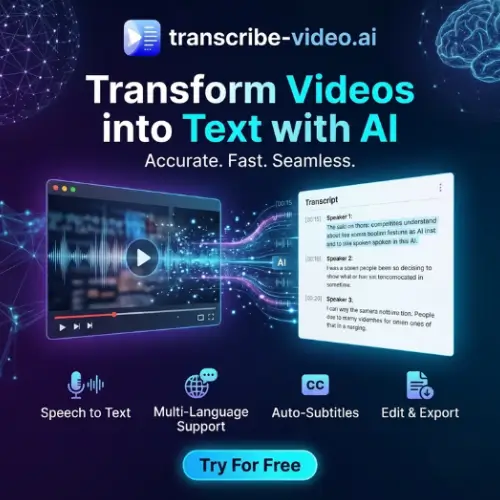
Transcribe Video AI is a free online tool that converts videos, audio recordings, and supported social media links into written text. Instead of typing everything yourself, you can upload a video or paste a link and let the AI generate a transcript.
The tool also offers features like subtitle generation, video summaries, timestamps, and translation into multiple languages. It supports more than 100 languages, making it useful for people who work with content from different countries.
One of its biggest advantages is that you can start using it without creating an account. You do not need to install any software or learn complicated editing skills.
In this review, we will explore its features, working process, pricing, benefits, limitations, and alternatives to help you decide whether Transcribe Video AI is worth trying.
What Is Transcribe Video AI?
Transcribe Video AI is a browser-based AI tool designed to convert spoken words from videos and audio recordings into readable text.
You can upload a video file directly or paste a supported link from platforms like YouTube, TikTok, and Instagram. The tool processes the content and generates a written transcript that you can use for different purposes.
For example, imagine you have a 30-minute YouTube tutorial. Instead of watching the entire video again to find a particular topic, you can generate its transcript and search through the written content.
It is also useful when you want to convert a recorded lecture into study notes, create subtitles for your videos, or translate spoken content into another language.
According to its official website, the service is currently free, requires no sign-up, supports over 100 languages, and accepts video files up to 1 GB.
How Does Transcribe Video AI Work?
The tool uses AI-powered speech recognition technology to understand spoken words and convert them into text.
Its working process is simple. You provide a video or audio source, the system processes the speech, and it produces a written transcript.
You do not need technical knowledge to use it.
Here is a simple explanation of the process:
- Upload or paste a link: Select a video or audio file from your device, or paste a supported social media link.
- AI processes the content: The system analyses the audio and identifies the spoken words.
- Generate the transcript: The tool converts the recognised speech into written text.
- Use the output: You can work with the transcript, create subtitles, translate the content, or generate a summary.
The processing time depends on the length of the recording and other factors. The official website says that transcripts are generally generated within minutes.
Key Features of Transcribe Video AI
Transcribe Video AI offers several features that make it useful for students, content creators, businesses, and other professionals.
1. Convert Videos into Text
This is the main feature of Transcribe Video AI.
You can upload a video and convert its spoken content into written text. The AI listens to the audio and generates a transcript automatically.
It supports common video formats such as MP4, MOV, AVI, MKV, and WEBM through its upload workflow.
This feature can save time when you need written content from:
- Online classes and educational videos.
- Business meetings and presentations.
- Interviews and podcasts.
- YouTube tutorials.
- Training and instructional videos.
Instead of typing everything manually, you can get a text version of the recording.
2. Transcribe YouTube Videos
YouTube is one of the most popular platforms for learning and entertainment. Sometimes, you may want to read the information in a video instead of watching it.
Transcribe Video AI allows you to paste a supported YouTube video link and generate its transcript.
This can be helpful for students, researchers, bloggers, and content creators.
For example, if you find a 40-minute educational video, you can convert it into text and quickly search for the information you need.
You can also use the transcript as a starting point for creating blog posts, video scripts, and study notes. Always rewrite and add your own research rather than copying another creator’s work.
3. TikTok and Instagram Video Transcription
Transcribe Video AI also supports links from social media platforms like TikTok and Instagram.
This is particularly useful for people who regularly work with short-form content.
For example, imagine you find an interesting Instagram Reel with useful tips. You can paste its link into the tool and convert the spoken content into text.
Some possible uses include:
- Collecting ideas from educational Reels.
- Studying popular short-form videos.
- Understanding content in other languages.
- Saving spoken information for later.
- Researching topics for your next video.
It can make content research easier because you do not have to replay the same video several times.
4. Generate Subtitles with Timestamps
Adding subtitles to videos is important for improving the viewing experience. Many people watch videos without sound, especially when browsing social media.
Transcribe Video AI can generate subtitles with timestamps automatically.
Timestamps help match written words with the correct parts of a video. This makes it easier to create captions and follow the conversation.
This feature can be useful for:
- YouTube video subtitles.
- Instagram Reels.
- TikTok videos.
- Online educational content.
- Interviews and presentations.
Creators can save time because they do not have to type every sentence and manually create timestamps.
However, you should review the subtitles before publishing. Incorrect words, names, and punctuation can affect the final result.
5. Supports More Than 100 Languages
Language support is another useful feature of Transcribe Video AI.
According to its official website, the tool supports more than 100 languages. This makes it useful for people who work with videos in different languages.
For example, you may have a video in English but need its transcript in Hindi. You can use the transcription and translation features to make the content easier to understand.
This can help:
- Students learning new languages.
- YouTubers targeting international audiences.
- Businesses working with international customers.
- Researchers studying foreign-language content.
- Creators making multilingual subtitles.
Keep in mind that transcription and translation are different tasks. Transcription converts speech into text, while translation changes that text into another language.
6. Summarize Long Videos
Sometimes, you do not need the complete transcript. You only want the important information from a long recording.
For example, watching a two-hour webinar may not be practical when you only need five important points.
Transcribe Video AI can generate summaries from longer videos.
Instead of reading every sentence, you can review a shorter version containing the main ideas.
This feature can be helpful for:
- Students preparing for exams.
- Professionals reviewing meetings.
- Researchers collecting information.
- YouTubers studying educational content.
- People watching long tutorials.
You can also use the summary as a starting point for creating notes or a content outline.
7. Supports Large Video Files
One common problem with free transcription tools is their file size limit.
Some services only accept small recordings, making it difficult to process long lectures, interviews, and webinars.
According to the official website, Transcribe Video AI supports video files up to 1 GB.
This is a useful limit for everyday video transcription needs. You can work with larger recordings without immediately splitting them into multiple smaller files.
However, actual processing time may depend on video length, file format, audio quality, and server availability.
8. No Account or Sign-Up Required
Another advantage is that you can use the basic service without creating an account.
Many online tools ask users to register before allowing them to access their main features. This can be frustrating when you only need to transcribe one video.
With Transcribe Video AI, you can visit the website, upload your file or paste a supported link, and start working.
This makes the tool convenient for occasional users who do not want another account or subscription.
9. Multiple Export Options
Getting a transcript is useful, but being able to save and reuse it is equally important.
The official website mentions support for multiple export formats.
This makes it easier to use the generated text in documents, content workflows, subtitles, and other projects.
You can also use the transcript as a starting point for blog articles, social media captions, video descriptions, and other written content.
Check the available download options in the interface because the exact formats may vary.
Who Should Use Transcribe Video AI?
Transcribe Video AI is designed for people who regularly work with video and audio content.
Here are some examples of users who may benefit from it.
Students
Students can convert online lectures into written notes. Instead of watching the same lesson repeatedly, they can review the transcript and find important topics more quickly.
It can also help students understand educational videos in different languages.
YouTubers and Content Creators
Content creators can use the tool to generate transcripts and subtitles for their videos.
They can also reuse their original spoken content to create blog posts, social media captions, and other content formats.
For example, a YouTuber can turn one long tutorial into a written article and several short social media posts.
Bloggers and Website Owners
Bloggers can use video transcripts as research material when preparing articles.
If you regularly publish educational content, interviews, and tutorials, transcription can help you collect information more efficiently.
However, transcripts should be edited, fact-checked, and rewritten to create original and useful articles.
Podcasters
Podcasters can convert recorded conversations into text.
This can help them prepare episode notes, written summaries, promotional content, and searchable archives of their discussions.
Businesses and Professionals
Businesses can use transcription to create written records of presentations, training sessions, and meetings.
It can also help team members review important discussions without listening to an entire recording again.
For confidential business recordings, check your company’s privacy requirements before uploading files to any online service.
How to Use Transcribe Video AI?
You do not need special technical skills to use this tool. Follow these simple steps:
Step 1: Visit the Official Website
Open transcribe-video.ai in your browser.
You do not need to download an application or create an account for basic use.
Step 2: Upload a Video or Paste a Link
You can select a video or audio file from your device.
Alternatively, paste a supported link from YouTube, TikTok, Instagram, or another supported source.
Step 3: Select Your Output Language
Choose the language for your transcription if the option is available. The tool also provides automatic language detection.
Step 4: Generate the Transcript
Click the generate transcript button and allow the AI to process your recording.
Processing time depends on the length and quality of the recording.
Step 5: Review and Download
Once the transcript is ready, check the generated text.
You can then use the available options to download the transcript, create subtitles, translate the content, or generate a summary.
Is Transcribe Video AI Free?
Free to use
One of the biggest advantages of Transcribe Video AI is its pricing.
According to the official website and its FAQ, the tool is currently completely free to use. It does not require registration or payment for its advertised basic transcription service.
Here is a simple pricing overview:
| Plan | Price | Features |
|---|---|---|
| Free | $0 | Video transcription, audio transcription, supported social media links, subtitles, summaries, translation, and 100+ languages |
Important: The official website currently advertises the service as free. No separate paid subscription tiers or premium pricing were listed on the pages reviewed. Pricing and feature availability may change in the future.
Advantages and Disadvantages of Transcribe Video AI
Before choosing any AI transcription tool, it is important to understand both its advantages and limitations.
Advantages
- Free to use: You can access the advertised transcription service without paying for a subscription.
- No registration: You can start using it without creating an account.
- Multiple input options: It supports video uploads, audio inputs, and supported social media links.
- 100+ languages: Useful for multilingual transcription and translation.
- Subtitle generation: Helps creators produce subtitles with timestamps.
- Video summaries: Makes long recordings easier to review.
- Large file support: The official website lists a maximum video file size of 1 GB.
- Easy interface: The simple workflow makes it suitable for beginners.
Disadvantages
- Internet required: Since it is a browser-based tool, you need an internet connection.
- Accuracy is not guaranteed: Background noise, strong accents, and unclear speech can affect results.
- No permanent transcript history: The privacy policy says the service does not provide permanent cloud storage or saved transcription history.
- Manual editing may be needed: You should check names, technical terms, numbers, and punctuation.
- Limited control compared with professional software: Users looking for advanced editing and team workflows may need a more specialised platform.
Is Transcribe Video AI Safe to Use?
Privacy is important when uploading personal videos, business meetings, or private recordings to an online tool.
According to its official privacy policy, Transcribe Video AI temporarily processes uploaded videos and audio to generate transcripts and subtitles. It says that uploaded content is automatically deleted after processing or within a limited temporary retention period.
The privacy policy also states that the service does not sell personal information or publicly share uploaded content. However, it may collect technical information such as IP addresses, browser details, and basic usage data. Transcribe Video AI
One important point is that no online service can guarantee complete security. Therefore, avoid uploading confidential medical recordings, financial information, private conversations, or sensitive business files unless you are comfortable with the service’s data practices.
How Accurate Is Transcribe Video AI?
Transcription accuracy is one of the most important factors when choosing an AI transcription tool.
Transcribe Video AI claims that it can achieve up to 98.64% accuracy under suitable conditions. However, this is a claim made on its official website, not a guarantee that every recording will achieve the same result. Free Video to Text Converter Online
Actual accuracy depends on several factors:
- Audio quality: Clear recordings usually produce better transcripts.
- Background noise: Music, traffic, and other sounds can affect speech recognition.
- Speaker accents: Some accents and speaking styles may be harder to recognise.
- Multiple speakers: People speaking at the same time can create transcription errors.
- Technical words: Industry-specific terms and unusual names may need manual correction.
For everyday videos, tutorials, and lectures, the tool can be a useful starting point.
However, always review the final transcript before using it for academic, legal, medical, or professional purposes.
Transcribe Video AI vs Other Transcription Tools
There are many AI transcription tools available online. Some focus on simple video-to-text conversion, while others provide advanced editing, meeting management, and collaboration features.
Transcribe Video AI stands out because of its free access and simple workflow.
Here is a quick comparison:
| Feature | Transcribe Video AI | Professional transcription tools |
|---|---|---|
| Video transcription | Yes | Yes |
| Audio transcription | Yes | Yes |
| Social media links | Yes | Varies |
| Multiple languages | 100+ | Varies |
| Subtitle generation | Yes | Often |
| Video summaries | Yes | Often |
| No sign-up | Yes | Varies |
| Free access | Yes | Often limited |
The right choice depends on your requirements. If you only need to convert videos into text, Transcribe Video AI is worth trying. If you need advanced editing, collaboration, or automated meeting management, a paid alternative may be more suitable.
Final Thought
Transcribe Video AI is a useful online tool for anyone who regularly works with videos, audio recordings, or social media content.
Its biggest advantage is its simplicity. You can upload a video or paste a supported link, generate a transcript, and use the written content without going through a complicated setup process.
Features like multilingual transcription, subtitle generation, timestamps, translation, and video summaries make it more than just a basic speech-to-text converter.
The fact that it is currently free and does not require registration makes it even more attractive for students, YouTubers, bloggers, researchers, and professionals.
However, it is important to remember that AI-generated transcripts are not always perfect. You should review the output before publishing or using it for important work.
Overall, if you are looking for a free and beginner-friendly way to convert videos into text, Transcribe Video AI is definitely worth testing.
Alternatives to Transcribe Video AI
If you want to explore other tools with similar transcription, subtitle, summarisation, or translation features, here are some good alternatives.
1. AI Video Summarizer
A useful alternative for converting videos and YouTube links into transcripts, summaries, subtitles, chapters, and mind maps. It is particularly helpful for students and content creators who want more than plain text.
2. Riverside Audio Transcription
A transcription tool for converting audio and video recordings into text in more than 100 languages. It also offers captions and supports longer recordings, making it useful for podcasters and video creators.
3. Speak AI
An advanced transcription and analysis platform for meetings, interviews, podcasts, and other recordings. It offers summaries, action items, sentiment analysis, and search across recorded content.
4. VEED AI Video
An online video editing platform with AI transcription and subtitle generation features. It is useful for creators who want to edit videos, add captions, translate content, and create social media videos in one place.
5. Wavel AI
An AI-powered platform focused on video translation, multilingual subtitles, dubbing, and voiceovers. It is a good option for creators and businesses targeting audiences in different countries.
6. MeetGeek
An AI meeting assistant that records, transcribes, and summarises online meetings. It supports popular meeting platforms like Zoom, Google Meet, and Microsoft Teams, making it useful for businesses and remote teams.