
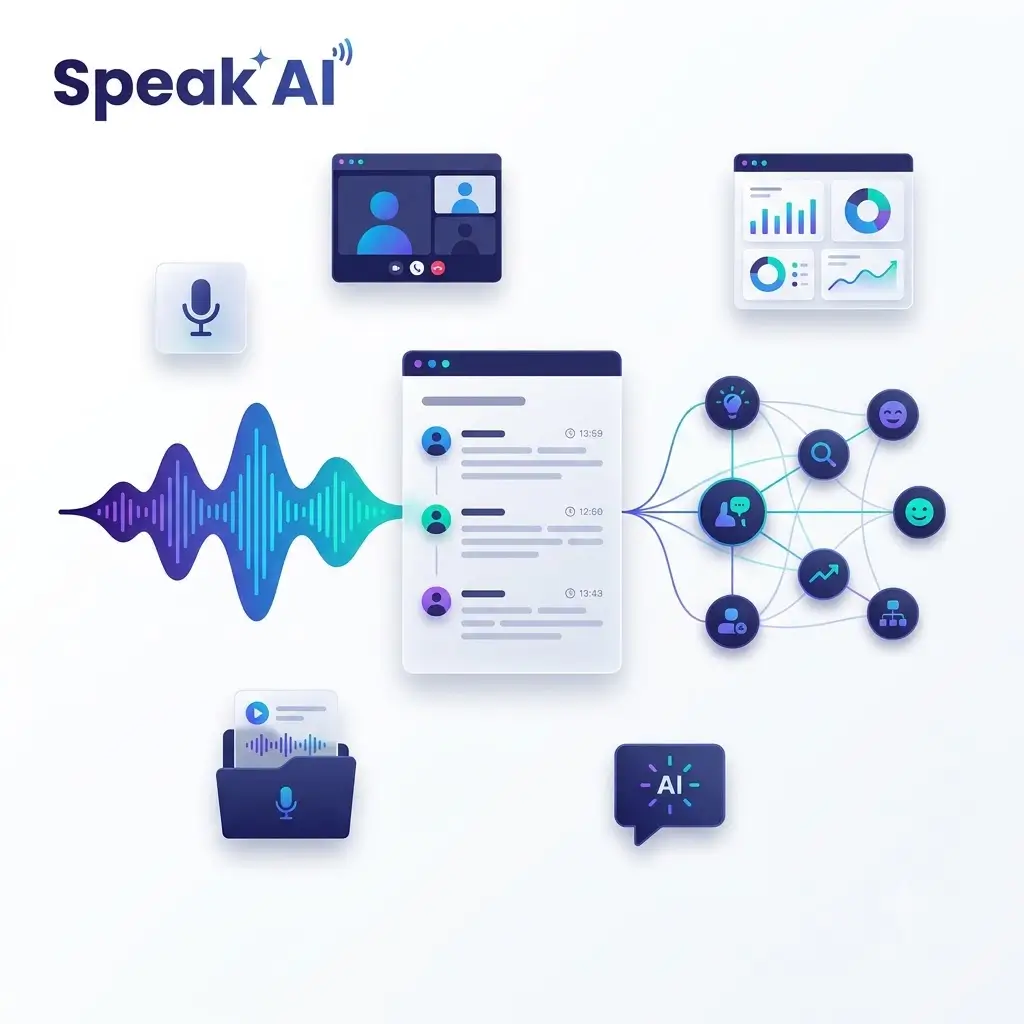
Every organization sits on a growing mountain of spoken content. Sales calls, customer interviews, research sessions, team meetings, podcasts, and survey responses all contain valuable information—decisions made, objections raised, themes repeated, and sentiment shifts that signal what’s really happening. Yet most of this material remains trapped in audio and video files that few people have the time to revisit. Speak AI is a transcription and conversation intelligence platform built to solve exactly that problem, converting recordings into structured, searchable data that teams can actually use.
From Recording to Structured Transcript
Speak AI starts with flexibility in how content enters the platform. Users can upload audio, video, or text files, record directly inside the web and mobile applications, or let the platform’s Meeting Assistant join Zoom, Microsoft Teams, Google Meet, and Webex calls automatically. This means the platform fits into existing workflows rather than requiring teams to change how they meet or conduct research.
Once a recording is processed, Speak AI generates speaker-labelled transcripts complete with timestamps, summaries, decisions, and action items. Speaker identification makes it possible to follow who said what in multi-person conversations, while timestamps ensure that any transcript line can be traced back to the exact moment in the original recording. Summaries and extracted action items turn a long call into a quick briefing, so team members can stay informed without listening to the full session.
Beyond the transcript itself, Speak AI extracts keywords, topics, sentiment, and named entities. This is where a collection of conversations begins to transform into structured data. Instead of a folder of files, users get an organized body of information they can search, filter, and compare—turning qualitative conversations into something closer to a queryable database.
Cross-Recording Analysis: Where the Platform Shines
The real power of Speak AI emerges when you need to examine more than one conversation. Cross-recording analysis allows users to place customer interviews, research sessions, or sales calls into a folder and look for recurring objections, requests, themes, or changes in sentiment across the entire set. Rather than reading each transcript individually and mentally tallying patterns, teams can surface common threads across dozens or hundreds of conversations at once.
Clicking any transcript line returns you to the relevant point in the original recording, making verification and quotation straightforward. This combination of aggregate analysis and instant source access is particularly valuable for research teams, product managers, and sales leaders who need evidence-based insights rather than impressions.
AI Chat Across Files, Folders, and the Full Library
Speak AI’s AI Chat works with individual files, folders, or the complete library of stored conversations. Users can ask questions across their archive and choose between Claude, Gemini, and GPT models depending on their preferences or the nature of the task. Need to retrieve a decision from an earlier meeting? Want to compare how frequently a topic appeared over time? AI Chat makes it possible without rereading every transcript.
This conversational interface to a conversation archive is a natural fit: users ask questions in plain language and get answers grounded in their own recorded content. It lowers the barrier to accessing institutional knowledge and makes the archive useful to people who were never part of the original calls.
Conversation Intelligence Beyond Summaries
Speak AI’s conversation intelligence features extend well beyond summaries. Teams can create custom fields and scoring criteria to evaluate calls against their own standards—whether that means assessing sales methodology adherence, research interview quality, or customer support performance. Enterprise deployments go further, analyzing tone, energy, and video visuals alongside the spoken content, adding a layer of nonverbal insight that transcripts alone cannot capture.
For teams processing a steady stream of new recordings, recurring prompts, workflows, and dashboards help ensure consistency. Instead of manually re-running the same analysis on every new call, teams can automate their review process so that each recording is processed the same way, against the same criteria, with results flowing into shared dashboards.
Built for Developers and Custom Deployments
Speak AI is also designed to be embedded in larger systems. Developers can connect through the API, MCP server, CLI, webhooks, Zapier, and embeddable components, making it possible to route transcripts and analysis into CRMs, research repositories, or internal tools. The platform can also be configured as a branded recorder, survey tool, or white-label voice AI application with custom agents and scoring—useful for organizations that want to collect responses or run voice-based workflows under their own brand.
This extensibility means Speak AI can serve as both an off-the-shelf tool for individual teams and a building block for custom products and internal platforms.
Who It’s For—and What to Keep in Mind
Speak AI is more than most people need for an occasional transcript. It becomes genuinely useful when recordings need to be searched, compared, shared, or incorporated into a repeatable research or conversation-review process. Organizations running regular customer interviews, sales call reviews, or research programs will get the most from its cross-recording analysis and workflow features.
It’s worth noting that transcript accuracy still depends on recording quality, speaker overlap, accents, and specialist terminology. For important quotations and conclusions, users should check against the source media—a practice the platform supports directly through its click-to-source transcript linking.
Pricing and Access
New accounts receive a time-limited trial with access to the main features. After the trial, users can retain access to existing transcripts through the free account, purchase processing credits as needed, subscribe to Pro, or arrange a custom Enterprise deployment. A single credit balance covers transcription, translation, Meeting Assistant usage, and AI Chat, with consumption varying by feature and model—a straightforward approach that avoids juggling separate billing for each capability.
Conclusion
Speak AI addresses a problem nearly every organization shares: too many conversations, too little time to review them. By combining flexible recording options, accurate speaker-labelled transcripts, rich extraction of topics and sentiment, cross-recording comparison, and AI Chat across an entire library, the platform turns spoken content into structured intelligence that teams can search, share, and act on. For anyone who treats conversations as data—researchers, sales teams, product groups, and developers building on top of voice—Speak AI offers a comprehensive and extensible path from raw recordings to repeatable insight.






One Response