Videosi—Put Yourself Inside Any Viral Video (Easy AI Body Swap)
Have you ever watched a funny TikTok or a cool dance Reel and thought, “I wish that was me”? Maybe you want to be the main character in a movie scene or see your pet doing something hilarious. A tool called Videosi tries to make that happen using artificial intelligence.
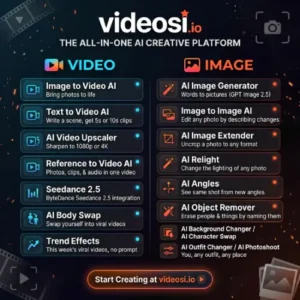
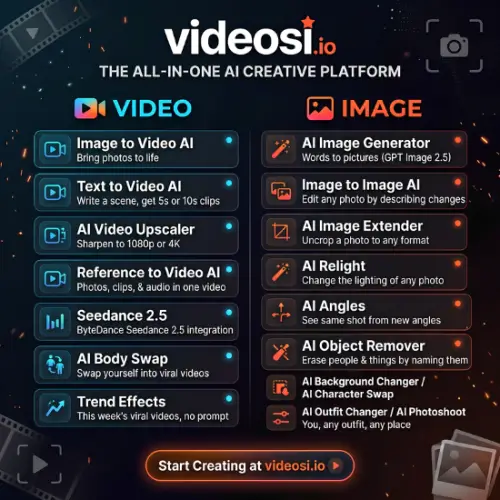
Videosi is an online service that focuses on body swaps and character swaps for short videos. Instead of just changing a face, it tries to put a whole new person into an existing clip. You give it a video you like and one photo of the person you want to see. The AI then tries to make that person do the exact same moves and dance in the same place as the original video.
I spent some time looking into how Videosi works, what it costs, and what it actually does. Here is a simple breakdown to help you decide if it is worth trying for your own social media content.
How Does Videosi Actually Work?
The idea behind Videosi is pretty straightforward. It is built for people who want to join a trend but do not want to learn complicated video editing software. The process is designed to be simple enough for almost anyone to follow.
Step 1: Upload Your Clip
First, you need to find a video you want to “star” in. You can upload a clip from your phone or computer. The site says you can use videos up to 60 seconds long. This is perfect for TikTok, Instagram Reels, or YouTube Shorts. You can use a video you found online that you like, or maybe one of your own .
Step 2: Add a Photo
Next, you upload a clear photo of the person you want to insert into the video. This could be you, a friend (with their permission, of course), or a character. The tool uses this photo to understand what the new person looks like. You need to make sure the photo is good quality, or the final result might look a bit strange .
Step 3: Get a Free Breakdown (This is a Cool Part)
Before you spend any money, Videosi does something helpful. It creates a free “shot-by-shot breakdown” of your video. This means the AI analyzes the video and tells you exactly what is happening in each scene—like where the person moves and where the camera goes. It also shows you the exact price before you commit. This is great because you know what you are paying for before you hit the generate button .
Step 4: Choose Your Mode and Generate
You usually have two main choices. You can choose “Body Swap” if you want to keep the original background and scene but just replace the person. Or you can choose “Full Remake” which tries to rebuild the whole scene with you in it. Then, you just wait. The site says a fast model can take about 5 minutes, while a higher-quality one might take around 20 minutes .
The Good Stuff: Templates and Effects
Not everyone wants to write a detailed prompt or describe what they want. Sometimes you just want to click a button and get a fun result. Videosi understands this, which is why it has a big library of ready-made effects.
You can browse through categories like Viral, Dance, Transformation, Pet, and Festival. For example, if there is a trending dance, you might be able to just select that template, upload your photo, and let the AI do the work. Some templates even let you add a second person as a “co-star,” which is fun for making videos with friends .
The site also shows a gallery of videos made by other users. This is helpful because you can see what the tool is actually capable of before you try it yourself. It gives you a realistic idea of what the output looks like, rather than just trusting the marketing images.
Important Things to Know (Safety and Limits)
It is important to be honest about what this tool can and cannot do. Videosi is a fun creative tool, but it is not magic.
First, you cannot just use anyone’s photo. The platform has rules against using photos of celebrities or public figures without permission. You are supposed to only upload photos of yourself or people who have agreed to be in the video. This is a safety feature to prevent people from making fake or harmful videos of others. The site also says it is for adults (18+) and blocks sexual content .
Second, the results are not guaranteed to be perfect. The description notes that the service does not promise “perfect identity matching.” Sometimes the AI might struggle with certain angles or fast movements. It is always a good idea to test a short clip first to see if the quality meets your standards before you spend a lot of credits on a long video.
Finally, watch out for the music. If you download a video with a popular song in the background, you might not have the legal right to use that song for commercial purposes. The tool gives you the video, but you are responsible for making sure you have the rights to any audio if you plan to use it for a brand or business .
Pricing: How Much Does It Cost?
Videosi uses a credit system. You buy credits, and different effects or video lengths cost a certain number of credits. The pricing can be a little confusing at first, but here is a simple table based on the information available. Please note that prices can change, so you should always check the official website for the most current numbers.
| Plan Type | What You Get | Approximate Cost | Best For |
|---|---|---|---|
| Single Video | 10 Credits (About 1 Video) | $9.90 | Trying it out once |
| Basic Subscription | 100 Credits/Month (About 10 Videos) | $29.90/Month | Casual creators |
| Pro Subscription | 200 Credits/Month (About 20 Videos) | $49.90/Month | Regular TikTokers |
| Studio Subscription | 450 Credits/Month (About 45 Videos) | $99.90/Month | Serious content creators |
A Quick Note on Credits: The number of credits a video costs can vary. For example, a standard 720p video of about 13 seconds might cost around 11 credits. If you choose a higher quality or a longer video, it will likely cost more. The good news is that the free breakdown shows you the price before you pay .
Also, paid plans usually remove the watermark from your videos. If you see a watermark on a test video, that is why. The subscription plans also sometimes allow unused credits to roll over to the next month, which is a nice bonus .
My Final Thought on Videosi
Videosi is a really interesting tool for anyone who wants to make engaging short-form content without being a video editor. The “shot-by-shot breakdown” feature is a smart way to build trust because it shows you the cost and the plan before you spend anything.
However, you need to manage your expectations. It is not a Hollywood special effects studio. It is a fast, credit-based AI tool that works best for fun, trending social media videos. If you want to make a funny dance video or a cute pet meme, it is definitely worth checking out. If you need perfect, professional-grade visual effects, you might find the results a little hit-or-miss.
Alternatives to Videosi
If you want to look at other options or compare features, here are a few tools that do similar things:
- Wavel AI: This is a strong alternative if you want more control over the final look. It focuses heavily on keeping your expressions and lip-sync accurate while replacing the character, and it often supports more complex editing features alongside the swap .
- Pixmax.ai: Described as an all-in-one AI visual workspace, this tool is good if you want to generate cinematic videos and stories from scratch rather than just swapping into an existing clip. It offers a broader range of creation tools beyond just body swaps.
- WUI.AI: This tool is designed for creating long videos with characters that stay consistent. If you want to make a longer story where your character appears in multiple scenes, this might be a better fit than a short-clip swapper.