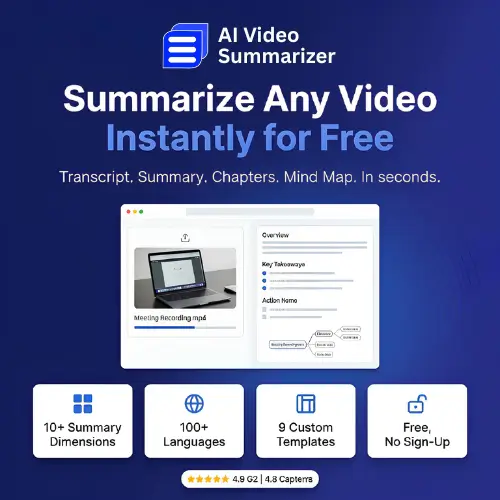
Have you ever stared at a two-hour lecture recording and thought, “I just need the three main points”? Or opened a meeting video and wished someone had already written down what was decided? That is exactly the problem AI Video Summarizer tries to solve. You paste a YouTube link or upload a video file, wait a few seconds, and get back a transcript, subtitles, chapter markers, and a structured summary. No account needed. No payment required. No Sign up.
I checked the official site and other sources to see what this tool actually offers. Here is the simple, honest picture.
What Makes It Different from Other Summarizers?
Most AI summary tools give you one block of text and call it a day. AI Video Summarizer takes a different approach with its template system. Instead of one generic summary, it offers nine templates designed for different types of content .
For example, if you upload an earnings call, you can choose the Financial Analysis template. It will focus on numbers, trends, and business insights. If you upload a recorded lecture, the Course Summary template pulls out key theories and principles instead of financial data. There are also templates for meetings, interviews, general notes, and more .
This matters because a summary of a coding tutorial and a summary of a quarterly earnings call should not look the same. The tool understands that different videos need different kinds of notes.
The Mind Map Feature Is a Genuine Bonus
Beyond text, AI Video Summarizer can turn your summary into a mind map. If you are a student trying to understand how ideas in a lecture connect to each other, reading bullet points is not always enough. A mind map shows you the structure visually—main topic in the center, related ideas branching out .
Most free summarizers skip this completely. It is a small feature, but for visual learners, it makes a real difference.
Language Support and Speaker Recognition
The tool handles more than 100 languages for both transcription and translation . That means you can upload a video in a language you do not speak well, get a transcript in that language, and translate it into something you understand.
It also recognizes multiple speakers in a video . For meeting recordings or interviews, this is important. You can tell who said what instead of reading a wall of text with no speaker labels.
Supported Formats and the File Size Question
You can upload MP4, MOV, AVI, MKV, and WEBM files, or just paste a YouTube link . The tool also works with audio files and direct media links .
One thing to note: the file size limit is described inconsistently across different pages. Some sources mention 100MB, others say 1GB, and some mention 2GB . If you are working with a very large file, it is worth testing before you rely on it for something important. For typical lectures, interviews, and YouTube videos, the limit is usually not a problem.
What Users Say
The tool has strong ratings on review platforms: Capterra (4.8), G2 (4.9), and Product Hunt (4.7) . These scores suggest that people who use it are generally happy with the quality of the transcripts and summaries.
The team behind the tool is not publicly listed, but the product clearly has been refined over time. It does not feel like a quick weekend project.
Who Is This Tool For?
Three groups will find it most useful:
Students. If you miss a lecture or need to review dense course material, uploading the recording and getting a structured Course Summary plus a mind map is far faster than rewatching everything.
YouTubers and content creators. If you want to turn a video into an article or blog post, you need a transcript. This tool gives you one in seconds, and the summary helps you see the main points without scrubbing through the timeline.
Researchers and journalists. If you have hours of recorded interviews, the multi-speaker recognition and transcript output save enormous time. You can search the text instead of replaying audio.
Pricing
Here is the simple truth: according to the official terms of service, AI Video Summarizer is currently free to use. No payment, no subscription, no account registration is required .
| Plan | Price | What You Get |
|---|---|---|
| Free | $0 | Full access to summarizer, transcripts, templates, mind maps, 100+ languages, no sign-up |
Some third-party sites mention a pricing page or paid tiers, but the official terms clearly state the service is provided free of charge at this time . If a paid plan appears later, that may change, but as of now, you can use the core features without paying anything.
Final Thoughts
AI Video Summarizer is not trying to be the most complicated tool on the market. It does one job well: take a video, give you back useful text and structure quickly, and let you choose how that summary should look. The template system, mind map output, and multi-language support make it more useful than many paid alternatives.
If you regularly deal with long videos—lectures, meetings, interviews, or YouTube content—this tool is worth trying. It is free, it does not ask for your email, and it saves time immediately.
Alternatives to AI Video Summarizer
NoteGPT — A browser-based summarizer that handles YouTube videos and uploaded files. It offers batch processing and playlist support, with a Pro plan for uncaptioned videos and larger uploads .
Eightify — A lightweight Chrome extension and mobile app that gives timestamped key points for YouTube videos. Best for quick skimming when you do not need transcripts or mind maps .
Notta — A transcription and summarization tool focused on meetings and interviews. It supports 50+ languages, offers summary templates, and integrates with workplace tools like Notion and Google Drive .