
Have you ever written a long message, an email, or a school essay, hit the “send” or “submit” button, and then suddenly realized you made a silly spelling mistake? We have all been there. It feels awful. But what if you had a smart friend looking over your shoulder, catching those mistakes before anyone else sees them?
That is exactly what Grammarly does.
If you spend any time writing on a computer or phone, you have probably heard of Grammarly. But is it actually worth using? Does the free version do enough, or do you need to pay for the premium one? In this article, we will break down everything you need to know about Grammarly in simple, easy-to-understand English. Whether you are a student trying to get a good grade, a professional writing daily emails, or a content creator writing scripts and social media captions, this guide is for you.
What is Grammarly?
At its core, Grammarly is an AI-powered writing assistant. But do not let the word “AI” scare you. It is not a robot that writes your homework for you (and your teacher would probably catch that anyway!). Instead, think of it as a super-smart spellchecker and editor.

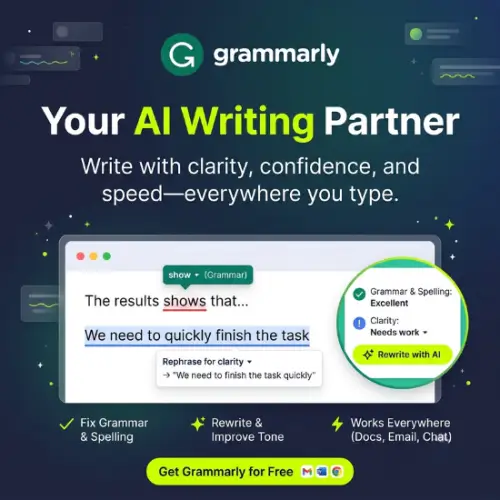
When you type, Grammarly scans your words in real-time. If it sees a mistake, it underlines it. When you click on the underline, it tells you what went wrong and suggests a fix. But it does much more than just check for missing commas or misspelled words. It actually looks at how your sentences flow, checks if your tone sounds polite or angry, and even helps you rewrite clunky sentences so they are easier to read.
The Main Features of Grammarly
Grammarly has added a lot of new features over the years. Here is a simple breakdown of what it can actually do for you.
1. Basic Grammar and Spelling
This is the bread and butter of the tool. It catches typos, missing apostrophes, and messed-up verb tenses. It is incredibly accurate and works instantly as you type.
2. Clarity and Readability
Sometimes we write sentences that are just too long and confusing. Grammarly will highlight these and suggest ways to make them shorter and punchier. It gives your writing a “readability score,” which is super helpful if you want to make sure a wide audience can understand your text.
3. Tone Detector
This is one of the coolest features. Have you ever written an email that you thought sounded professional, but it actually came off as rude? Grammarly’s tone detector tells you how your words might feel to the reader. It will let you know if you sound formal, friendly, confident, or even angry.
4. GrammarlyGO (Generative AI)
This is their newest big feature. GrammarlyGO is like having a co-writer. If you are staring at a blank screen, you can ask GrammarlyGO to draft an email for you. You just type a quick prompt like, “Write a polite email to my boss asking for next Friday off,” and it will generate a draft. You can also use it to rewrite your own text to make it shorter, longer, or more professional.
5. Plagiarism Checker
This is a huge lifesaver for students. It scans your text against billions of web pages to make sure you haven’t accidentally copied someone else’s work.
Where Can You Use It?
One of the best things about Grammarly is that it goes wherever you go. You do not have to copy and paste your text into a special Grammarly website.
- Browser Extension: You can add it to Chrome, Safari, or Edge. It will work automatically when you are typing in Gmail, Google Docs, or even posting on social media.
- Desktop App: There is an app for Windows and Mac that works over any text field on your computer.
- Mobile Keyboard: You can download the Grammarly keyboard for iOS and Android. This means it checks your grammar when you are texting or writing Instagram and TikTok captions on your phone.
- Microsoft Word: It has a plugin that works directly inside Word documents.
Who Should Use Grammarly?
Honestly, almost anyone who writes can benefit from it. But let’s look at a few specific groups:
Students: If you are writing essays, Grammarly is like a personal tutor. It helps you fix basic errors and suggests better vocabulary words so your essays sound more academic. The plagiarism checker is also a must-have to ensure you don’t lose marks for accidental copying.
Professionals: In the business world, a poorly written email can cost you a client or make you look unprofessional. Grammarly ensures your emails are crisp, clear, and have the right tone.
Content Creators and Video Makers: If you make videos for YouTube, Instagram, or TikTok, you know that writing good scripts, video descriptions, and social media posts is just as important as the video itself. Grammarly helps you write catchy captions, fix the grammar in your video scripts before you record, and ensure your social media bios look clean and professional.
Grammarly Pricing Plans
Grammarly offers a few different plans. The free version is great, but the paid versions unlock the real magic. Here is a simple table to help you understand the pricing. (Note: Prices are approximate and based on their standard annual billing rates, which give you the best deal).
| Plan Name | Price (Billed Annually) | Price (Billed Monthly) | What is Included? |
|---|---|---|---|
| Grammarly Free | $0 | $0 | Basic grammar, spelling, punctuation, and conciseness checks. Great for everyday emails and texts. |
| Grammarly Premium | $12 / month | $30 / month | Everything in Free, plus full sentence rewrites, tone adjustments, vocabulary enhancements, and the plagiarism checker. |
| Grammarly Business | $15 / month (per member) | $25 / month (per member) | Everything in Premium, plus brand tone guidelines, an admin dashboard, team analytics, and SSO authentication. |
Tip: If you are just a student or a casual writer, the Free version is usually enough. If you write a lot for work or school, Premium is worth the investment. Business is only for companies with teams.
Pros and Cons of Grammarly
No tool is perfect. Here is a quick look at the good and the bad.
The Good (Pros):
- Very easy to install and use.
- Works almost everywhere (browser, phone, Word).
- The tone detector is unique and very helpful.
- GrammarlyGO saves a lot of time when you have writer’s block.
- The free version is genuinely useful and not just a boring trial.
The Bad (Cons):
- The monthly price for Premium is quite high if you don’t buy the annual plan.
- Sometimes it suggests changes that change the meaning of what you wanted to say. You still have to use your own brain!
- The plagiarism checker is only available if you pay for Premium.
Final Thought
Grammarly has grown from a simple spellchecker into a full-blown AI writing partner. It takes the stress out of writing by catching your mistakes and helping you say things more clearly. While the free version is a great starting point, upgrading to Premium gives you the tools to make your writing truly stand out. Whether you are writing a school paper, a professional email, or a caption for your next social media video, Grammarly is a tool that easily earns a spot in your digital toolbox.
Alternatives to Grammarly
If you want to look at other options before making a choice, here are some of the best alternatives that offer similar features.
QuillBot
This tool is famous for its excellent paraphrasing and rewriting capabilities. If your main goal is to rewrite existing text to avoid plagiarism or change the tone, QuillBot offers some of the best AI rewriting features on the market.
ProWritingAid
This is a very deep editing tool that gives you highly detailed reports on your writing style, overused words, and sentence length. It is highly favored by fiction authors and long-form bloggers who want deep stylistic feedback.
LanguageTool
This is a great open-source alternative that focuses heavily on strict grammar and style checking. It supports multiple languages and is highly privacy-friendly, making it a solid choice for users who want a lightweight grammar checker.
Hemingway Editor
Unlike Grammarly, this tool does not focus on basic spelling; instead, it highlights complex, hard-to-read sentences and passive voice. It is the perfect alternative for writers who specifically want to make their writing bold, clear, and punchy.



