
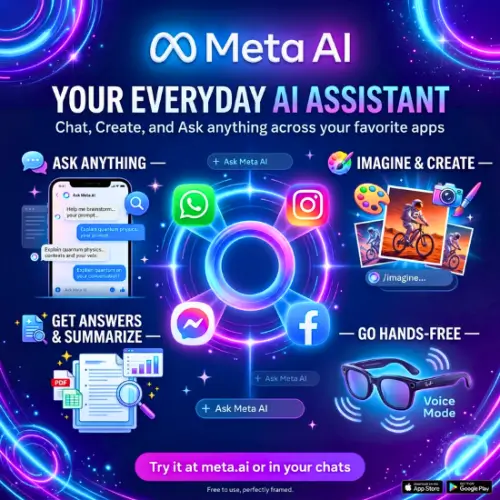
Meta AI is an artificial intelligence assistant developed by Meta, the company behind Facebook, Instagram, WhatsApp, and Messenger. It helps users answer questions, generate images, write content, get recommendations, and complete everyday tasks using AI.
One of the biggest advantages of Meta AI is that it is available inside apps that millions of people already use. You don’t always need to visit a separate AI website or download another application to start using it.
Whether you are a student, content creator, business owner, or someone who simply wants help with everyday tasks, Meta AI offers several useful features worth exploring.
In this review, we will look at Meta AI’s features, how it works, its pricing, advantages, disadvantages, and some of the best alternatives available online.
What Is Meta AI?
Meta AI is an AI-powered virtual assistant designed to make everyday digital tasks easier. It uses advanced AI models to understand questions, generate responses, create images, and help users with different types of work.
You can use Meta AI for writing emails, creating social media captions, explaining difficult topics, translating languages, finding information, brainstorming ideas, and much more.
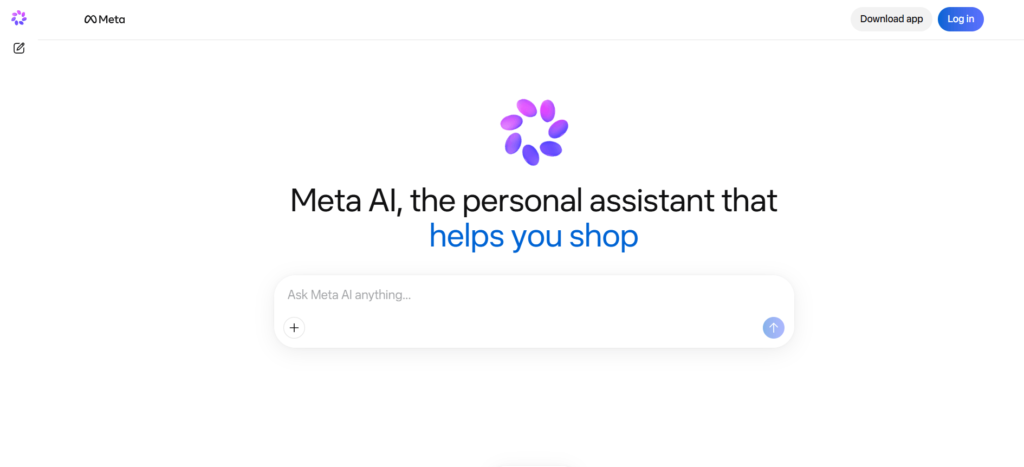
Unlike many AI assistants that require users to visit a separate platform, Meta AI is connected to Meta’s popular applications. You can access it through WhatsApp, Instagram, Facebook, Messenger, the Meta AI mobile app, and its official website.
Meta AI is also powered by Meta’s Muse family of AI models. Its current assistant model is Muse Spark, while Muse Image powers its image-generation experience.
Key Features of Meta AI
Meta AI offers several features that can help with personal tasks, education, content creation, and everyday productivity. Let’s look at some of its most useful features.
1. AI Chat Assistant
The AI chat assistant is one of the main features of Meta AI. You can ask questions in simple language and receive answers within seconds.
For example, you can ask it to explain a difficult topic, suggest business ideas, prepare a daily schedule, or help you understand something you read online.
You can also ask follow-up questions to get more detailed answers. This makes it useful for people who want quick information without searching through multiple websites.
2. AI Image Generation
Meta AI can turn written descriptions into images. You simply explain what you want to see, and the AI creates a visual based on your instructions.
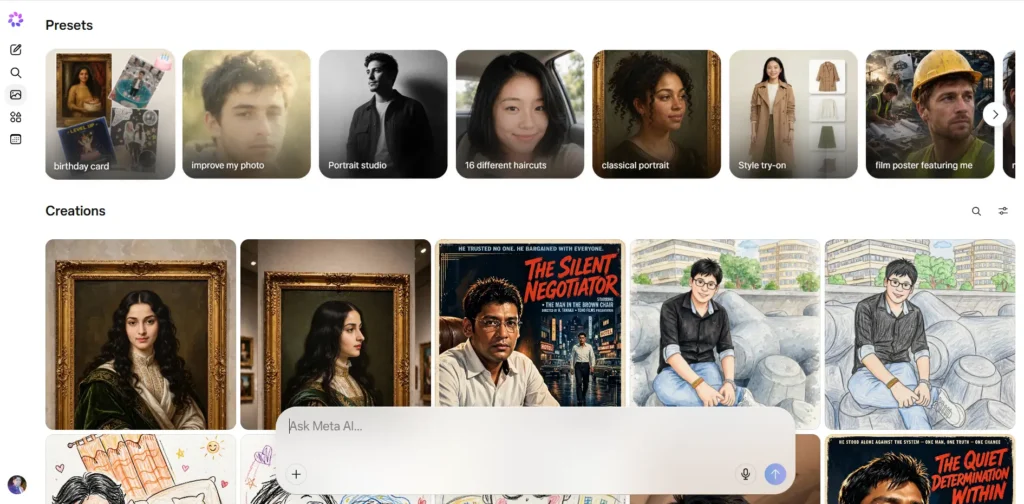
For example, you can enter a prompt such as:
“Create a realistic image of a modern house surrounded by green mountains during sunset.”
Meta AI will generate an image based on your description.
You can use this feature to create digital artwork, social media posts, creative concepts, invitations, and other visual content.
Its Muse Image technology also supports more detailed prompts, image combinations, and conversational editing.
3. AI Image Editing
You don’t always need to create an image from scratch. Meta AI also lets you upload an existing picture and describe the changes you want.
For example, you can ask it to:
- Remove unwanted objects from a picture.
- Change the background.
- Add new elements to an image.
- Change the overall visual style.
- Improve or restore an old photograph.
- Combine multiple pictures into one creative image.
This feature is helpful for social media creators, designers, and people who want to edit photos without learning complicated editing software.
4. Voice Conversations
Meta AI supports voice-based interactions, allowing you to communicate with the assistant without typing every question.
You can speak naturally, ask questions, and receive spoken responses where the feature is supported.
This is useful when you are travelling, doing household work, or simply prefer speaking instead of typing.
Voice experiences and available options can differ depending on your device, country, and application.
5. Integration With WhatsApp
One of the biggest advantages of Meta AI is its integration with WhatsApp.
Instead of opening a separate AI website, you can access Meta AI directly inside WhatsApp where the feature is available.
You can ask questions, get suggestions, generate images, and use AI assistance while chatting.
This makes it convenient for people who already use WhatsApp regularly. You don’t need to learn a completely new platform to start using an AI assistant.
6. Instagram Integration
Meta AI is also available inside Instagram.
It can help users create captions, explore ideas, generate images, and get suggestions for social media content.
For example, if you are planning to publish a travel photograph, you can ask Meta AI to suggest some interesting captions.
It can also help you brainstorm Reel ideas, write short descriptions, and generate creative concepts for your Instagram page.
7. Content Writing Assistance
Meta AI can help you create different types of written content.
You can use it to prepare:
- Blog post ideas and outlines.
- Instagram captions.
- Facebook post descriptions.
- YouTube video titles.
- Email drafts.
- Product descriptions.
- Social media content ideas.
- Short advertisements and promotional messages.
You can also ask it to rewrite existing content in a simpler or more professional tone.
However, you should always review AI-generated content before publishing it, especially when accuracy and originality matter.
8. Translation and Language Assistance
Meta AI can help translate text between different languages. It can also explain unfamiliar words, correct grammar, and help you understand sentences.
This feature is useful for students, travellers, content creators, and people who communicate with audiences from different countries.
You can ask it to translate a sentence into Hindi, English, Spanish, French, or another supported language.
You can also request simpler explanations if the translated text is difficult to understand.
9. Real-Time Information and Web Search
Meta AI can help users find information about different topics and explore current events.
You can ask questions about technology, entertainment, education, travel, products, and other subjects.
It can use web information to provide more relevant answers and help you explore topics without manually opening several search results.
However, AI-generated answers are not always correct. For important information, it is better to check reliable sources.
10. Personalized Recommendations
Meta AI can also help users discover new ideas and recommendations.
For example, you can ask it to suggest movies, recommend places to visit, find gift ideas, or help you choose a suitable product.
Its connection with Meta’s platforms can also make recommendations more relevant to social content and trends.
The exact personalization features depend on the product, account settings, and regional availability.
How to Use Meta AI?
Getting started with Meta AI is quite simple. You don’t need technical knowledge or special training.
Follow these steps:
- Open the official Meta AI website at meta.ai.
- Sign in using your Meta account if prompted.
- Open the chat interface.
- Type your question or instruction in the message box.
- Press enter and wait for the AI-generated response.
- Continue the conversation if you need more information.
You can also access Meta AI through supported versions of WhatsApp, Instagram, Facebook, and Messenger.
For mobile users, the dedicated Meta AI application is another option. Availability of specific features may vary by country and device. Ask, chat & more+1
Meta AI Pricing and Plans
One of the most attractive things about Meta AI is that its core AI assistant is free for everyday use.
You can ask questions, get writing assistance, and use image-generation features without purchasing a separate AI subscription, subject to applicable usage limits.
However, Meta has introduced optional subscription plans that provide additional features and higher usage limits for some AI-powered experiences.
Here is an overview of the pricing announced by Meta.
| Plan | Price | Main Benefits |
|---|---|---|
| Meta AI Free | $0/month | Everyday AI assistance and available creative features |
| Meta One Core | $7.99/month | More AI image and video generation, plus additional app features |
| Meta One Premium | $19.99/month | Higher creative usage and additional features across Meta apps |
| Creator and Business Bundle | Starting at $14.99/month | Additional creator and business-focused features |
Prices are in USD and based on Meta’s announced plans. Actual availability, billing, taxes, and regional pricing may differ. Meta AI’s free experience also has usage limits on certain resource-intensive features.
Meta’s September 2026 announcement explains that its core AI experience will remain free, while paid plans offer expanded usage and additional capabilities.
Is Meta AI worth paying for?
For casual users, the free version should be a good starting point. If you frequently create AI images and videos or use Meta’s creative tools extensively, a paid plan may be worth considering.
You should check the available plans and features in your own account before purchasing.
Pros and Cons of Meta AI
Every AI tool has advantages and limitations. Here are some important things to consider before using Meta AI.
Pros
- Free AI Assistant: You can use the core assistant without paying for a monthly subscription.
- Easy Accessibility: It is available across popular Meta applications.
- Image Generation: You can create images using simple text prompts.
- Image Editing: It supports editing existing images through instructions.
- Voice Features: You can interact with AI using voice where supported.
- Content Creation: It helps generate captions, ideas, descriptions, and other content.
- Multiple Languages: It can help with translation and language-related tasks.
- Beginner Friendly: Its simple interface makes it easy for new users.
Cons
- Usage Limits: Some advanced AI features have daily or monthly usage limits.
- Regional Restrictions: Certain features may not be available in every country.
- Inconsistent Results: AI-generated answers and images may not always match your expectations.
- Privacy Concerns: Users should understand Meta’s data policies and account settings before sharing personal information.
- Limited Professional Controls: It may not replace specialized writing, design, or development software.
- Accuracy Issues: Important information should always be verified using reliable sources.
Who Should Use Meta AI?
Meta AI is designed for a wide range of users. You don’t need to be an expert in artificial intelligence to use it.
Here are some people who may find it particularly useful.
1. Students: Students can use Meta AI to understand difficult subjects, summarize information, practise languages, and get help with homework.
2. Content Creators: YouTubers, Instagram creators, and bloggers can use it to generate content ideas, write captions, prepare scripts, and create visuals.
3. Small Business Owners: Business owners can use it to brainstorm marketing ideas, write product descriptions, create promotional content, and communicate with customers.
4. Social Media Users: People who regularly use Facebook, Instagram, and WhatsApp can use Meta AI for recommendations, creative ideas, and quick answers.
5. Everyday Users: Anyone who wants a convenient AI assistant for daily questions, translations, and general information can try Meta AI.
Meta AI vs Other AI Assistants
There are several AI assistants available today. Each has different strengths.
| AI Tool | Best Known For |
|---|---|
| Meta AI | Social media integration and AI image creation |
| ChatGPT | General AI assistance, writing, reasoning, and image creation |
| Google Gemini | Google’s ecosystem, research, and multimodal AI |
| Microsoft Copilot | Productivity and Microsoft integration |
| Claude | Writing, document analysis, and complex reasoning |
Meta AI’s biggest advantage is its connection with WhatsApp, Instagram, Facebook, and Messenger. Other assistants may offer more specialized features depending on your requirements.
Is Meta AI Safe to Use?
Meta AI includes safety systems designed to reduce harmful content and provide a safer experience. However, like other AI platforms, it is important to use it responsibly.
Avoid sharing sensitive personal information, passwords, financial details, or private documents unless you understand how the information will be processed.
You should also review Meta’s privacy settings and applicable AI data policies.
Remember that AI responses can contain mistakes. Don’t depend on them as the only source for medical, legal, financial, or other important decisions.
Final Thoughts
Meta AI is a useful AI assistant for people who want quick answers, creative ideas, image generation, and everyday assistance without paying for an expensive AI subscription.
Its biggest strength is its integration with popular applications like WhatsApp, Instagram, Facebook, and Messenger. This makes it easier for millions of people to access AI features without changing their usual digital habits.
Its image-generation and editing capabilities also make it an interesting option for content creators and social media users.
However, Meta AI is not perfect. Usage limits, regional restrictions, and occasional inaccurate responses can affect the overall experience. Users who need advanced writing, coding, research, or professional productivity features may prefer other AI platforms.
Overall, Meta AI is worth trying, especially if you already use Meta’s applications. Start with the free version and explore its features before deciding whether you need a paid subscription.
Alternatives to Meta AI
If Meta AI doesn’t meet your requirements, here are some other AI assistants worth exploring.
1. ChatGPT
ChatGPT is an AI assistant that helps with writing, research, coding, brainstorming, image generation, and everyday questions. It is a strong alternative for users who need an all-purpose AI tool.
2. Google Gemini
Google Gemini is Google’s AI assistant that can answer questions, generate content, understand images, and help with research. It is particularly useful for people who already use Google services.
3. Microsoft Copilot
Microsoft Copilot is an AI-powered assistant for writing, research, image generation, and productivity. It is a good choice for users who work with Microsoft products and services.
4. Claude
Claude is an AI assistant developed by Anthropic. It is especially useful for writing, understanding long documents, analysing information, and solving complex problems.
5. Grok
Grok is an AI chatbot developed by xAI. It offers conversational assistance, image generation, and access to information and discussions from the X platform.
Frequently Asked Questions (FAQs)
1. Is Meta AI free to use?
Yes. Meta AI offers a free version for everyday AI assistance. Some advanced features have usage limits, and optional paid subscriptions are available for additional usage.
2. Can Meta AI generate images?
Yes. Meta AI can generate images from text descriptions and edit existing pictures using AI-powered tools.
3. Can I use Meta AI on WhatsApp?
Yes. You can access Meta AI directly through WhatsApp in supported regions and versions of the application.
4. Who developed Meta AI?
Meta AI was developed by Meta Platforms, the company behind Facebook, Instagram, WhatsApp, and Messenger.
5. Can Meta AI write articles and blog posts?
Yes. You can use it to generate article ideas, outlines, introductions, product descriptions, and complete blog drafts. You should review and edit the content before publishing.
6. Is Meta AI better than ChatGPT?
Both tools have different strengths. Meta AI is particularly convenient for social media integration, while ChatGPT offers a broader set of features for writing, research, coding, and productivity.
7. Does Meta AI support voice conversations?
Yes. Meta AI supports voice interactions on compatible devices and applications, although availability varies by region.
8. Can Meta AI create videos?
Meta offers AI-powered video creation capabilities through its creative experiences. Access and usage limits depend on the subscription, feature, and region.



