
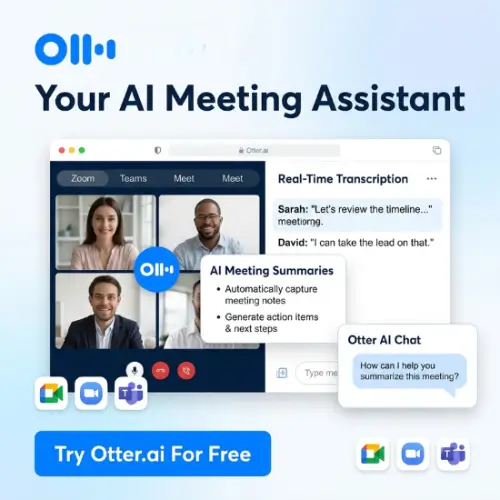
Have you ever been in a meeting where someone says something really important, and you think, “I’ll remember that,” but by the time the meeting ends, you’ve already forgotten half of it? Yeah, that happens to almost everyone. That’s where Otter.ai comes in.
Otter.ai is like having a super-smart friend sitting in every meeting with you. This friend listens carefully, writes down everything, organizes the important parts, and even reminds you what you need to do next. It doesn’t get tired, it doesn’t miss details, and it definitely doesn’t daydream.
In this article, I’ll walk you through what Otter.ai actually does, how much it costs, and whether it’s worth your time. I’ll keep things simple and natural—no complicated tech talk. Let’s dive in.
What Is Otter.ai, Really?
At its heart, Otter.ai is an AI meeting assistant. That’s a fancy way of saying it joins your online meetings, listens to what everyone says, and turns those words into a written record called a transcript .

But it’s more than just a transcription tool. Otter can also:
- Take notes automatically so you can focus on the conversation instead of typing.
- Identify different speakers so you know who said what.
- Create summaries that highlight the key points and action items.
- Answer questions about your meetings using AI Chat .
The company says over 40 million people use Otter, and it has saved customers more than $1.5 billion in time . That’s a lot of hours not spent typing.
How Does It Work in Real Life?
Let’s say you have a team meeting on Zoom. You connect your calendar to Otter, and when the meeting starts, Otter’s “Notetaker” automatically joins the call . It sits quietly in the background (you’ll see it listed as a participant) and starts recording.
While people talk, the words appear on your screen in real time. If someone says something confusing, you can highlight it to review later. If your boss assigns you a task, you can add a comment or mark it as an action item .
After the meeting ends, Otter sends everyone a summary. No one has to volunteer to take notes. No one has to type up a recap. It’s already done.
You can also use Otter for in-person conversations, webinars, or even by uploading an audio or video file you already have . Just click import, and Otter will transcribe it for you.
The Features That Actually Matter
Otter has added a lot of new tools recently. Here are the ones you’ll probably use the most.
Live Transcription and Speaker ID
This is Otter’s bread and butter. As people speak, the text appears live. You can train Otter to recognize your voice and your teammates’ voices, so it automatically labels who is talking . No more guessing who said “let’s circle back.”
AI Chat and Connectors
Otter has an AI Chat feature that lets you ask questions about your meetings. For example, you could ask, “What did Sarah say about the budget?” or “What are my action items from last week?” .
More recently, Otter added connectors to apps like Gmail, Google Drive, Notion, and Jira . That means Otter can pull information from your emails or documents into your meeting notes. You could ask Otter to draft a follow-up email based on what was discussed, and it will write it right there .
Work Mode and Live Assist
These are newer features aimed at making meetings more productive from start to finish.

Work Mode gives you a pre-meeting brief before you even join the call. It pulls from past conversations, open action items, and files from connected apps, so you walk into the meeting already knowing what’s going on .
Live Assist is like having a coach whispering tips during the call. If you’re in sales, for example, it might remind you to ask about budget or mention a competitor’s pricing. The prompts appear privately in your meeting window .
Otter.ai Pricing: What Does It Cost?
Otter has a free plan and several paid options. Here’s a simple breakdown based on the latest information available. Prices can change, so always check Otter’s official website for the most current numbers.
| Plan | Price (USD) | What You Get |
|---|---|---|
| Basic | Free forever | 300 transcription minutes per month, 30 minutes per conversation, basic AI summaries, limited file imports |
| Pro | $8.33 per user/month (billed annually) or $16.99 month-to-month | More transcription minutes, longer meetings, advanced search, unlimited file imports (fair use), AI Chat features |
| Business | Around $19.99 per user/month (varies by region) | Everything in Pro plus workspace features, admin controls, 6,000 monthly minutes, 4 hours per conversation, unlimited imports |
| Enterprise | Custom pricing | Advanced security, HIPAA compliance, dedicated support, organization-wide controls |
A quick note on the free plan: 300 minutes a month sounds like a lot, but it adds up fast if you have daily meetings. The 30-minute limit per conversation also means longer meetings get cut off. If you meet frequently, you’ll probably need at least the Pro plan.
Students and teachers get a 20% discount on Pro plans if they sign up with a school email address .
What I Like About Otter
It’s genuinely easy to use. You don’t need to be a tech expert. Connect your calendar, join a meeting, and Otter does the rest. The interface is clean, and the transcripts are easy to read and search.
The search function is powerful. Imagine trying to remember which meeting someone mentioned a specific project. Instead of rewatching hours of video, you just type the keyword into Otter and it finds the exact moment . That alone saves hours.
The integrations are expanding. With connectors to Gmail, Notion, Jira, and more, Otter is becoming less of a standalone tool and more of a central hub for meeting knowledge . Being able to draft an email from a meeting transcript without switching apps is a nice touch.
Where Otter Falls Short
Language support is limited. Otter only transcribes six languages: English, Spanish, French, German, Japanese, and Chinese (Simplified) . If your team speaks other languages, this is a dealbreaker.
The free plan is restrictive. 300 minutes sounds generous until you realize it’s only about 5 hours of meetings per month. For anyone with a real job, that’s basically a week.
Privacy considerations. Otter’s privacy policy reportedly allows training on de-identified recordings and transcripts. Only Enterprise workspaces are opted out by default . If your meetings contain sensitive information, you’ll want to check the settings carefully.
The bot joins your calls. Some people find it awkward to see “Otter Notetaker” listed as a participant. If you prefer a tool that records quietly without a bot, Otter might not be your favorite.
Who Should Use Otter.ai?
Otter is a great fit for:
- Teams that meet frequently and want automatic notes without assigning a note-taker.
- Sales and recruiting teams that need to review conversations and follow up quickly.
- Students and researchers who record lectures or interviews and need searchable transcripts.
- Anyone who hates typing notes during calls and wants to stay present in the conversation.
It’s less ideal for:
- Teams working in languages other than the six supported.
- People who need offline or highly private recording without cloud processing.
- Casual users who only have one or two short meetings a month (the free plan might be enough, though).
Final Thought
Otter.ai isn’t magic, but it’s pretty close to what you’d want from a meeting assistant. It listens, remembers, and organizes so you don’t have to. The free plan lets you try it without risk, and the paid plans add useful features for people who live in meetings.
The biggest things to watch are the language limitation and the privacy settings. If those aren’t problems for you, Otter can genuinely save you hours every week. And honestly, who doesn’t want more time back?
Alternatives to Otter.ai
If Otter doesn’t quite fit your needs, here are some solid alternatives worth checking out.
Fireflies.ai
A powerful AI notetaker that supports over 100 languages (in beta) and integrates with more than 100 apps. It’s a strong choice for international teams or anyone who wants deep integration with CRMs and project tools .
Granola
If you don’t want a bot joining your calls, Granola is for you. It captures audio directly from your device, works with any meeting app, and runs on Mac, Windows, iPhone, and Android. You jot rough notes during the meeting, and Granola polishes them afterward .
Fathom
Known for its generous free plan with unlimited recordings and transcriptions. It works with Zoom, Google Meet, Teams, and Slack Huddles, and offers bot-free recording on Mac. A great option if you want to start free and scale later .
tl;dv
A good pick for teams that need European data hosting. Based in Germany, it records with or without a bot and offers custom note templates for sales frameworks like MEDDIC and SPIN .
Avoma
Best for teams that want more than just notes. Avoma bundles a scheduler, conversation intelligence, call scoring, coaching, and revenue insights alongside its transcription features .



