AI agents are getting smarter every month, but they still have a big weakness: they can only work with what is already inside their own brain. Ask one to check live keyword rankings, find details about a company, or post to social media, and it gets stuck. For jobs like these, it needs outside tools.
The usual fix is a headache. Every tool means a new account, a new key, and new code. Five tools means five of everything. It takes time, and it is easy to get wrong.
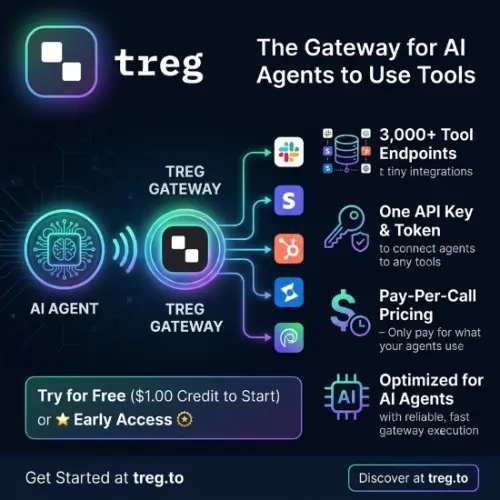
Treg tries to make this much simpler. It gives your AI agent one connection to thousands of outside tools. You add it to ChatGPT, Claude, Claude Code, Cursor, or Grok. Then your agent can search the catalogue and use the tools it needs.
In this review, I will explain what Treg is, how it works, what it costs, and where it falls short. By the end, you will know if it fits your project.
What Is Treg?
Think about how a smart AI helper works. It can write, explain, and plan, but it cannot do everything alone. It cannot pull live SEO numbers. It cannot look up details about a company. It cannot post to social media. For jobs like these, it needs outside tools.
That is where Treg comes in. Treg gives AI agents one single connection to thousands of outside tools. You connect its MCP server to a client like ChatGPT, Claude, Claude Code, Cursor, or Grok. After that, the agent can search the catalogue and call a provider’s API directly. You do not need to build a separate setup for each service.
MCP stands for Model Context Protocol. It is a common way for AI apps to talk to tools. You can compare it to a USB port. Once your computer has the port, you can plug in many devices. Treg works like a hub on that port.
What Is Inside the Treg Catalogue?
The catalogue started with more than 2,600 endpoints from dozens of providers, and it keeps growing. An endpoint is just one specific action you can ask a service to do. The tools cover many kinds of work:
- SEO data, such as keywords and backlinks
- Research on companies and people
- Publishing to social media
- Advertising tools
- Analytics
- Web scraping
Treg also shows useful numbers for supported providers. You can see the current price per call, how often the call succeeds, and how fast it is. This helps a lot when two tools do the same job. You can pick the cheaper or faster one before you spend any money.
How Treg Works
Normally, if your agent needs five outside services, you must sign up for five accounts. You must also manage five sets of keys and write five pieces of code. That gets tiring fast.
With Treg, you use one token for the whole catalogue. Treg handles the provider account behind the scenes. Each call is charged from a prepaid balance. If you already have your own keys or accounts with a provider, you can connect them instead. Those calls are not metered by Treg. Keep in mind that the provider’s own charges and limits still apply.
You can use Treg in three ways:
- MCP: add it as a connector in your AI app.
- REST API: search for a tool by task, check its settings, and call it using the
/call/<tool-id>endpoint. - Command line tool: run it from your terminal.
Setting it up in Claude Code takes one command. In ChatGPT or Claude, you add Treg as a custom connector.
Key Features
- One hosted MCP connection for a large catalogue of outside tools
- REST API and command line access for custom agent workflows
- Search for tools by task, not by provider name
- Compare providers by call price, success rate, and speed
- Use Treg’s managed access, or connect your own API keys and accounts
- Prepaid billing with visible rates before each call
- Works with ChatGPT, Claude, Claude Code, Cursor, Grok, and other MCP clients
- Open source under the AGPL licence
Who Should Use Treg?
Treg is best for people who build agents that need data from several places. You may not want to maintain separate logins and code for each source. Here are two simple examples.
A research agent. It can pull company data, search numbers, and social signals in one run. Then it can put everything into one clear report.
An SEO assistant. It can ask a keyword service and a backlink service for data. It can compare the results and send clean, structured data back to the AI model.
Because the project is open source, technical teams can also read the code or run their own version. That is a nice bonus if you like to know what is happening under the hood.
Treg Pricing
Treg uses a prepaid, pay-as-you-go model. There is no monthly plan and no per-seat fee. You add money to your balance, and each call takes a small amount from it. When the balance reaches zero, the metered calls stop.
| Item | Details |
|---|---|
| Free credit | $1.00 for new verified accounts |
| Subscription | None |
| Seat or user fee | None |
| Billing style | Prepaid balance, charged per call |
| Markup on provider price | $0 (provider’s own rate) |
| Using your own keys | Not metered by Treg; provider charges still apply |
| Example: SE Ranking | From about $0.000179 per result |
| Example: Marketstack | From about $0.000999 per call |
| Example: The Companies API | From about $0.0019 per success |
Prices change from time to time, so check the tool’s page on treg.to before a big run.
One warning here. Each call is cheap, but a long agent loop can make thousands of calls. If the agent has no clear limits, your balance can drop quickly. Check the estimated cost first and set firm limits before you start an automated run.
Pros and Cons
Pros
- One token replaces many sign-ups
- Prices, success rates, and speeds are easy to compare
- No subscription, and you only pay for what you use
- Open source, so you can inspect or self-host it
- Works with the most popular AI clients
Cons
- It does not pick a provider for you or switch automatically when one fails. You or your agent must choose the endpoint.
- The service is in early access. There is no formal uptime promise.
- Provider accuracy, rules, and rate limits are outside Treg’s control.
- If you add your own provider keys, you must trust Treg to store them safely. Its terms say credentials are encrypted and added on the server side.
Final Thoughts
Treg solves a real problem. Giving an AI agent access to many outside tools is usually messy and slow. Treg turns that into one connection, one token, and one prepaid balance. The price, success rate, and speed comparison is a really handy touch.
It is not perfect. It is still in early access, and you must choose your endpoints yourself. So it may not be the right pick for a business-critical system today. But for testing, building, and learning, it is a strong and low-risk option, especially with the free starting credit.
If you build agents that need live data from several places, Treg is worth a try. Start small, watch your costs, and grow from there.
Alternatives to Treg
- n8n: Builds visual automations and AI agent workflows with a big library of app connections. It also offers self-hosting.
- Easy MCP AI: Turns a WordPress site into an MCP server. It covers content, WooCommerce, SEO, analytics, and site administration.
- One: Gives agents sign-in-ready access to hundreds of platforms through a single command line tool and SDK. Its managed login system keeps your keys away from the agent.
- Composio: Connects AI agents to a large set of apps and tools with built-in authentication. It works with popular agent frameworks and MCP clients.
- Exa AI: Gives agents web search, page contents, and crawling from one search index built for AI. It is a good fit if your main need is web research.