Creating professional videos no longer requires a camera, studio, expensive equipment, or even appearing in front of the camera. With AI talking avatar generators, anyone can turn text, images, or recorded footage into videos featuring realistic digital presenters.
These tools use artificial intelligence to generate human-like faces, lip movements, voiceovers, and facial expressions. You simply choose an avatar, enter your script, select a voice, and generate your video.
AI talking avatars are becoming popular among YouTubers, content creators, online teachers, marketers, and businesses. They make video production faster, reduce costs, and help people create content in multiple languages.
However, not every AI avatar generator offers the same features. Some are designed for realistic human presenters, while others are better for talking photos, educational videos, marketing content, or creating your own digital clone.
In this guide, we will explore the best AI tools for creating talking avatars in 2026, including their features, pricing, advantages, disadvantages, and what makes each platform different.
Whether you want to create YouTube videos, social media content, product advertisements, or professional business presentations, you will find a suitable option here.
What Is an AI Talking Avatar Generator?
An AI talking avatar generator is a software tool that uses artificial intelligence to create a digital person who can speak and move like a real human.
You can provide a written script, upload a photograph, or record a short video, depending on the platform. The software then generates a talking video with synchronized lip movements, facial expressions, and an AI-generated voice.
For example, imagine you want to create a YouTube educational video but do not want to show your face. Instead of recording yourself, you can select an AI presenter, paste your script, and generate a video.
Some advanced platforms also allow you to create a digital version of yourself. This means you can use your own face and voice to produce videos without recording yourself every time.
What Can You Create With AI Talking Avatars?
- YouTube videos and educational content.
- Instagram Reels, TikTok videos, and YouTube Shorts.
- Product advertisements and promotional videos.
- Online courses and training videos.
- Business presentations and company announcements.
- Customer support and explainer videos.
- Multilingual marketing videos.
- Personalized sales and welcome videos.
Best AI Tools for Creating Talking Avatars
Here are some of the best AI avatar generators worth exploring. Each platform has different strengths, so the right choice depends on the type of videos you want to produce.
1. HeyGen – Best Overall AI Talking Avatar Generator

HeyGen is one of the most popular platforms for creating realistic AI talking avatar videos. It allows users to generate professional videos using ready-made presenters, custom avatars, and AI-generated voices.
The platform is particularly useful for content creators, marketers, business owners, and people who want to produce videos without appearing on camera.
One of its biggest advantages is the ability to create a personalized AI avatar using your own appearance and voice. Once your avatar is ready, you can use it to generate different videos simply by changing the script.
HeyGen also supports multilingual video creation, making it useful for people who want to reach audiences in different countries.
Read Full HeyGen Review >>
Key Features
- Hundreds of ready-made AI presenters.
- Create a custom avatar using your own face.
- AI voice generation and voice cloning.
- Realistic lip synchronization.
- Video translation into multiple languages.
- Different video styles and templates.
- HD and 4K video exports on eligible plans.
- Text-to-video and AI video creation features.
Pricing
HeyGen offers the following plans:
| Plan | Price | Best For |
|---|---|---|
| Free | $0/month | Testing the platform |
| Creator | $29/month | Individual creators |
| Pro | $49/month | Professional creators |
| Business | $149/month | Teams and businesses |
| Enterprise | Custom | Large organizations |
Annual billing can offer lower monthly rates. The free plan includes limited video generation and a watermark.
Pros
- Realistic-looking AI presenters.
- Easy-to-use video creation process.
- Custom avatar and voice cloning options.
- Excellent multilingual capabilities.
- Suitable for social media and business videos.
Cons
- Advanced features require a paid subscription.
- Video generation uses monthly credits.
- Premium features can become expensive for frequent users.
- Results may still look artificial in some scenes.
What Makes HeyGen Different?
HeyGen stands out because it combines realistic avatars, custom digital clones, voice generation, and video translation in one platform.
It is particularly useful if you want to create a digital version of yourself and use it repeatedly for content creation.
Our Verdict: HeyGen is an excellent choice for YouTubers, influencers, marketers, and businesses looking for realistic AI talking avatars.
2. Synthesia – Best for Professional and Business Videos

Synthesia is a professional AI video creation platform designed mainly for businesses, educators, and organizations.
It allows users to create videos featuring AI presenters without hiring actors or setting up a recording studio.
You can enter your script, select a presenter, customize the video, and generate professional-looking content. It is especially useful for employee training, educational lessons, product demonstrations, and corporate presentations.
Synthesia also offers a large collection of AI presenters and supports multiple languages.
Another useful feature is its presentation-style video workflow. Businesses can turn written information, presentations, and training materials into videos.
Read Full Synthesia Review >>
Key Features
- 125+ AI avatars on eligible plans, with larger libraries on higher tiers.
- AI voice generation.
- Custom personal avatars.
- Multilingual video creation.
- Professional video templates.
- Presentation and document-based video creation.
- Interactive video features on eligible plans.
- Team collaboration and business features.
Pricing
Synthesia offers a free Basic plan and several paid subscriptions.
| Plan | Price | Best For |
|---|---|---|
| Basic | Free | Trying the platform |
| Starter | $19/month | Individual creators |
| Pro | $89/month | Professional users |
| Enterprise | Custom | Large businesses |
The Starter plan has a promotional first-month price of $9, while the regular monthly price is $19. Annual billing offers different rates.
Paid plans use credits, so the amount of video you can generate depends on the features and credits consumed.
Pros
- Professional-looking AI presenters.
- Suitable for corporate and educational content.
- Large selection of avatars.
- Supports multiple languages.
- Useful presentation and training features.
Cons
- Credit limits can restrict frequent video creation.
- Advanced features require higher-tier plans.
- Less focused on casual social media editing.
- Some features may take time to learn.
What Makes Synthesia Different?
Synthesia focuses strongly on professional communication and business video production.
Unlike tools designed mainly for influencers and social media creators, Synthesia is especially useful for companies that need consistent training videos, presentations, and educational content.
Our Verdict: Choose Synthesia if your main goal is creating professional business presentations, employee training videos, or educational content.
3. D-ID – Best for Turning Photos Into Talking Avatars

D-ID is an AI video platform that specializes in turning still photographs into talking digital characters.
If you have a portrait photograph and want to make the person appear as if they are speaking, D-ID is worth exploring.
You can upload an image, provide text or audio, and generate a video in which the person appears to talk.
This makes the platform useful for storytelling, presentations, educational projects, personalized videos, and creative content.
D-ID also offers advanced features for developers and businesses, including interactive AI agents that can communicate with users in real time.
Key Features
- Convert photographs into talking videos.
- AI-generated voiceovers.
- Text-to-speech functionality.
- Custom digital presenters.
- Lip-sync technology.
- Video translation.
- Interactive conversational AI avatars.
- API integration for developers.
Pricing
D-ID offers different Studio and API subscriptions. Its pricing depends on the product, billing cycle, and video generation requirements.
The API plans currently include:
| Plan | Price | Best For |
|---|---|---|
| Trial | Free | Testing the API |
| Build | $14.40/month | Small projects |
| Launch | $35/month | Growing projects |
| Scale | $138.60/month | Higher-volume usage |
The listed API prices are based on annual billing. Studio subscriptions have separate pricing and limits.
Pros
- Excellent for animating still photographs.
- Simple image-to-video workflow.
- Supports custom avatars.
- Useful for interactive AI applications.
- Developer-friendly API options.
Cons
- Some results may have unnatural facial movements.
- Video generation is credit-based.
- Watermarks are included in certain lower-tier plans.
- Not as focused on advanced video editing as some competitors.
What Makes D-ID Different?
D-ID is particularly useful when your starting point is a photograph rather than a ready-made presenter.
Its interactive AI avatar technology also makes it interesting for businesses that want to create digital assistants or conversational experiences.
Our Verdict: D-ID is a good choice for people who want to animate photographs or build interactive digital characters.
4. VEED – Best for Talking Avatars and Video Editing

VEED is an online video editing platform that also offers AI talking avatar creation.
It is a useful option for people who want more than just an avatar generator. You can generate an AI presenter and then edit the video using the platform’s built-in editing tools.
For example, you can create a talking avatar video, add subtitles, insert background music, include your logo, and prepare the final video for social media.
VEED offers ready-made AI presenters as well as options to create your own digital avatar.
The platform is especially useful for creators who want to manage their video production process in one place.
Read Full VEED Review >>
Key Features
- AI talking avatar generator.
- Ready-made digital presenters.
- Custom avatar creation.
- AI-generated voiceovers.
- 120+ supported languages on its avatar offering.
- Automatic subtitles.
- Online video editing.
- Background music and visual elements.
- Social media video creation.
Pricing
VEED offers free and paid subscriptions. Pricing and AI credit allowances vary depending on the selected plan and billing cycle.
Visit the official pricing page for the latest rates.
Before subscribing, check the available AI credits, export resolution, watermark restrictions, and avatar-generation limits.
Pros
- Combines avatar generation with video editing.
- Easy-to-use online editor.
- Useful subtitle and caption tools.
- Suitable for social media creators.
- Supports custom and ready-made avatars.
Cons
- Some AI features require additional credits.
- Advanced editing options may require paid plans.
- Avatar appearance customization has limitations.
- Re-generating content can consume additional credits.
What Makes VEED Different?
VEED’s biggest advantage is its combination of AI avatar creation and video editing.
You do not necessarily need another editing application to finish your talking avatar video. You can generate, edit, add captions, and prepare your content in the same workspace.
Our Verdict: VEED is a great option for creators who regularly publish videos on YouTube, Instagram, TikTok, and other social platforms.
5. Colossyan – Best for Training and Educational Videos
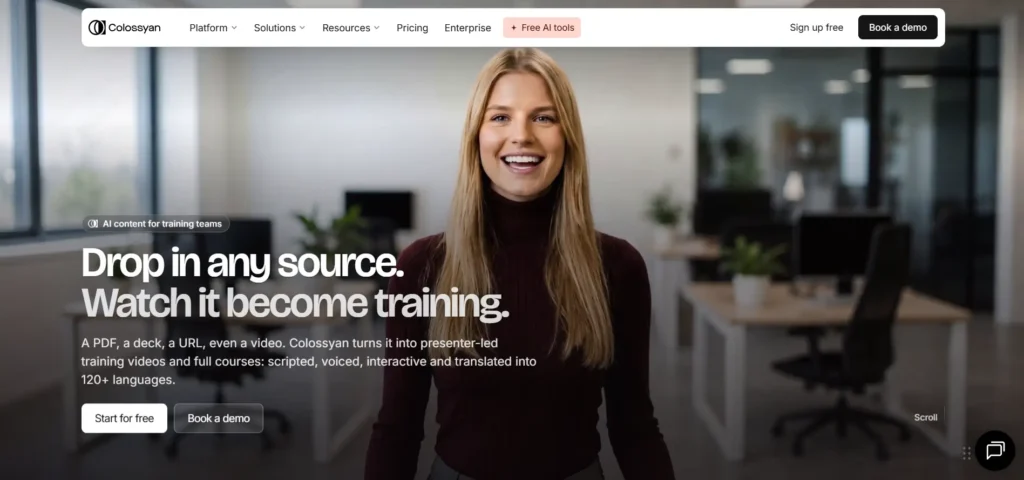
Colossyan is an AI video creation platform focused on professional learning, training, and business communication.
It allows users to create videos featuring AI presenters without recording themselves.
One interesting feature is its ability to create videos using documents and presentations. This is useful for companies and educators who already have written training materials and want to turn them into engaging video lessons.
Colossyan also supports multiple avatars, interactive video experiences, and multilingual content.
Key Features
- 300+ stock AI avatars.
- Custom avatar creation.
- AI voice cloning.
- 120+ languages and accents.
- Presentation and document-to-video workflows.
- Interactive videos and quizzes.
- Multiple presenters in a video.
- SCORM export on eligible plans.
- Training course creation.
Pricing
| Plan | Price | Best For |
|---|---|---|
| Starter | Free | Exploring the platform |
| Professional | $59/month | Professionals and small teams |
| Enterprise | Custom | Large organizations |
The Professional price is advertised with annual billing. Video-minute limits and available features vary by subscription.
Pros
- Excellent for training videos.
- Supports multiple AI presenters.
- Document and presentation-based workflows.
- Useful interactive learning features.
- Custom avatars and voice cloning.
Cons
- Some advanced features require expensive subscriptions.
- Monthly video-minute limits apply.
- More focused on professional use than casual creators.
- Annual subscriptions may be more suitable for regular users.
What Makes Colossyan Different?
Colossyan is more than a basic talking avatar generator. It combines AI video creation with learning and training features.
Its interactive video and course creation capabilities make it especially useful for educational organizations and corporate training departments.
Our Verdict: Colossyan is a strong option for teachers, trainers, educational institutions, and businesses that need AI-powered learning videos.
6. Elai.io – Best for Turning Text and Presentations Into Videos
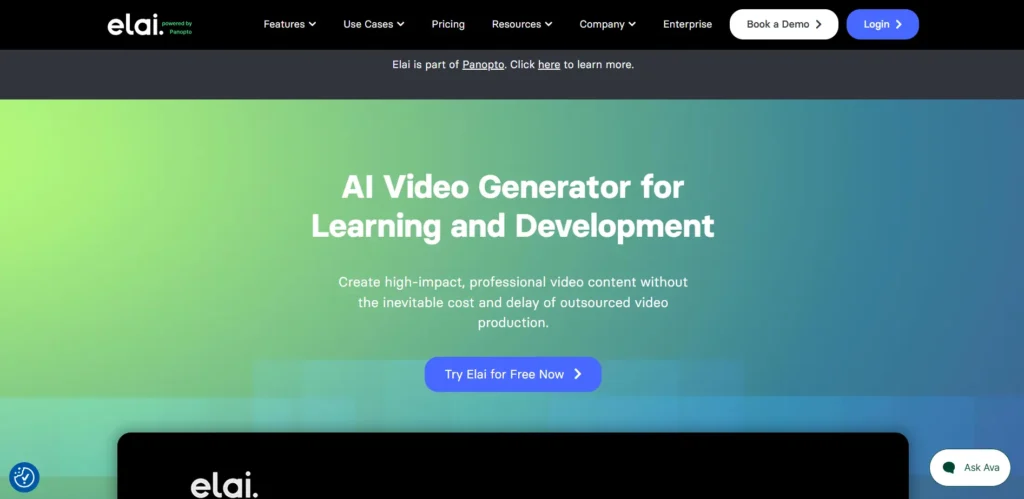
Elai.io is an AI video generator that helps users create videos with digital presenters from written content, presentations, and other materials.
Instead of recording a person speaking, you can select an AI avatar and provide your script.
The platform is useful for creating educational videos, product explainers, training materials, and presentations.
Elai.io also offers custom selfie avatars, allowing users to create a digital presenter using their own recorded footage.
Key Features
- 80+ ready-made avatars.
- Custom selfie avatars.
- AI voice generation.
- Voice cloning.
- 75+ supported languages.
- URL-to-video creation.
- Presentation-to-video workflows.
- Automatic video translation.
- AI storyboard generation.
Pricing
| Plan | Price | Included Video Minutes |
|---|---|---|
| Free | $0 | 1 minute |
| Creator | $29/month | 15 minutes/month |
| Team | $125/month | 50 minutes/month |
| Enterprise | Custom | Custom |
Annual billing offers lower monthly-equivalent pricing. The Creator plan is advertised at $23/month when billed annually, while Team is $100/month when billed annually.
Additional video minutes can be purchased for $2 per minute.
Pros
- Easy text-to-video creation.
- Useful for presentations and educational content.
- Custom avatar options.
- Supports multiple languages.
- Offers video translation and AI storyboards.
Cons
- Limited video minutes on entry-level subscriptions.
- Re-rendering a video consumes additional minutes.
- Some advanced features are restricted to higher plans.
- Custom avatar features may require additional payment.
What Makes Elai.io Different?
Elai.io is particularly useful for people who already have written content, presentations, or educational materials.
Its ability to transform existing information into presenter-led videos can save considerable production time.
Our Verdict: Elai.io is worth considering for educators, trainers, and businesses that want to convert existing content into AI presenter videos.
7. Vidnoz – Best for Beginners and Free AI Avatar Experiments

Vidnoz is an AI video creation platform offering talking avatars, AI-generated voices, and other video creation features.
It is particularly interesting for beginners who want to experiment with AI-generated presenters without immediately purchasing an expensive subscription.
You can explore its collection of digital presenters, add a script, select a voice, and generate videos.
Depending on the available features and subscription, the platform also offers tools for talking photographs and personalized avatar creation.
Key Features
- AI talking avatar generator.
- Ready-made digital presenters.
- Text-to-speech functionality.
- Photo-based talking avatar features.
- Voice cloning options.
- Multiple languages.
- AI video templates.
- Social media video creation.
Pricing
Vidnoz offers free access with limited usage and paid plans based on its credit system.
Its pricing and available credits can change, so check the official pricing page before purchasing:

Pay attention to daily free credits, video duration limits, export quality, and watermark restrictions.
Pros
- Beginner-friendly interface.
- Free features for experimentation.
- Multiple AI video creation options.
- Useful for simple talking avatar videos.
- Good platform to explore before committing to a subscription.
Cons
- Free usage is limited.
- Advanced features may require paid credits.
- Output quality can vary depending on the selected avatar.
- Heavy users may need a higher subscription.
What Makes Vidnoz Different?
Vidnoz is attractive to beginners because it offers several AI video tools in one platform.
Instead of purchasing a premium subscription immediately, you can explore the available features and decide whether the platform fits your requirements.
Our Verdict: Vidnoz is a good starting point for beginners who want to experiment with AI talking avatars and other AI video tools.
Quick Comparison: Best AI Talking Avatar Generators
Here is a quick comparison to help you understand which platform may be suitable for your requirements.
| Tool | Best For | Free Option | Starting Paid Price |
|---|---|---|---|
| HeyGen | Realistic digital clones | Yes | $29/month |
| Synthesia | Business presentations | Yes | $19/month |
| D-ID | Talking photographs | Trial | $14.40/month* |
| VEED | Avatar videos and editing | Yes | Check current plans |
| Colossyan | Training and education | Yes | $59/month |
| Elai.io | Text and presentation videos | Yes | $29/month |
| Vidnoz | Beginners and experimentation | Yes | Check current plans |
*D-ID pricing shown is for its API Build plan, billed annually. It is not directly equivalent to a standard Studio subscription.
Important: Prices are listed in USD and may change. Some prices are promotional or available only with annual billing. Always check the official pricing page before purchasing.
How to Choose the Best AI Talking Avatar Tool?
Choosing an AI avatar generator can be confusing because most platforms advertise similar features. However, the actual experience, video quality, customization options, and pricing can be very different.
Here are some important things to consider before purchasing a subscription.
1. Quality of AI Avatars
The first thing to check is how realistic the digital presenter looks. Pay attention to:
- Natural facial expressions.
- Accurate lip synchronization.
- Realistic head and body movements.
- Natural eye movements.
- Smooth speaking animations.
Some tools produce excellent results with certain avatars but may look artificial with others. Always test multiple presenters before purchasing.
2. Custom Avatar Creation
If you want to build a personal brand, custom avatar creation is an important feature. Some platforms allow you to create a digital version of yourself using a short video recording.
You can then generate multiple videos without recording yourself every time.
Check whether custom avatars are included in the subscription or require additional payment.
3. Voice Cloning and Language Support
A good AI avatar should sound natural. Check whether the platform offers:
- Realistic AI voices.
- Custom voice cloning.
- Different accents.
- Multiple languages.
- Voice speed and tone adjustments.
- Accurate pronunciation.
If you create content for international audiences, multilingual support and accurate lip synchronization are especially important.
4. Video Quality and Export Options
Check the supported video resolutions before purchasing.
Some tools provide lower-resolution exports on free plans, while HD or 4K exports may require paid subscriptions. Also check whether the software supports:
- 16:9 landscape videos.
- 9:16 vertical videos.
- 1:1 square videos.
- Downloadable MP4 files.
- Custom backgrounds.
- Subtitles and captions.
These features are important if you plan to publish content across different social media platforms.
5. Pricing and Monthly Credits
Do not select a platform simply because it offers a cheap subscription. Some tools charge based on video minutes, while others use credits.
For example, a subscription might look affordable, but repeated video generations and edits could consume your monthly allowance quickly.
Before purchasing, calculate how many finished videos you actually need every month.
6. Commercial Usage Rights
If you plan to use AI avatars in advertisements, product promotions, client projects, or monetized content, check the platform’s commercial usage terms.
Not every subscription offers identical usage rights. Also check the rules for custom avatars, voice cloning, and uploaded photographs.
7. Privacy and Security
If you upload your face, voice, or personal recordings, privacy becomes important. Before creating a digital clone, review:
- How your uploaded recordings are stored.
- Whether your data can be used for model training.
- How you can delete your avatar.
- Whether you can revoke access to your digital likeness.
- Whether the platform has clear privacy and data protection policies.
Only upload images and recordings that you own or have permission to use.
How to Create a Talking Avatar Using AI
Most AI talking avatar platforms follow a similar process. Here is a simple step-by-step guide.
Step 1: Select an AI Avatar Generator
Choose a platform based on your requirements.
For example, HeyGen is suitable for realistic digital presenters, while D-ID is useful for animating photographs.
Step 2: Choose Your Avatar
Open the avatar library and select a presenter. You can generally choose between different appearances, clothing styles, backgrounds, and voices.
Some platforms also allow you to upload your own photograph or recording.
Step 3: Write Your Script
Prepare the text you want your avatar to speak. Keep your sentences natural and conversational. Avoid very long sentences because they can sometimes sound unnatural when converted into AI speech.
For example:
“Hello everyone! Welcome to our channel. Today, we are going to explore some amazing AI tools that can make video creation easier.”
Step 4: Select an AI Voice
Choose a voice that matches your content. Some tools offer male and female voices, different accents, and multiple languages.
If available, you can also upload your own voice or use a voice clone.
Step 5: Customize Your Video
Depending on the software, you may be able to add:
- Background images or videos.
- Text and subtitles.
- Your company logo.
- Music and sound effects.
- Multiple scenes.
- Additional presenters.
Step 6: Generate and Download Your Video
Click the generate button and wait for the AI to process your video. Preview the final result and check the pronunciation, lip synchronization, and facial expressions.
If everything looks good, export your video and publish it on your preferred platform.
AI Talking Avatars vs Traditional Video Recording
Are AI talking avatars better than traditional video recording? It depends on your content requirements.
| Feature | AI Talking Avatars | Traditional Recording |
|---|---|---|
| Camera required | Usually no | Yes |
| Recording studio | Not required | May be required |
| Video production | Often faster | Usually more time-consuming |
| Personal appearance | Digital presenter | Real person |
| Voice options | AI-generated or cloned | Recorded voice |
| Language support | Often multilingual | Requires translation or dubbing |
| Editing | Platform-dependent | Full editing control |
| Authentic human connection | Can feel artificial | Usually more natural |
AI avatars are useful for repetitive videos, educational content, presentations, and multilingual marketing.
Traditional recording is still a better choice when genuine human interaction, personal storytelling, or natural emotional expression is important.
A combination of both methods can also work very well.
Best AI Talking Avatar Generator Based on Your Needs
If you are still confused about which tool to choose, here are our recommendations based on different use cases.
| Your Requirement | Recommended Tool |
|---|---|
| Realistic AI digital clone | HeyGen |
| Professional business videos | Synthesia |
| Turn a photo into a talking video | D-ID |
| Create and edit social media videos | VEED |
| Educational and training videos | Colossyan |
| Convert presentations into videos | Elai.io |
| Experiment with free AI tools | Vidnoz |
These are use-case recommendations rather than a universal ranking. The best platform depends on your budget, preferred video style, and monthly usage.
Final Verdict: Which AI Talking Avatar Generator Should You Choose?
AI talking avatar generators have made professional video creation much easier. You no longer need an expensive camera, recording equipment, or a dedicated studio to create presenter-led videos.
However, choosing the right platform is important.
If you want realistic digital clones and multilingual video creation, HeyGen is an excellent option.
If you need professional training and business presentations, Synthesia and Colossyan are worth considering.
If your goal is to turn photographs into talking videos, D-ID is a strong choice.
For creators who want avatar generation and video editing together, VEED is a useful platform.
And if you are a beginner who wants to explore AI video creation, Vidnoz is a good starting point.
Our recommendation is to try the free plans or trials first. Create a short video using the same script on two or three platforms, compare the results, and then purchase the subscription that delivers the best quality for your needs.
Explore more AI tools on ABCAITools.com: Discover useful AI video generators, image editors, writing assistants, productivity tools, and other software to make your everyday work easier.
Frequently Asked Questions (FAQs)
1. What is the best AI tool for creating talking avatars?
HeyGen is one of the strongest all-round options for creating realistic talking avatars. Synthesia is another excellent option for professional videos, while D-ID is particularly useful for turning photographs into talking characters.
2. Can I create a talking avatar for free?
Yes. Several platforms offer free plans or trials. HeyGen, Synthesia, Colossyan, Elai.io, VEED, and Vidnoz provide ways to explore their AI video features without immediately purchasing a subscription. However, free plans usually have limitations such as watermarks, restricted credits, or shorter video durations.
3. Can I create an AI avatar of myself?
Yes. Platforms such as HeyGen, Synthesia, Colossyan, and Elai.io offer custom avatar options on eligible plans.
You may need to upload a video recording or follow a specific recording process to create your digital version.
4. Can AI talking avatars speak different languages?
Yes. Many AI avatar generators support multiple languages and accents.
Some platforms can also translate existing videos and synchronize the avatar’s lip movements with the translated speech.
5. Can I use AI avatars for YouTube videos?
Yes. You can use AI-generated presenters for educational videos, product explainers, tutorials, and other types of YouTube content.
However, remember that simply generating AI videos does not guarantee YouTube monetization. Your content should provide original value and follow YouTube’s monetization and synthetic-content disclosure policies.
6. Are AI talking avatar videos realistic?
Modern AI tools can generate impressive facial movements and lip synchronization. However, the quality varies depending on the platform, avatar, script, and voice.
Some videos may still show unnatural expressions or movements, so always preview your content before publishing.
7. Do I need video editing skills to create talking avatars?
No. Most AI avatar generators are designed for beginners. You can usually select an avatar, enter your script, choose a voice, and generate a video without advanced editing knowledge.
8. Can I use AI talking avatars for commercial purposes?
Many platforms offer commercial usage rights on selected paid plans. However, the rules vary by provider and subscription. Always read the licensing terms before using generated videos in paid advertisements, client projects, or commercial campaigns.
9. Which AI avatar generator is best for beginners?
Vidnoz and HeyGen are good platforms to explore as a beginner. Both provide accessible workflows for creating AI videos, although their free usage and advanced features have different limitations.
10. Can AI avatars replace human presenters?
AI avatars can replace some repetitive video presentations, tutorials, and training content. However, they cannot completely replace genuine human communication, emotional connection, and personal experiences.
Disclaimer: This article is for informational purposes. Pricing, features, free-plan limits, and commercial licensing terms may change. Please verify the latest information on the official websites before purchasing. Some links on this website may be affiliate links, which means we may earn a commission if you purchase through them, at no additional cost to you.