
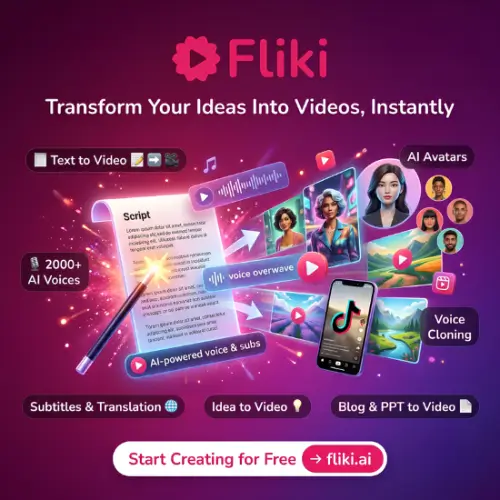
Have you ever wanted to make a video for YouTube, TikTok, or your class project but felt stuck because you don’t know how to edit or you don’t want to show your face? That is exactly where Fliki AI comes in. It is a tool that takes your words and turns them into a video with a voice, pictures, and even captions. You just type an idea, and Fliki does the heavy lifting.
In this article, I will walk you through what Fliki AI does, how much it costs, and whether it is worth your time. I have checked their official website to make sure everything here is accurate and up to date.
What is Fliki AI?
Think of Fliki AI as a helper that lives in your browser. You give it a script, a blog link, or just a random thought like “make a video about how to bake cookies,” and it builds a scene-by-scene video for you. It adds a voiceover using realistic AI voices, picks pictures or video clips that match what you are saying, and puts text on the screen so people can watch without sound.

The biggest deal about Fliki is that it is all-in-one. You don’t need one app for voice, another for pictures, and another for editing. It is one workspace where you can make a long YouTube video, a short TikTok, or even a podcast.
How Does It Actually Work?
Using Fliki feels a bit like magic, but it is simple. Here is the basic flow:
Step 1: Give It Your Idea. You can type a topic, paste a link to a blog post, or upload a PowerPoint. You pick the language and how long you want the video to be.
Step 2: Fliki Writes and Talks. The tool writes a script for you (you can edit it if you want). Then you pick a voice from a huge library. We are talking over 2,000 voices in more than 80 languages. You can even clone your own voice if you want your videos to sound like you.
Step 3: It Finds Pictures. For every sentence in your script, Fliki automatically finds a matching stock video, picture, or creates an AI image. You don’t have to search for hours.
Step 4: Export Anywhere. Once you are happy, you can resize the same video for YouTube (wide), TikTok (tall), or Instagram (square) with just a click. Then you download it or post it directly.
The Features That Actually Matter

Voices That Sound Real
The voice quality is probably Fliki’s strongest point. It doesn’t sound like a robot from 2010. The voices have pauses, emphasis, and emotion. If you are making a faceless YouTube channel or need to narrate a slideshow for school, this is the main reason to use Fliki.
AI Avatars (If You Want a Face)
If you don’t want to be on camera but still want a “person” in your video, Fliki has AI avatars. You can pick a stock avatar or train one to look like you. The avatar will move its lips to match the words, even if you change the language later.
Auto Captions
Most people watch videos on mute. Fliki automatically adds captions with highlighted words that pop up as they are spoken. This is huge for keeping viewers engaged on TikTok and Reels.
It Is Not Just Video
You can also use Fliki to turn a blog post into a podcast episode or an audiobook. It exports audio files too, so it is pretty flexible.
Fliki Pricing: Is It Affordable?
Fliki has a free plan, which is great for testing the waters. But the free plan usually limits you to a few minutes of video per month and puts a watermark on your exports. To get the good stuff (like watermark-free videos and more credits), you need a paid plan.
Here is a breakdown of the plans based on the official Fliki website and recent reviews. Note: Prices can change, so always check the official pricing page before you buy.
| Plan | Price (Approx.) | Who It Is For | Key Features |
|---|---|---|---|
| Free | $0 | Trying it out | Limited minutes per month, watermarked exports, basic features. |
| Standard | ~$28/month | Casual creators | More credits, watermark-free 1080p, access to more voices and avatars. |
| Premium | Higher tier | Serious YouTubers & Teams | Higher credits, 4K export, advanced AI models, priority support. |
A Warning About Credits: Fliki uses a “credit” system. Different actions cost different amounts of credits. For example, generating a video with a fancy AI model might cost more credits per second than a basic one. The trick is to finalize your script before you hit generate. Editing the text is cheap; re-generating the video costs credits.
The Good and The Not-So-Good
What I Liked:
- Speed: You can go from a blank page to a finished video in under 15 minutes.
- The Voice Library: 2,000+ voices is a lot. You will definitely find one that fits your style.
- Ease of Use: If you can type a sentence, you can use Fliki. It is very beginner-friendly.
What to Watch Out For:
- The Avatar Look: While the avatars are okay, they are not the most realistic on the market. If you need a video that looks like a real human talking (like for a corporate training video), you might find the avatars a bit stiff compared to specialized tools.
- Credit Confusion: The credit system can be confusing. You might burn through your monthly credits faster than you expect if you are doing a lot of trial and error.
Final Thought
Fliki AI is a fantastic tool for a very specific type of person: the solo creator. If you are a student, a blogger, a small business owner, or someone running a faceless YouTube channel, Fliki gives you a complete studio for a low monthly price. It removes the scary parts of video editing (timelines, keyframes, audio syncing) and replaces them with a simple text box.
If you need Hollywood-level realism or complex branching scenarios for corporate training, you might outgrow it. But for 90% of everyday content creators, Fliki is more than enough.
Alternatives to Fliki AI
If you want to shop around, here are a few other tools that do similar things. Each one has its own strengths.
| Alternative | Best For | Quick Description |
|---|---|---|
| HeyGen | Realistic Avatars & Translation | If you want a video that looks like a real person talking to the camera, HeyGen is the top choice. Its avatars are extremely lifelike, and its lip-sync translation is the best in the business—it even makes the lips move correctly when you switch to Spanish or German. |
| Synthesia | Corporate Training & L&D | This is the “serious” option used by big companies. It is great for making professional training videos with polished presenters and templates, but it is more expensive and stricter with its minute limits than Fliki. |
| Murf | Pure Voice Quality (Audio Only) | If you don’t actually need video and just want the best-sounding voiceover for a podcast or narration, Murf is excellent. It has fine-grained controls for how words are pronounced, but it won’t build a video for you. |
| ElevenLabs | The Most Natural Voices | ElevenLabs sets the standard for AI voice quality. The voices are incredibly expressive. It is not a video maker on its own, but you can use it to generate amazing audio and then put that audio into a video editor. |



