Discover the best AI automation tools on ABC AI Tools. From no-code workflow builders and app integrations to robotic process automation, email and data automation, and AI-powered triggers, these tools handle repetitive tasks so your team can focus on higher-value work.
Compare features, integrations, reliability, and pricing side by side to find the right fit for businesses, operations teams, developers, and solo entrepreneurs. Every top AI automation tool is curated in one place.
Start exploring and find the AI tool that puts your busywork on autopilot.
Discover the best AI automation tools on ABC AI Tools. From no-code workflow builders and app integrations to robotic process automation, email and data automation, and AI-powered triggers, these tools handle repetitive tasks so your team can focus on higher-value work.
Compare features, integrations, reliability, and pricing side by side to find the right fit for businesses, operations teams, developers, and solo entrepreneurs. Every top AI automation tool is curated in one place.
Start exploring and find the AI tool that puts your busywork on autopilot.







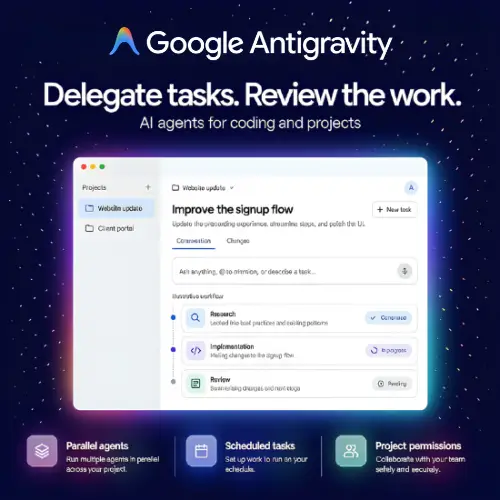

AI automation tools connect your apps, data, and processes, then use machine learning to run routine tasks without manual effort. When something happens, such as a new lead, an incoming invoice, or a customer email, the tool triggers a chain of actions automatically. Unlike traditional rule-based automation, AI-powered tools can read documents, understand text, make simple decisions, and adapt to variations, so they handle messier real-world work with fewer errors.
The category covers automation across every kind of workflow. No-code workflow builders link thousands of apps with simple triggers and actions. Robotic process automation (RPA) tools mimic human clicks and keystrokes in software that lacks an API. Document and data automation tools extract information from invoices, forms, and emails, then enter it where it belongs. Email and communication automation tools sort messages, draft replies, and send follow-ups. Others support lead routing and CRM updates, social media scheduling, report generation, customer onboarding, IT and HR processes, approval workflows, and AI steps that summarize, classify, or generate content inside a workflow.
Start by listing the repetitive tasks that cost you the most time, then match them to tools that handle those use cases. Compare how easy the builder is for non-technical users, and how powerful its AI features are for reading, classifying, and generating content. Check the number and quality of app integrations, support for webhooks and APIs, and the ability to add custom code when needed. Look at reliability, error handling, logs, and monitoring so you can trust your workflows. Review security, permissions, and compliance features, especially when automations touch customer or financial data. Pricing is often based on tasks or runs, so estimate your usage, from free plans to enterprise packages.
Begin with one simple, high-impact workflow and test it thoroughly before expanding. Map the process on paper first, add error notifications, and document each automation so teammates understand it. Review your workflows regularly, since apps and processes change over time.
Automations can multiply mistakes quickly, so test with sample data and keep a human approval step for sensitive actions such as payments, contracts, and customer communications. Grant only the access each workflow needs, protect credentials, and follow privacy laws when automating the handling of personal data.
We bring together the most useful and current AI automation tools in one organized place. Each listing includes key features, pricing, pros and cons, and practical use cases, so you can compare quickly and choose with confidence. Whether you need a simple app connector or a full enterprise automation platform, you will find options for every skill level and budget.
Start exploring and find the AI tool that puts your busywork on autopilot.