Making a film used to mean you needed a huge budget, a big crew, and expensive cameras. If you were an independent creator or part of a small team, making a high-quality narrative video or a promotional film felt almost impossible. But things are changing fast. Today, AI tools are stepping in to help creators bring their stories to life. One of the most exciting tools in this space right now is GenFlick.
GenFlick is not just a simple text-to-video generator. It is a full AI filmmaking workspace. It is built specifically for planning stories, generating video, and editing scenes all in one place. Whether you are making a short narrative film, a promotional video for a brand, or a full episodic web series, GenFlick gives you the tools you need to get the job done. Let’s dive into how it works, what it costs, and if it is the right fit for your next project.
What Makes GenFlick Different?
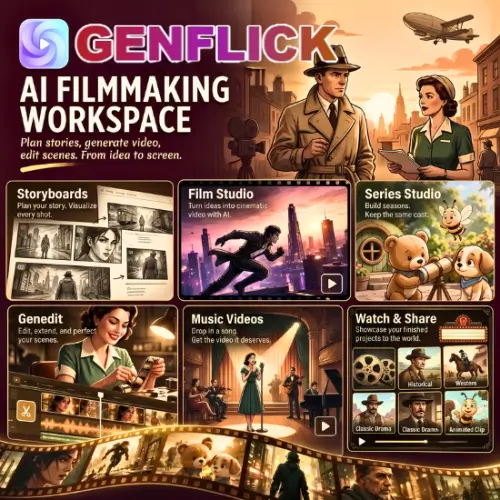
Many AI video tools out there just let you type a prompt and spit out a random video clip. GenFlick is different because it focuses on the entire filmmaking process. It combines several studios into one platform, including the Film Studio, Series Studio, a storyboard generator, and special tools for music videos.
Instead of just throwing AI at a problem, GenFlick helps you act like a real director. You start with a story idea or a script. From there, you develop your characters, pick your locations, and plan out your shots. This step-by-step approach means you have much more control over the final result.
Planning and Storyboarding: Save Your Credits
One of the smartest features of GenFlick is its storyboard generator. When you are working with AI video, generating clips costs money (or credits). If you just start generating random videos without a plan, you will burn through your budget very quickly.
GenFlick solves this by letting you create a storyboard first. You can review the sequence of your scenes, check the camera angles, and make sure the story flows well before you spend a single credit on actual video generation. It is like doing a dry run. Once you are happy with the storyboard, you can generate the actual takes using the available AI models.
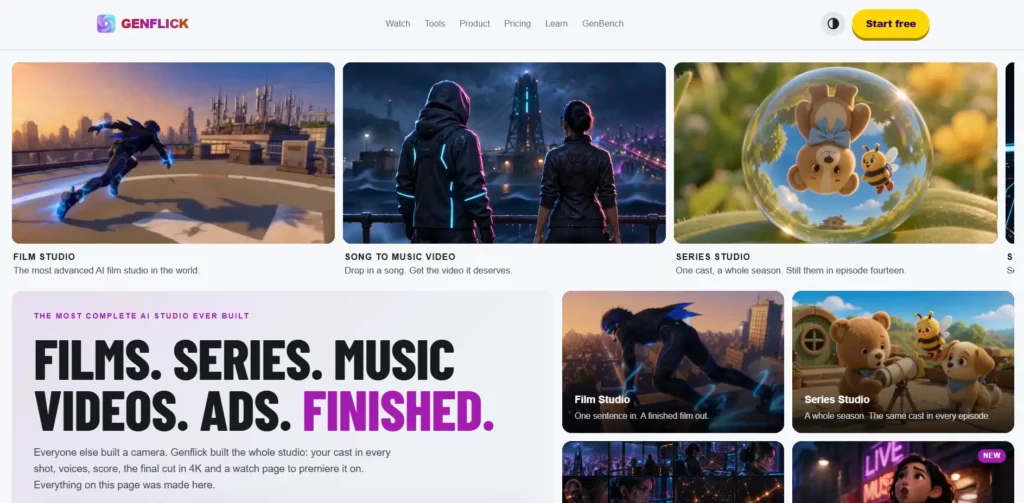
Series Studio: Perfect for Episodic Content
If you are making a web series or a multi-part story, keeping things consistent is a huge challenge. AI often forgets what a character looked like in the last scene. This is where the Series Studio shines.
Series Studio keeps a shared brief, documents, and all your assets in one place alongside your seasons and episode projects. For a recurring series, this gives you a dedicated space to maintain character references, story details, and world-building rules between releases.
However, the tool also reminds you of a very important rule: AI is not perfect. Shared references still need human review. Before you approve a final cut, you should always check the faces, clothing, props, and scene continuity yourself. GenFlick gives you the tools to keep things consistent, but your human eye is still the final boss.
Genedit and Music Video Tools
Once you have generated your video clips, you need to put them together. GenFlick includes its own editing tool called Genedit. This allows you to work on your clips, trim them, and arrange your scenes without having to export everything to a third-party software right away.
The platform is also great for musicians. If you want to make a music video, you can start directly with your audio track and lyrics. The tool helps you plan the visual sequence to match the beat and the words of your song.
When your project is finally done, GenFlick makes sharing easy. Finished projects can have public watch pages. This gives you a clean, simple link to share your hard work with your audience, clients, or fans.
How Pricing and Credits Work
Let’s talk about the cost. Video generation uses paid credits. It is important to understand how the pricing model works so you do not run out of budget in the middle of a project.
The AI director and limited image generation are available for free. This is great for beginners who just want to test the waters. However, if you want to generate actual video, you will need to use subscriptions or buy separate credit packs. The good news is that you can buy a credit pack without being locked into a monthly subscription.
The amount of credits you use depends on a few things:
- Duration: Longer videos cost more.
- Resolution: Higher quality (like 1080p or 4K) uses more credits.
- Model Selection: Different AI models have different costs.
- Additional Takes: If you don’t like the first result and want to generate it again, it costs more.
- Audio Work: Adding AI audio or voiceovers can add separate costs.
Here is a simple breakdown of how the pricing structure works:
| Pricing Tier | What You Get | Best For |
|---|---|---|
| Free Tier | Access to the AI director and limited image generation. No video generation. | Beginners testing the planning and storyboarding features. |
| Subscriptions | Monthly access to the full workspace with a set amount of video generation credits included. | Regular creators making weekly or monthly content. |
| Credit Packs | One-time purchase of video generation credits. No monthly subscription required. | Project-based filmmakers who only need credits for a specific short film. |
Pro Tip: Always test a representative scene before budgeting for a longer production. Generate a 5-second test clip to see how many credits it uses, then multiply that by your total video length so you know exactly how much you need to buy.
Who is GenFlick For?
GenFlick is built for independent creators, small production teams, and digital marketers. If you are a solo YouTuber trying to make a cinematic short film, the Film Studio and storyboarding tools will save you hours of work. If you are a marketing agency making promotional films for clients, the ability to plan, generate, and edit in one place speeds up your workflow. Musicians and audio creators will also find the dedicated music video tools incredibly helpful for visualizing their tracks.
Final Thought
GenFlick is a massive step forward for AI filmmaking. By combining planning, storyboarding, video generation, and editing into one workspace, it treats AI video creation with the respect it deserves. It understands that making a film is not just about generating a random clip; it is about telling a cohesive story. While you still need to keep a close eye on continuity and manage your credit budget, GenFlick gives indie creators the power to produce professional-looking narrative and episodic content without a Hollywood budget.
Alternatives to GenFlick
If you want to explore other options, here are some of the best alternatives that offer similar features for AI video creation:
| Tool Name | Description |
|---|---|
| InVideo | Uses AI video agents to help plan scripts, create storyboards, generate scenes, and edit. It is highly focused on promotional and narrative projects for quick turnaround. |
| Runway | Offers advanced video generation and AI editing tools. It is excellent for creating specific shots, transforming existing footage, and directing detailed character performances. |
| Artlist | Provides AI image, video, and voice generation alongside a massive library of stock footage, music, and other creative assets for all-in-one media production. |