
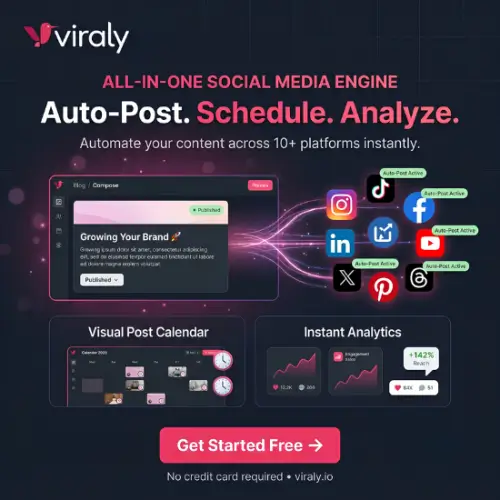
Managing multiple social media accounts can be difficult, especially when you have to publish content regularly. You need to create posts, write captions, add hashtags, schedule content, and check how your posts are performing. Doing everything manually takes a lot of time.
This is where Viraly can help.
Viraly is a social media management platform that allows users to manage multiple social media accounts from one dashboard. It offers features for scheduling posts, managing content, tracking analytics, creating link-in-bio pages, and planning social media campaigns.
Instead of opening different social media platforms every time you want to publish something, you can use Viraly to organize much of your work in one place.
It is designed for content creators, influencers, small businesses, marketing teams, and agencies that want to save time and manage their social media activities more easily.
In this Viraly review, we will explore its features, pricing, advantages, disadvantages, and alternatives to help you decide whether it is the right platform for your needs.
What is Viraly?
Viraly is an online social media management tool that helps users handle their social media activities from a single place.
It supports several popular platforms, including Instagram, Facebook, TikTok, YouTube, LinkedIn, Pinterest, Threads, Bluesky, Mastodon, and X (Twitter).
The main purpose of Viraly is to make social media management easier. Users can prepare content, schedule posts, organize ideas, and check performance without constantly switching between different websites and apps.
It also provides tools such as an AI caption generator, content recycling, a media library, analytics, and link-in-bio pages.
Viraly offers a free plan, so beginners can try the platform before spending money on a paid subscription.
Main Features of Viraly
Viraly comes with several features that can help creators and businesses manage their social media accounts. Let’s look at some of its important features.
1. Social Media Post Scheduling
One of the main features of Viraly is social media scheduling.
You can prepare your posts in advance and select when you want them to be published. This is useful for people who want to maintain a regular posting schedule.
For example, if you manage an Instagram account, a Facebook page, and a YouTube channel, you can organize your upcoming content using one dashboard.
You don’t have to remember to publish every post manually. Scheduling helps you plan your content and save time.
2. Manage Multiple Social Media Accounts
Managing multiple accounts can become confusing, especially when you handle different brands or businesses.
Viraly allows you to connect multiple social media profiles and manage them from one place.
Depending on your subscription, you can connect up to 3 profiles on the Free plan, 5 on Influencer, 15 on Business, 50 on Agency, and 150 on Enterprise.
This feature can be useful for influencers, social media managers, and agencies that handle multiple clients.
3. Social Media Analytics
Publishing content is not enough. You also need to understand how your audience responds to it.
Viraly provides analytics that help you monitor the performance of your social media accounts.
You can check important information such as post performance and profile activity across supported platforms.
These insights can help you understand which content is performing well and where you need to improve.
The amount of historical data available depends on your subscription plan. The Free plan includes two weeks of analytics history, while higher plans offer longer periods.
4. AI Caption Generator
Writing captions for every social media post can take a lot of time.
Viraly includes an AI caption generator that helps users create captions for their content.
You can use it to get caption ideas, prepare descriptions, and make your posts more interesting.
This feature can be helpful when you manage several social media accounts and need fresh content regularly.
However, it is always a good idea to review AI-generated captions before publishing them. Add your own ideas and make sure the content matches your brand’s style.
5. Link in Bio Tool
Viraly also offers a Link in Bio feature.
This allows you to create a simple landing page where you can add multiple links. You can share this page through your Instagram, TikTok, or other social media profiles.
For example, a content creator can add links to their YouTube channel, website, online courses, products, and other social accounts.
Paid plans offer additional features such as analytics, email collection, product links, and more customization options.
It can be useful for influencers and businesses that want to direct social media followers to different online destinations.
6. Content Calendar and Planning
Planning your content is an important part of social media marketing.
Viraly offers a visual content calendar where you can organize upcoming posts and manage your publishing schedule.
You can view your content by day, week, or month. It also supports drafts and content templates.
This makes it easier to understand what you have planned and which posts are ready to publish.
Instead of keeping separate notes or spreadsheets, you can organize your social media content in one place.
7. Content Recycling
Sometimes, you create a useful post that can be shared again after some time.
Viraly offers a content recycling feature that helps users reuse evergreen content.
For example, if you have an educational post that is still useful after several months, you can include it in your content recycling strategy.
This saves time because you don’t always need to create something completely new.
However, make sure reused content is still relevant and does not look repetitive to your audience.
8. Hashtag Management
Hashtags can help organize and categorize social media content.
Viraly provides hashtag management features that allow users to save and organize hashtag groups.
Instead of searching for hashtags every time you publish something, you can keep useful groups ready.
This is especially helpful for businesses and creators who regularly publish content around similar topics.
9. Media Library and Editing Tools
Viraly also includes a media library where users can organize their images and videos.
It provides basic photo and video editing features, including options for cropping, rotating, applying filters, trimming videos, and preparing cover images.
These tools can help users make small content adjustments without opening a separate editing application for every task.
10. Team Collaboration
If you run an agency or manage social media for a business, you may need other people to work on the same content.
Viraly offers team collaboration features on its Business plan and higher subscriptions.
Team members can work together, manage permissions, add comments, and use post approval workflows.
This can make it easier for marketing teams to organize their work and review content before publishing.
11. Competitor Analysis
Understanding what competitors are doing can help you improve your own social media strategy.
Viraly includes competitor profile monitoring on selected paid plans.
The Business plan supports up to five competitor profiles, while Agency supports up to 15 and Enterprise supports up to 30.
This feature can help businesses observe other accounts and understand their social media activities.
12. AI Idea Generator
Sometimes, the biggest challenge is deciding what to post next.
Viraly includes an AI idea generator that can help users find new content ideas.
You can use it to plan topics and reduce the time spent thinking about what to publish.
It can be especially useful for creators who need to maintain a regular posting schedule across multiple platforms.
Social Media Platforms Supported by Viraly
Viraly supports multiple social media platforms, making it useful for people who want to manage different accounts together.
Here are the main platforms supported:
- TikTok
- YouTube
- Threads
- Bluesky
- Mastodon
- X (Twitter)
Most supported platforms are available on the Free plan. X scheduling requires a paid subscription.
The exact publishing features can differ between platforms because each social network has its own API and publishing restrictions.
Viraly Pricing Plans
Viraly offers five subscription plans: Free, Influencer, Business, Agency, and Enterprise.
You can start with the Free plan and upgrade when you need more social profiles, posts, analytics, or team features.
Here is an overview of its pricing:
| Plan | Monthly Price | Yearly Price (per month) |
|---|---|---|
| Free | $0 | $0 |
| Influencer | $19 | $15.83 |
| Business | $49 | $40.83 |
| Agency | $99 | $82.50 |
| Enterprise | $249 | $207.50 |
Prices are in USD. Yearly prices are monthly equivalents billed annually. Check the official pricing page before purchasing, as prices and offers may change.
1. Free Plan
The Free plan is suitable for beginners who want to try Viraly without paying for a subscription.
It includes:
- Up to 3 social profiles
- 10 posts per month
- Two weeks of analytics history
- One Link in Bio page
- AI caption generator
- Basic content scheduling
- Content recycling
- Access to most supported social platforms
This plan is a good starting point for individuals who manage a small number of social media accounts.
2. Influencer Plan – $19/Month
The Influencer plan is designed for content creators and individuals who need more scheduling capacity.
It includes:
- Up to 5 social profiles
- Up to 200 posts per month
- Six months of analytics history
- Advanced scheduling features
- Hashtag lists
- Media library
- Content queues
- First comment feature
- Advanced Link in Bio features
This plan can be useful for influencers and creators who publish content regularly.
3. Business Plan – $49/Month
The Business plan is suitable for small businesses and marketing teams.
It includes:
- Up to 15 social profiles
- Up to 500 posts per month
- Up to 3 team members
- 12 months of analytics history
- PDF analytics reports
- Up to 5 competitor profiles
- Team collaboration
- Custom Link in Bio domain
- Priority support
If you manage several social media accounts for your business, this plan provides more flexibility.
4. Agency Plan – $99/Month
The Agency plan is designed for social media agencies and professionals who manage multiple client accounts.
It includes:
- Up to 50 social profiles
- Unlimited posts
- Unlimited team members
- Two years of analytics history
- Up to 15 competitor profiles
- Public REST API access
- Webhooks
- Video customer support
- Dedicated account manager
This plan is suitable for agencies that need to manage a large number of social media accounts.
5. Enterprise Plan – $249/Month
The Enterprise plan is designed for large companies and agencies that need advanced management options.
It includes:
- Up to 150 social profiles
- Unlimited posts
- Unlimited team members
- Up to 30 competitor profiles
- White-label branding
- Branded PDF reports
- Custom email templates
- Custom domain
- Client read-only access
This plan is useful for organizations that want to manage social media activities under their own branding.
You can also purchase additional social profiles on paid plans for $3 per month per profile.
Pros and Cons of Viraly
Before choosing any social media management platform, it is important to understand both its advantages and disadvantages.
Here are some pros and cons of Viraly.
Pros
- Free Plan Available: You can start using Viraly without paying anything.
- Multiple Platform Support: Manage several social media platforms from one dashboard.
- Post Scheduling: Prepare content in advance and schedule posts.
- Analytics: Track social media performance and understand audience activity.
- AI Features: Use AI tools for captions and content ideas.
- Content Recycling: Reuse evergreen content to save time.
- Link in Bio: Create a page with multiple links for your social media audience.
- Agency Features: Higher plans offer team collaboration and white-label options.
Cons
- Posting Limits: The Free and lower paid plans have monthly publishing limits.
- Limited Free Analytics History: The Free plan only provides two weeks of historical analytics.
- X Requires a Paid Plan: You need a paid subscription to schedule content on X.
- Advanced Features Cost More: Team collaboration and some agency features require higher plans.
- Learning Required: Beginners may need some time to understand all the available features.
Who Should Use Viraly?
Viraly can be useful for different types of users. However, it is particularly suitable for people who regularly publish content on multiple social media platforms.
Here are some examples:
Content Creators and Influencers: Creators can use Viraly to schedule posts, organize content ideas, and monitor their social media performance.
Small Businesses: Business owners can manage their social media accounts without spending too much time switching between platforms.
Digital Marketers: Marketing professionals can plan campaigns, schedule posts, and check analytics from one dashboard.
Social Media Agencies: Agencies can manage multiple client accounts and collaborate with team members using higher subscription plans.
Freelancers: Freelancers who provide social media management services can use Viraly to organize their daily work.
Is Viraly Worth It?
Viraly is worth considering if you want a single platform to manage social media scheduling, analytics, content planning, and link-in-bio pages.
One of its biggest advantages is that it offers a free plan. This gives beginners an opportunity to explore its basic features before upgrading.
The Influencer plan is a reasonable starting point for individual creators who need more publishing capacity. Small teams may find the Business plan more useful because it includes collaboration features and longer analytics history.
Agencies managing several clients can consider the Agency or Enterprise plans, depending on their requirements.
However, the best plan depends on how many accounts you manage and which features you actually need. It is better to start with the Free plan and test the platform before purchasing a subscription.
Final Thoughts
Viraly is a useful social media management platform for creators, businesses, freelancers, and marketing agencies.
It brings several important features together, including post scheduling, social media analytics, content planning, AI captions, hashtag management, and link-in-bio pages.
The platform’s free plan makes it easier for beginners to get started. Paid plans provide additional features for users who manage multiple accounts or work with teams.
However, Viraly may not be the perfect choice for everyone. If you need more advanced social media management features or prefer a different dashboard, you can also explore other tools.
Overall, Viraly is worth trying if you want to save time and organize your social media activities from one place.
Alternatives to Viraly
Here are some popular alternatives to Viraly that offer similar social media scheduling and management features.
1. Buffer
Buffer is a social media management platform that helps users schedule posts, manage content, and track performance. It also offers an AI assistant and tools for managing social media engagement.
2. SocialPilot
SocialPilot helps businesses and agencies manage multiple social media accounts. It offers post scheduling, bulk publishing, analytics, content management, and team collaboration features.
3. Hootsuite
Hootsuite is a social media management platform for businesses and marketing teams. It provides content scheduling, social media monitoring, analytics, and tools for managing multiple accounts.
4. Later
Later is a social media scheduling platform with a visual content calendar and media library. It is especially useful for creators and brands that focus on Instagram, TikTok, and visual content.
5. Sprout Social
Sprout Social offers advanced social media management, publishing, analytics, and engagement tools. It is suitable for businesses and larger teams that need detailed reporting and collaboration features.




One Response
A thoroughly well-researched and insightful analysis on “Viraly: AI Social Media Manager, Scheduling and…”. Appreciate the dedication to detailed analysis here. Keep up the great work!