
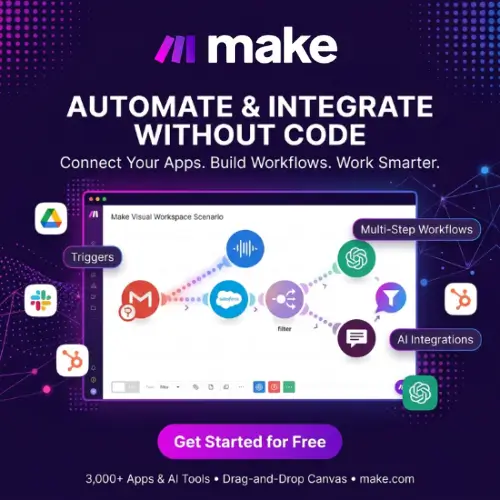
Make (formerly known as Integromat) is a visual automation platform that helps businesses connect different applications, automate repetitive tasks, and create AI-powered workflows without writing complicated code. It allows users to build automation by connecting apps and arranging different actions in a visual workflow builder.
In this article, we will explore Make’s features, how it works, its pricing plans, advantages, disadvantages, and some of the best alternatives available.
What Is Make?
Make is a no-code automation platform that helps users connect different apps and services so they can work together automatically. Instead of performing the same tasks manually, you can create workflows that handle these activities for you.
For example, imagine you receive a new order through your online store. You may need to add the customer’s information to Google Sheets, send an order confirmation email, and notify your team about the purchase.
Normally, you would have to perform each task separately. With Make, you can connect these applications and create a workflow that performs these actions automatically whenever a new order arrives.
Make uses a visual drag-and-drop interface, which makes automation easier to understand. You can see how information moves between applications and control what happens at each step.
The platform was previously known as Integromat. It was rebranded as Make in 2022 and has continued to expand its automation and AI capabilities.
Today, Make is useful for small businesses, marketing teams, online store owners, freelancers, developers, and large organizations.
How Does Make Work?
Make works through automated workflows called scenarios. A scenario is a series of connected steps that tells different applications what to do and when to do it.
You don’t need to write code for most basic automations. You can simply select applications, connect your accounts, and arrange actions in the visual builder.
Here is how a typical workflow works:
- Choose a trigger: Select an event that starts your automation. For example, receiving a new email or adding a new customer.
- Connect your application: Connect the app where the event takes place, such as Gmail, Google Sheets, or Shopify.
- Add actions: Decide what should happen after the trigger. You can send an email, create a spreadsheet row, or update a customer record.
- Add conditions: Use filters or routers to control how information moves through your workflow.
- Test your scenario: Run the workflow to check whether everything works correctly.
- Activate automation: Once everything is ready, turn on your scenario and let Make handle the tasks automatically.
You can also schedule scenarios to run at specific times or use webhooks to start workflows when an external application sends information.
Key Features of Make
Make offers several useful features that help businesses automate simple tasks as well as complex business processes.
1. Visual Workflow Builder
The visual workflow builder is one of the most important features of Make. It allows you to create automation by connecting different modules on a visual canvas. Each module represents an application, action, or function.
You can see how information moves from one application to another. This makes it easier to understand and manage workflows, even when they contain multiple steps.
You can also add filters, routers, and other functions to control how your automation works.
2. Thousands of App Integrations
Make supports more than 3,500 standard app integrations, allowing users to connect many popular business applications. Some commonly used integrations include:
- Google Sheets
- Gmail
- Google Drive
- Slack
- Shopify
- WordPress
- Airtable
- HubSpot
- Trello
- Notion
- Facebook and other Meta services
These integrations help you transfer information between applications without manually copying and pasting data.
If a particular application is not available, you can also explore HTTP modules, APIs, and custom app development options.
3. AI-Powered Automation
Make is not limited to traditional automation. It also provides tools for creating AI-powered workflows.
You can connect AI services and use them to perform tasks such as generating content, summarizing information, processing customer messages, and analyzing text. Make also offers built-in AI capabilities, including Make AI Agents and Make AI Toolkit.
For example, you can create a workflow that receives a customer support message, uses AI to understand the customer’s problem, prepares a suitable response, and sends the information to your support team.
This can help businesses reduce manual work and handle repetitive activities more efficiently.
4. Make AI Agents
Make AI Agents help users build automated systems that can work toward specific goals and make decisions based on available information. You can give an AI agent instructions and connect it to different tools and applications.
For example, an AI agent could help process customer inquiries, collect information from connected applications, and decide which workflow should run next.
This feature is useful for businesses that want to move beyond simple if-this-then-that automation.
AI agent usage can consume credits based on the selected AI connection, operations, and token usage. Therefore, it is important to understand the billing rules before running large workflows.
5. Filters and Routers
Filters and routers help you control how information moves through an automation. A filter allows you to continue a workflow only when specific conditions are met.
For example, if you run an online store, you can create a filter that sends an alert only when an order is worth more than $100. Routers allow you to divide a workflow into multiple paths.
For example, new customers can receive a welcome email, while existing customers can receive a different message.
These tools are especially useful when building advanced workflows.
6. Webhooks
Webhooks allow applications to communicate with Make whenever a particular event happens. Instead of checking an application repeatedly for new information, you can use a webhook to receive data when an event occurs.
For example, when someone submits a form on your website, the form service can send the information to Make immediately.
Make can then add the details to a spreadsheet, send an email notification, or update your CRM.
This is helpful for real-time automation.
7. Ready-Made Templates
If you are new to automation, building everything from scratch can take time. Make offers ready-made scenario templates that help users get started quickly. You can find templates for different tasks, such as:
- Automatically saving email attachments.
- Sending notifications when new orders arrive.
- Connecting forms with Google Sheets.
- Managing customer information.
- Publishing or sharing content.
- Automating marketing activities.
You can select a suitable template, connect the required applications, and customize it according to your needs.
8. Error Handling and Monitoring
Automation is useful only when it works correctly.
Make provides execution history and monitoring tools that help users understand what happened during a workflow. You can check successful and unsuccessful executions, identify errors, and find the module that caused a problem.
It also provides error-handling options that allow you to decide what should happen when an automation fails. This is particularly useful for businesses that depend on automation for important daily operations.
9. Make API and Custom Integrations
Make also supports API-based automation. This feature is useful when you want to connect an application that does not have a ready-made integration.
You can use HTTP requests and API connections to send or receive information from external services. Developers can also build custom applications for specific business requirements.
This flexibility makes Make suitable for both beginners and more advanced users.
What Can You Do With Make?
Make can be used for many different business activities. Here are some practical examples.
1. Email Automation
You can automatically organize incoming emails, save attachments, send notifications, and forward important information to other applications.
2. E-commerce Automation
Online store owners can connect Shopify or other supported services with spreadsheets, CRM platforms, and communication tools.
For example, every new order can automatically update a sales sheet and notify the store owner.
You can connect supported social media services with other applications to automate selected publishing, reporting, and notification tasks.
4. Lead Management
When someone submits a contact form, Make can automatically save their information in a CRM, notify your sales team, and send a confirmation email.
You can connect AI services to create content drafts, summarize articles, generate descriptions, and organize content information.
6. Customer Support
Make can help organize support requests, categorize incoming messages, and send relevant information to your support team.
7. Business Reporting
You can collect information from different applications and automatically organize it into spreadsheets or reporting systems.
These examples show how Make can reduce repetitive work and help teams manage their daily activities.
Make Pricing Plans
Make offers different pricing plans depending on your automation requirements and monthly credit usage.
There is a free plan for beginners, while paid plans provide more credits and additional features for growing businesses.
Here is a pricing overview based on the official pricing page. The paid prices below use 10,000 monthly credits as the selected usage level and are displayed in USD.
| Plan | Price (Monthly) | Credits |
|---|---|---|
| Free | $0 | 1,000/month |
| Core | $12/month | 10,000/month |
| Pro | $21/month | 10,000/month |
| Teams | $38/month | 10,000/month |
| Enterprise | Custom pricing | Custom |
What Do You Get With Each Plan?
Free Plan
The Free plan is suitable for beginners who want to explore automation.
It includes 1,000 monthly credits, a visual workflow builder, access to more than 3,500 apps, routers, and filters. It has a minimum 15-minute interval between scheduled scenario runs.
Core Plan
The Core plan is designed for users who need more flexibility.
It includes everything in the Free plan, along with unlimited active scenarios, scheduling down to one-minute intervals, increased data transfer limits, and access to the Make API.
Pro Plan
The Pro plan is suitable for users who manage more advanced workflows.
It includes priority scenario execution, custom variables, and full-text execution log search, along with the features available in Core.
Teams Plan
The Teams plan is designed for businesses where multiple people work with automation.
It includes team roles and the ability to create and share scenario templates, along with Pro features.
Enterprise Plan
The Enterprise plan is designed for larger organizations with advanced automation, security, and support requirements.
It offers custom functions, enterprise application integrations, 24/7 enterprise support, overage protection, and additional security features.
Important: Make uses credits as its billing unit. Most standard app module actions consume one credit, while some AI features use credits based on operations, tokens, and other usage factors. Your actual price depends on the number of credits you select and your billing frequency. Annual billing can offer savings compared with monthly billing.
Pros and Cons of Make
Before choosing an automation platform, it is important to understand both its advantages and limitations.
Pros
- Visual interface: The drag-and-drop builder makes workflows easier to understand.
- Large integration library: Connect thousands of popular applications.
- AI capabilities: Build workflows using AI tools and agents.
- Advanced automation: Filters, routers, and other tools support complex workflows.
- Free plan: Beginners can test the platform without paying.
- Custom integrations: API and HTTP features offer additional flexibility.
- Ready-made templates: Save time with existing automation templates.
- Monitoring tools: Check workflow executions and troubleshoot errors.
Cons
- Learning curve: Advanced workflows can take time to understand.
- Credit limitations: Complex automations may consume credits quickly.
- Technical knowledge: API-based integrations may require some technical understanding.
- Pricing can increase: Businesses with high automation usage may need larger credit packages.
- Troubleshooting: Finding errors in complicated scenarios can sometimes be challenging.
Is Make Worth It?
Yes, Make is worth considering if you want to automate repetitive business tasks and connect multiple applications without building everything from scratch.
Its visual workflow builder makes it easier to understand how different applications communicate. At the same time, features such as routers, filters, webhooks, API connections, and AI tools provide enough flexibility for more advanced automation.
The Free plan is a good starting point for beginners. Small businesses can consider the Core plan, while users who need advanced execution and monitoring features may prefer Pro.
However, you should carefully calculate your monthly credit requirements before purchasing a paid subscription.
Make may not be the best option if you only need one or two very simple integrations. In that situation, a simpler automation tool may be easier to manage.
Final Thought
Make is a powerful visual automation platform for people and businesses that want to save time by connecting different applications.
It offers a good combination of no-code automation, advanced workflow controls, API integrations, and AI-powered features. Whether you want to automate email tasks, manage customer information, organize online orders, or build AI workflows, Make provides several useful tools.
The best part is that you can start with the free plan and explore its features before investing in a paid subscription.
Overall, Make is a strong choice for freelancers, marketers, small businesses, and organizations looking for a flexible automation solution.
Alternatives to Make
If Make does not match your requirements, you can explore these alternatives. They offer similar automation features, application integrations, and workflow-building capabilities.
1. Zapier
Zapier is a popular no-code automation platform that connects thousands of applications. It allows users to create automated workflows called Zaps without coding. It is particularly useful for beginners and businesses that want simple app-to-app automation.
2. n8n
n8n is a flexible workflow automation platform with visual workflow building, API integrations, and AI-powered automation features. It supports self-hosting, making it a good option for developers and businesses that want greater control over their automation infrastructure.
3. Pabbly Connect
Pabbly Connect helps users connect different applications and automate repetitive business tasks. It offers multi-step workflows, conditional logic, filters, and application integrations. It is worth considering for small businesses and marketers looking for an alternative to Make.
4. Workato
Workato is an enterprise automation platform that connects business applications and automates complex workflows. It offers integration, data management, and AI-powered automation capabilities. It is particularly suitable for larger organizations.
5. Microsoft Power Automate
Microsoft Power Automate helps users automate business processes and connect applications and services. It offers cloud workflows, desktop automation, and AI-powered features. It is a useful choice for businesses already using Microsoft 365 and other Microsoft products.
6. Activepieces
Activepieces is an open-source automation platform that allows users to connect applications and build workflows using a visual interface. It also supports AI automation and self-hosting, making it a useful option for individuals and businesses that want more control over their workflows.



