
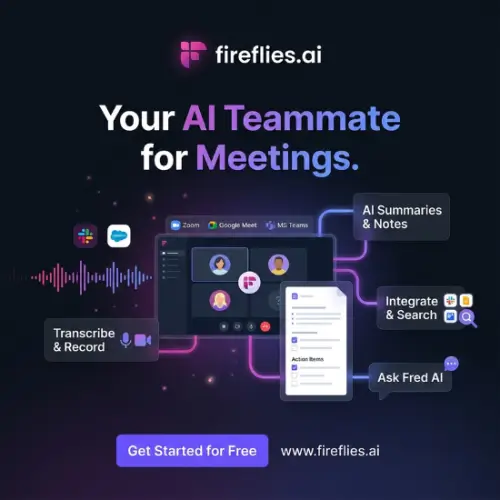
Have you ever walked out of an important meeting and completely forgotten what was decided? Or spent more time typing notes than actually talking to people? That’s exactly the problem Fireflies.ai is trying to solve. It’s an AI meeting assistant that joins your calls, records everything, writes down the important parts, and even lets you search through old conversations like you’re googling your own memory.
Let me explain how it works, what it costs, and whether it’s actually worth your time.
What Is Fireflies.ai, Really?
Think of Fireflies.ai as a very quiet, very organized friend who sits in every meeting with you. You don’t have to hand them a pen or ask them to pay attention. They just show up, listen, and afterwards hand you a clean set of notes with all the action items highlighted .
It works with all the big platforms: Zoom, Google Meet, Microsoft Teams, Webex, and a bunch of others . Once you connect your calendar, a “notetaker” bot automatically joins your scheduled calls. You don’t have to remember to hit record. It just happens.
After the meeting ends, Fireflies gives you a full transcript, a summary, and a list of things people promised to do. You can search for any word or phrase across every meeting you’ve ever had. That means if a client mentions a budget number six months ago and you can’t remember it, you can just type it in and find the exact moment .
The Features That Actually Matter
Fireflies isn’t just a recorder. It has a few tricks that make it genuinely useful.
AskFred is the AI assistant inside Fireflies. You can ask it questions like “What did we decide about the marketing budget?” and it will scan your meeting history to give you an answer. It’s like having a search engine for your conversations .
Talk-time analytics is something managers seem to love. It shows you who talked the most in a meeting, who stayed quiet, and even the overall sentiment. If you’re training a sales team, this tells you whether your reps are listening enough or just rambling .
Conversation intelligence goes a step further. It can spot when competitors are mentioned, track key topics over time, and flag questions that customers keep asking. For sales teams, this is gold. It turns random calls into patterns you can actually learn from .
Integrations are everywhere. Fireflies connects to Slack, Notion, Asana, Salesforce, HubSpot, and over a hundred other apps. So when a meeting ends, the notes can automatically go to your project management tool or CRM without you doing anything .
The Pricing: Honest Breakdown
Fireflies has four plans. The free one is genuinely usable if you’re just one person testing things out. But most teams end up on Pro or Business.
Here’s how the pricing looks:
| Plan | Price (Annual Billing) | Price (Monthly Billing) | Best For | Key Limits |
|---|---|---|---|---|
| Free | $0 forever | $0 | Individuals trying it out | 800 mins storage/seat, limited AI summaries, 20 AI credits |
| Pro | $10/seat/month | $18/seat/month | Freelancers and small teams | 8,000 mins storage/seat, downloads, video recording, unlimited integrations |
| Business | $19/seat/month | $29/seat/month | Growing teams | Unlimited storage, conversation intelligence, team analytics, 30 AI credits |
| Enterprise | $39/seat/month (annual only) | Contact sales | Large organizations | SSO, HIPAA compliance, private storage, dedicated manager |
A quick note: the “AI credits” system on paid plans is a bit confusing. Basic transcription doesn’t use credits, but advanced AI features like AskFred and custom summaries do. Business gets 30 credits per seat, Enterprise gets 50, and Free gets 20 total . If you’re heavy on AI queries, you might need to buy more credits as an add-on.
Also worth knowing: video recording is only on Pro and above. The Free plan gives you transcripts and limited summaries, but no video .
What Real Users Say
I looked through reviews from actual users, and the pattern is pretty clear.
People love the transcription accuracy and the fact that Fireflies just shows up to meetings without being asked. One user said it “changed the way we document meetings” and that the summaries reliably capture action items . Another called it “indispensable” for managing heavy meeting schedules .
The Chrome extension gets a lot of praise for working without the bot joining. You can record directly from your browser without the awkward “Fireflies is recording” notification .
But there are complaints too. Some users say the bot sometimes fails to auto-join scheduled meetings, which is frustrating when you’re counting on it . Others find the pricing high for what they use, especially solo users. And a few mentioned that speaker identification can get confused when people talk over each other or have strong accents .
One reviewer on Chrome Web Store said the extension was “way too taxing” on their computer with 32GB of RAM, causing crashes . That’s not a universal experience, but it’s worth noting if you work on an older machine.
Who Should Use Fireflies?
If you’re in sales, Fireflies is almost a no-brainer. The conversation intelligence and CRM integrations mean your call notes end up in Salesforce or HubSpot without you typing a single word. Managers can review calls and coach reps using the talk-time data .
If you’re a recruiter, the search feature is incredibly useful. You can find every time a candidate mentioned a specific skill or salary expectation across hundreds of screening calls .
If you’re a project manager or consultant, the automatic summaries and action items save you from spending 20 minutes after every call writing up what happened. You just share the Fireflies summary instead .
If you’re a student or solo freelancer on a tight budget, the Free plan is decent for basic transcription, but you’ll hit the storage limit quickly. The Pro plan at $10/seat/month (annual) is reasonable, but if you only have one or two meetings a week, you might not need everything it offers.
A Few Things to Watch Out For
Fireflies is cloud-based. That means your meeting recordings and transcripts live on their servers, not your laptop. For most businesses this is fine, and Fireflies has SOC 2 Type II and GDPR compliance . But if you work in healthcare or handle extremely sensitive information, you’ll need the Enterprise plan for HIPAA compliance and private storage .
Also, the bot joining meetings can feel awkward in certain contexts. If you’re having a sensitive one-on-one with an employee, or a confidential client conversation, having a visible “Fireflies Notetaker” in the participant list might change the vibe. Fireflies does offer a botless option through the Chrome extension and desktop app, which helps, but it’s not the default experience .
Final Thought
Fireflies.ai isn’t magic. It won’t understand your industry jargon perfectly, and it won’t replace actually paying attention in meetings. But it does the boring, repetitive work of capturing what was said and turning it into something you can actually use later. For teams that live in video calls all day, that’s worth a lot.
If you’re tired of scrambling to write notes during calls, or you’ve ever wished you could remember exactly what a client said three months ago, Fireflies is a solid choice. Start with the free plan, see if the workflow fits, and upgrade when you need more.
Alternatives to Fireflies.ai
Granola – Captures audio from your own device instead of sending a bot to the meeting. It deletes the audio after transcription and builds notes from what you type during the call. Works on Mac, Windows, iPhone, and Android .
Otter.ai – A well-known meeting assistant with live transcription and speaker labels. It also offers sales and recruiting agents that can qualify leads or sync candidate notes to applicant tracking systems .
Fathom – Offers unlimited recordings and AI summaries even on its free plan. It records Zoom, Google Meet, Teams, and Slack Huddles, and can capture in-person conversations through its iOS app .
tl;dv – A European option based in Germany with EU data hosting. It works with or without a bot and supports custom note templates for sales frameworks like MEDDIC and SPIN .
Avoma – Combines meeting notes with a scheduler and revenue reporting. It includes lead routing, call scoring with custom scorecards, and deal risk alerts for sales teams .



