Meetings are an important part of running a business, managing a team, or working with clients. However, taking notes, remembering important points, and tracking every task after a meeting can take a lot of time. Sometimes, important information gets missed simply because everyone is busy talking.
This is where Fellow can help.
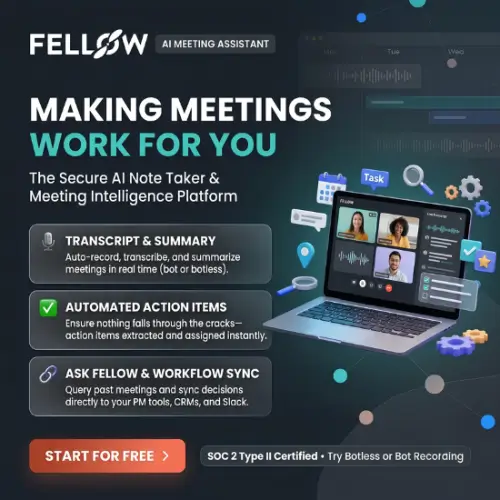
Fellow is an AI-powered meeting assistant that records conversations, creates transcripts, prepares meeting summaries, and identifies action items automatically. It helps individuals and teams manage their meetings without spending too much time writing notes.
Whether you run a small agency, work with clients, manage a remote team, or attend several online meetings every day, Fellow can make your work easier.
In this Fellow review, we will explore its features, pricing, benefits, limitations, and alternatives to help you decide whether it is the right meeting assistant for your needs.
What Is Fellow?
Fellow is an AI meeting assistant designed to make meetings more productive. It records conversations, converts speech into text, generates summaries, and automatically finds important decisions and action items.
It works with popular meeting platforms such as Zoom, Google Meet, and Microsoft Teams. You can also capture conversations using botless desktop recording or record in-person discussions.
One useful feature is Ask Fellow, which allows you to ask questions about your previous meetings. Instead of searching through multiple documents, you can ask the AI assistant what was discussed, what decisions were made, or which tasks are still pending.
Fellow also provides collaborative meeting agendas, shared notes, integrations, and a searchable recording library.
Its main purpose is simple: help people spend less time managing meeting notes and more time completing important work.
How Does Fellow Work?
Getting started with Fellow is quite simple. You can create an account, connect your calendar, and integrate it with your preferred video meeting platform.
Here is how the process generally works:
- Create an account: Visit the Fellow website and sign up for an account.
- Connect your calendar: Connect your Google or Microsoft calendar so Fellow can work with your scheduled meetings.
- Choose a recording method: Use the meeting bot, botless desktop recording, or another supported recording option.
- Start your meeting: Fellow captures the conversation and creates a transcript.
- Get an AI summary: After the meeting, it prepares a summary with important discussion points, decisions, and action items.
- Review and share: Check the generated notes, make corrections if needed, and share them with your team.
The best part is that you do not have to write everything manually while participating in a discussion.
Key Features of Fellow
Fellow offers several useful features for people who regularly attend online meetings. Let’s look at some of its most important features.
1. AI Meeting Recording
One of the main features of Fellow is its AI meeting recorder.
It can automatically record your online meetings and save the conversation for future reference. This is helpful when you are discussing important business decisions, project updates, or client requirements. Fellow supports popular meeting platforms, including:
- Google Meet
- Zoom
- Microsoft Teams
- Slack Huddles
You can configure the Note Taker to join meetings automatically or enable it manually when required.
The recording library also gives you a place to revisit previous conversations instead of searching through different files.
2. Automatic Meeting Transcription
Sometimes, remembering every detail of a long meeting is difficult. Fellow solves this problem by converting spoken conversations into written text.
Its AI transcription feature creates a written record of the discussion. This makes it easier to find specific information, review important statements, and understand what happened during a meeting.
Fellow’s official documentation lists support for 93 transcription languages. This feature can be especially useful for international businesses and teams that communicate with clients from different countries.
However, AI transcription may occasionally misunderstand names, technical words, or unclear speech. Therefore, you should review important information before using it in official documents.
3. AI Meeting Summaries
Reading an entire meeting transcript can take a lot of time. Fortunately, Fellow can prepare an AI-generated summary after the meeting.
The summary highlights the important points without requiring you to go through the complete conversation. It can help you understand:
- What topics were discussed?
- What decisions were made?
- What problems were identified?
- What needs to happen next?
- Who is responsible for each task?
For example, if you have a one-hour meeting with a client, you can use the summary to quickly understand the main discussion points.
This is particularly useful for agencies, consultants, project managers, and remote teams.
4. Automatic Action Items
A meeting is useful only when people take action on the things they discuss. Fellow helps solve this problem by identifying action items from conversations.
For example, imagine your marketing team discusses a new campaign. During the meeting, someone agrees to prepare graphics, another person takes responsibility for writing content, and a third person agrees to review the campaign.
Fellow can identify these tasks and include them in the meeting recap.
You can then review the tasks and organize follow-ups. This reduces the chances of forgetting important responsibilities and helps everyone understand what they need to do after the meeting.
5. Ask Fellow AI Assistant
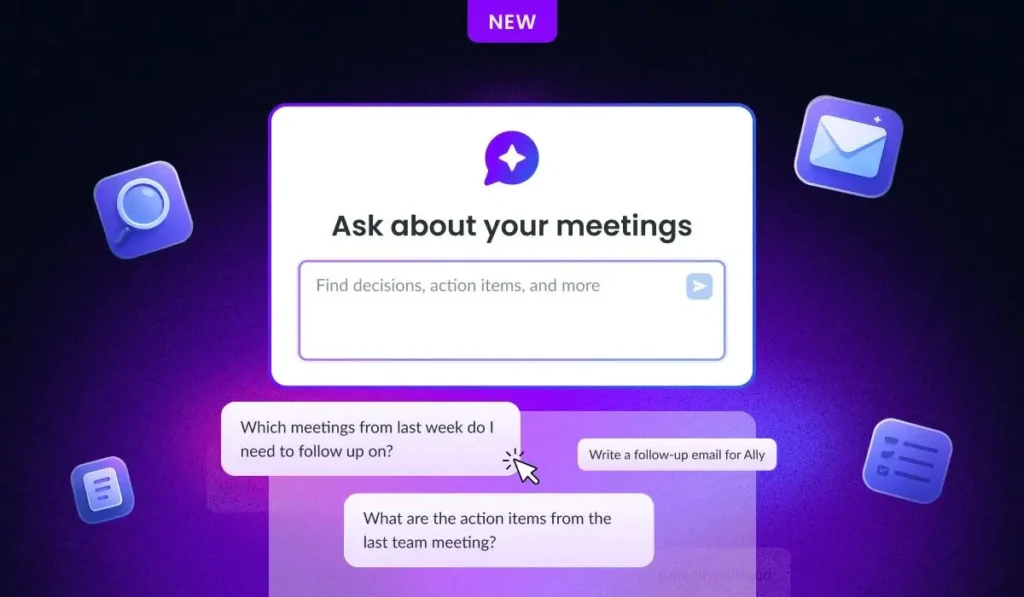
Ask Fellow is one of the most useful features of the platform.
It allows you to ask questions about your meeting history using normal language. You do not need to manually search through multiple recordings and transcripts.
For example, you can ask:
- What did we discuss in our last client meeting?
- What tasks are still pending?
- What was the final decision about the project?
- What problems did the team discuss last week?
- What should we include in the next meeting agenda?
You can also use Ask Fellow to draft documents, prepare meeting materials, and create follow-up content using your meeting information.
For a small business, this can save a considerable amount of time when preparing client updates and project reports.
Always review AI-generated information before sharing it with clients or team members.
6. Collaborative Meeting Agendas
Fellow is not just a recording tool. It also helps you prepare for meetings.
Its collaborative agenda feature allows team members to add discussion topics before a meeting starts.
For example, if you are planning a weekly team meeting, everyone can add their questions, updates, and important points to the agenda.
This helps keep discussions organized and reduces the chances of wasting time on unrelated topics.
You can also use meeting templates to make recurring meetings easier to manage.
7. Botless Meeting Recording
Some people do not like AI meeting assistants that join video calls as separate participants.
Fellow offers botless recording options that allow users to capture conversations through desktop recording without adding a visible meeting bot.
This can be useful for people who want a simpler recording experience.
However, there is an important privacy consideration. Fellow’s recording methods may provide different notifications to participants. External guests may not receive the same visible indication as internal participants.
Always inform everyone involved when recording or transcription is taking place and obtain the necessary consent.
8. In-Person Meeting Recording
Not every important discussion happens online.
Sometimes, you need to attend an office meeting, client discussion, or face-to-face business conversation.
Fellow supports in-person conversation capture, allowing you to record discussions outside traditional video meetings.
This can be helpful for business owners, consultants, and teams that regularly meet clients in person.
You can then use the resulting meeting information to prepare notes and follow-up tasks.
9. Integrations With Other Tools
Most businesses already use different applications to manage their daily work.
Fellow provides integrations that help connect meeting information with other business tools.
Depending on your subscription, you can connect it with tools such as:
- Google Meet
- Zoom
- Microsoft Teams
- Slack
- Notion
- Confluence
- Jira
- Asana
- ClickUp
- Linear
- Salesforce
- HubSpot
These integrations can help teams move meeting information into their existing workflows.
For example, you can connect meeting-related tasks with project management platforms or use CRM integrations to keep client records updated.
Some advanced integrations and automated CRM updates are available only on higher subscription plans.
10. MCP Server for AI Assistants
One interesting feature of Fellow is its Model Context Protocol (MCP) server.
It allows compatible AI assistants, including ChatGPT, Claude, and other supported tools, to access information from your Fellow workspace.
For example, you can connect your meeting information with an AI assistant and ask questions such as:
- What were the main decisions from this month’s meetings?
- What are my unfinished tasks?
- What did the client request during our previous discussion?
This feature can be useful when you want to combine meeting information with other AI-powered workflows.
Workspace administrators can control which MCP tools are available and manage connected applications. Access is limited by the permissions already assigned within Fellow.
Fellow Pricing Plans
Fellow offers a free plan and several paid plans for individuals and businesses. The pricing depends on the number of users, recording requirements, and features your team needs.
According to Fellow’s official pricing page, the following prices are listed in US dollars.
| Plan | Price (billed annually) | Monthly billing |
|---|---|---|
| Free | $0 | $0 |
| Team | $7/user/month | $11/user/month |
| Business | $15/user/month | $23/user/month |
| Enterprise | $25/user/month | Contact sales |
Prices checked against the official pricing page. Prices are in USD and may change. Taxes and other applicable charges may apply. fellow.ai+1
Free Plan
The Free plan is suitable for individuals and small teams who want to test Fellow before purchasing a subscription.
It includes:
- AI-generated meeting summaries
- Meeting transcription
- AI action items
- Ask Fellow
- Google Meet, Zoom, and Microsoft Teams integrations
- Five AI meeting notes per user (lifetime)
- Five AI recordings per user (lifetime)
The main limitation is that the recording and AI note allowances are lifetime limits, not monthly allowances.
Team Plan – $7 Per User/Month
The Team plan is designed for small teams that need more meeting features.
It includes the Free plan features along with:
- 10 AI meeting notes per user per month
- 10 AI recordings per user
- Meeting automations
- Project management integrations
- Confluence and Notion integrations
- API access
This plan can be a good choice for small agencies and businesses that regularly conduct client meetings.
Business Plan – $15 Per User/Month
The Business plan is designed for organizations that need more recording capacity and advanced meeting management features.
Some of its main benefits include:
- Unlimited AI meeting notes
- Unlimited AI recordings
- Sales AI recap templates
- Organization-wide meeting templates
- Advanced CRM integrations
- Keyword tracking
- Bot avatar customization
- API access
This plan is worth considering if your team has several meetings every day and needs better integration with sales and customer management systems.
Enterprise Plan – $25 Per User/Month
The Enterprise plan is designed for larger organizations that need advanced administration, security, and access controls.
It offers features such as:
- Advanced recording permissions
- Domain control
- User provisioning
- Organization-wide meeting analytics
- Transcript redaction
- AI-powered CRM field updates
- Security and legal reviews
- API access
Organizations with specific security and compliance requirements may find this plan more suitable.
Important: Fellow also documents a Solo plan for individuals. Its availability and current pricing should be checked directly with the company. The prices above are the publicly displayed team-plan prices. fellow.ai+1
Privacy and Security
Privacy is an important consideration when using an AI meeting assistant because meeting recordings can contain confidential business information.
Fellow states that it does not use your meeting data to train AI models. It also provides security and administrative controls to help organizations manage recordings and access.
Some important security features include:
- Recording permissions
- Access management
- Transcript and meeting note redaction on eligible plans
- Workspace administration
- MCP connection management
- GDPR and SOC 2 Type II compliance
Fellow also states that its AI features are covered by its security and compliance framework. Fellow Help Center+2
However, businesses should still create their own recording policies. Make sure meeting participants know when conversations are being recorded and understand how the information will be used.
For sensitive client discussions, review access permissions before connecting third-party AI applications.
Pros and Cons of Fellow
Before choosing any software, it is important to understand both its benefits and limitations.
Pros
- Automatic note-taking: Saves time by recording and summarizing meetings.
- AI transcription: Converts conversations into searchable written text.
- Action item tracking: Helps identify tasks and responsibilities.
- Ask Fellow: Makes it easier to find information from previous meetings.
- Multiple recording options: Supports bot-based and botless recording methods.
- Useful integrations: Connects meeting information with popular business tools.
- Collaborative agendas: Helps teams prepare for productive discussions.
- MCP support: Connects meeting information with compatible AI assistants.
- In-person recording: Useful for conversations outside online meetings.
Cons
- Free plan limitations: Five lifetime AI notes and recordings may not be enough for regular users.
- Paid plans can become expensive: Costs increase as you add more team members.
- AI errors: Transcripts and summaries may contain mistakes that require manual checking.
- Internet and software dependency: Some features depend on supported applications and recording methods.
- Privacy considerations: Users must follow proper recording and consent policies.
- Advanced features cost more: Some CRM, administrative, and security features require higher subscription plans.
Who Should Use Fellow?
Fellow can be useful for different types of professionals and businesses. Here are some examples:
1. Small Business Owners: Business owners can use Fellow to record client discussions, remember important decisions, and manage follow-up tasks.
2. Marketing Agencies: Marketing agencies often manage several clients and projects at the same time. Fellow can help keep meeting notes, campaign discussions, and client requirements organized.
3. Remote Teams: Remote employees regularly communicate through video calls. Fellow helps them maintain meeting records and understand their responsibilities after each discussion.
4. Project Managers: Project managers can use meeting summaries and action items to track progress and identify pending work.
5. Sales Teams: Sales professionals can use meeting recordings and summaries to review client conversations. CRM integrations can also help maintain customer records.
6. Consultants and Freelancers: Freelancers and consultants can use Fellow to remember client requirements, prepare follow-up emails, and organize project discussions.
Is Fellow Worth It?
Fellow is a useful AI meeting assistant for people who regularly attend online meetings and want to reduce manual note-taking.
Its biggest advantage is that it combines meeting recording, transcription, summaries, action items, collaborative agendas, and an AI assistant in one platform.
Ask Fellow is particularly helpful because it allows you to retrieve information from previous meetings without searching through long recordings. Its MCP support also makes it interesting for businesses that already use AI assistants in their daily workflows.
However, the Free plan has limited lifetime recording credits. If you attend several meetings every week, you may need a paid subscription.
For individuals, freelancers, small agencies, and remote teams, Fellow is worth trying. You can start with the free plan and upgrade when you need more recording capacity or advanced integrations.
Overall, Fellow is a strong choice for anyone who wants to make meetings more organized and turn conversations into useful business actions.
Alternatives to Fellow
If Fellow does not meet your requirements, here are three other AI meeting assistants worth considering.
1. Granola
Granola combines your own meeting notes with AI-powered transcription and summaries. It offers botless recording, searchable meeting history, and an AI chat feature to help you find important information.
2. Fireflies.ai
Fireflies records, transcribes, and summarizes online meetings automatically. It also provides searchable conversations, action items, conversation analytics, and integrations with business tools.
3. MeetGeek
MeetGeek helps teams record meetings, generate AI summaries, and organize important discussion points. It also offers customizable meeting recaps, video highlights, and CRM integrations.