
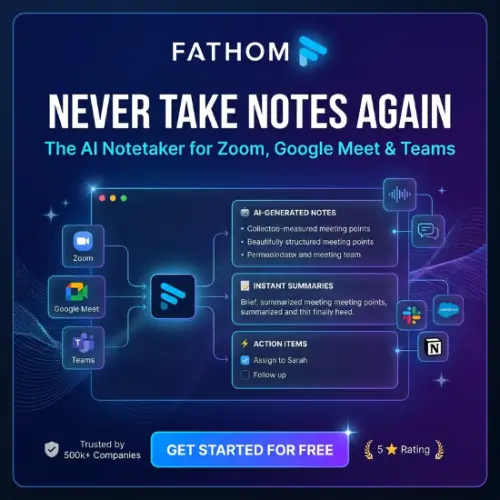
Fathom is an AI-powered meeting assistant that records, transcribes, and summarizes online meetings automatically. It helps you save time by creating meeting notes, highlighting important points, and listing action items. Instead of writing everything down during a call, you can focus on the conversation while Fathom handles the notes. It is especially useful for professionals, students, sales teams, and businesses that attend frequent online meetings.
What Is Fathom?
Fathom is an AI meeting assistant designed to make online meetings more productive. It captures conversations, converts speech into text, and creates easy-to-read summaries using artificial intelligence.
Think about attending a one-hour business meeting. You need to listen carefully, remember important details, write down decisions, and note what needs to be done next. Doing all these things together can be difficult.

Fathom makes this process easier. It can record your meeting, prepare a transcript, identify important discussion points, and create a summary after the call.
It works with popular meeting platforms such as Zoom, Google Meet, and Microsoft Teams. Fathom also offers integrations with business tools such as HubSpot, Salesforce, Slack, Notion, and Asana.
One of its useful features is Ask Fathom, which lets you ask questions about your recorded meetings instead of searching through long transcripts manually.
Whether you work alone or manage a team, Fathom can help you spend less time on meeting administration and more time completing important work.
Key Features of Fathom
Fathom offers several features that make meeting management easier. Here are some of its most useful capabilities.
1. Automatic Meeting Recording
Fathom can automatically capture your online meetings without requiring you to take notes manually. Its meeting assistant can join supported video calls and record the conversation.
You can use it with Zoom, Google Meet, and Microsoft Teams. It also offers bot-free recording options through its Mac desktop application, although some bot-free video features are still in beta.
This feature is useful for people who attend several meetings every day and want to review conversations later.
2. AI-Powered Meeting Summaries
One of Fathom’s main features is its ability to create meeting summaries automatically.
After a meeting ends, it prepares a summary containing the important topics, decisions, and discussion points. This makes it easier to understand what happened without watching the complete recording again.
For example, if you attend a project meeting, Fathom can help you identify the discussed tasks, project updates, and important decisions.
3. Automatic Transcription
Fathom converts spoken conversations into written text. This means you can read the meeting conversation whenever you need it.
Its transcription feature also helps identify different speakers, making it easier to understand who said what.
You can search through transcripts to find specific words, topics, or important information instead of listening to the entire recording again.
4. AI-Generated Action Items
Sometimes, meetings end with several tasks, but people forget who is responsible for completing them.
Fathom helps solve this problem by identifying action items from conversations. It can create a list of tasks and important follow-ups discussed during the meeting.
This is particularly helpful for project managers, business owners, and sales professionals who need to keep track of responsibilities.
5. Ask Fathom
Ask Fathom is a conversational AI feature that allows you to ask questions about your meetings. For example, you can ask:
- What were the main decisions made during the meeting?
- What tasks were assigned to the team?
- What problems did the customer mention?
- What was the final project deadline?
Instead of searching through a long transcript, you can get answers based on the recorded meeting information.
Depending on your subscription, access to this feature and its usage limits may vary.
6. Meeting Highlights and Clips
Fathom allows you to save and share important moments from meetings.
For example, if a customer gives useful feedback during a sales call, you can save that particular moment and share it with your team.
This feature is useful for training, team discussions, customer support, and reviewing important business conversations.
7. CRM Integrations
Fathom connects with popular customer relationship management (CRM) platforms, including HubSpot and Salesforce.
These integrations help businesses transfer meeting information into their CRM systems. This reduces the need to update customer records manually after every call.
Business users can also access features such as CRM field syncing and Deal View, depending on their subscription plan.
8. Team Collaboration
Fathom is not only designed for individual users. It also offers collaboration features for teams.
Team members can organize meeting recordings, share highlights, add comments, and search across meeting information.
Managers can use features such as coaching metrics and AI scorecards to review conversations and improve their team’s performance.
9. Bot-Free Meeting Recording
An interesting feature of Fathom is its bot-free recording option.
Some people do not like having an additional AI assistant appear as a participant in their online meetings. Fathom offers ways to capture meetings without a visible meeting bot through its Mac desktop application.
Bot-free capture is currently subject to platform and feature availability, with some video recording capabilities still in beta.
Fathom Pricing and Plans
Fathom offers a free plan as well as several paid subscription options for individuals and businesses.
The free version is a good starting point for people who want to test AI meeting notes without paying for a subscription.
Here is an overview of its pricing based on the official pricing page.
| Plan | Annual Billing (per user/month) | Monthly Billing (per user/month) |
|---|---|---|
| Free | $0 | $0 |
| Premium | $16 | $20 |
| Team | $15 | $19 |
| Business | $25 | $34 |
| Enterprise | Custom pricing | Custom pricing |
Note: Team and Business plans require a minimum of two users. Annual prices are billed annually, and the exact amount charged depends on the billing option. Prices may change, so check the official website before purchasing.
Free Plan
The Free plan is suitable for individuals who want basic AI meeting assistance. It includes:
- Unlimited meeting recordings.
- Unlimited transcriptions.
- Instant AI meeting summaries.
- Meeting clips and playlists.
- Search across your calls.
- Bot or eligible bot-free recording options.
Some advanced features have limited usage on this plan.
Premium Plan
The Premium plan is designed for individuals who need more advanced meeting features. It includes:
- Everything available in the Free plan.
- Advanced AI meeting summaries.
- AI-generated action items.
- Conversational meeting assistant.
- Custom meeting bot.
It is a good option for freelancers, consultants, and professionals who regularly attend online meetings.
Team Plan
The Team plan is designed for businesses that want to manage meeting information across multiple employees. Its features include:
- Everything in Premium.
- Global search across team meetings.
- Shared meeting highlights and playlists.
- Comments and collaboration.
- Folders and keyword alerts.
- Team meeting organization.
This plan can be useful for teams that want everyone to access important meeting information.
Business Plan
The Business plan is suitable for sales teams and organizations that need more advanced meeting intelligence. It includes:
- Everything in the Team plan.
- CRM field syncing.
- Deal View.
- Coaching metrics.
- AI scorecards.
- Advanced custom summaries.
These features can help sales managers understand customer conversations and improve their team’s performance.
Enterprise Plan
The Enterprise plan is designed for larger organizations with advanced security and administration requirements. It offers features such as:
- Organization-wide security controls.
- Single sign-on (SSO).
- SCIM provisioning.
- Custom data retention policies.
- Dedicated customer success support.
- Advanced onboarding assistance.
Businesses interested in this plan need to contact Fathom’s sales team for pricing.
What Makes Fathom Different from Other AI Meeting Assistants?
There are many AI meeting assistants available today, including Otter.ai, Fireflies.ai, and Read AI. However, Fathom has several features that make it worth considering.
1. A Generous Free Plan
Fathom provides unlimited meeting recordings and transcriptions on its free plan. This makes it attractive for people who want to use an AI meeting assistant without paying immediately.
2. Easy-to-Understand Summaries
Instead of providing only a long transcript, Fathom creates structured summaries that help users understand the main discussion points.
3. Ask Questions About Meetings
Ask Fathom makes it easier to find information from recorded conversations. You can ask questions rather than manually searching through meeting notes.
4. Useful Business Integrations
Its integrations with CRM platforms and productivity tools help businesses connect meeting information with their existing workflows.
5. Options for Bot-Free Recording
Its Mac desktop application offers bot-free capture options, which can be useful for people who prefer not to have a meeting assistant appear as another participant.
Pros and Cons of Fathom
Before purchasing any AI software, it is important to understand both its advantages and limitations.
Pros
- Free plan with unlimited recordings and transcriptions.
- Automatically generates meeting summaries.
- Creates AI-powered action items.
- Saves time spent writing meeting notes.
- Supports popular video conferencing platforms.
- Offers searchable meeting transcripts.
- Includes useful CRM and productivity integrations.
- Provides meeting highlights and clips.
- Supports team collaboration and coaching features.
- Offers bot-free capture options on Mac.
Cons
- Some advanced features require a paid subscription.
- Team and Business plans have a two-user minimum.
- Bot-free recording availability depends on the operating system and feature.
- Some advanced features may have usage limitations on the Free plan.
- AI-generated summaries and transcripts may occasionally contain mistakes.
- It is not designed to record ordinary phone calls.
- Larger organizations may need to contact sales for pricing.
Who Should Use Fathom?
Fathom is designed for people who regularly attend online meetings and want an easier way to manage meeting information.
Here are some examples of people who may benefit from it.
Freelancers: Freelancers can use Fathom to record client discussions, remember project requirements, and keep track of deadlines.
Business Owners: Business owners can use it to review important conversations, identify decisions, and organize follow-up tasks.
Sales Professionals: Sales representatives can use Fathom to review customer calls, understand objections, and identify potential sales opportunities.
Students: Students who attend online classes or educational discussions can use meeting summaries to review important topics. They should always follow their institution’s recording rules.
Remote Teams: Teams working from different locations can use Fathom to share meeting summaries and keep everyone informed.
Project Managers: Project managers can use it to identify responsibilities, review decisions, and follow up on pending tasks.
Is Fathom Safe to Use?
Security is an important consideration when using an AI tool that records business conversations.
Fathom states that it follows security and privacy standards, including SOC 2 Type II, GDPR, and HIPAA-related compliance requirements.
However, users should still understand how their meeting recordings and personal information are handled.
Before recording a meeting, make sure you have permission from the participants and follow your organization’s privacy policies. This is particularly important when discussing confidential business information, customer details, or sensitive personal data.
You should also review Fathom’s official privacy policy and security information before using it for important business meetings.
Is Fathom Worth It?
Yes, Fathom is worth considering if you regularly attend online meetings and spend too much time writing notes or preparing meeting summaries.
Its free plan is one of its biggest advantages because it provides unlimited recordings and transcriptions. This allows individuals to try the software without making an immediate financial commitment.
The Premium plan is suitable for professionals who need advanced summaries and action items. Meanwhile, Team and Business plans offer additional features for organizations that want better collaboration, CRM updates, and sales performance tracking.
However, Fathom may not be the right choice if you mainly need a tool for recording ordinary phone calls or want a completely different meeting workflow.
Overall, it is a useful AI meeting assistant for individuals, freelancers, and businesses that want to make their online meetings more organized and productive.
Final Thought
Fathom is a helpful AI-powered meeting assistant that can save time and make online meetings easier to manage. Its automatic transcription, AI summaries, action items, meeting highlights, and Ask Fathom feature make it a practical option for everyday professional use.
The free plan is a great way to get started, especially if you are an individual user. Businesses can explore its paid plans for additional collaboration, CRM, and coaching features.
If you attend online meetings regularly and want to focus more on conversations instead of taking notes, Fathom is definitely worth trying.
Alternatives to Fathom
If Fathom does not meet your requirements, here are some other AI meeting assistants worth exploring.
1. Otter.ai
Otter.ai is an AI-powered meeting assistant that records conversations and converts them into searchable text. It also creates automatic summaries, identifies speakers, and helps users find important information from meetings.
2. Fireflies.ai
Fireflies.ai helps users record, transcribe, and summarize online meetings. It offers searchable transcripts, AI-powered conversation analysis, action items, and integrations with popular business applications.
3. Read AI
Read AI is an AI meeting assistant that provides meeting summaries, transcripts, recommendations, and engagement insights. It can help teams understand conversations and improve meeting productivity.
4. tl;dv
tl;dv is an AI meeting recorder designed for Zoom, Google Meet, and Microsoft Teams. It provides meeting recordings, transcripts, AI summaries, and shareable video clips.
5. Avoma
Avoma is an AI meeting and revenue intelligence platform designed mainly for sales and customer-facing teams. It offers meeting transcription, summaries, conversation insights, CRM integrations, and coaching features.
6. Grain
Grain is an AI-powered conversation intelligence platform that helps teams record meetings, create searchable transcripts, and share important video clips. It is especially useful for customer research, sales, and team collaboration.



